

Info: Machine translation This post was machine-translated from the Chinese original. Wording may be rough in places — the Chinese version is authoritative.
If you put the model on your own computer and then have it check your home devices, what happens? I started Qwen3.8 27B in LocalBrain 2.2.1, first checked the local shooting range, then checked my Raspberry Pi and router. The most striking result was that the shooting range report showed 184 question prompts.
The numbers look lively, but what truly worth learning is how they come from, what evidence they correspond to, and what needs to be fixed next. Below, following this transcript, I string together the model, inspection tools, authorizations, and reports. All operations are limited to my own equipment, network, and isolated range; During practice, I only select targets I own or have clearly authorized.
Start the model first, then ask what it can actually do
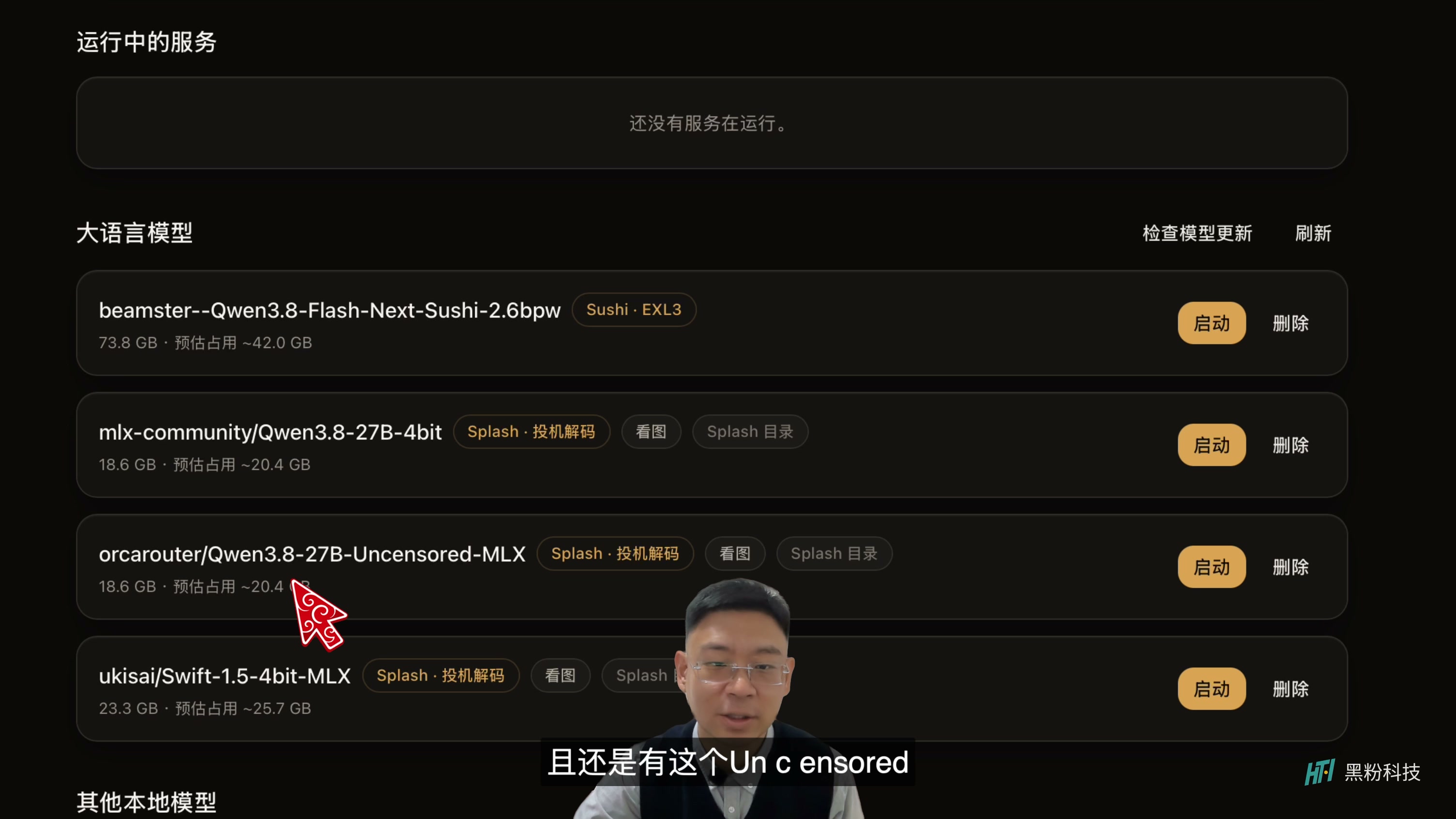
The selected version is the Qwen3.8 27B variant with the Uncensored tag, using the Splash route on Mac. “No Review” is the label for the model selected here, not a pass to test any target. Whether the model can answer questions and whether the software has permission to perform operations are two things that need to be confirmed separately.
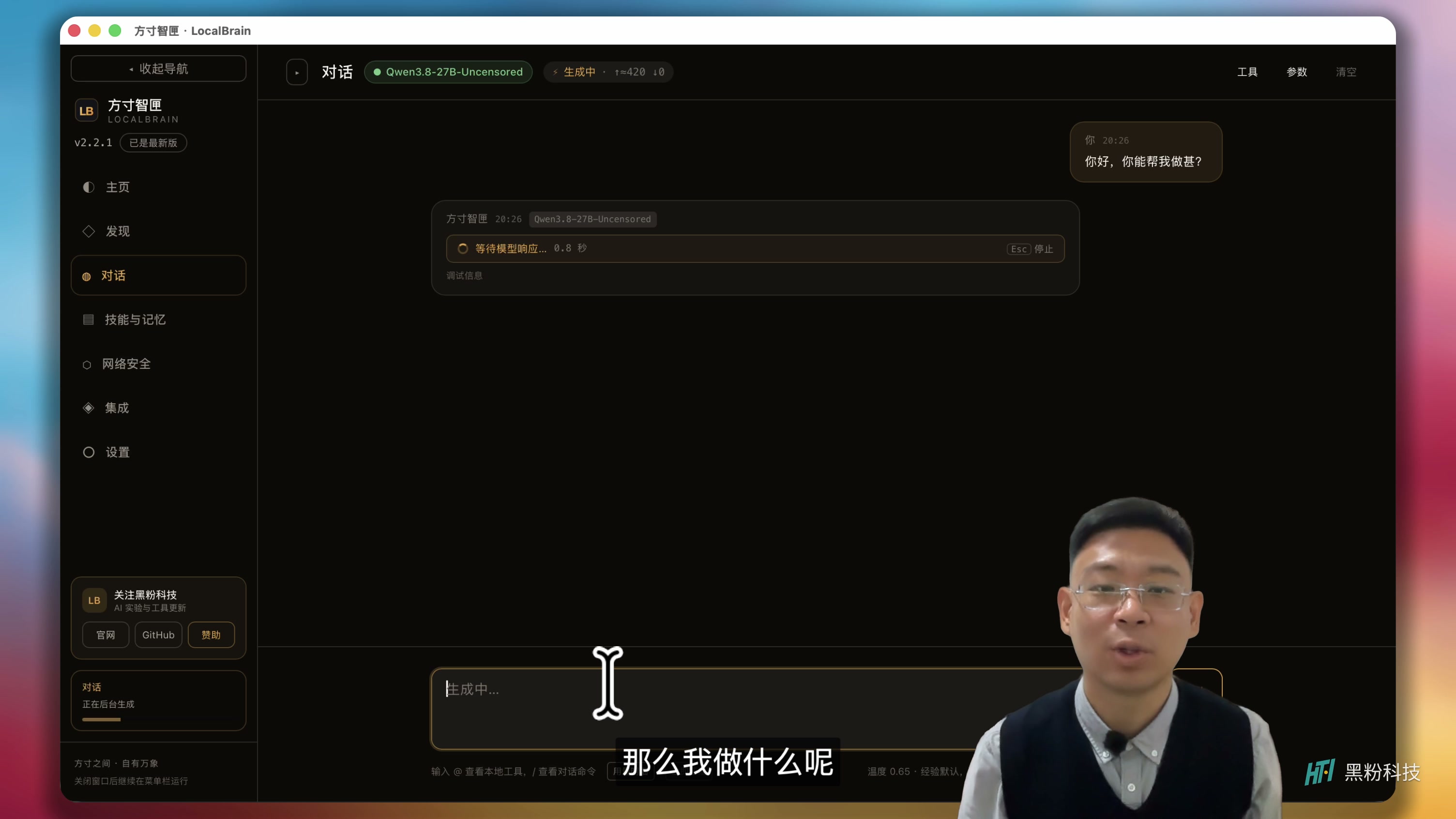
After launching, the activation status appeared in the upper left corner of the chat page. I first asked what it could do, then pressed for the specific scope of the security test. This wasn’t about how many terms the model had memorized, but about first aligning which tools it could call, which environments it lacked, and what permissions were required for operations.
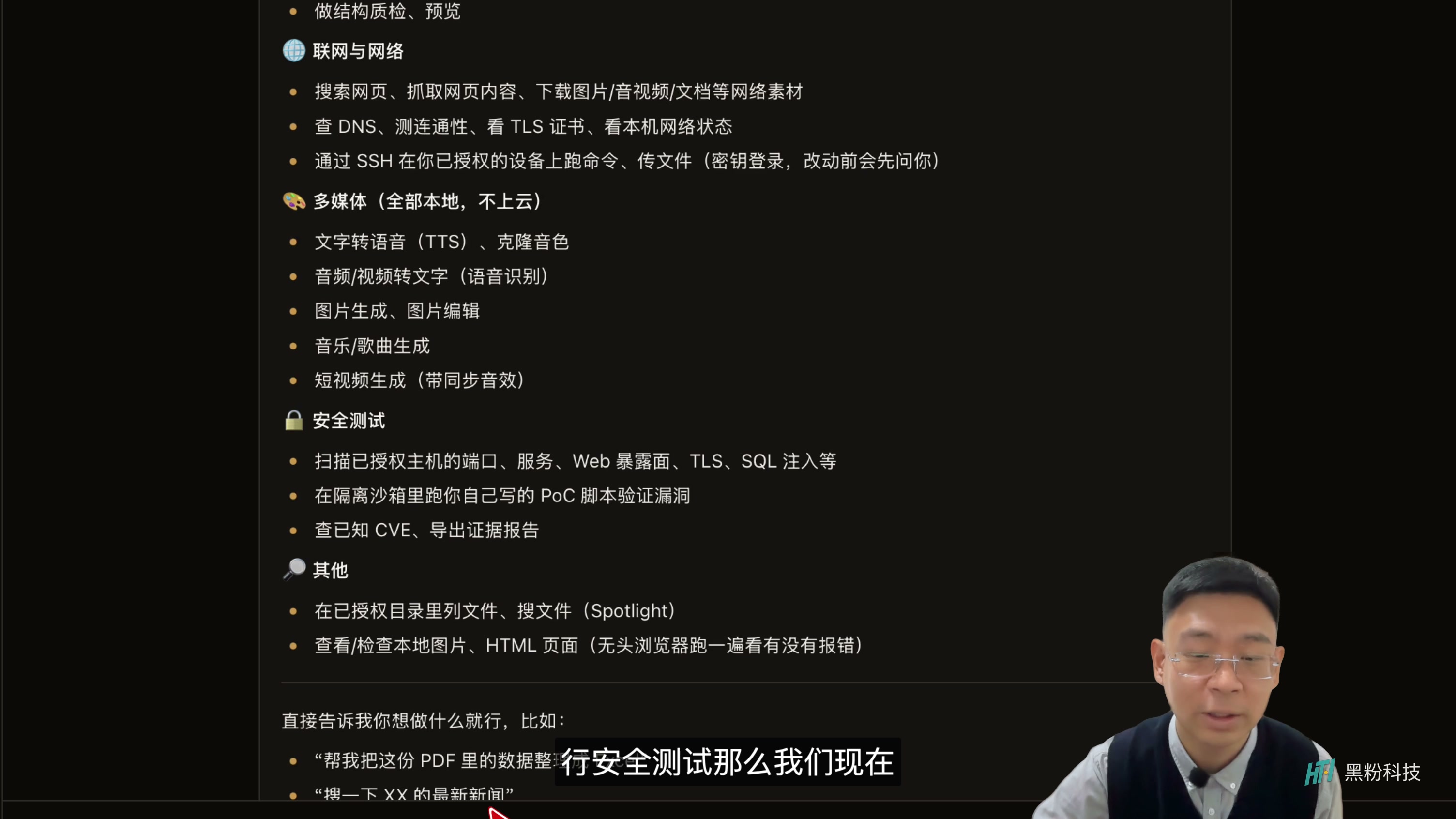
You can think of this relationship as a device health check: the model understands the questions, arranges inspections, and explains the results; The tools that actually read the documents, verify components, and detect the equipment are the corresponding tools. The model answers confidently and does not automatically make the inspection results accurate; ultimately, it depends on the tool’s output and the replayable evidence.
Authorization should focus on specific goals; you can’t just say the scope in one sentence
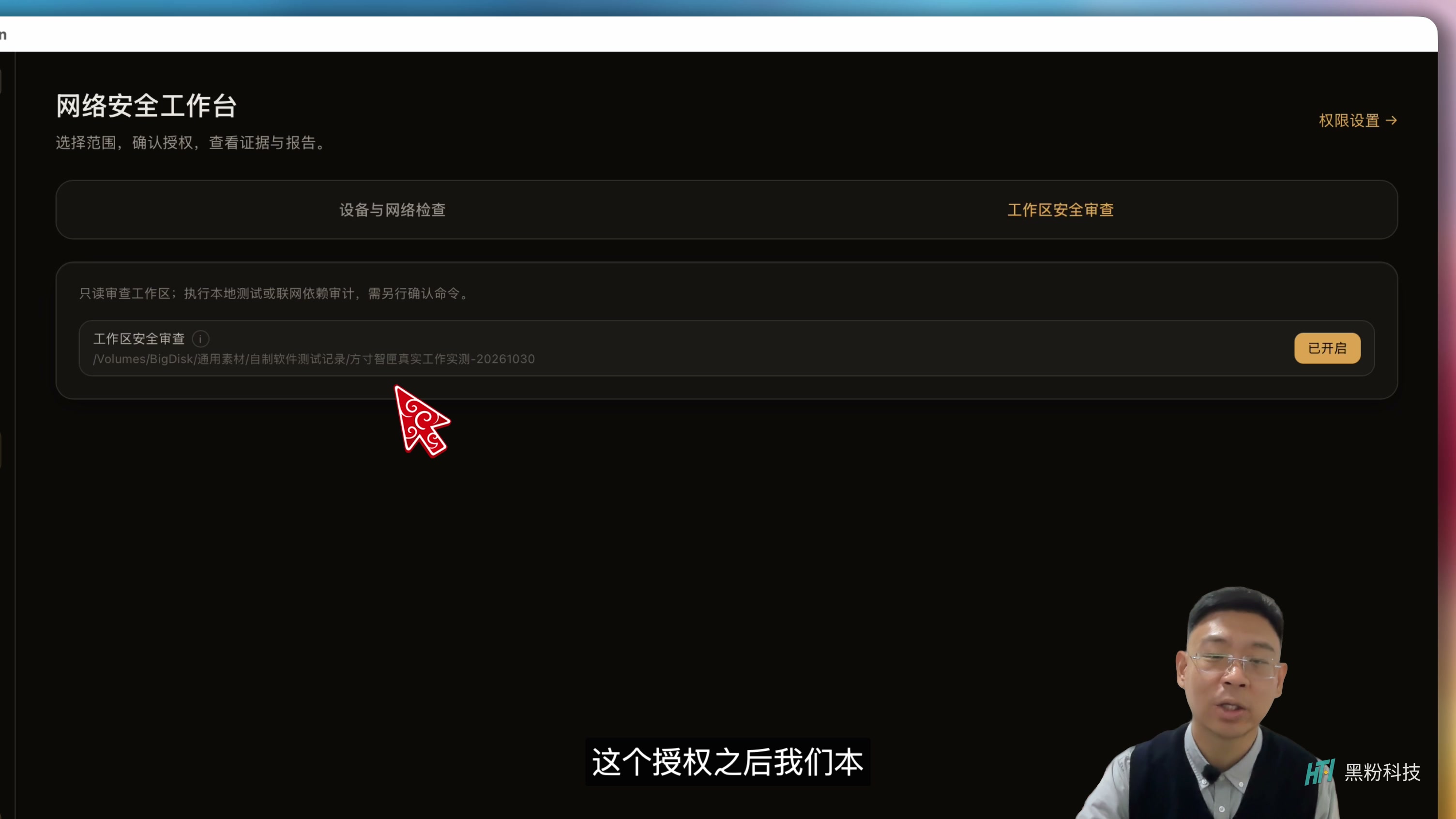
In LocalBrain’s network security zone, folder checks are set separately from devices and network targets. Check your project directory and authorize that directory; Check your device and add the corresponding target. Don’t open all permissions at once just because there are many capabilities in the menu.
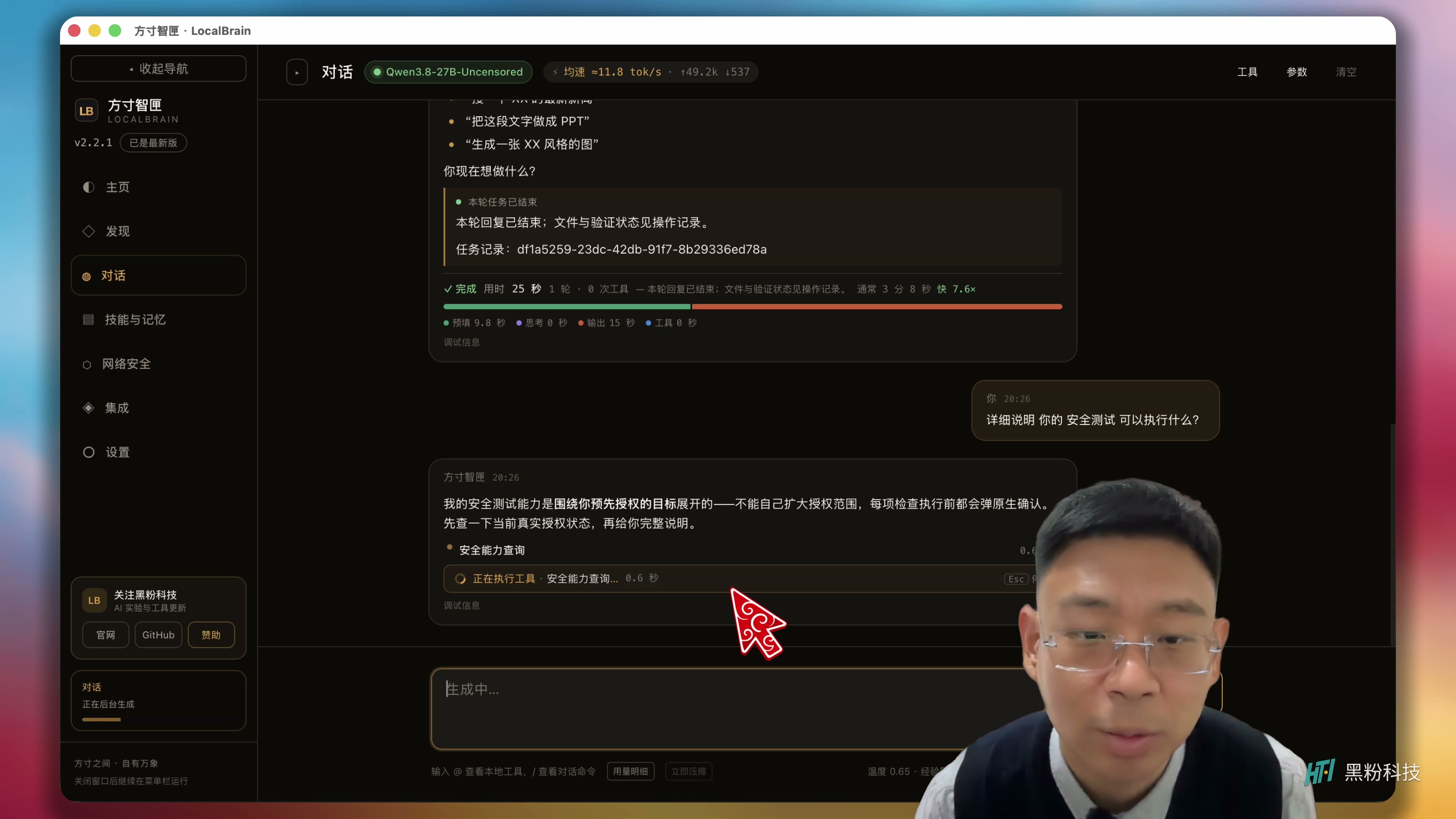
It’s like asking a technician to come for inspection: letting them check the living room sockets doesn’t mean they can search through every drawer. Clearly state the target, inspection type, and allowed actions, so later you know if a single operation has deviated from the original plan. In the video, I clearly require only pre-authorized targets and not expand the scope.
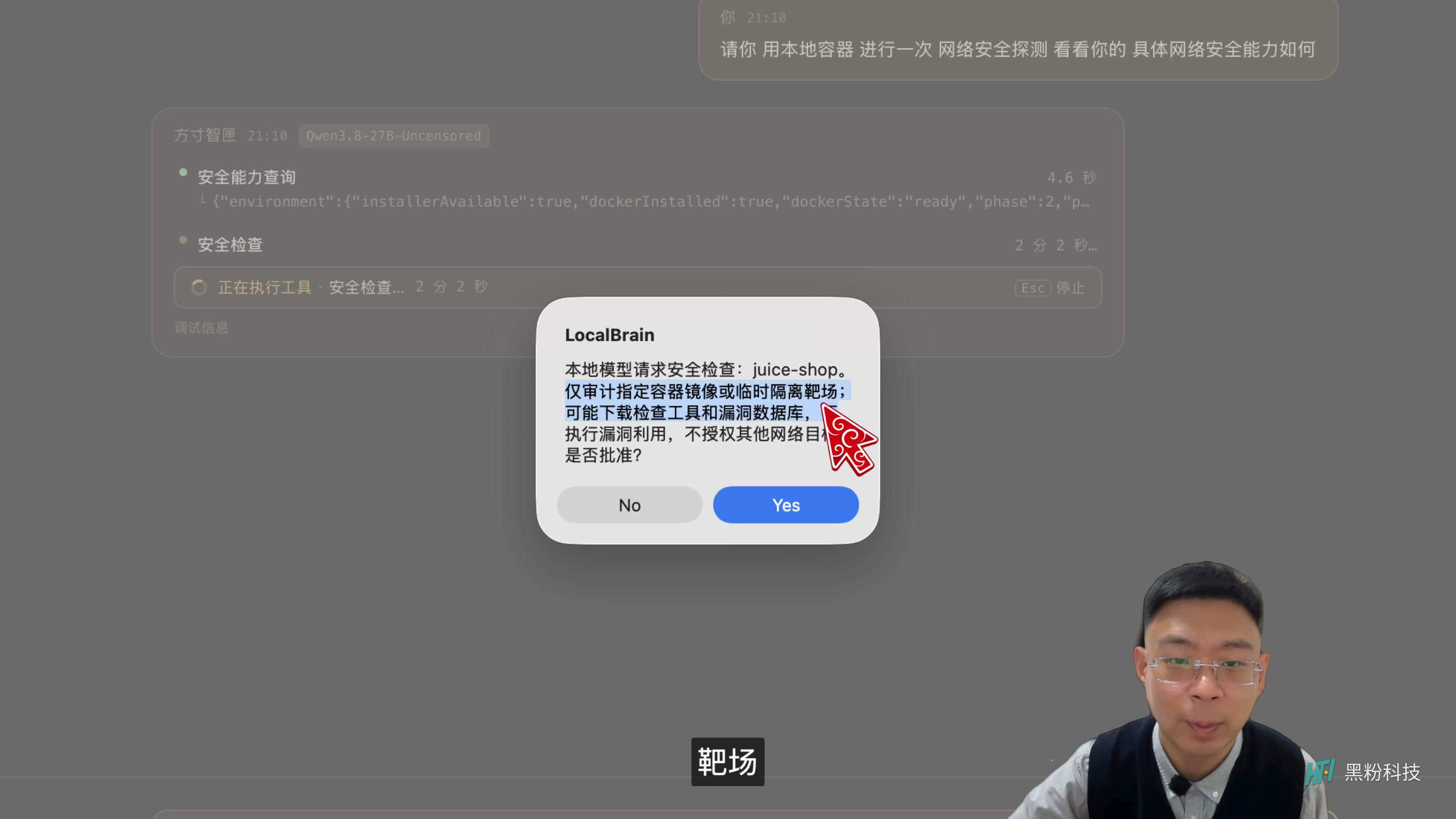
When performing local range tasks, the software will still pop up a confirmation, requiring manual approval from the user to continue. At this step, first read what it plans to download and check, then click approve; Don’t skip confirmation just because the task comes from a local model. It’s also better to practice for the first time using an isolated range rather than treating the public website as a test subject.
Checking where the tools are installed is more important than the phrase “one-click installation.”
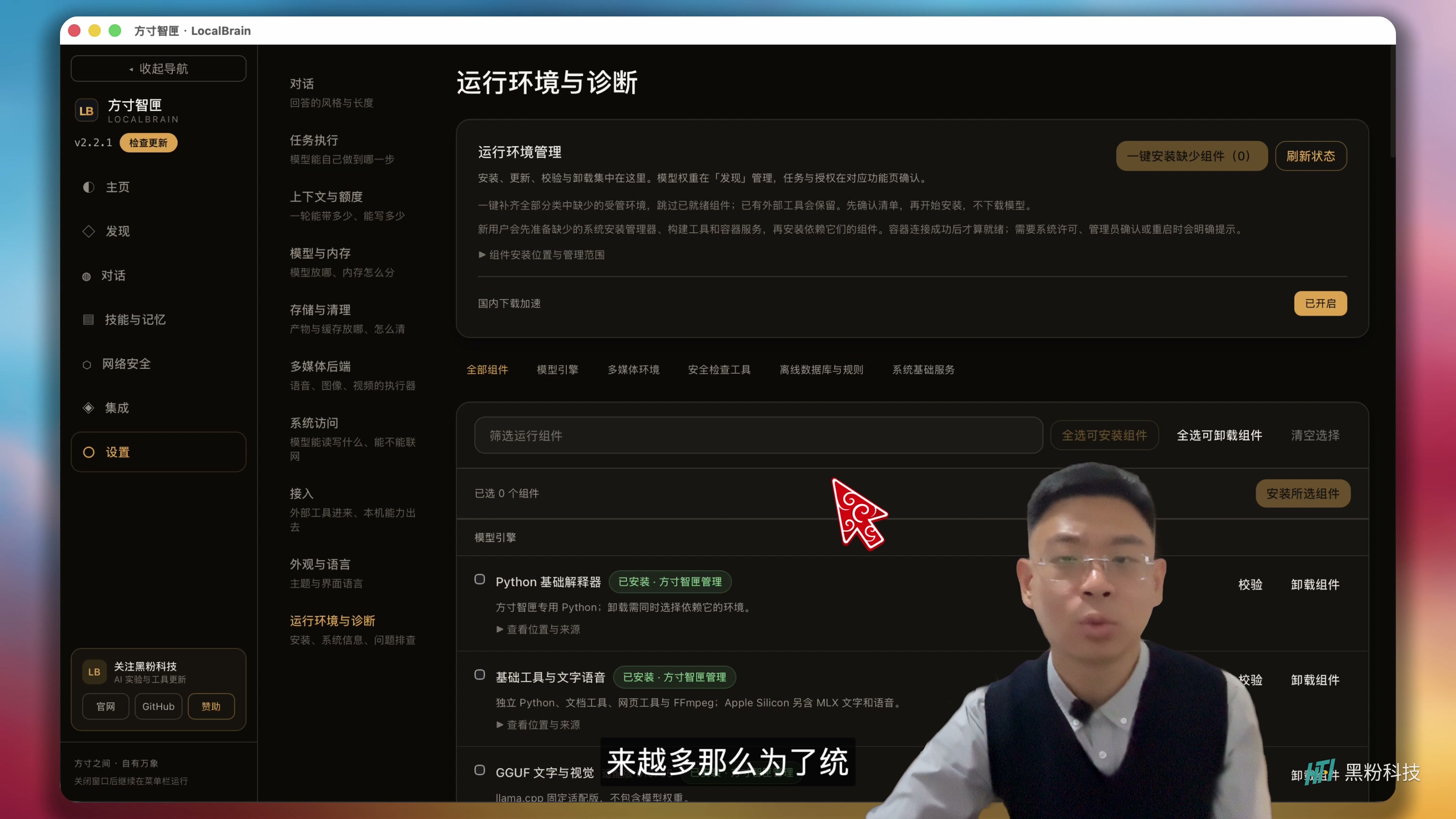
The supporting components are grouped under the “Runtime Environment and Diagnostics” section. Whatever is missing and whether it’s ready, you can check here first, then select single or batch installations. Android devices, offline vulnerability libraries, and isolated execution environments handle different tasks; installing a large model doesn’t automatically make all tools complete.
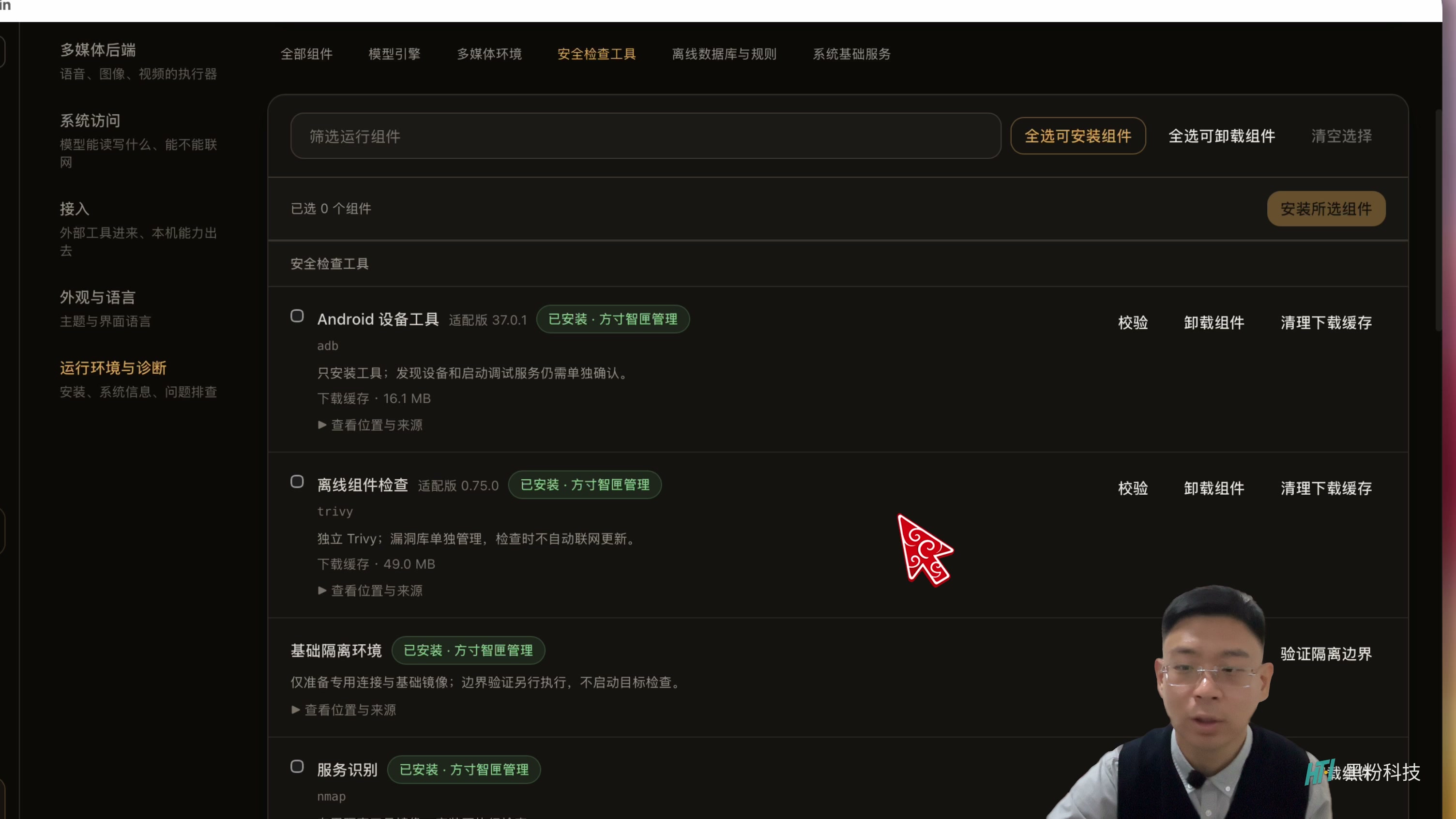
I removed a component on site and then reinstalled it through the interface, using this process to confirm the download and recovery entry points. Related inspection tools are organized by container image; when deleting, you can remove the corresponding image to reduce the impact of dependencies scattered across daily systems.
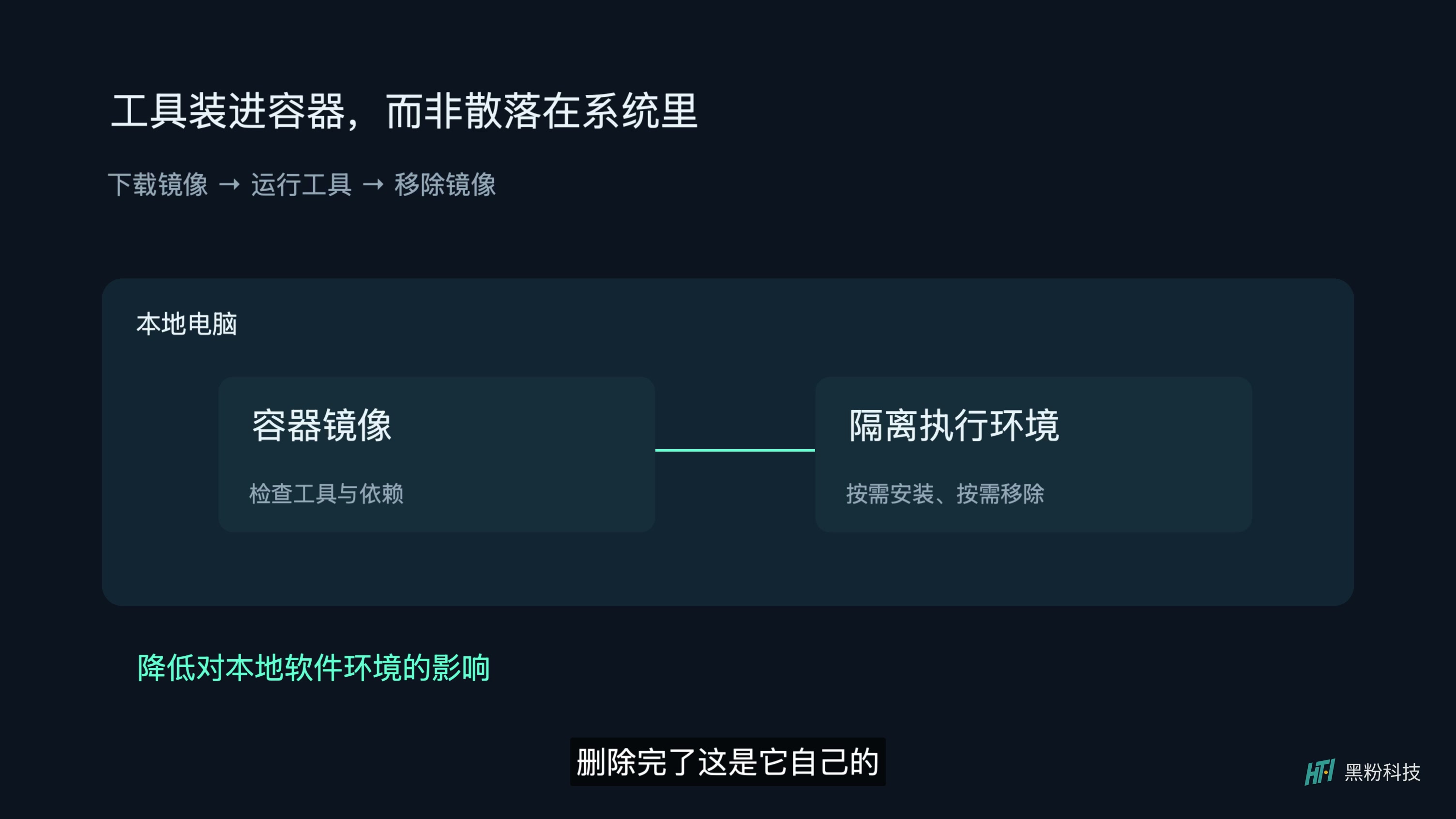
You can think of a container as a separate toolroom: it holds the tools and dependencies needed for the job, which can be put away after use. But the toolkit doesn’t automatically decide which room the technician can enter—container isolation and target authorization still need to be configured together. Downloading components may also require an internet connection; you can’t think of ‘local inference’ as the whole process never accessing the internet.
Tip 184: First check the inspection caliber, then the severity level
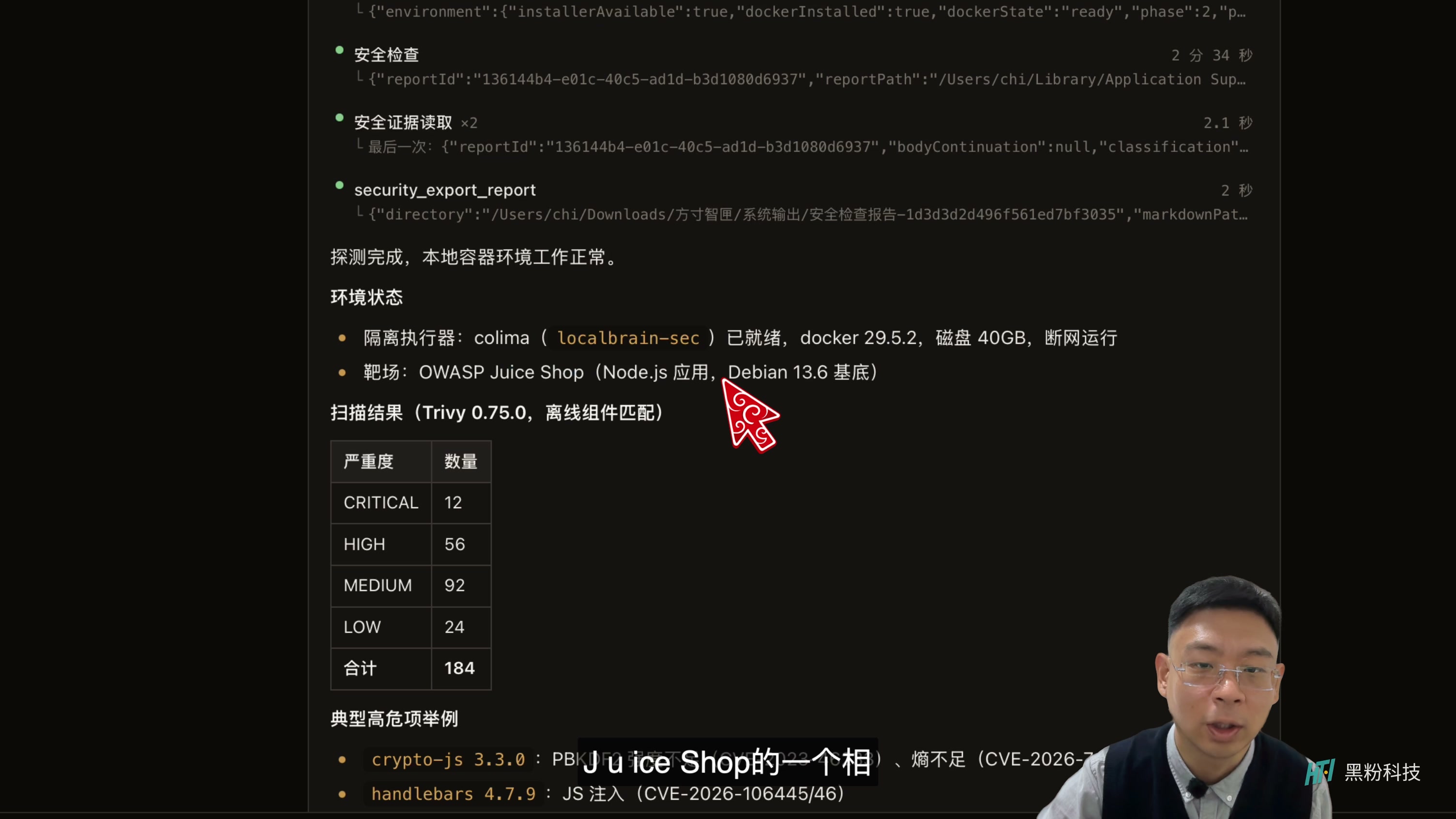
This time, the range used OWASP Juice Shop. The project itself is designed for safe learning and practice; To learn more about its purpose, you can directly see Juice Shop Project Description. The results clearly state “offline component matching,” using Trivy, with prompts divided into 12 severe, 56 high-risk, 92-medium-risk, and 24 low-danger, totaling 184 alerts.
The most common misunderstanding here is reading “Component matches with known problem entries” directly as “All 184 have been verified and usable on this machine.” Component version, runtime configuration, whether functions are called, and the actual reachable range all change the actual impact of a certain prompt. Severe levels are suitable for helping to order the order and cannot replace subsequent verification.
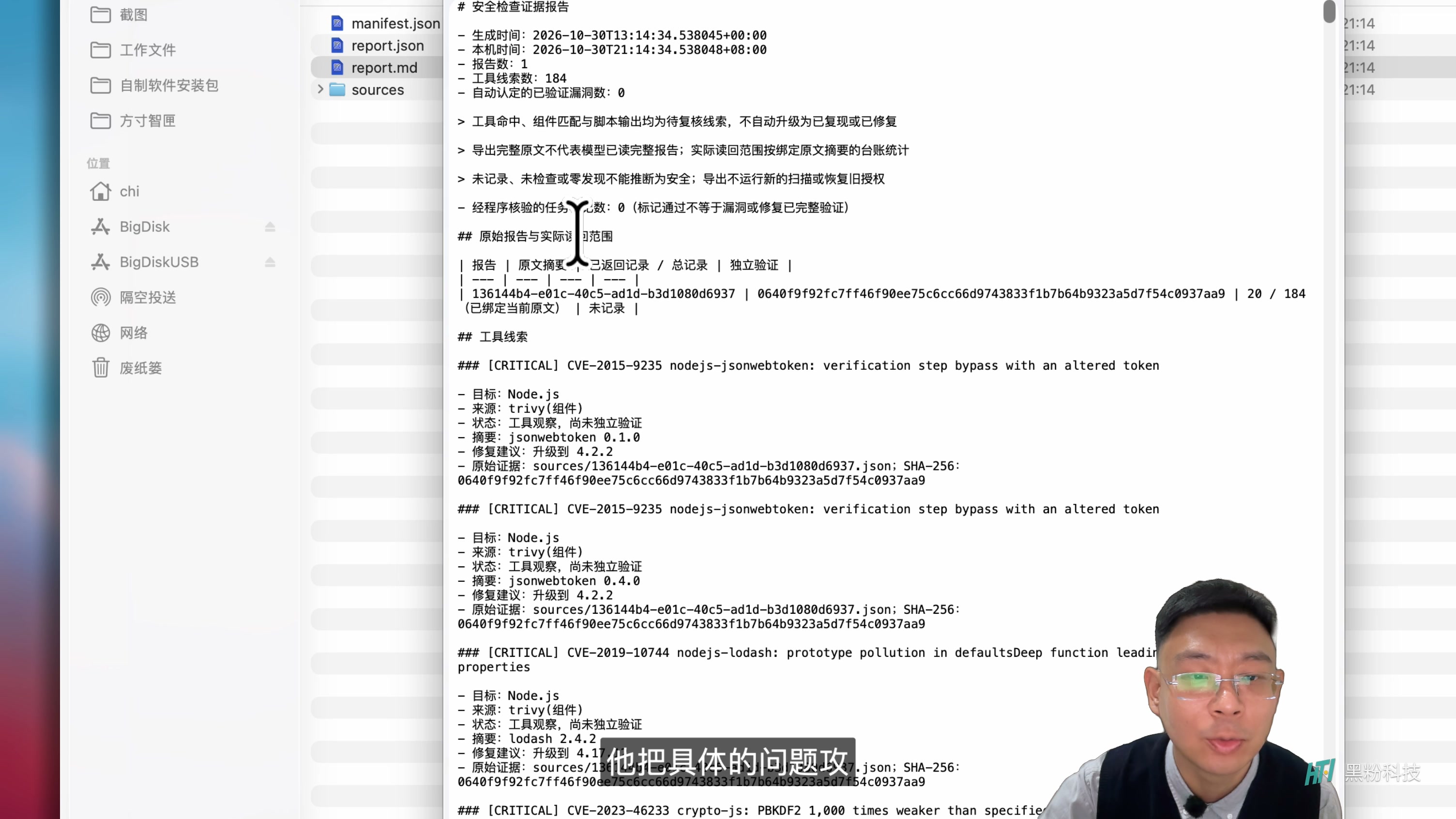
So I didn’t stop at the summary in the chat window but opened the exported report. When reading the report, first identify the affected person, then look for the detection basis, applicable conditions, and recommendations. Seeing only a prominent vulnerability number is often not enough to decide whether to stop service; seeing clear component versions, configuration locations, and verifiable phenomena is closer to a task that can be handled.
Models are great for interpreting unfamiliar terms into understandable words, and for organizing reports into to-do lists. Fixes should go back to the formal update, configuration, and validation processes of the corresponding components or devices. Don’t attempt destructive actions in production based on chat answers, and don’t directly disclose the paths, tokens, or device identifiers written in the report.
When it comes to their own devices, the focus shifts from “quantity” to “what is exposed.”
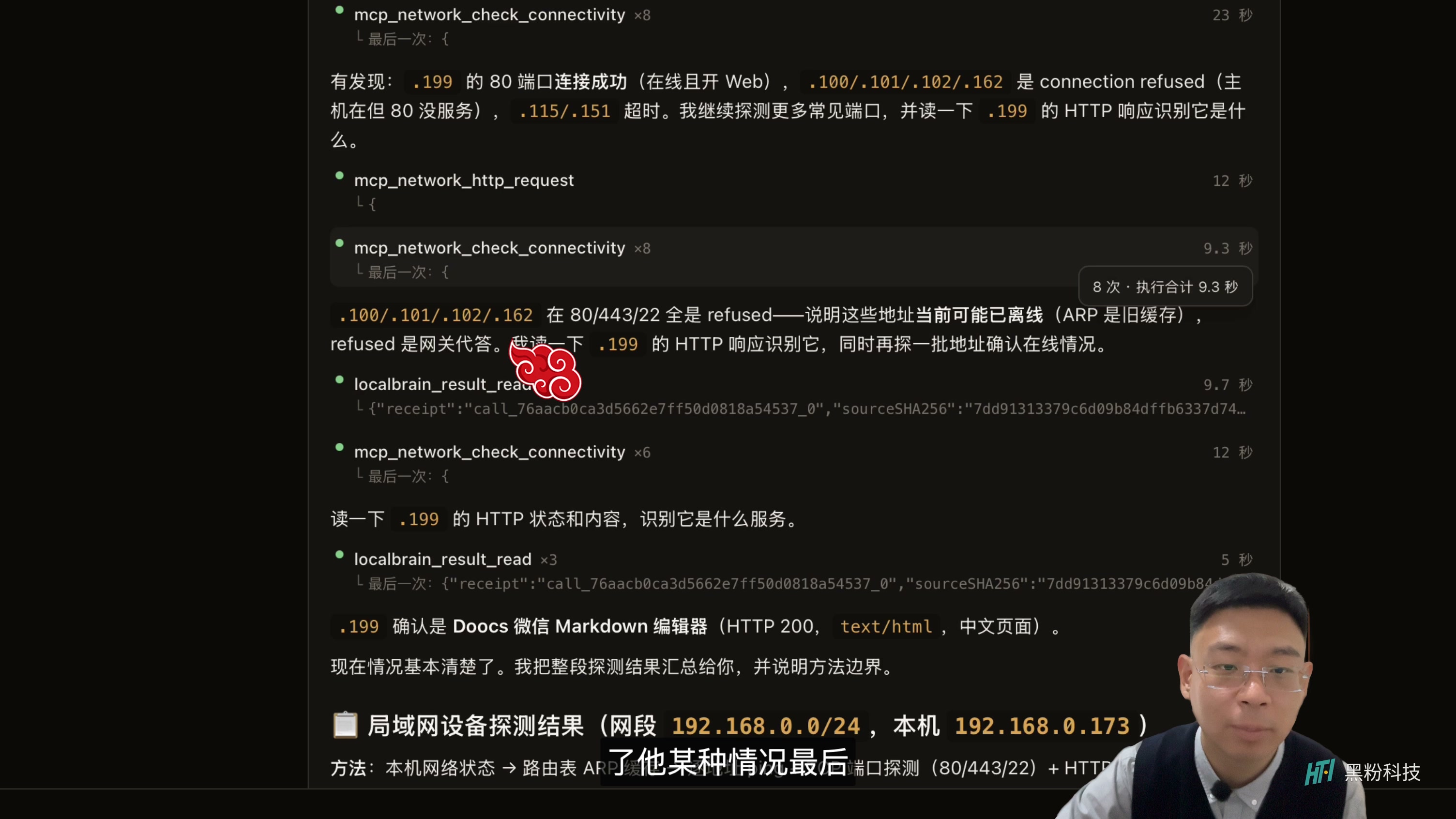
After the range, I let it check its own local network. There are waiting and detection method adjustments on the film, and some devices not responding. If a device does not respond to a certain detection, it cannot be given a “security” stamp; What is truly useful is clearly listing confirmed online objects, open services, and items that need to be checked later.
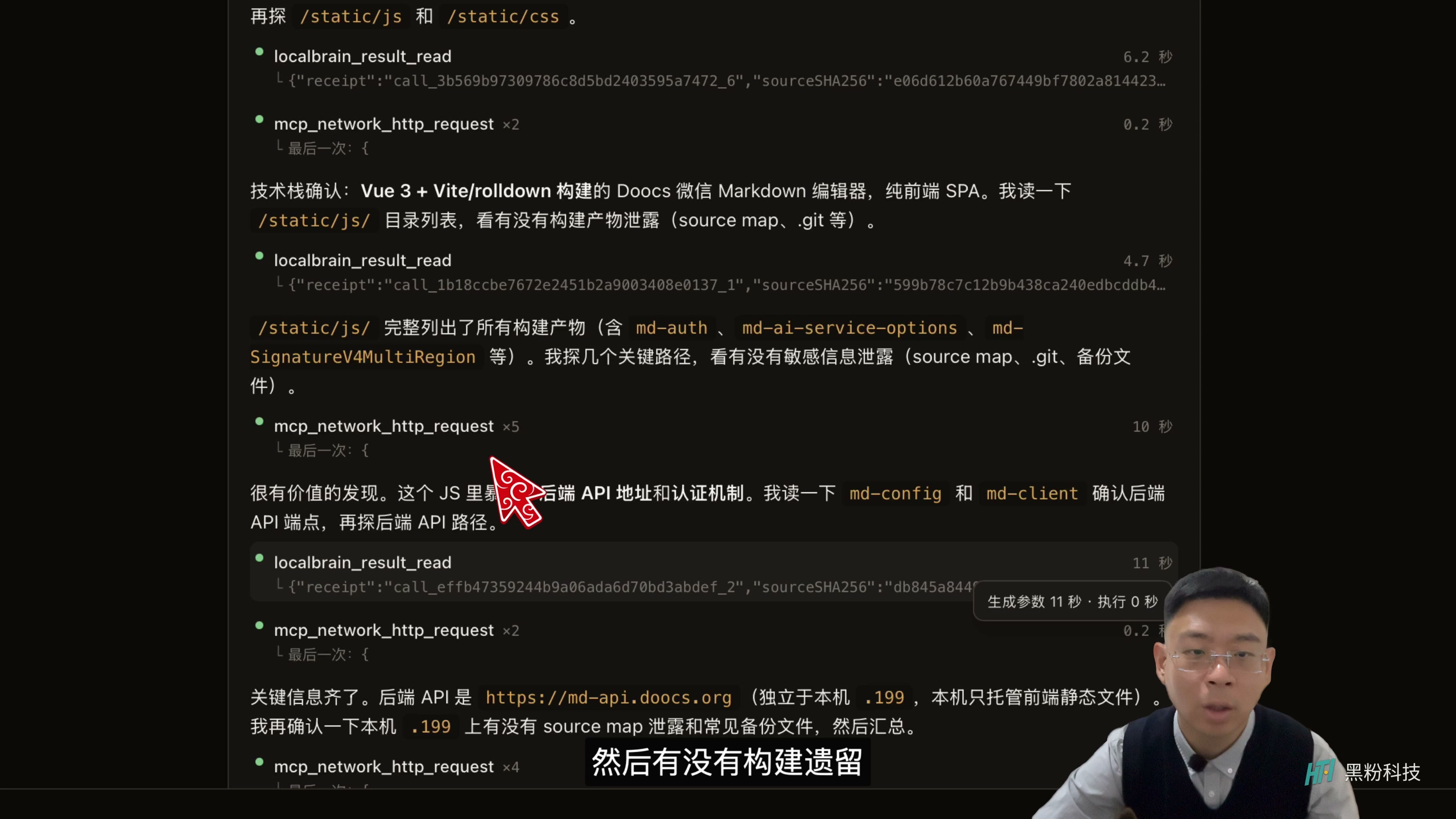
One of them was my own Raspberry Pi, which had previously deployed web layout tools. Checking further, I saw web resources, front-end tech stacks, and some interface clues. For the services I maintain, the value of this kind of information lies in reminding me to recheck: which resources should be made public, which directories or legacy products shouldn’t be exposed, and whether the service should continue running.
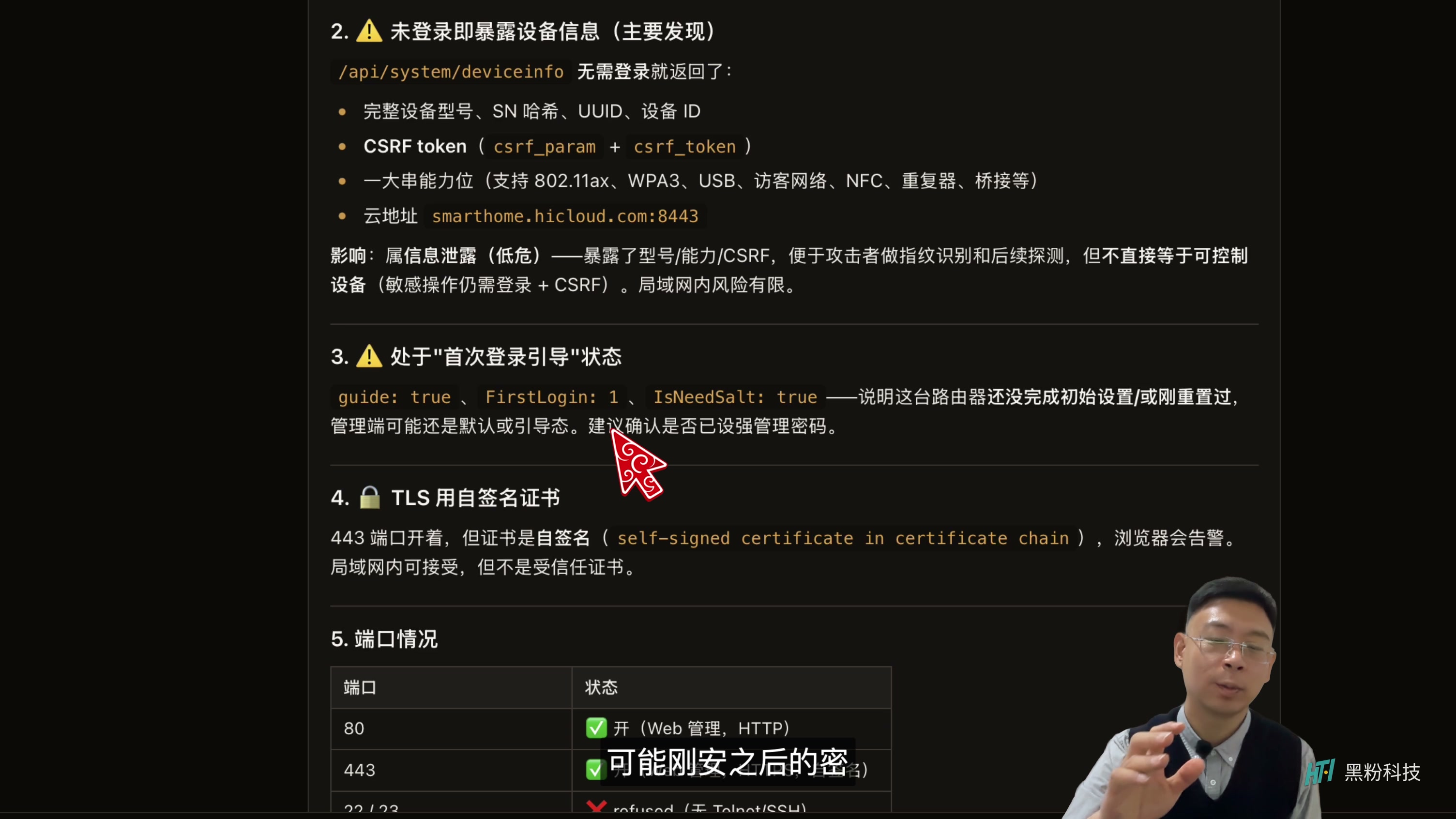
For this round, the report focuses on device information visible when not logged in, initialization boot status, and certificates, and lists certain findings as relatively low-risk. The chip does not demonstrate router takeover. For ordinary households, a more practical next step is to confirm management passwords, firmware updates, and remote management settings; For configurations involving public network exposure, if the purpose is unclear, the device should first be narrowed down to the necessary scope according to the device’s official instructions.
What a zero-foundation can truly take is a path of inspection and repair
The most useful result this time isn’t to instantly turn people into security experts, but to turn “I suspect a problem” into viewable goals, tool outputs, and reports. You can start with your own isolation practice environment, approve a clear task, save the report, and then ask for what it means, how to verify and fix it, item by item.
Discover clues, confirm risks, and complete repairs—it’s best to record them separately. After repairs, check again within the same range to see if the original symptoms have disappeared; If you don’t understand prompts right away, keep the original records first; don’t use a single automatic check instead of long-term maintenance. Personal opinion, for reference only.
Watch the full transcript of this issue · Introduction to LocalBrain · Download & Update: LocalBrain
Self-made software
Versions, changes and supported installers all come from the same public release records.
HyphenAssistant
Continue your computer’s DeepSeek Harness session from a phone browser. The service, computer and network must stay online; model costs follow your existing setup.
View public downloads and updates ↗LocalBrain
A local AI toolbox for transcription, speech, images, video, and MCP tools. Features vary by platform version.
View public downloads and updates ↗HyphenBox
A free model API radar and local router, with ongoing availability checks and keys kept on your device.
View public downloads and updates ↗ScreenLex
Turn subtitles from your own films and shows into an English vocabulary library, entirely offline.
View public downloads and updates ↗HyphenScreen
Screen recording and editing with a Resolve-style timeline, automatic redaction and pre-export checks.
View public downloads and updates ↗Support HyphenTech
Late nights and burned API credits went in,a cup of tea comes back out — only if you feel like it.
Save the QR codeScan with WeChatPress and hold to save the image, then open it from your album in WeChat Scan

WeChat tips · Any amount welcome






Comments
Loading comments…