

Current public release
Versions, changes and supported installers all come from the same public release records.
LocalBrain
A local AI toolbox for transcription, speech, images, video, and MCP tools. Features vary by platform version.
View public downloads and updates ↗Info: Machine translation This post was machine-translated from the Chinese original. Wording may be rough in places — the Chinese version is authoritative.
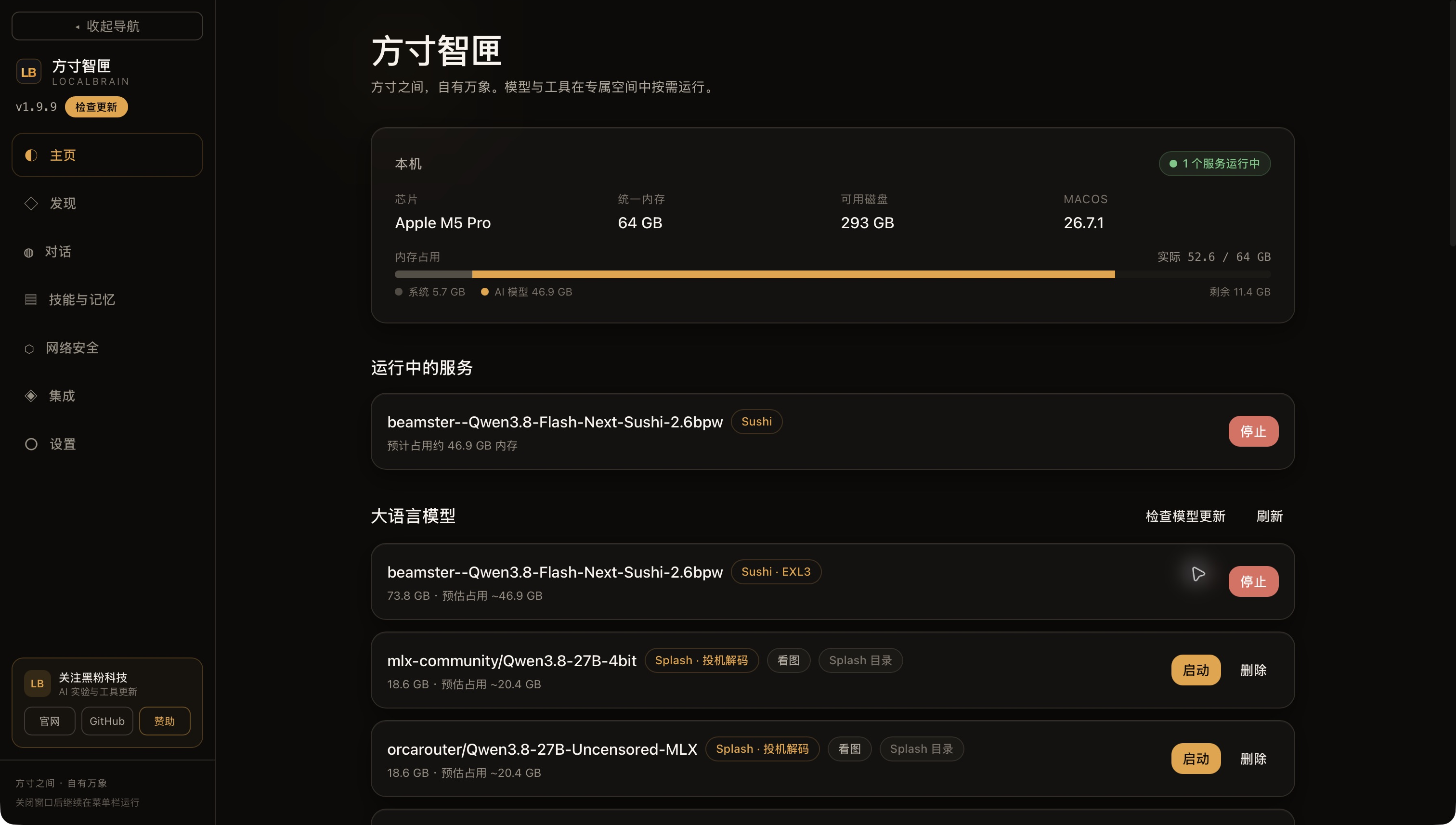
The download bar has reached 100%, but the model is still stuck in “Waiting for Data”; Clicking Launch only gets a message saying “Process exits before ready.” This update first addresses these two actual usage issues, then uses the same Qwen 3.8 Flash Next weights to compare Sushi’s full resident and precise SSD modes.
First, here are the test results: On a Mac with M5 Pro and 64 GiB unified memory, full resident has been successfully activated; Engine-reported residency is about 44.20 GiB. Precise SSD mode with a 32 GiB budget is about 31.21 GiB. New material answers for the first time, resident speed is faster; After repeated material hits the cache, the two are close.
What does this update solve?
LocalBrain can now manage a standalone Sushi runtime, downloading or mounting dedicated model packages from the discovery page, then launching from the homepage to connect to the original chat and tool workflows. This round uses Sushi 1.2.4 and the original 2.6-bit dedicated weight, with about 79.21 GB of files fully retained without re-downloading the model.
Download progress shows 100%, only indicating the total byte count has been reached. Whether the file is complete, whether there are unfinished shards, and whether the model has been officially registered all need to be checked separately. This fix allows the software to check the backend and actual files after a long download interruption: if the backend is still working, the task is retained; The download state only ends when the file is complete and registered. Old cancellation or pause receipts could not revert completed tasks.
The prompt for startup failure is extracted from the current process log. Previously, when the model was fully resident, it actually required about 46.45 GiB, with usable only 45.36–45.48 GiB, and the engine actively refused to load. When similar errors occurred later, the software would prompt the actual required memory and available memory, and provide directions for freeing memory or manually switching to an exact SSD budget. If the log lacked specific values, no numbers were fabricated; If no errors were recognized, the original diagnostic boundary was retained.
The final installer used temporary large context parameters to verify the true rejection path: the engine reported 67.17 GiB and 51.76 GiB was available at the time, with the homepage showing the specific reason and zero services running. Then the 32768 context was restored, SSD budget was 0, and the resident model was ready to reload. This was an error handling acceptance; temporary parameters were not retained as routine settings.
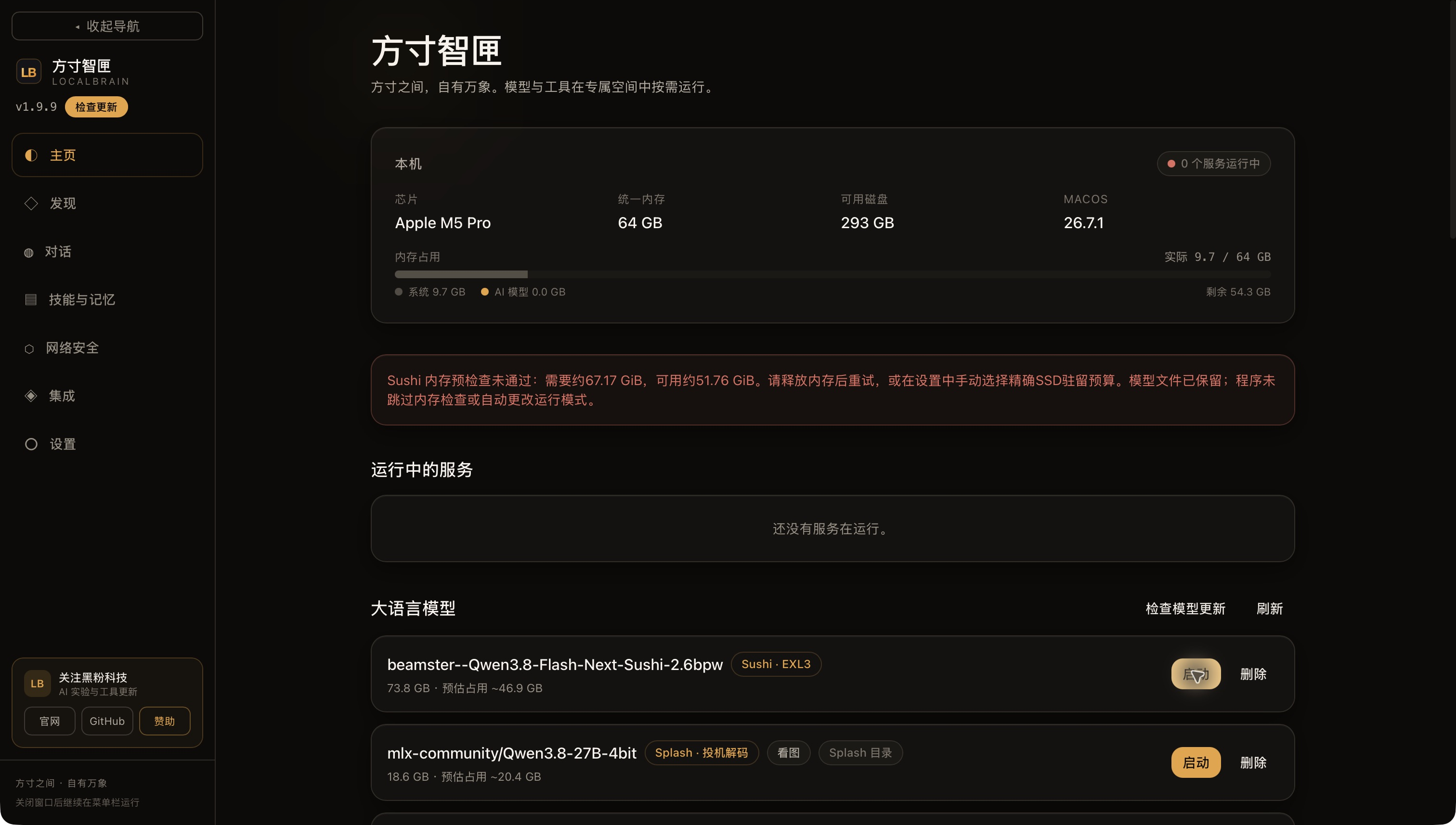
Neither of these fixes changed model weights, skipped memory prechecks, or altered system proxies or GPU memory limits.
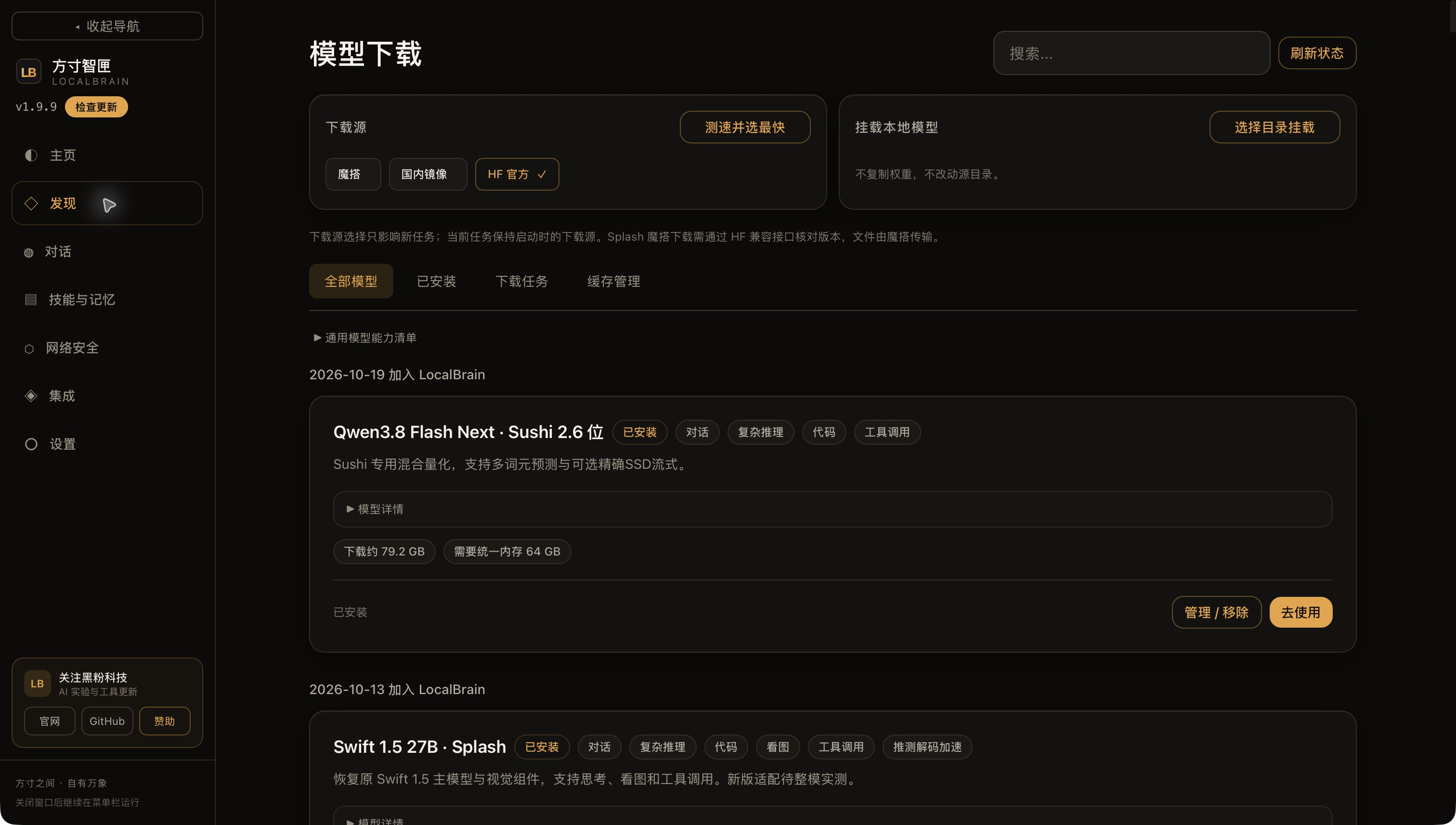
How to choose between the two modes
You can think of resident as placing frequently used data on the desk for easy access, but the desktop must be large enough; SSD mode puts part of the expert weights in cabinets and retrieves them to the desktop when needed. Experts are the parts of the model you select to participate in computation based on input; the cabinet corresponds to the SSD, and the desktop corresponds to memory. Exact SSD mode retains expert routing and does not squeeze in memory by deleting experts; The trade-off is that certain weights need to be moved the first time you use them.
Currently selected manually; after saving, restart the model to take effect.
In “Set → Runtime Environment and Diagnostics,” find “Sushi SSD Resident Budget”: setting it to 0 means full resident mode; for example, setting it to 32 means enabling precise SSD mode with a 32 GiB budget. Context can be set independently; this round maintains 32,768 words. Budget is not the total memory limit for the entire system; system, other applications, runtime, and cache will still occupy space.
When memory is insufficient, the software will refuse to start and explain the reason, not automatically switching resident to SSD mode. SSD mode will automatically manage expert cache, which is different from automatically switching between two running modes. After selecting the budget, both startup parameters and actual readiness status can be verified.
Compare the same question: The first and second questions should be viewed separately
The test date is October 20, 2026. The device is M5 Pro, 64 GiB, software candidate version 1.9.9, and Sushi 1.2.4 built-in. Same weight, 32K context, 8-bit key cache, temperature 0, think off, maximum output of 384 words. Enter 71 words for short questions, 2626 words for material questions; Send one initial request and one repeat request respectively.
The “first word” in the table is the time when the first non-null body fragment is received, excluding empty character events; “Total time” is calculated from the request to the end of the stream. This round isolates engine differences by using independent local ports and newly created prompt cache directories for each configuration, without mixing the software system prompts and tool directories into the same topic.
| Mission | Full permanent: Initial Character / Total Time Consumed | 32 GiB SSD: Initial Bandwidth/Total Consumption |
|---|---|---|
| First short question | 0.43/4.01 seconds | 1.39/5.88 seconds |
| Short questions are repeated | 0.39/3.47 seconds | 0.40/3.64 seconds |
| Material for the first time | 2.46/4.99 seconds | 4.90/8.10 seconds |
| Material repetition | 0.26/2.68 seconds | 0.27/2.87 seconds |
For the first material problem, the total resident time was reduced from 8.10 seconds to 4.99 seconds, a reduction of about 38%. However, the repeated material hit 2,595 input cache words, with a total time difference of only about 0.19 seconds. Cache is essentially reusing material that has already been read: it skips a large part of the previous steps, narrowing the pattern differences. The input cache count for repeated short questions is still 0, which means the engine is warmed up and cannot be written as a cache hit prompt.
Decoding speeds for four requests are always 36.1, 42.3, 43.2, and 44.7 syphedes/s, while SSDs are 29.0, 40.1, 34.9, and 41.8 syphedes/s. Decoding speed is only counted as word-by-word generation and cannot be used interchangeably with the full round speed that includes reading materials, thinking, and tool round-trips.
In this round, the hash across all configurations is consistent and ends normally. This shows that the outputs of these examples are consistent and cannot be extrapolated to the quality or accuracy of all tasks.
How much memory is saved, and how much faster startup is achieved
| Indicators | Complete and permanent | 32 GiB SSD by default |
|---|---|---|
| Engine-reported residency | 44.20 GiB | 31.21 GiB |
| Total machine usage when ready | 52.39 GiB | 40.64 GiB |
| One-second sampling of the entire machine’s peak value | 57.08 GiB | 44.59 GiB |
| Isolation starts until actual readiness | 40.39 seconds | 8.98 seconds |
The model registration dwell differs by about 13 GiB. For 64 GiB machines, this space can be reserved for browsers, editors, and other software; If you choose full resident space, you need to make room for it first. Total machine usage includes other processes, and due to baseline and memory reclamation, the entire difference cannot be attributed to the model.
Boot time also depends on conditions: Finally, starting full resident from the installation homepage took only 17.02 seconds. This round did not clear system file cache; the order was resident mode, SSD, SSD with vision, native resident mode, so 40.39 seconds and 8.98 seconds were single observations and cannot be considered strict cold start averages.
A download volume of about 79 GB cannot be directly considered GPU resident requirements. The package also includes a phrase table used via disk mapping; disk file size, process resident set, engine registration resident, and total machine memory are different statistical items.
One functional difference that must be clarified: the visual tower
Full resident loading of visual towers by default, and precise SSD mode is off by default. To avoid comparing only two different configurations, I supplemented the SSD configuration for explicit loading of visual towers.
This configuration starts in about 9.19 seconds, with an engine stay of about 31.17 GiB; The first short story takes 6.12 seconds in total, the first material takes 8.23 seconds, and the repeat material takes 2.60 seconds. New materials are still resident faster; Repeated materials are slightly reversed. Therefore, I won’t write the conclusion as “Resident is faster every time.”
This supplementary test only confirmed that the visual tower was loaded, without testing image recognition quality. The SSD budget option in the current software settings cannot be understood as a visual switch that already provides all engine parameters.
Did you actually get back into the software?
Besides isolated timing, the installed version used 32 GiB SSD mode to complete Chinese short answers and a real local time tool call. The tool returned the actual time and the local time zone. Then, in the native settings, the budget was saved to 0, full resident was launched from the homepage, the actual readback model loaded, state ready, context 32768, and the process had no SSD budget parameters.
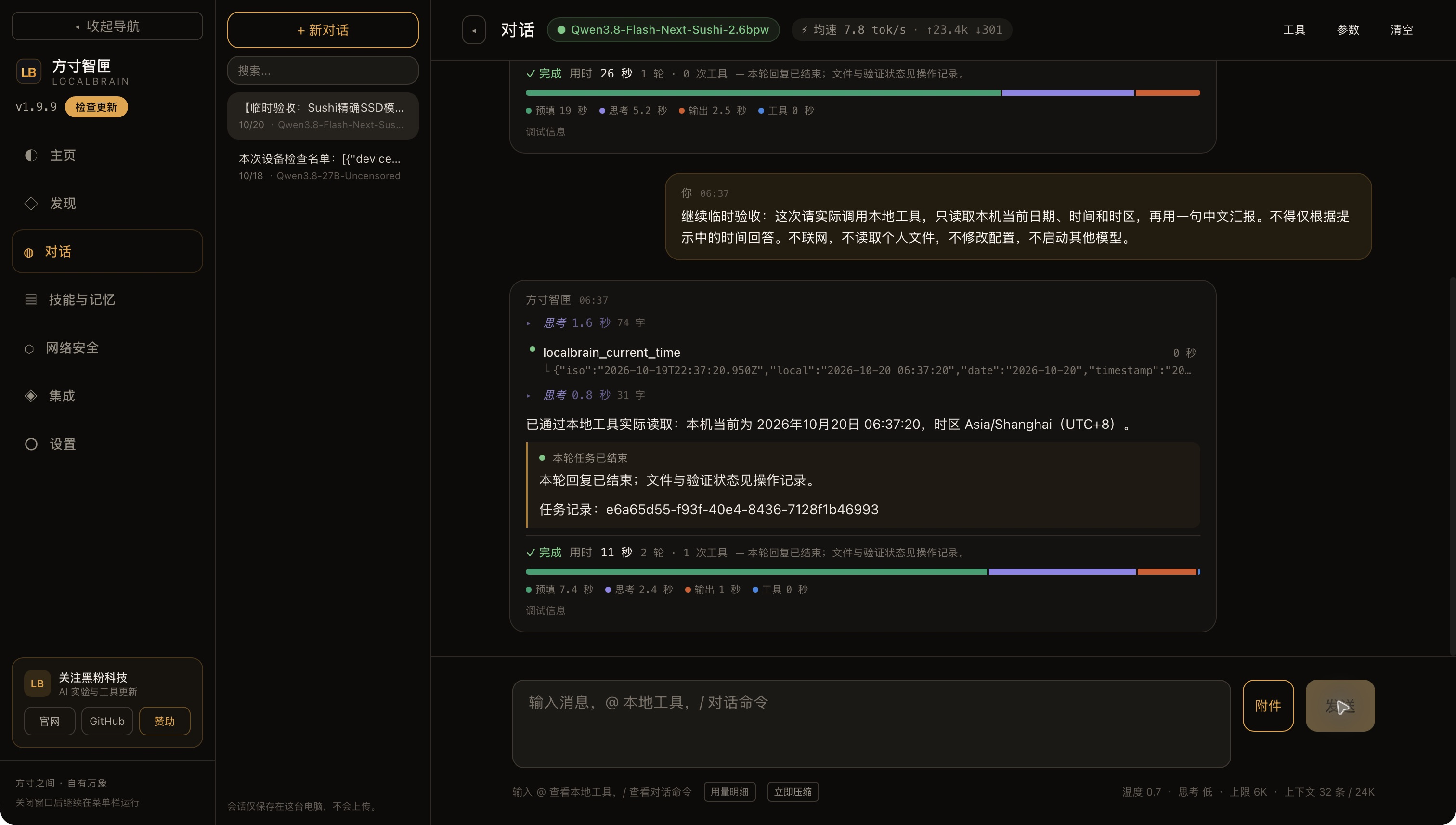
These two sets of evidence serve different purposes: isolated requests are used to compare speed on the same question, while native operations confirm the software can indeed save settings, launch models, and connect to conversation tools. Previously, the application task with about 7,300 input words and thinking enabled was not directly compared to this round of short questions.
For this 64 GiB machine, I would choose: when leaving room for other applications, use the 32 GiB precise SSD first; When preparing to concentrate on processing new materials and freed memory, manually switch to full resident. Longer contexts, more complex tool tasks, and the quality of different machines and images still need to be verified separately.
Current downloads and the Windows update
This Sushi test uses Apple Silicon Mac. The Mac public installation package is 1.9.9, which includes fixes for download terminal states and startup error prompts. It retains the Sushi standalone runtime environment without upgrading or changing the weights this time.
Download Mac 1.9.9 Installation Package (DMG) · Check the Mac final acceptance record. Mac packages use local signatures and are not fully notarized by Apple.
On October 20, 2026, the public Windows release was verified as 2.0.0. It repairs premature task termination when compaction fails to reduce a tiny context segment, large built-in tool schemas occupying the context window, and summaries continuing historical tool instructions. Its release record includes installed-package greetings, countdown file delivery, continuation after automatic compaction, actual network calls at 2K/5K output limits and production chat UI operations. Countdown start, pause and reset passed. Earlier failures and subsequent revisions remain recorded. This was not a full rerun of the original twelve tasks; summaries can still omit information or infer state incorrectly.
Download Windows 2.0.0 installer · Check Windows final package tests and limitations. This time, re-download the public program is 39,307,350 bytes, SHA-256 is 547c745ad1494b89bc7c4d3ee8646b6fcc28f1c469a59be3496361e149b6e668, independent update signature passed; This time, the Windows interface was not re-operated. This package is not a Windows Authenticode signature.
The platforms maintain separate engines and releases: these Mac Sushi tests do not establish Windows support for Sushi. Windows retains its own PolyStrata execution path, Mac remains at 1.9.9, and Linux retains its existing packages.
Check LocalBrain source code and user instructions · View public installation packages and updates
Self-made software
Versions, changes and supported installers all come from the same public release records.
HyphenBox
A free model API radar and local router, with ongoing availability checks and keys kept on your device.
View public downloads and updates ↗ScreenLex
Turn subtitles from your own films and shows into an English vocabulary library, entirely offline.
View public downloads and updates ↗HyphenScreen
Screen recording and editing with a Resolve-style timeline, automatic redaction and pre-export checks.
View public downloads and updates ↗Late nights and burned API credits went in,a cup of tea comes back out — only if you feel like it.
Scan with WeChatPress and hold to save the image, then open it from your album in WeChat Scan







Comments
Loading comments…