
Current public release
Versions, changes and supported installers all come from the same public release records.
LocalBrain
Turn your Mac into a private AI toolbox for transcription, speech, images, video and MCP tools.
View public downloads and updates ↗Info: Machine translation This post was machine-translated from the Chinese original. Wording may be rough in places — the Chinese version is authoritative.
Complete dynamic samples
Open or download the full video
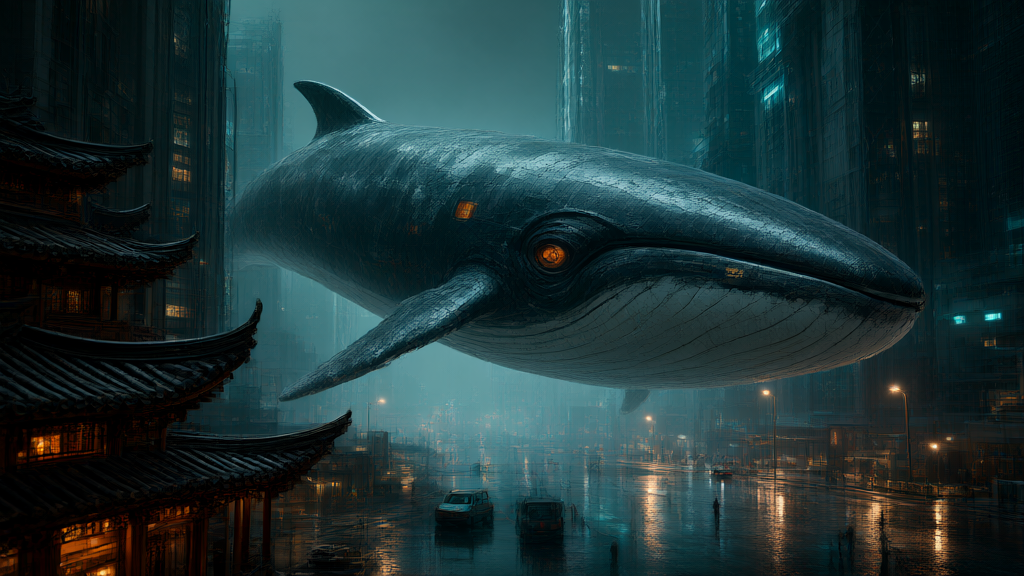
The mechanical whale swims between ancient buildings and futuristic high-rises, and the rainy night streets reflect blue and amber light. Handing this image to the editing model, the whale is still nearby, the roofs and roads covered in snow, and the night scene has turned bright day. The changes in the visuals and the actual files can be opened and verified.
The computer already has voiceover, transcription, image, and video models. Can we arrange their work in the same chat window and return the real results? LocalBrain 1.8.0 This round of fixes has connected six types of media calls into the installation dialogue: speech synthesis, speech transcription, image generation, image editing, music generation, and video generation. Afterwards, I expanded image and video tasks to show richer visuals, maintain editing effects, and address specific issues.
Native dialogue tests were completed on October 12, 2026, and the article was organized on October 13. The device is M5 Pro, 64GB unified memory, macOS 26.7.1. The chat model is Swift-1.5-Qwen3.8-27B-Splash, with a usage temperature of 0.7, low think rate, and a single-output limit of 16K. Six tasks are sent sequentially from the regular chat window of the installed version, using the same session. This article presents the original products and runtime records left from this round. On October 13, ten additional extended visual samples were generated, directly using the official installation version’s built-in media MCP tool; The dates, execution methods, and results of both batches were recorded separately.
One chat portal, several models with their own specialties
When recording videos, I often needed images, dubbing, subtitles, and a short supplementary frame. In the past, the process was like carrying a shopping list to several stores: dubbing in one place, transcribing elsewhere, then finding the editing entry point after producing the image, and submitting the files myself.
Now, the chat model is responsible for breaking down requests, selecting integrated tools, and then reading execution receipts. Specialized media models generate or identify them, while LocalBrain handles starting services, verifying capabilities, passing parameters, and saving files. Here, “tool calls” are like handing the list to each window for processing; Each window has its own items to handle, and in the end, the receipt must be used to find the actual result.
The most direct change this time is that complete media requests can enter the common agent process. Chat models can first check capabilities and model directory, select a registered compatible model according to this request, and then execute the task. This selection does not change the software’s default model settings. When changing models, the directory must indeed exist and the names must match; you cannot just write a model name in the reply to complete the switch.
Images, edits, and videos—follow the actual file to see the results
My task for the image tool was simple: place a red teacup on a blue background, 512×512, seed 20261012, using a registered Qwen-Image-2.1-Turbo model. The seed can be understood as a random sampling number; recording it helps with controlled experiments, but results with the same number can also be affected by the model, engine, and other settings.


The chat model first queries the directory and capabilities. During the first query, the image backend is still loading, and the record retains this state; Then the model checks again to confirm that this execution route uses fixed eight-step guide 1.0, then submits the generation request. The backend pure generation time is 25.911 seconds; the actual image is 512×512, and the screen is a blue background with a red cup. Cold start and chat waiting are separate time consumables and cannot be combined into “the entire task takes only 26 seconds.”
The next request directly uses the image actually returned in the previous step: change the red teacup to green, keep the blue background, four steps, seed 20261013, 512×512 pixel budget. After the Mage-Flow editing model takes over, the output cup turns green, the background and composition are retained, and the tool actually runs for about five seconds.
The value of this chain lies in the fact that the file is truly connected. The subsequent tool reads the image generated in the previous step, and the actual result can be checked by opening each image. The image editing process was launched twice and exited twice, and the third succeeded; These records remain, but the reason has not been confirmed, so you cannot claim that every cold start is stable based on a completed example.
There’s also one thing worth checking the editing parameters. Previously, the upload interface didn’t read seeds or step segments, but this time it switched to a backend JSON editing interface. Just like filling out an order, the “four steps, specify seed” on the request form must be sent to the actual processing window; If the form looks like it can be filled out but the backend doesn’t read it, the control doesn’t take effect.
This time, the backend log confirmed four steps, and the PNG output confirmed 512×512. The seed has real submission evidence, and the upstream stream does not return the actual usage value, so the record keeps the unknown. The size budget is also allocated pixels according to the input image ratio; This round of input is a square image, and the output is exactly 512×512, so this result cannot be applied to all aspect ratios.
After confirming the basic sample file transition, the expansion tasks for October 13 were changed to large scenes, cute characters, 3D characters, materials, and Chinese posters. The following eight images and two videos are all from the officially installed media tools on the device; the originals and unsatisfactory details are preserved.
Text-to-image generation continues using Qwen-Image-2.1-Turbo, fixed in eight steps. The backend generation time for the six images is about 41.3–86.5 seconds; Each image has a different size and task; these single times are used to indicate the current round of investment and are not considered cross-model performance rankings.
Large scenes, materials, and people are each based on the actual visuals
The first scene places giant mechanical whales, ancient building eaves, futuristic skyscrapers, and a rainy night all in one scene. Buildings, vehicles, and small figures provide scale references for the subject, moistening the street and bringing light to the foreground. Actual 1024×576, backend pure generation time 49.905 seconds. The first time preparing the model took extra time, so you can’t count all the waiting into this number.
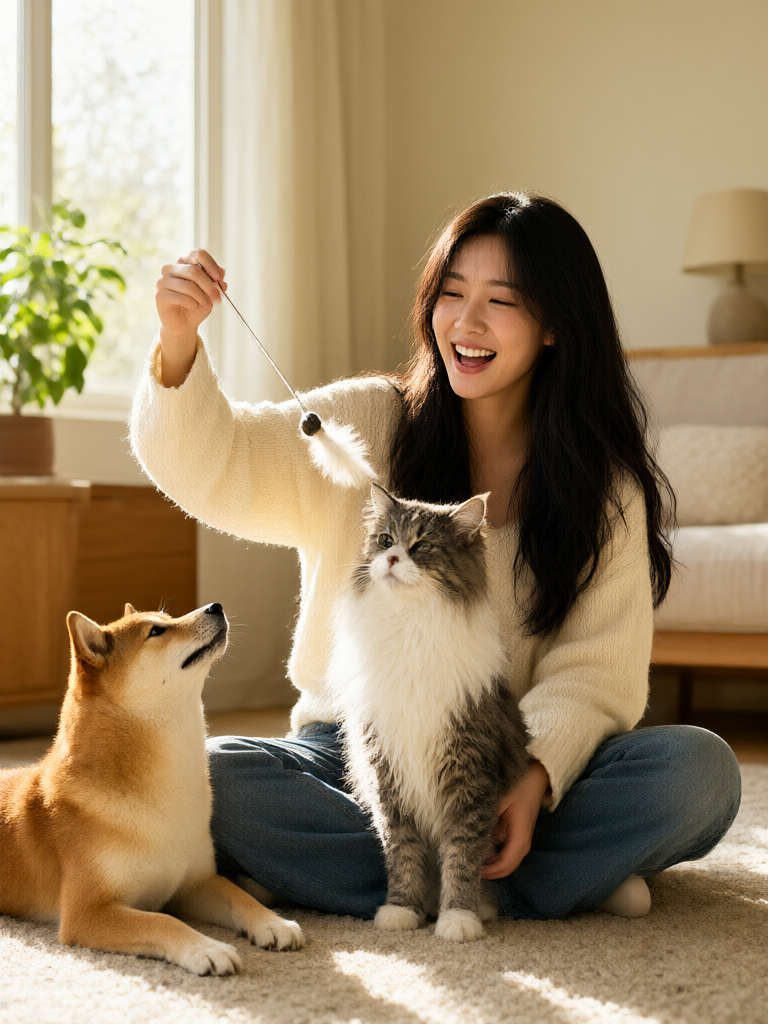
Sample subjects switched to warm-colored lifestyle photography: an adult woman, Shiba Inu, Maine, and playful cat feathers. The model had to handle skin, fur, knitwear, and side sunlight simultaneously, while also arranging the positions of hands and pets. Actual 768×1024, pure generation time 67.526 seconds. Part of the dog’s body was out of the picture, but the cat’s gaze did not clearly follow the feathers, preserving the differences from the prompt.

The red panda astronaut uses a clearer 3D animation style: a white spacesuit, an orange backpack, and a huge Earth behind set the theme for the visuals. Actual 1024×1024 seconds, pure generation time 86.451 seconds. The cute image can hold up the first frame of the video, but the ears pass beyond the helmet’s boundary, so this imagined structure can’t be used as a rigorous spacesuit design.

The glass sphere sample places a blue glacier and an orange volcano inside the same transparent sphere. The thickness of the glass, reflections, the steam at the edge of ice and fire, and the connecting bridge can all be zoomed in in in on the original image. Actual 1024×576 seconds, pure generation time 41.347 seconds, suitable for showcasing materials and the relationship between warm and cool, the image belongs to a fantasy miniature world.

The Chinese poster actually measured 1024×1024, with a pure generation time of 79.572 seconds. The main title “LocalBrain” and subtitle “Chat You Can Create” were identified by their respective positions and read word by word for accuracy. The entire image still had pseudo-text from the device panel, and the title strokes had stylized variations. It was a concept poster generated by the model and should not be taken as a software screenshot, nor was it used to replace the approved official cover.

The floating tea garden actually has 1024×576 seconds, with a pure generation time of 47.094 seconds. Terraced fields, stone bridges, waterfalls, sea of clouds, and sunset create layers of near and far, perfect for landscape video environments to supplement the image. The floating tea garden itself is a fantasy setting; don’t call it a real scene photography.
Two groups of editors, change and maintain, are presented together

The snow scene editor reads the first original whale image, submitting four steps, specifying seeds, and a budget of 1024×576 pixels. Tool request takes about 8.1 seconds, actual output is 1024×576. Whales, ancient buildings, and large composition remain intact, with obvious changes in weather and lighting; Vehicles, pedestrians, some buildings, and surface textures also change. When recording, sliders are used to show these changes together; you can’t just say all elements remain as long as the main subject remains.

The garden editor read the second original image of the character and pet, submitting four steps, specified seeds, and a budget of 768×1024 pixels. The tool request took about 8.9 seconds, and the actual output was 768×1024. Figures, clothing, cats and dogs, and main actions all look good to the naked eye, with the background shifting to cherry blossoms, fences, and grass. This result can serve as a visual example of reference retention, but it doesn’t promise zero drift for faces and objects.
The actual size of both edits is from PNG. Upstream does not return the actual adopted seeds or steps, remaining unknown; Submission records and actual model adoption values continue to be recorded separately.
Two four-second videos, watch the full original
Open or download mechanical whale video | 97 frames, 4.04 seconds full original (MP4 original)
The mechanical whale video starts with the first original image as the first frame; the LTX-2.5 actually outputs 768×448 frames, 97 frames, 4.041667 seconds, with the tool requesting about 99.9 seconds. The whale moves to the right, the camera gradually approaches, and the relationship between the city and the rainy night continues. In the final segment, the whale’s head leaves the frame, suitable for a short shot of “a giant object passing through the lens,” but it cannot be called a full-body follow.
Little Panda Video uses the third original image as the first frame, actual 512×512, 97 frames, 4.041667 seconds, tool request about 70.0 seconds. It swings its paw, the camera approaches the character, facial expressions change during the process, and the claw and body exit the frame at the end. The original request wanted a slight circumference, but the actual shot looks more like a forward push—this difference is recorded in the record.
Both original clips contain H.264 video and AAC audio; the first, middle, last, and two intermediate frames have been checked and played fully from the local player to the end. The full audio quality was not specially inspected. The blog shows and provides the full MP4 original for download, which actually runs at 97 frames and 4.041667 seconds. The original MP4 has no post-processing restoration, and the original audio tracks are preserved. The official account also uses a 320-pixel wide silent GIF preview at 12 frames per second; compressed preview is not used as a measure of original film clarity.
Voiceover transcription: link connected, text differences displayed as they are
The voice request is: “LocalBrain can call different types of local models in conversation.” Set the language to Chinese, temperature 0.6, and use the preconfigured reference voice. OmniVoice actually generated a 24kHz, mono WAV with a file length of 2.52 seconds, and the tool executed it for about eight seconds.
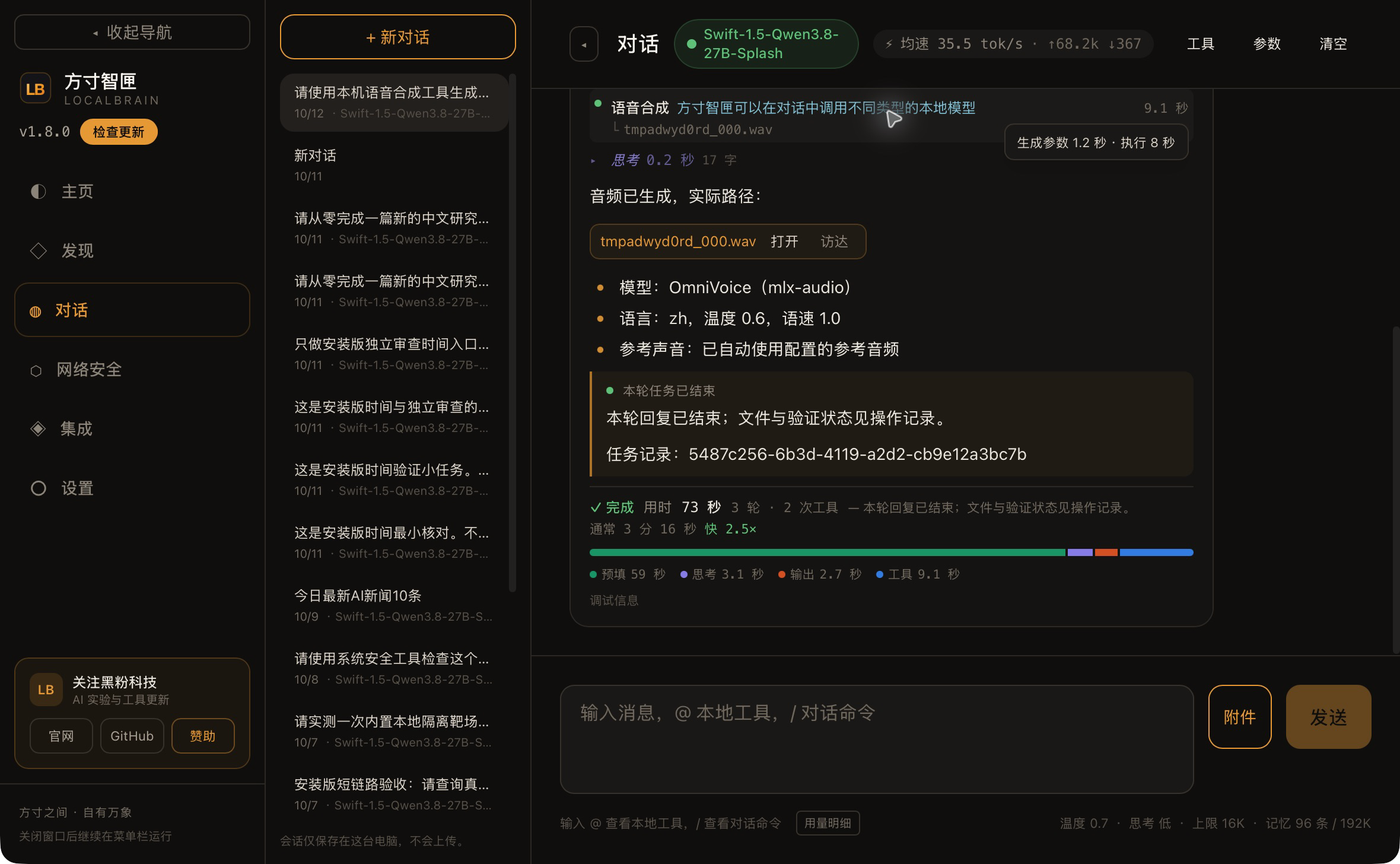
Next, I had Whisper read this real audio, set Chinese to 0 temperature, and enabled word-by-word timestamps. The returned text was “You can call different types of skills in conversation.” The brand name at the beginning did not appear in the recognition results, and the ending differed from the original sentence. The original audio and transcription are retained here; how much deviation caused by speech generation and recognition is still undecided in this round.
At this point, you need to go back to audio verification; just looking at the chat summary can’t determine exactly where the difference occurred. When recording and displaying, first play the audio, then compare and transcribe the spreadsheet so the audience can listen and watch on their own. The phrase “skills past” is somewhat humorous, but when used for official dubbing or subtitles, sentence by line must still be checked and corrected.
The purpose of transcription timestamps is quite practical: they mark the start and end positions for each paragraph and word, and subsequent subtitles can find the corresponding audio. The paragraph and word-by-word information in this roundabout has already returned to chat, and no longer remains a plain text segment when passed through the interface.
Music and video are also performed in the same session
The music task requires ten seconds of soft piano pure music, BPM 80, three beats, and specified seeds. BPM indicates the number of beats per minute, which can be understood by following the metronome; Three beats is the requirement for grouping rhythms; whether you can hear these controls depends on listening to the actual music.
This fix focuses on time signature passing: the native backend reads the string, and the program converts the number 3 to “3” before submitting. The final file is a 48kHz dual-channel WAV, with an actual ten seconds. The backend did not return the actual beat, time signature, or seed, and this round also did not complete auditory acceptance, so the article only confirmed the file duration and submission record.
After the music is generated, the chat summary waits for a while. The record shows that the context pre-filling takes about two minutes and ten seconds, after which the task ends normally. Pre-filling can be understood as rereading the previous material before proceeding to the next task; The more materials there are, the longer the preparation phase is likely to be. This wait occurs during the chat model’s context processing phase; the music tool itself returns in about 6.5 seconds, so the two times should be checked separately.
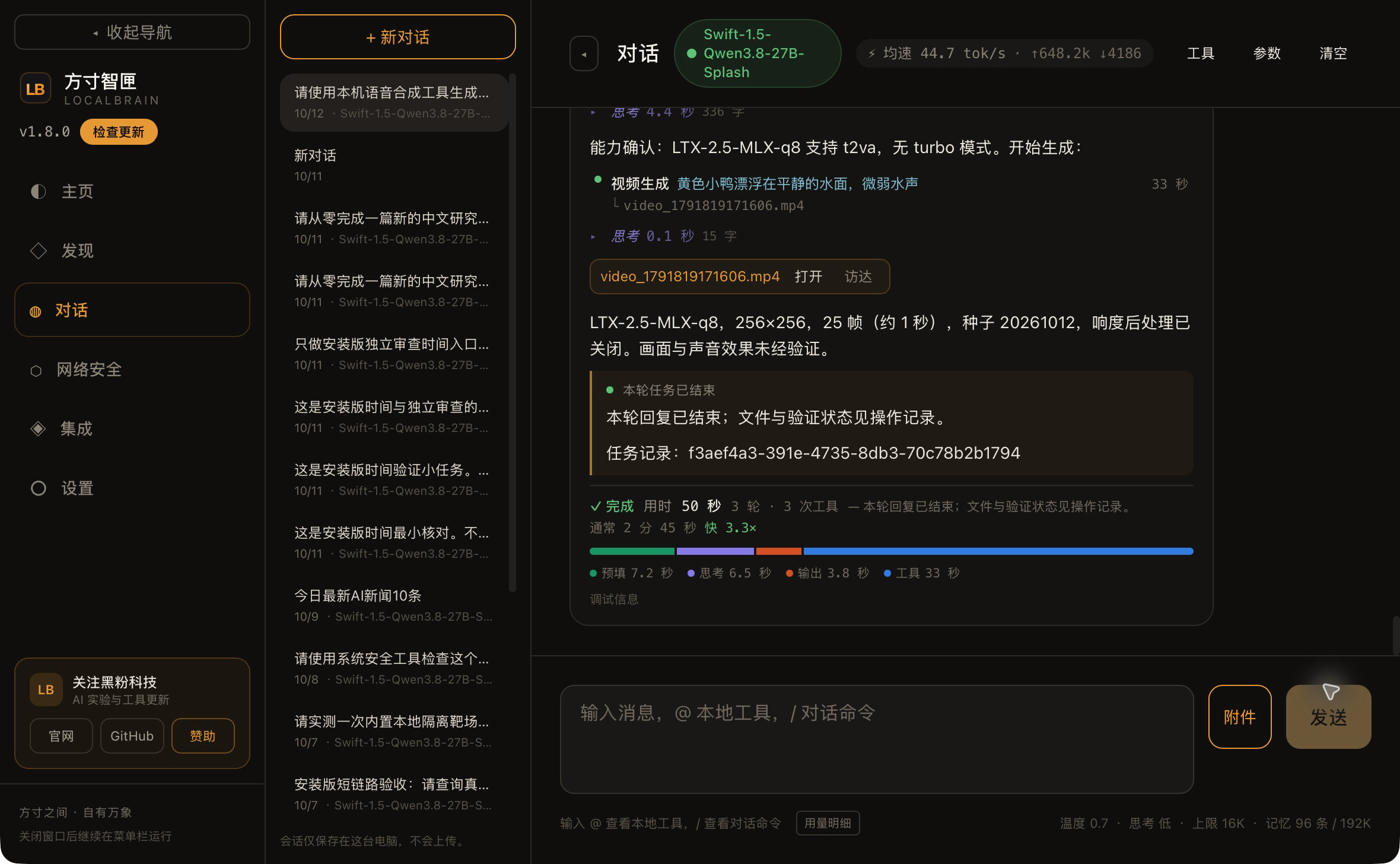
Video task generated with LTX-2.5 yellow duck floating on calm water, 256×256 frames, 25 frames, seed 20261012, and loudness post-processing disabled. The real product includes H.264 video and AAC audio, 25 frames, 1.041667 seconds, tool returns in about 33 seconds.
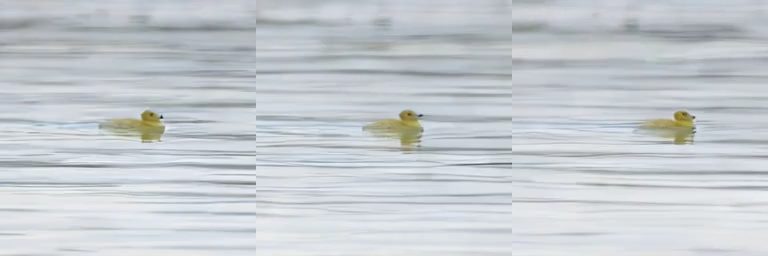
This is the smallest short video made to verify chat calls. In the contact image, you can see the duckling on the water; The full sound effect was not accepted. To use the model for a formal long take, you also need to test the target resolution, duration, and reference control separately; this one-second sample only covers the current task.
Let’s look at the six test results together
| Type | Actual model | The results of this round of confirmation |
|---|---|---|
| Speech synthesis | OmniVoice | Chinese and temperature input 0.6; Real audio 2.52 seconds, downstream transcription difference cause unknown |
| Speech transcription | Whisper large-v3-turbo | Read the audio from the previous item, keeping paragraph and word-by-word timestamps; Identify differences and save them as they are |
| Image generation | Qwen-Image-2.1-Turbo-GGUF | 512×512 Blue background red cup; Fixed for eight steps, designated seed, pure spawn takes about 26 seconds |
| Image editing | Mage-Flow-Edit-Turbo | Read the previous image, change the red cup to the green cup; Actual 512×512, run for about five seconds |
| Music generation | ACE-Step-1.5-XL-Turbo | Time signatures are submitted as strings; Actual 10-second dual-channel audio, but the listening experience is unverified |
| Video generation | LTX-2.5-MLX-q8 | Actual 256×256 fps, 25 frames, 1.04 seconds of audio video, about 33 seconds for the tool |
Records are recorded separately according to the actual model in the table. Voice to transcription, image to edit are two completed file connections; Six types of media tasks are executed from the same chat entrance. This makes it easier to determine whether the problem lies in the model result, file transfer, or if the program sent the wrong parameters.
What trouble has been eliminated in this round of program optimization?
Before model selection, there was a gap easily hidden by the interface: the tool could query the requested image model, but the actual launch command might still use the default model. Now the startup path follows this selection, and the selection and execution match.
There is also a pure display issue. The runtime in the image capability receipt is the engine name. The interface once treated this same field as a webpage inspection report, prompting “Check report format abnormal.” The original capability response actually works fine; a false positive would make users think there was a problem with the image service. In the end, the supplementary test showed normal stable-diffusion.cpp and fixed eight steps, with the history retained.
This round also makes it clearer to distinguish between “what can be submitted” and “what actually returns.” The time signature format for music has been corrected, and the number of steps and seeds edited has entered the correct interface; The transcription timestamp has been preserved. Parameters not declared for the model are clearly error-triggered by the program, making it easier to adjust requests based on capability. There is already a successful example, but it does not allow all advanced options to be enabled accordingly: for example, masks not supported by the current route, non-1x speech speed, or undeclared LoRA still have their own limitations.
Long media tasks now hold renewable activity tokens. It’s like a retrieval slip in progress: tasks are still running, the software knows the service is in use, avoiding reclaiming as idle. Activity protects evidence of existing program regression and execution wiring; On October 13, Whale Video’s tool request took about 100 seconds and was actually completed. Longer generation and more model combinations are still not exhaustive.
These program changes address the integration between entry points, parameters, files, and states. I can now have chat models arrange several local models to work on and retrieve results along the receipts; Whether the output is suitable for official work still requires opening images, listening to audio, and watching videos.
Download, model preparation, and screen recording demonstration
Mac 1.8.0 has been released, and the final installation package was installed and started from DMG. The six types of test packages matched the 64 media execution resources in the final package byte-by-byte, and the final interface repair also included a real installation version re-test. After the release asset was actually downloaded and verified, the update package passed independent sign-off. The Mac package was temporarily signed and not yet notarized by Apple; No new packages were available for Windows or Linux this round; manual installation remains at 1.7.6. This round of Mac testing cannot replace acceptance on other platforms.
The software installation package does not carry model weights. First, prepare the corresponding runtime environment and model, then launch the chat model that supports tool calls; After entering the conversation, clearly write the task, input file, required parameters, and output requirements. When selecting a model, first check the registered directory; if you want to control sound, visuals, or duration, first check the actual capability. Once preparation, these media inferences run locally; downloading, updating, and actively using networked tools may still require a network.
LocalBrain Download and Update (Release Page)
Download LocalBrainMac 1.8.0 Installation Package (Apple Silicon, DMG)
View six types of media calls and current edition acceptance records
Screen recording can first play a mechanical whale video, then show night scenes turning into snowy scenes and cute pets changing into gardens; Then view Chinese posters and detail questions, return to the same native conversation, voice transcription, music, and basic video to explain how to hand over actual files. The new round of live generation requires separate dates, parameters, and results, and does not overwrite existing originals.
Download six types of test samples, prompts, and test directories (ZIP)
The same edition also compiles the Mac model preparation and download page for the Wuli MiniMax-H3-Turbo, offering options for four/six/eight steps and MLX four/eight six settings. It follows two model routes from the LTX-2.5 used in this round of video samples. Previously, Wuli had color blocks in four steps and gray frames in the front-to-tail condition samples, so the cause and effect fixes were still on hold; The download portal is now integrated and cannot replace solving these visual issues.
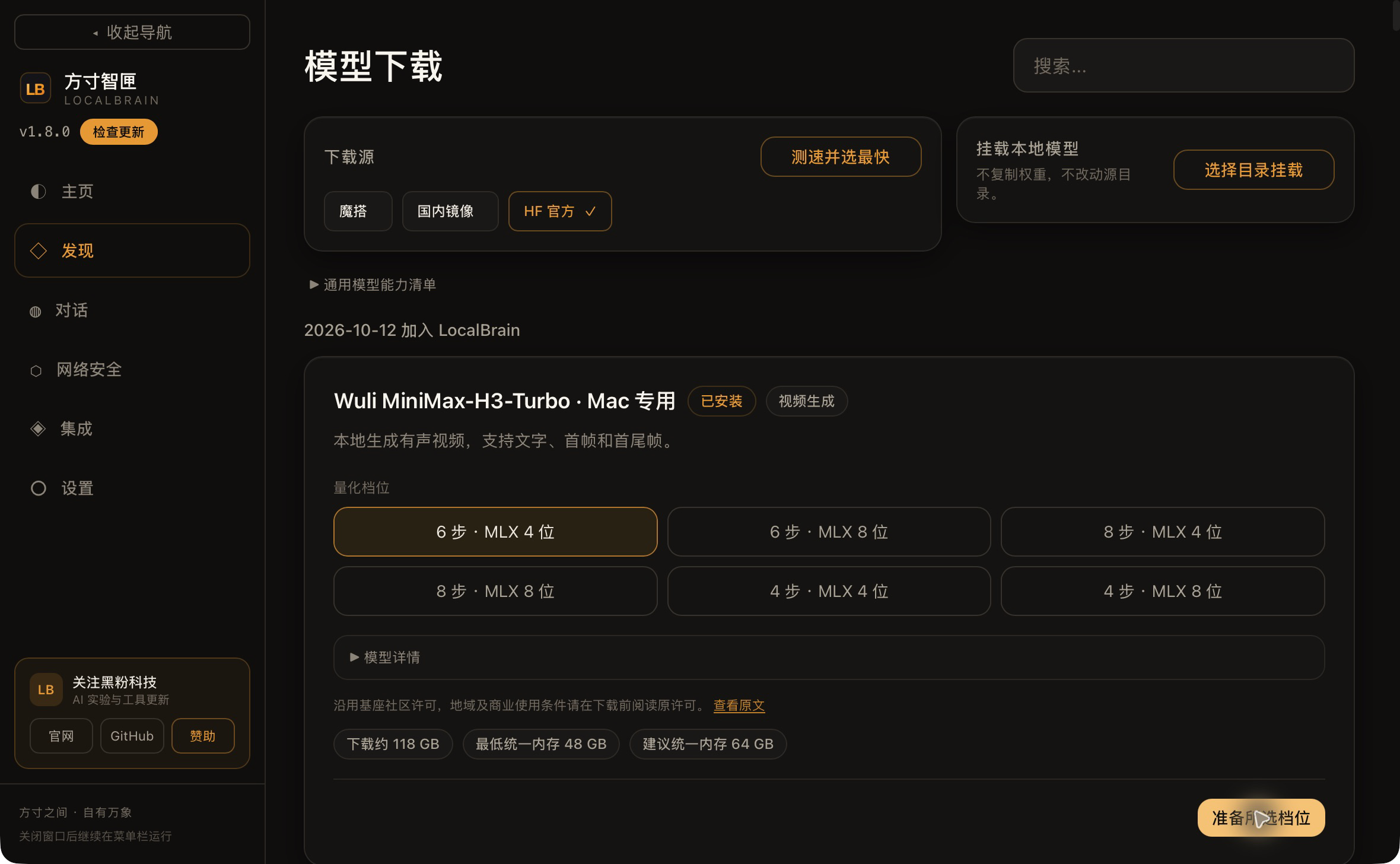
My judgment is that the most useful aspect of this upgrade is that those who have prepared multiple local models can schedule tasks through a single chat entry and continue handing over the actual product to the next tool. For those making tutorials, subtitles, images, and video materials, this is much easier than switching windows and guessing whether parameters have been delivered. Device memory, model size, cold start, and finished product quality still need to be balanced according to your own work requirements; Before official production, do a small task with your own materials and carefully verify the files and effects along the receipts.
Self-made software
Versions, changes and supported installers all come from the same public release records.
HyphenBox
A free model API radar and local router, with ongoing availability checks and keys kept on your device.
View public downloads and updates ↗ScreenLex
Turn subtitles from your own films and shows into an English vocabulary library, entirely offline.
View public downloads and updates ↗HyphenScreen
Screen recording and editing with a Resolve-style timeline, automatic redaction and pre-export checks.
View public downloads and updates ↗Late nights and burned API credits went in,a cup of tea comes back out — only if you feel like it.
Scan with WeChatPress and hold to save the image, then open it from your album in WeChat Scan


Comments
Loading comments…