Info: Machine translation This post was machine-translated from the Chinese original. Wording may be rough in places — the Chinese version is authoritative.
ScreenLex ScreenLex
ScreenLex is a local English learning tool for film and TV produced by HyphenTech: it organizes your existing movie/TV series subtitles offline into an advanced English vocabulary bank graded by exams, accompanied by a sentence-by-sentence learning player and active recall review. **Supports macOS (Apple Silicon) and Windows (x64 arm). **
It does not provide movies or distribute subtitle resources; The built-in player only provides sentence-by-sentence learning and does not replace the complete viewing experience. Runs entirely locally, without uploading any sources or subtitles.
Download
Go to Releases to download the installation package for the corresponding system:
| System | Installation package | Explanation |
|---|---|---|
| macOS (Apple Silicon) | ScreenLex_x.y.z_aarch64.dmg | Open it and drag ScreenLex into the “Apps” section. |
| Windows (10 / 11, x64 arm) | ScreenLex_x.y.z_x64-setup.exe | Double-click to install, and the desktop and Start menu shortcuts will be automatically created |
The software’s “Check for Updates” will automatically retrieve and install the new version (macOS and Windows are each updated to the same version number).
Main Features (Consistent on macOS / Windows)
-
Scans local movies/series to recognize English SRT and bilingual ASS subtitles;
-
Offline extraction of advanced vocabulary, phrases, and Chinese definitions, categorized by Gaokao / CET-4 and CET-6 / Graduate exam / IELTS / TOEFL / GRE;
-
Optional AI detailed explanations: example sentences, etymology, memory methods, confusion analysis, cultural background;
-
Active recall review + adaptive intervals; Reading aloud, shadowing, dictation;
-
Sentence-by-sentence learning player: bilingual subtitles, single sentence / A-B loop, double speed, time point jumping;
-
Local Whisper subtitle supplementation, AI proofreading, bilingual subtitle generation, and subtitle checkup;
-
For the first time, using “One-Click Configuration” to automatically download and install the required runtime components (FFmpeg, local speech recognition engine, subtitle model), all stored in the program directory, can be reset with “Full Clear” in the wizard.
Platform Differences (Only System Compatibility Differs)
| Ability | macOS | Windows |
|---|---|---|
| Local speech recognition engine | MLX Whisper (Apple Silicon Acceleration) | whisper.cpp (** Auto-detect hardware: NVIDIA graphics cards use GPU/cuBLAS acceleration, others use CPU**; A card / integrated graphics / no card all work) |
| All other functions | ✅ | ✅ Consistent |
Screenshot
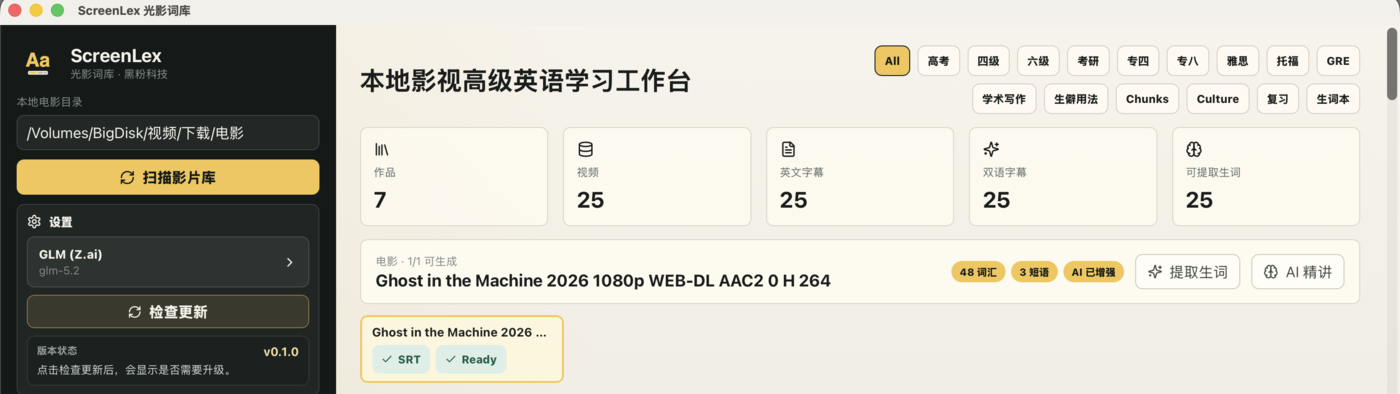
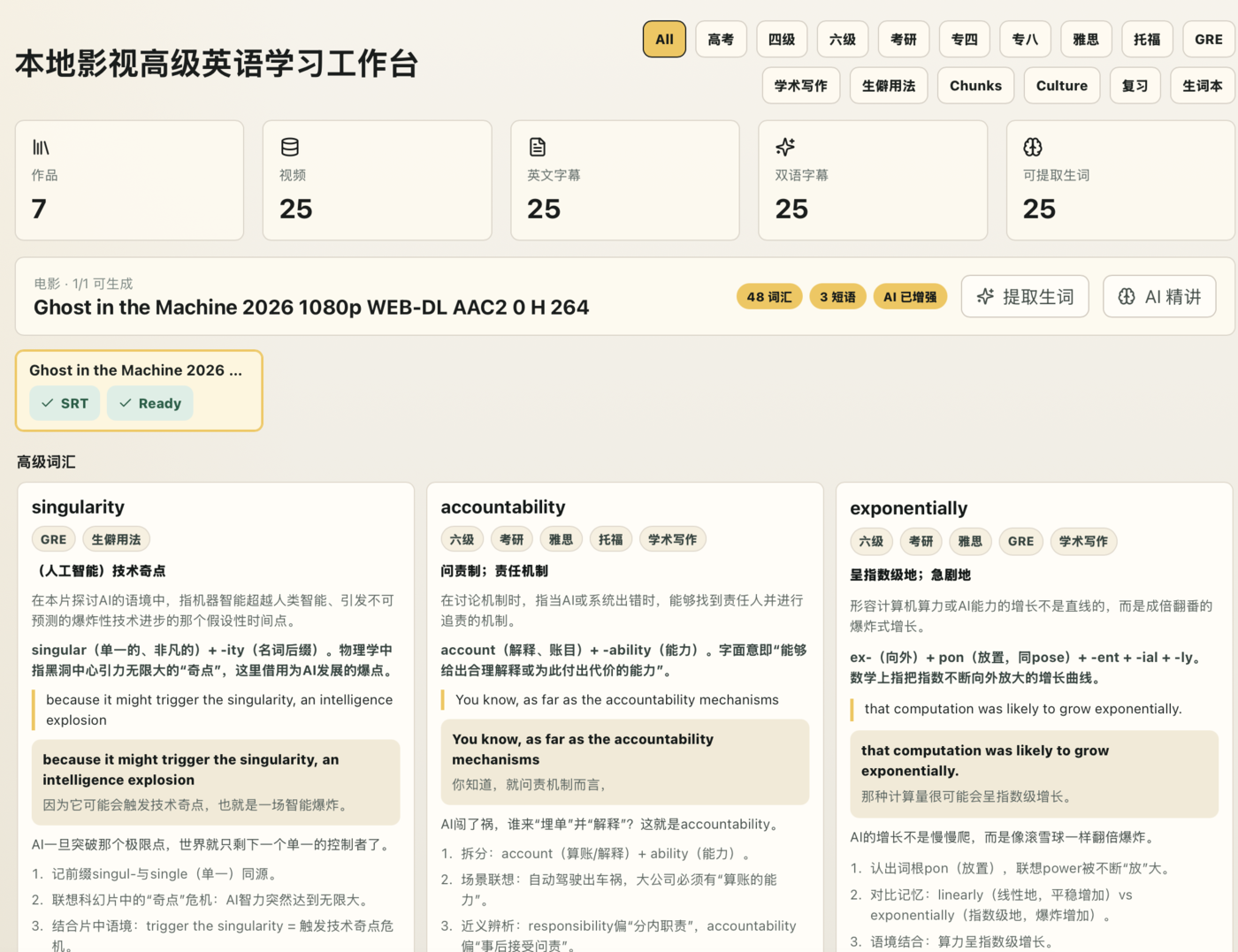
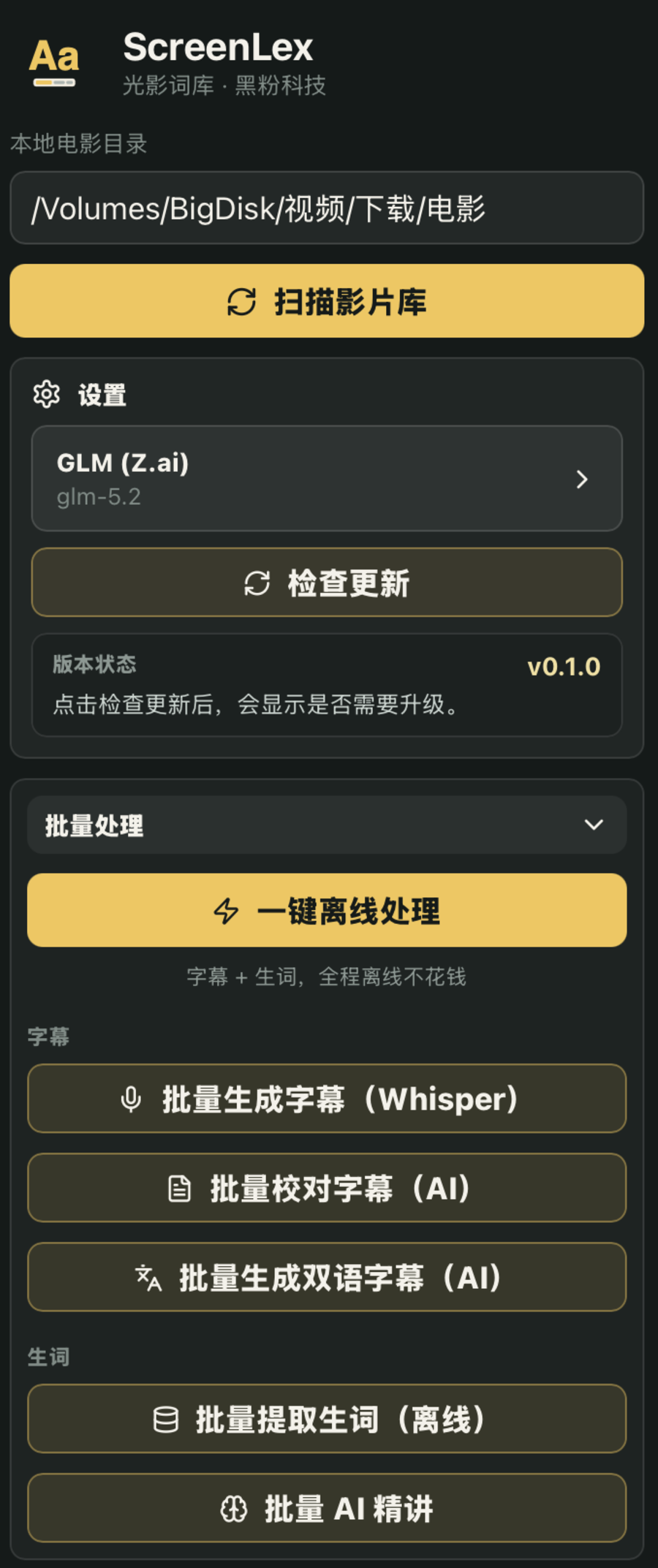
Installation prompt
The current version has not yet been notarized by Apple; macOS will block it. This is not an installation package corruption; just follow the instructions below.
-
macOS:
-
If prompted “Unable to verify developer”: right-click
ScreenLex.app→ “Open”, or allow it in “System Settings → Privacy & Security”. -
If you see “Corrupted, cannot open”: This is caused by macOS adding an isolation attribute to an unnotarized app, not a corrupted file. After dragging the app into “Apps,” open “Terminal” and run the following command to remove the isolation property, then double-click it:
sudo xattr -rd com.apple.quarantine /Applications/ScreenLex.app
(If the app is not in "Apps," replace the path above with the actual location of the app.) )
- Windows: If SmartScreen prompts “Windows has protected your computer,” click “More Information” → “Still Run”.
Law
Explanation
ScreenLex is closed-source release software. This public repository is only for publishing installation packages and instructions, and does not include source code.
🧰 Tools I build
I maintain all of these tools myself. Preview builds are clearly labeled; the release pages are the source of truth for downloads, updates and known limits.
Info: HyphenBox Status: Official releases
A radar for free LLM APIs: availability is re-tested continuously, one local interface for all of them, and keys stay on your machine
Info: LocalBrain Status: Official releases
A multimodal MCP toolbox for local models: TTS, Whisper and video generation in one place
Info: ScreenLex Status: Official releases
Learn new words while you watch shows. Free, for Mac and Windows
Info: HyphenScreen Status: Official releases
Screen recording and smart editing in one: a DaVinci-style timeline, automatic redaction and a check of the finished video before export. Free
Quote: HyphenTech Make AI your superpower Local deployment · Free resources · Self-made software https://hyphentech.top
Late nights and burned API credits went in,a cup of tea comes back out — only if you feel like it.
Scan with WeChatPress and hold to save the image, then open it from your album in WeChat Scan

Comments
Loading comments…