
Info: Machine translation This post was machine-translated from the Chinese original. Wording may be rough in places — the Chinese version is authoritative.
Give a video with sound to the model, let it simultaneously view the visuals and listen to the original audio, then answer questions in Chinese—the official model card for WeMM-Video-2B-NVFP4 lists this capability and records the corresponding generation checks. The weight file is labeled as 4.90 GiB, but the deployment specifies patched vLLM 0.31.0, ModelOpt mixed precision, and Marlin, with SM120 reference configuration.
If you want to integrate it into your local video organization process, the first thing to check is whether the runtime environment matches, followed by file size. The official provides a deployment path for audio video understanding; Whether ordinary computers can directly use and process your own videos depends on whether they are reliable.
It can respond by combining visuals and sound, with the output still being text
WeMM-Video is a series of audiovisual comprehension and reasoning models that support both Chinese and English. The model card explains that it can combine video frames with the original audio track to describe events, transcribe speech, and reason based on what is seen and heard; It also accepts silent video, standalone audio, images, and text, generating text responses in Chinese or English. Here, “video” refers to the input and understanding object, not the generated video.
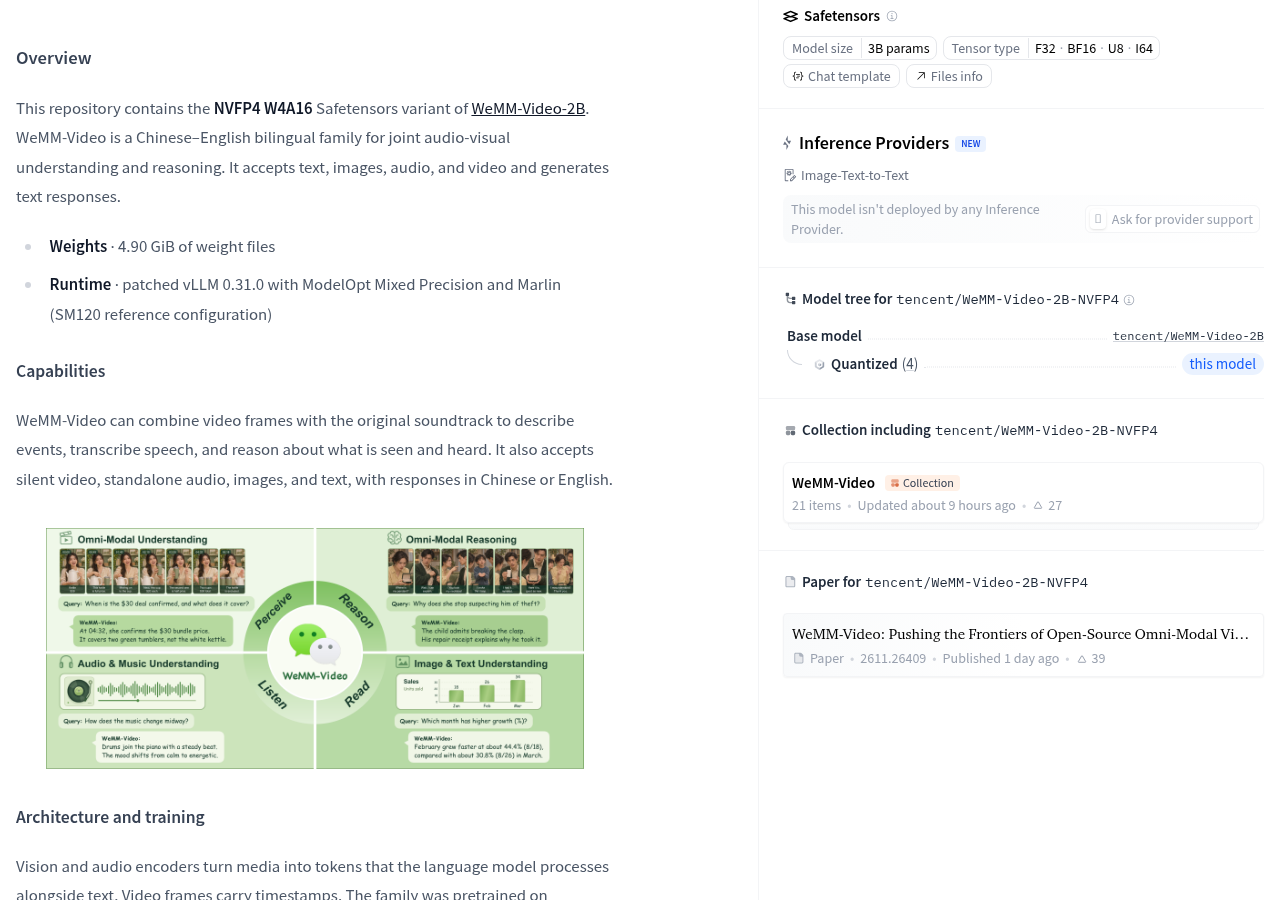
You can think of audio video as a WeChat message containing both the screen and voice: just looking at the screen might miss the spoken content; Listening only to the voice might mean you don’t know which action the voice corresponds to. The official description states that this ability combines two streams of information to answer. For video organization tasks, this means the key point is not how smoothly the response is written, but whether the response correctly corresponds to the relationship between sound, visuals, and events.
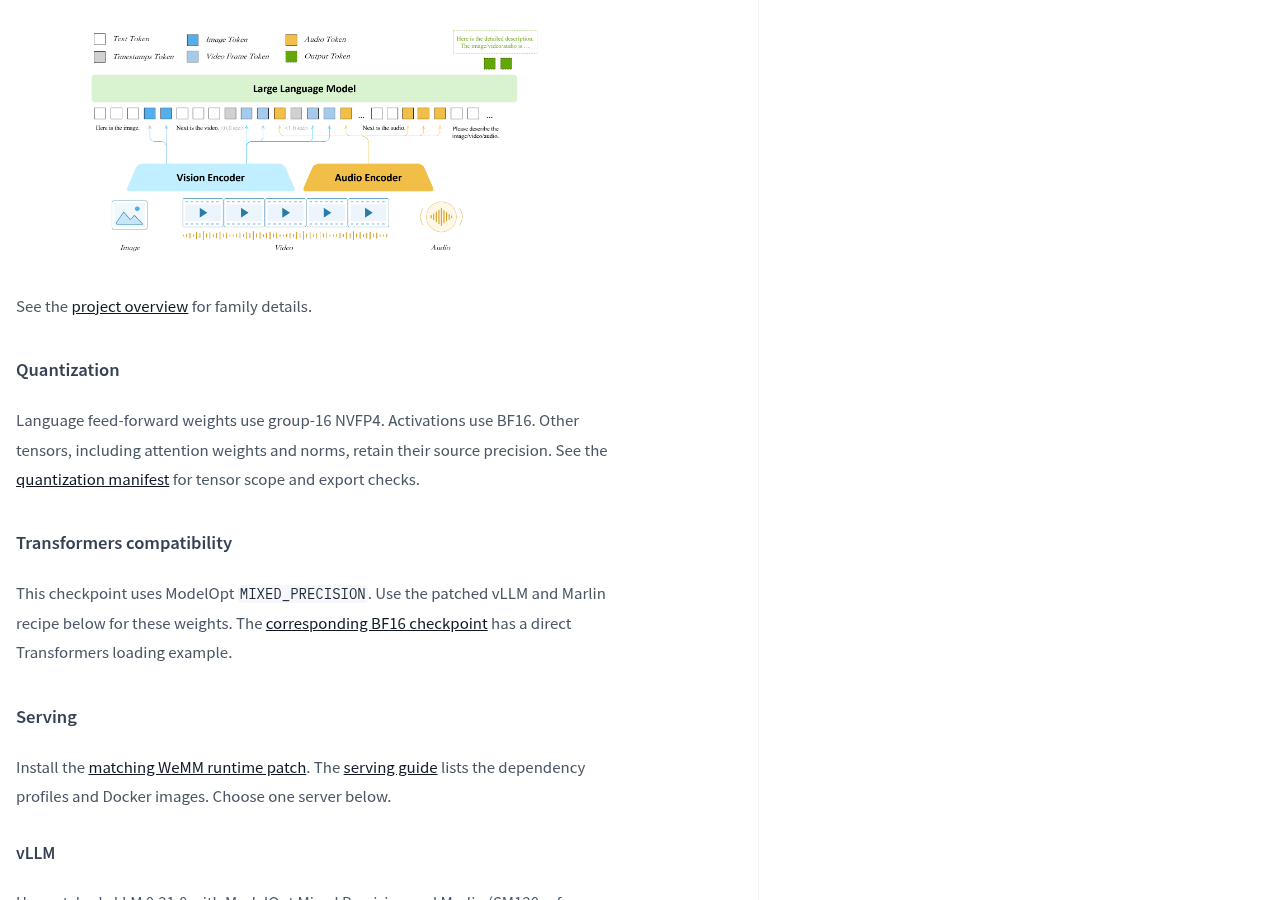
Entering video does not mean all images will enter the model as-is. Model cards indicate that visual and audio encoders first convert media into tokens, with video frames bearing timestamps. Elements can be understood as small pieces of information sent into the processing flow; Video requests can also control the sampling frame rate and maximum frame count, similar to selecting images from continuous recordings for the model to view. Therefore, during acceptance, it is necessary to simultaneously record which images were collected; the final answer alone cannot be seen.
The official request instructions distinguish between silent videos and videos with original sound. The template defaults to command mode and also provides a thinking mode option. When preparing to do audio video Q&A, first confirm the audio track is involved in the process through the official entry point, then discuss answer quality; Only passing through the screen means accepting another task.
4.90 GiB is the weight file size, not the entire deployment memory bill
This version is labeled NVFP4 W4A16, and the model card also specifies: the weights of the feedforward part of the language model use group-16 NVFP4, activation values use BF16, and attention weights, normalization, and other tensors retain source precision. It uses a mixed precision scheme, so the name should not be interpreted as all parts of the entire model compressed into the same low-precision format.
Think of weight files as packages already packed in a courier warehouse; quantifying them is similar to making some goods more compactly packed. But for the warehouse to actually operate, there must be space for sorting and temporary turnover. Correspondingly, the size of the weight file is different from the total memory and video memory usage during operation. 4.90 GiB indicates how large the weight file to be stored should be; you cannot conclude that a computer is “sufficient” based on this.
Compatibility is more important to check in advance than file size. This weighting uses the ModelOpt MIXED_PRECISION, and the official requirement is to use the matching patched vLLM and Marlin schemes; The model card points the example loaded directly via Transformers to the corresponding BF16 version. When planning to continue using the ready-to-load code, first confirm which weight corresponds to the code; do not mix the usage methods of the two versions together.
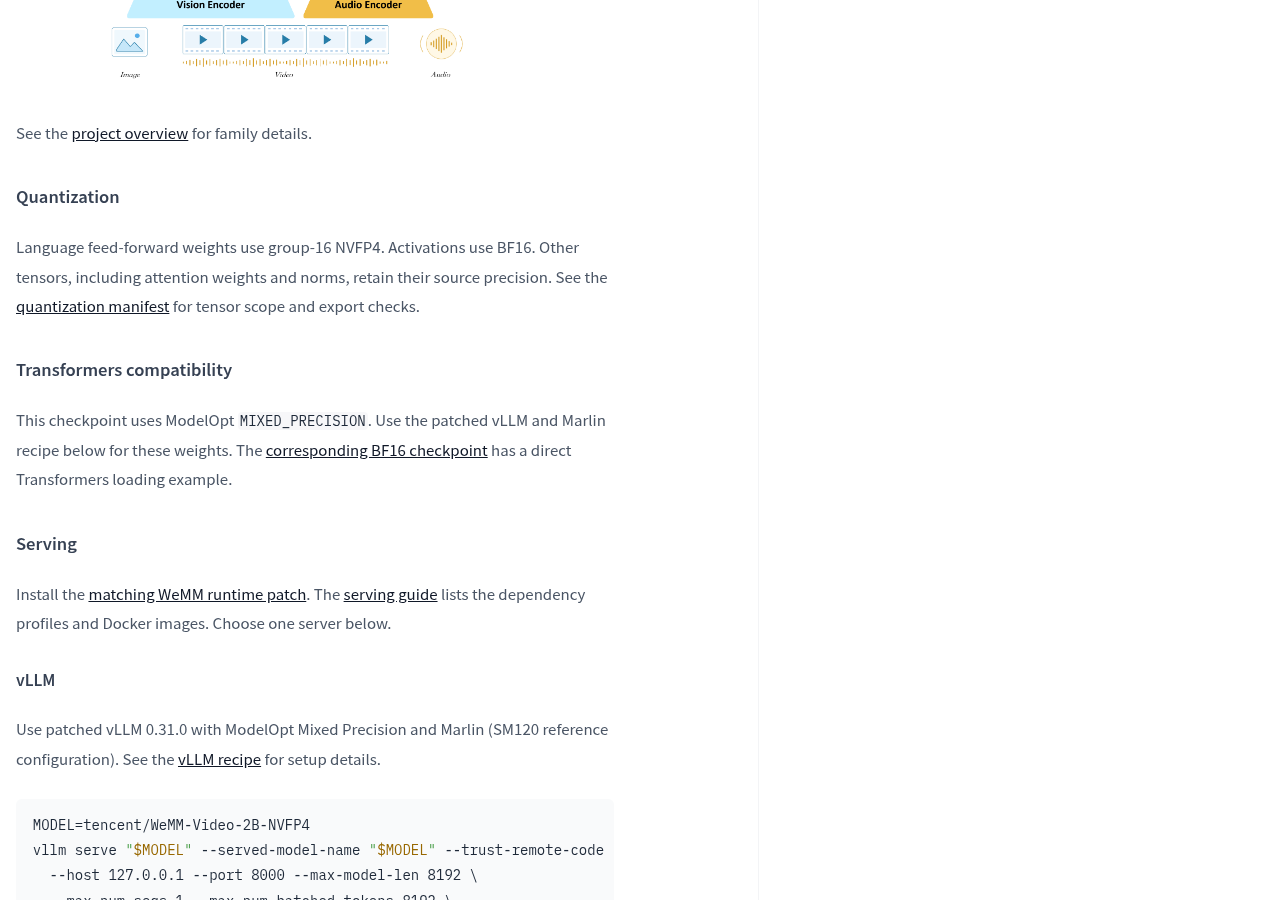
The official system also requires installation of matching WeMM runtime patches and points to dependency configurations and container descriptions. For those already in the relevant deployment environment, this provides a path to continue verification; For those who just want to download files and double-click to run, it currently shows a service deployment scheme rather than a desktop software entry.
Licenses should also be viewed separately from operating conditions. Model cards label Apache License 2.0 and require viewing accompanying licenses, collection licenses, and third-party attribution; third-party components are still subject to their original terms. License labels answer usage license questions, runtime environment questions whether it can be loaded; both need to be verified.
The official run-in record is worth watching, but my own video still needs to be individually accepted
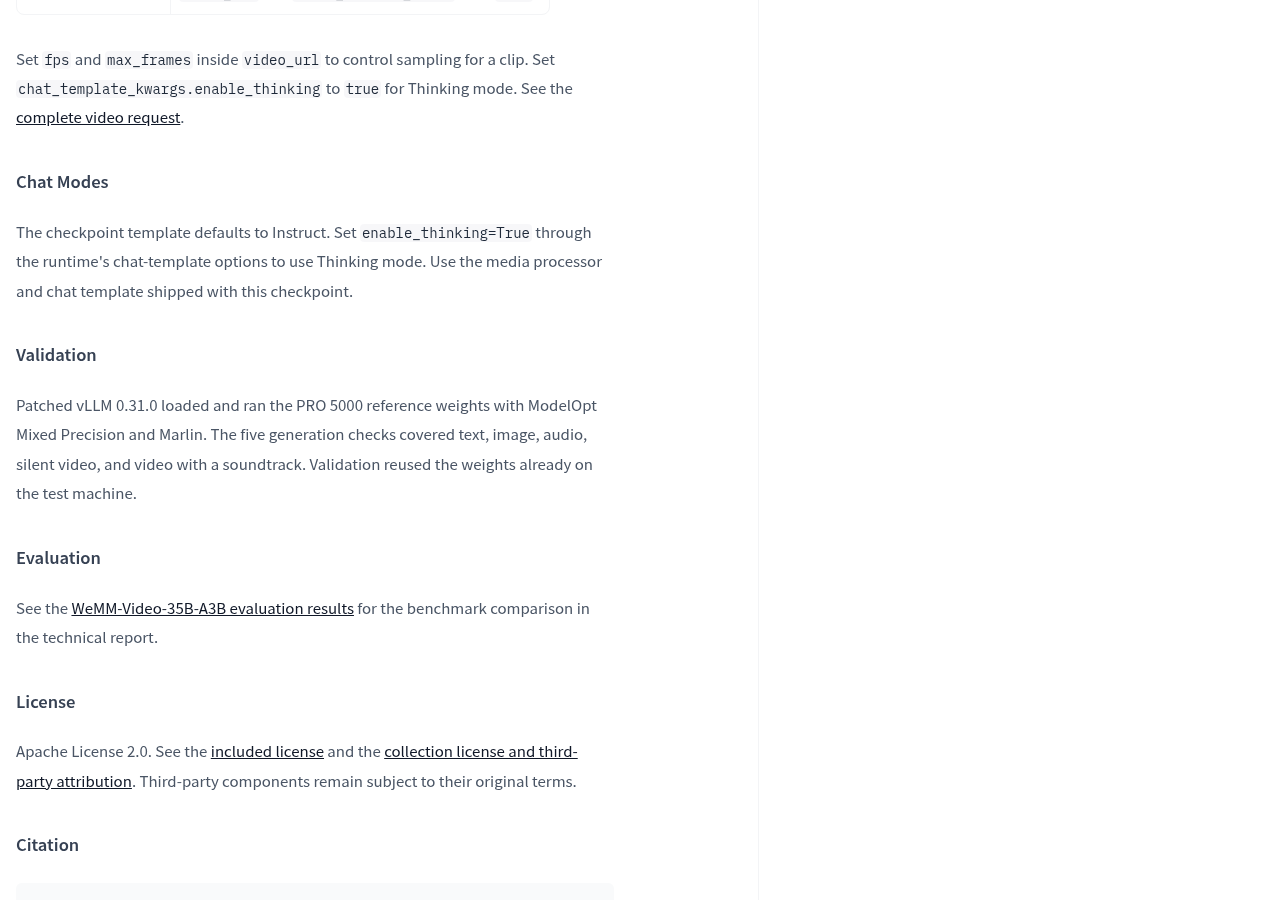
The validation record of the model card states: patch version vLLM 0.31.0 combined with ModelOpt mixed precision and Marlin, loaded and ran PRO 5000 reference weights. Five generation checks cover text, images, audio, silent video, and video with original sound; verification reuses weights already present on the test machine. It provides explicit runtime records but does not set general hardware thresholds for ordinary computers, nor does it describe the entire process from re-download to full deployment.
The review entry point also requires a clear look at the model. This model card points the technical report rankings to WeMM-Video-35B-A3B’s evaluation results, without listing the 2B quantized version’s own results there. When choosing to deploy small models, you cannot directly assign the rankings of another model to it.
Online use is not an alternative entry point. The provided page shows at the time of collection that the model has not yet been deployed by Hugging Face’s inference service provider. The model repository is visible, and the official list of weight information is different, while existing managed services can be directly called.
- First, check the official model card and deployment instructions, verify whether the device, dependencies, and runtime patches match this weighting before deciding whether to download and configure it.
- After deployment, use videos with authorized processing and known content to check voice transcription, image description, and the correspondence between sound and image; Smooth answers do not replace correct content.
- Retain input snippets, sampling settings, original answers, and failure situations, record processing time and resource usage, and then determine whether it can be integrated into your daily tasks.
Related entry points: View official model cards, View official deployment notes, View runtime environment configuration entry. The last two items are document links provided by the model card; specific configurations are subject to the actual documentation.
What is noteworthy about this model is that it has defined the understanding of audio video into a clear weighting format and operating plan. For those preparing for local deployment, the most valuable next step is not to add another beautiful answer, but to find a configuration that can run repeatedly, matches audio and visuals, and is acceptable to resource usage. Only when this chain is completed can the model be considered a usable tool from a repository file.
Official information
Self-made software
Versions, changes and supported installers all come from the same public release records.
HyphenBox
A free model API radar and local router, with ongoing availability checks and keys kept on your device.
View public downloads and updates ↗LocalBrain
A local AI toolbox for transcription, speech, images, video, and MCP tools. Features vary by platform version.
View public downloads and updates ↗Support HyphenTech
Late nights and burned API credits went in,a cup of tea comes back out — only if you feel like it.
Save the QR codeScan with WeChatPress and hold to save the image, then open it from your album in WeChat Scan

WeChat tips · Any amount welcome



Comments
Loading comments…