
Info: Machine translation This post was machine-translated from the Chinese original. Wording may be rough in places — the Chinese version is authoritative.
The official model page for MiniMax-H3-Image already lists the weight download command and local deployment process: the same model supports text image generation and reference image editing, and can directly generate images of 4096×4096 without the need to enlarge the model to fill in dimensions. If you want to move it to your own computer, don’t just focus on the generated effect—besides the model, there’s also a text encoder, and the prompt expansion in the official complete example also calls the cloud interface.
If the goal is to build a local image generation service, it already has a clear official deployment path; If the goal is to complete the entire process from Chinese idea to final image by disconnecting from the internet, then you need to continue checking prompt expansions, component dependencies, and running conditions. Being able to download models and keeping the entire process locally are two issues that need to be implemented separately.
Images can be generated locally, but the full process depends on prompts for expansion
According to the official explanation, MiniMax-H3-Image requires detailed English instructions to describe the entire image. The online interface first uses H3-Image-Context-IR to expand the short requirements in any language into such descriptions, then hand them over to the image model for generation. You can think of it as submitting requirements to the renovation artist: simply saying “the living room is warmer” is not enough; first organize the layout, objects, and atmosphere clearly to have more concrete evidence for subsequent execution. Here, the expansion organizes the requirements, while the image model turns the requirements into images.
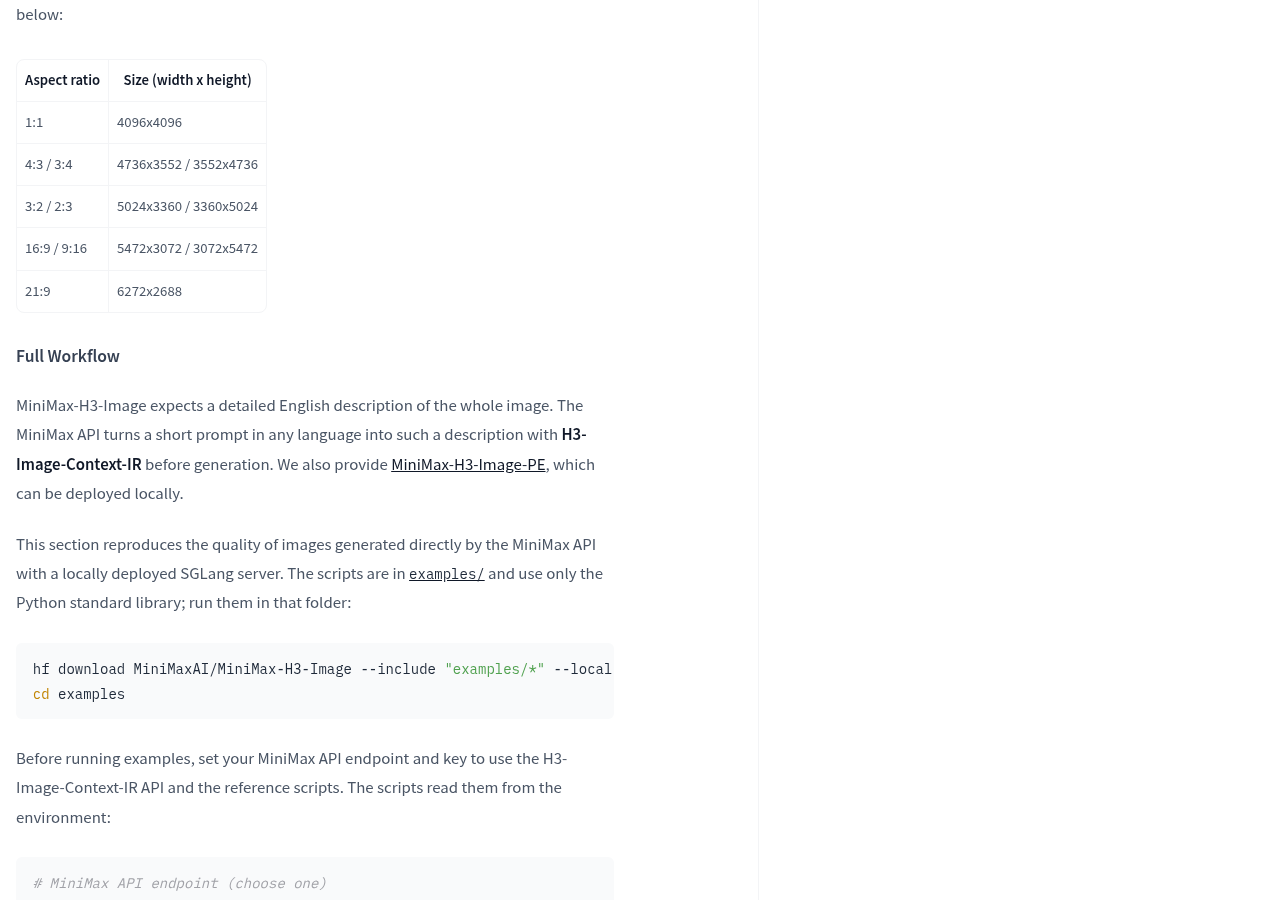
This directly affects local usage. In the official complete process, both text generation and image editing examples first call MiniMax’s prompt expansion interface, then submit the organized description to the local SGLang service. Therefore, following this example, image generation is completed locally, while the previous requirement organization still uses the cloud; For confidentiality requirements for text or reference images, the specific content submitted to the interface must be checked first.
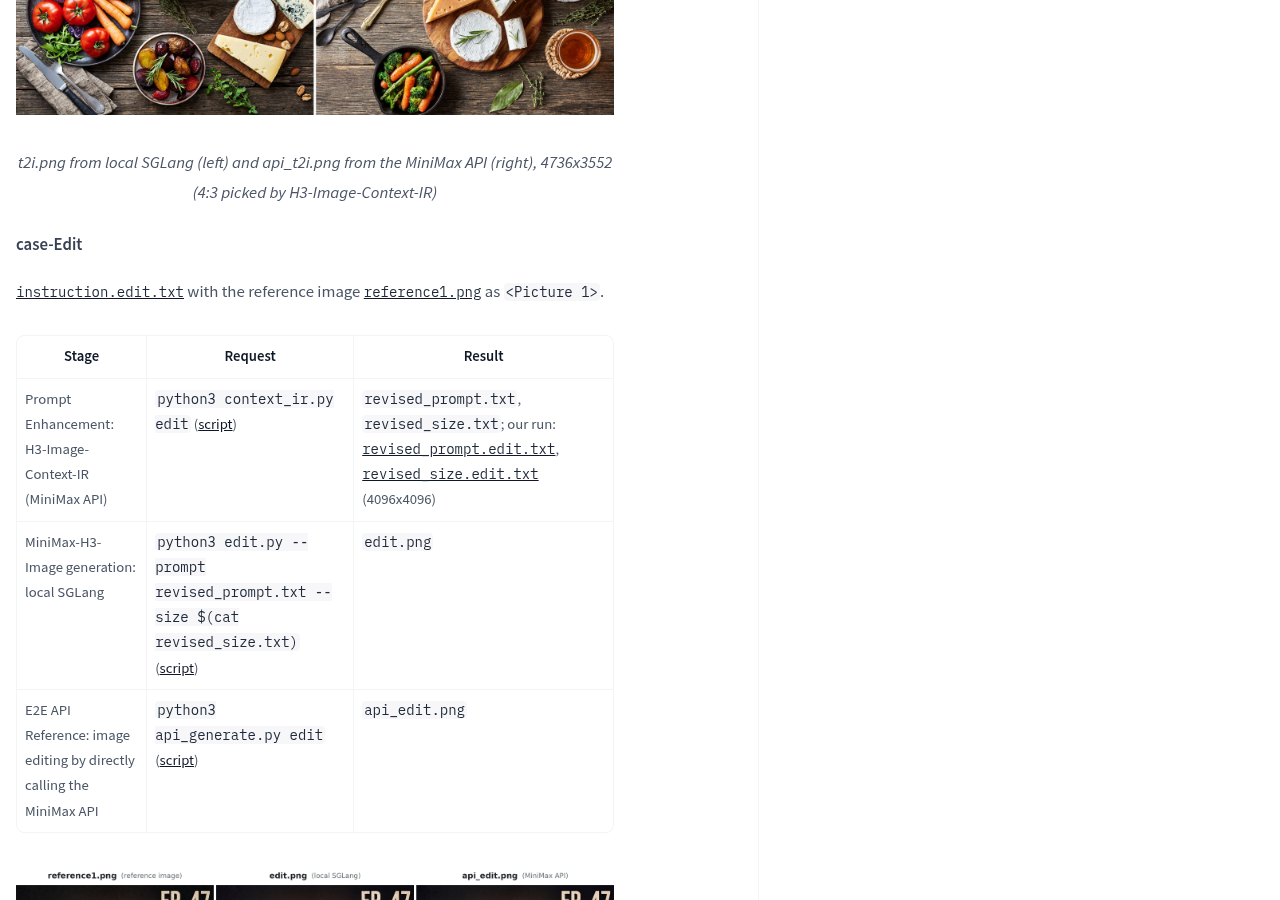
There is also an official local alternative for text-to-image creation: deploying the MiniMax-H3-Image-PE prompt augmentation model separately. The model list marks it as an optional component, with a size of 17.9 GB. However, the current description states its purpose as text-to-image prompt augmentation, so it cannot be assumed that it has already covered all the processing required for image modification. If you want to prepare a detailed English description directly, you can also input it as required by the model; Whether it can achieve the effect of an online example still depends on actual task acceptance.
The download list is not a hardware configuration sheet
The official model listing lists MiniMax-H3-Image as 68.65 GB, but the download instructions separately list a 66.7 GB text encoder. This encoder is not in the image model repository but is loaded from the corresponding directory in the MiniMax-H3 repository; If already downloaded, the official instructions do not repeat the download. When preparing storage space, you cannot only look at the size shown in the image model list.
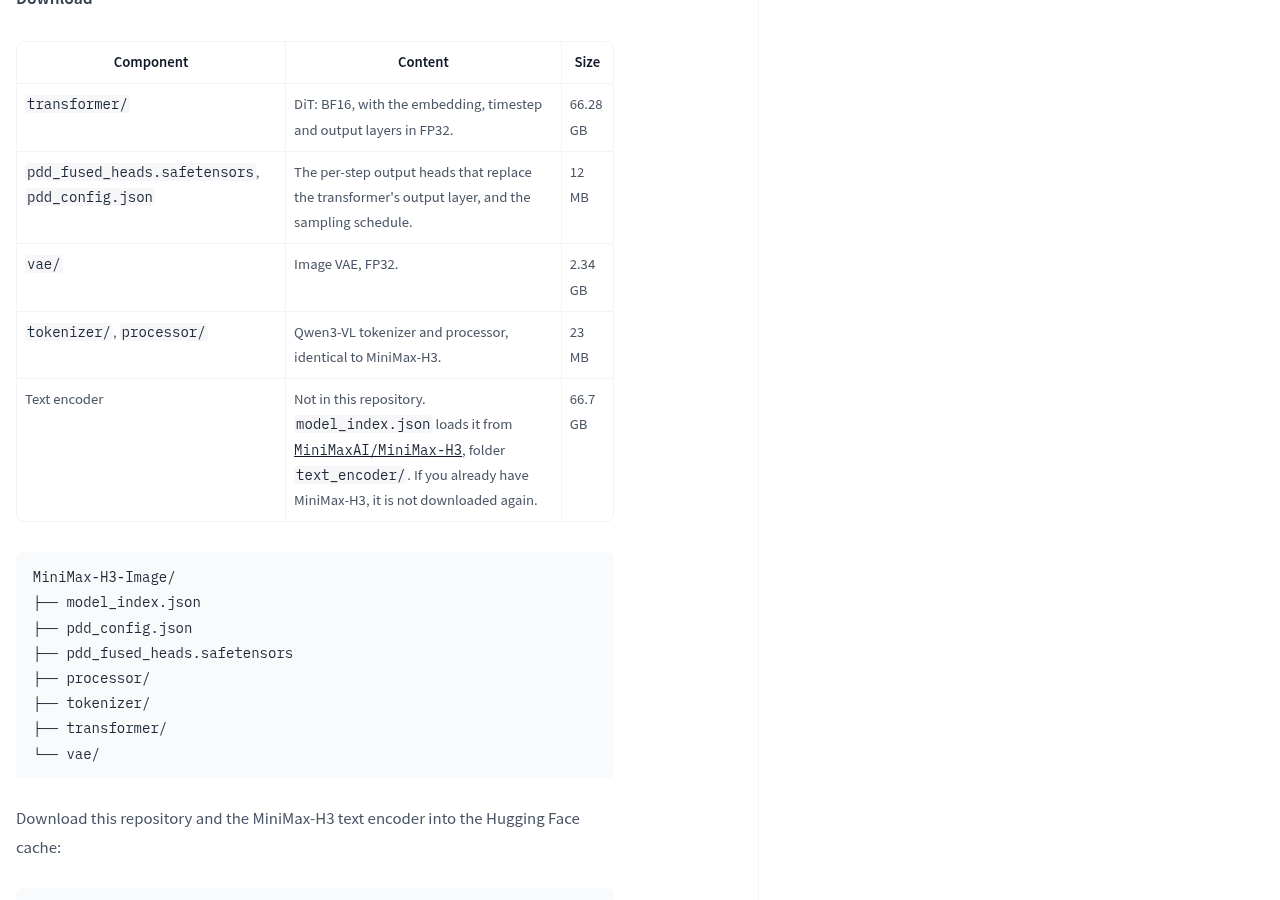
The text encoder is responsible for converting text and other inputs into representations that the subsequent generation module can process. For example, the delivery point first locates the corresponding shelf based on pickup information, and the image generation module then processes it; The image model file is ready, but it does not mean the components responsible for understanding the input are complete. Before deployment, the main model, text encoder, and optional prompt expansion model should be confirmed separately.
File size should not be directly considered a memory requirement. The official model page recommends SGLang, vLLM, diffusers, and ComfyUI, providing examples of SGLang single-card boot and multi-card parallelism, but the instructions do not specify the specific graphics card models, memory thresholds, or generation times for devices to choose from. These commands alone cannot determine whether a Mac or consumer graphics card is suitable to run.
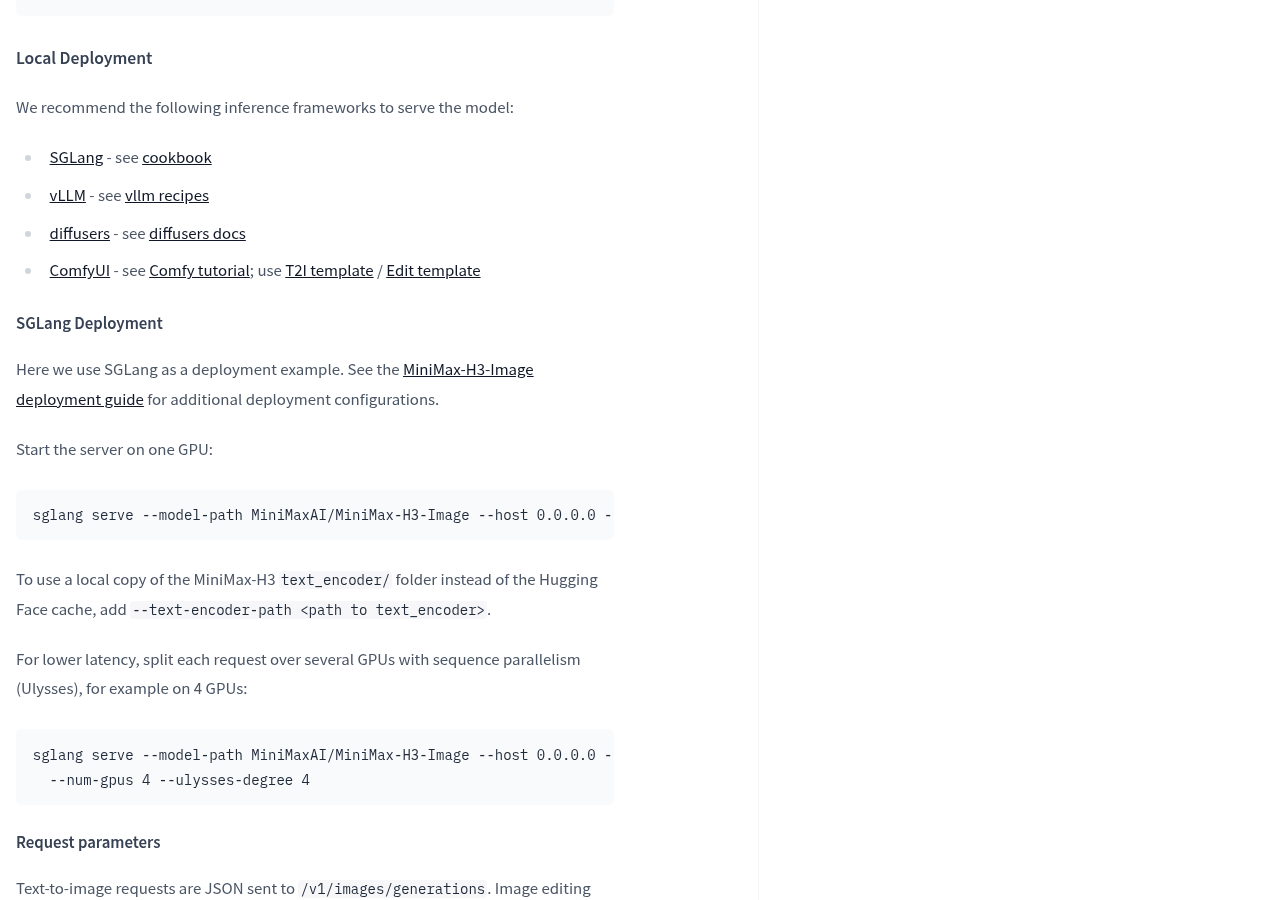
When preparing for deployment, you can start from Download instructions for the official model page Check the component, then press again On-premises deployment instructions Select the running framework. This provides a deployment entry point, not a guarantee of success for specific devices; After selecting a framework, it also needs to be verified for support of the current device and model version.
First, review your image tasks, then decide whether to deploy them long-term
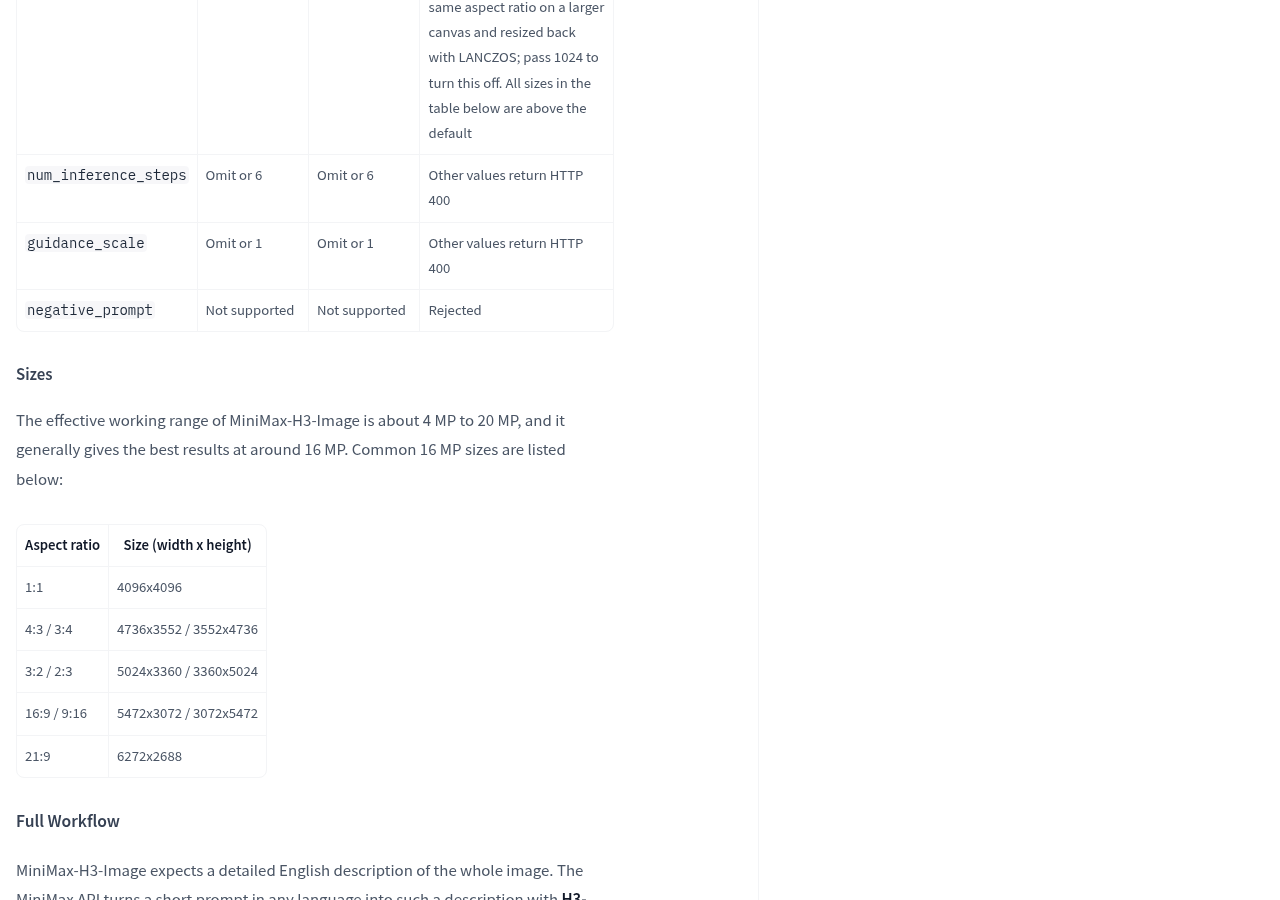
For those needing large materials, it’s worth noting the native output: the official commonly listed sizes include square images 4096×4096, horizontal images 5472×3072, and wide images 6272×2688. The official statement states these images are generated directly without relying on additional enlargement. The model also uses 6-step sampling, but the number of sampling steps describes the generation process and cannot be directly converted to waiting seconds; Whether it is suitable for daily image production depends on the equipment and task used.
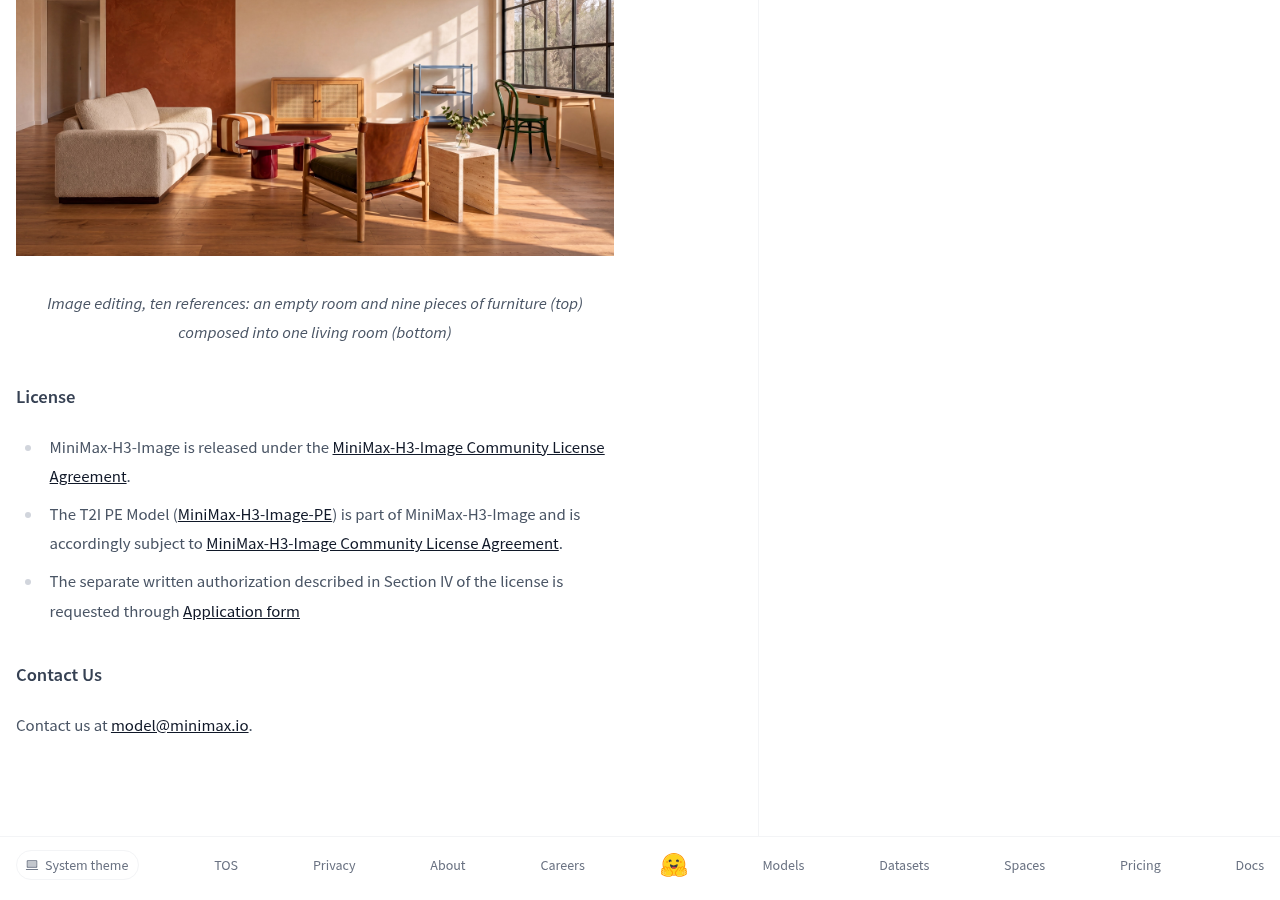
For those who need to edit images, the official explanation states it supports up to 16 reference images and shows cases of combining empty room and furniture images into living rooms, etc. These are official demonstrations suitable for judging what problems the model aims to solve. What truly determines whether your material is useful is whether your material can preserve key objects, whether the changes meet requirements, and whether the image relationships can be maintained during repeated edits; The number of reference images alone cannot answer these questions.

Licenses should also be reviewed separately. The model page states that the MiniMax-H3-Image community license agreement is used, and optional PE models are also subject to this agreement, mentioning that Section 4 of the agreement involves separate written authorization. If you need to use it for commercial projects or product integration, you should first read the License Document to confirm whether the specific use complies with the terms. Weights have download links but do not mean there are no restrictions on use.
- Just to first check if the screen is suitable: the official list includes Conch web application and image generation interface documentation portals; Existing information does not specify free limits or prices, so please check the actual conditions inside the portal before use.
- Prepare for local deployment: first check whether the main model and text encoder are complete, then verify the running framework’s support for devices, and record the actual task rendering time, resource usage, and modification results.
- Required to be fully offline: Check the required expansion and image generation separately, paying special attention to cloud interface calls in the official complete example; Text image generation can continue to verify the local PE solution, but the modification process needs to be confirmed separately.
- Plan commercial or integration: first verify community licensing and separate authorization requirements, then decide whether to deploy and maintain it.
What makes MiniMax-H3-Image worth noting is that the official system has integrated large-size generation, reference image editing, and local deployment into a single accessible path. Whether it’s worth moving to local depends on whether your task truly requires these capabilities and whether the complete process meets device, data destination, and licensing requirements. The next valuable acceptance step is to organize the actual images to be delivered, completing the requirements for generation, and modification, to see if the workload is saved or if the waiting is just moved from the web to your own device.
Official information
Self-made software
Versions, changes and supported installers all come from the same public release records.
HyphenAssistant
Continue your computer’s DeepSeek Harness session from a phone browser. The service, computer and network must stay online; model costs follow your existing setup.
View public downloads and updates ↗LocalBrain
A local AI toolbox for transcription, speech, images, video, and MCP tools. Features vary by platform version.
View public downloads and updates ↗HyphenBox
A free model API radar and local router, with ongoing availability checks and keys kept on your device.
View public downloads and updates ↗ScreenLex
Turn subtitles from your own films and shows into an English vocabulary library, entirely offline.
View public downloads and updates ↗HyphenScreen
Screen recording and editing with a Resolve-style timeline, automatic redaction and pre-export checks.
View public downloads and updates ↗Support HyphenTech
Late nights and burned API credits went in,a cup of tea comes back out — only if you feel like it.
Save the QR codeScan with WeChatPress and hold to save the image, then open it from your album in WeChat Scan

WeChat tips · Any amount welcome



Comments
Loading comments…