

Info: Machine translation This post was machine-translated from the Chinese original. Wording may be rough in places — the Chinese version is authoritative.
Want to download ByteDance GenFirst to your computer, enter a description, and start generating images? The official list lists the text-to-image weights and supporting files, but it only provides research model components, not image generation software that can be used immediately after installation. Whether it’s worth downloading first depends on whether the purpose meets the requirements, then whether the runtime environment is fully equipped.
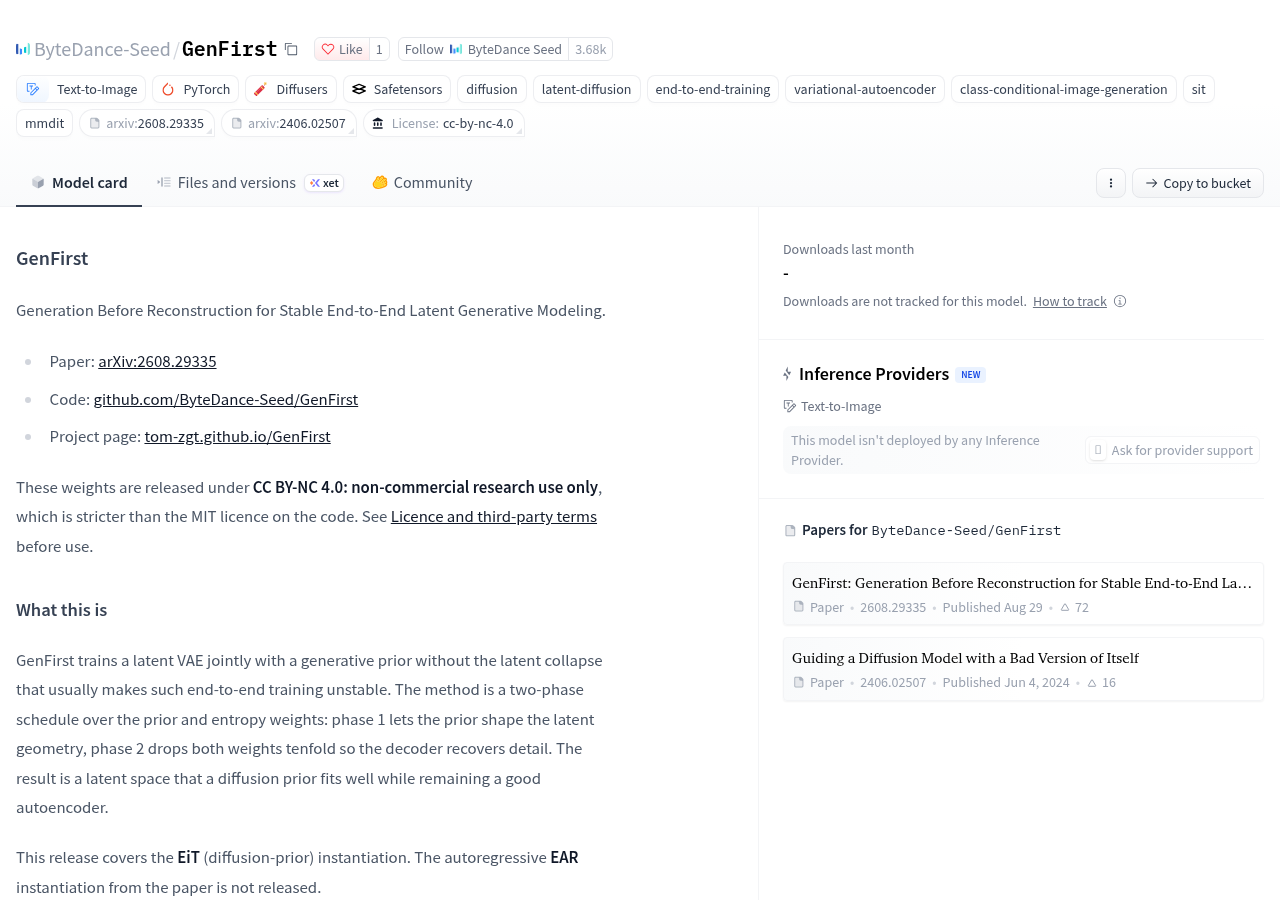
The official model card clearly states: weights are for non-commercial research only; Inference requires project code, no ready-made diffusers integration, and no from_pretrained loading portal. For those who want to reproduce papers or research image generation, it provides concrete materials; For those who want to directly integrate into daily commercial image generation workflows, usage restrictions are already in the way.
What files can be downloaded determines what can be done
The official repository lists the VAEs trained end-to-end and the corresponding generative model weights. This time, the EiT implementation uses a diffusion generation route; The autoregressive EAR implementation in the paper has not been published. Not all solutions discussed in the paper can be taken as downloadable content.
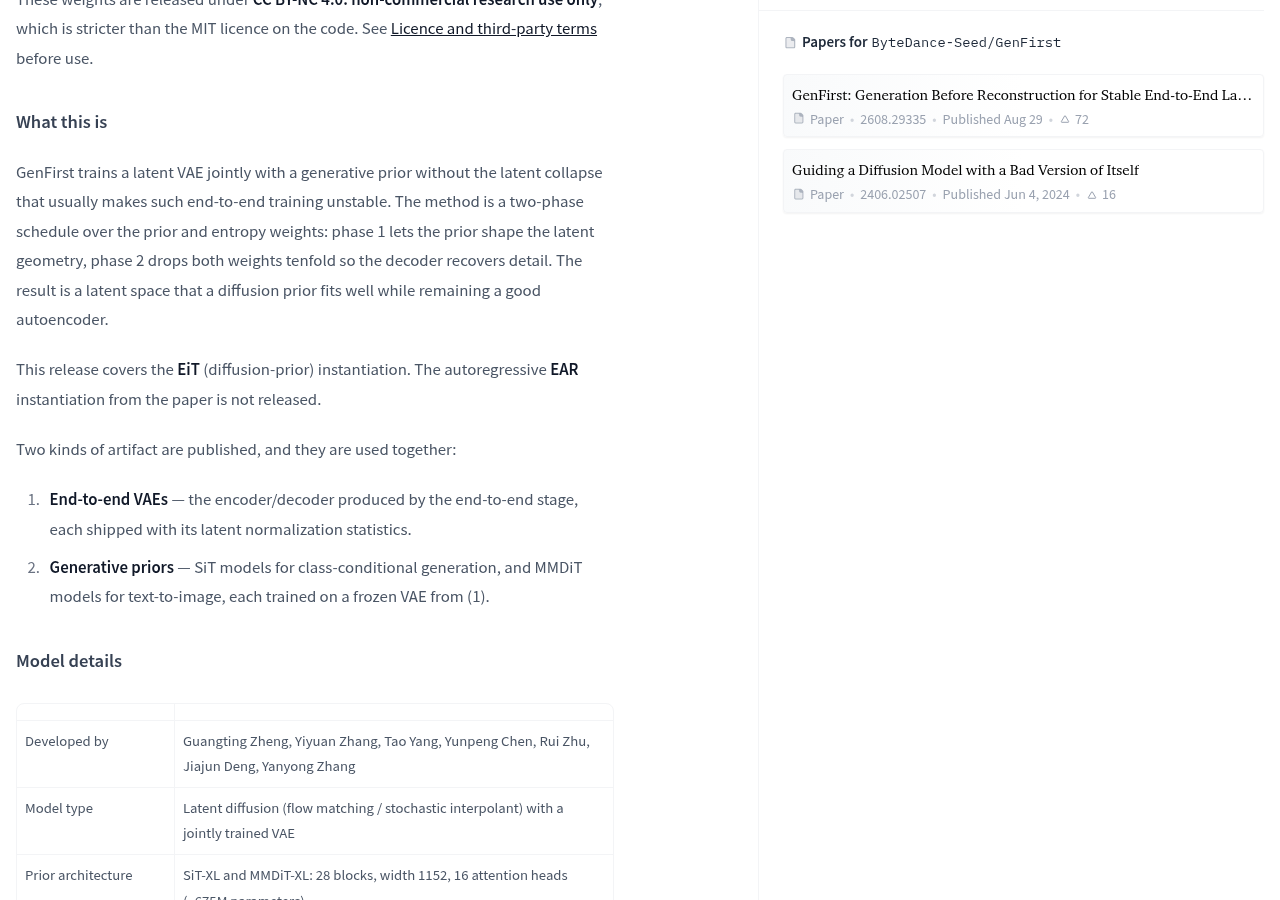
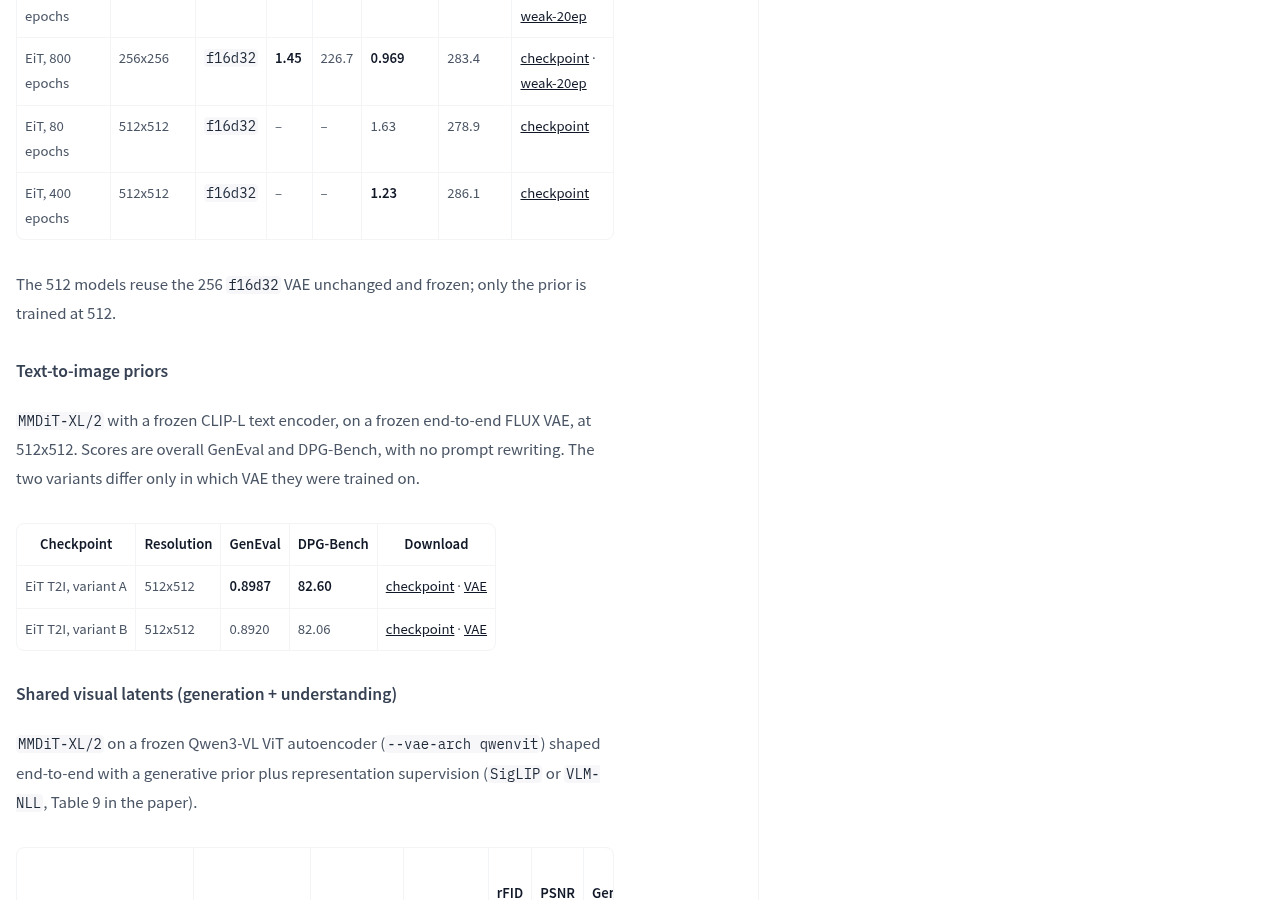
When selecting files, the most confusing options are “Generate images by category” and “Generate images by text.” The category condition model receives a fixed category number and no text input; The text-to-image model only receives text descriptions. If you want to input a scene description, you should find the corresponding weight in the text-to-image section of the official model card, rather than downloading the raw image file as soon as it appears.
The official team also lists the research weights for shared visual representation and unified graphic-text modeling. However, the unified graphic-text modeling section clearly distinguishes the checkpoints used for text-to-image and image description tasks. For readers who only want to reproduce text-to-image, selecting the task first is more meaningful than downloading all variants at once.
You can check the weights and supporting VAE entry in the text-to-image section of of the official model card, then follow the instructions in official code repository to prepare the environment. The model card does not provide verifiable personal computer memory requirements, Mac compatibility, or generation speed, so it cannot be scheduled for download or deployment based on a device’s “guaranteed to run” status.
The challenge of running locally is pairing model components
To understand these components, think of a courier station: parcels are stored according to a set of shelf rules, and pickup follows the same rules. Here, VAE converts the image into a compact internal representation, then restores this representation into an image; The generative model learns and generates within this internal representation. The internal representation is the so-called “latent representation,” not the final image that can be directly viewed.
GenFirst’s research focuses on training VAEs together with generative models, making internal representations suitable for both generation and image details. The official method first lets the generative model influence the organization of internal representations, then adjusts training weights to allow the decoder to restore details. Therefore, its value leans more toward studying “how images should be compressed and generated,” rather than just providing an extra raw image file.
In actual deployment, VAE must also come with corresponding latent representation normalization statistical files. Using the courier station analogy, this file is like a conversion rule for shelf coordinates: the set of rules used during model training must be used during runtime. The official clearly reminds that mismatched statistical files generate noise, and the program may output normally without errors.
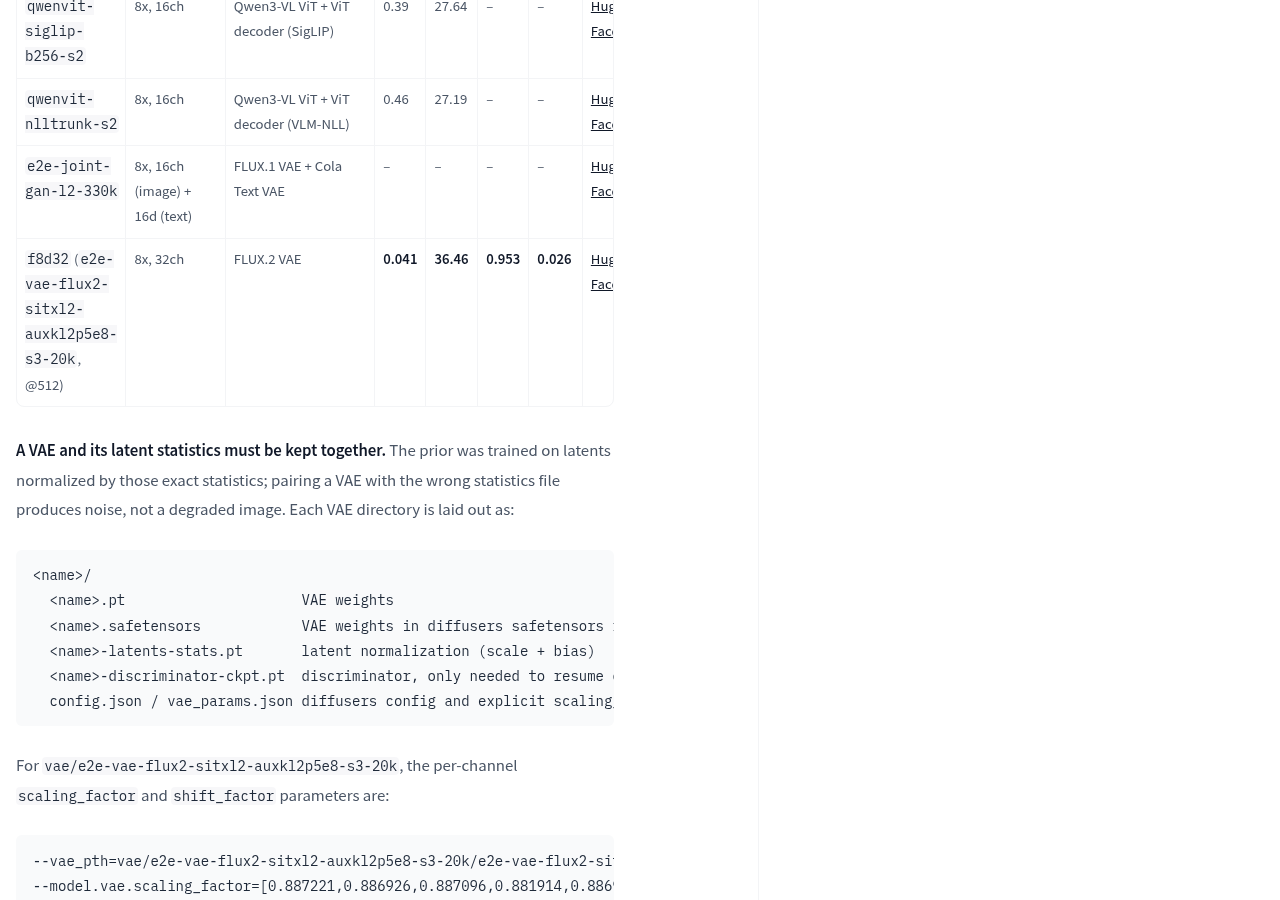
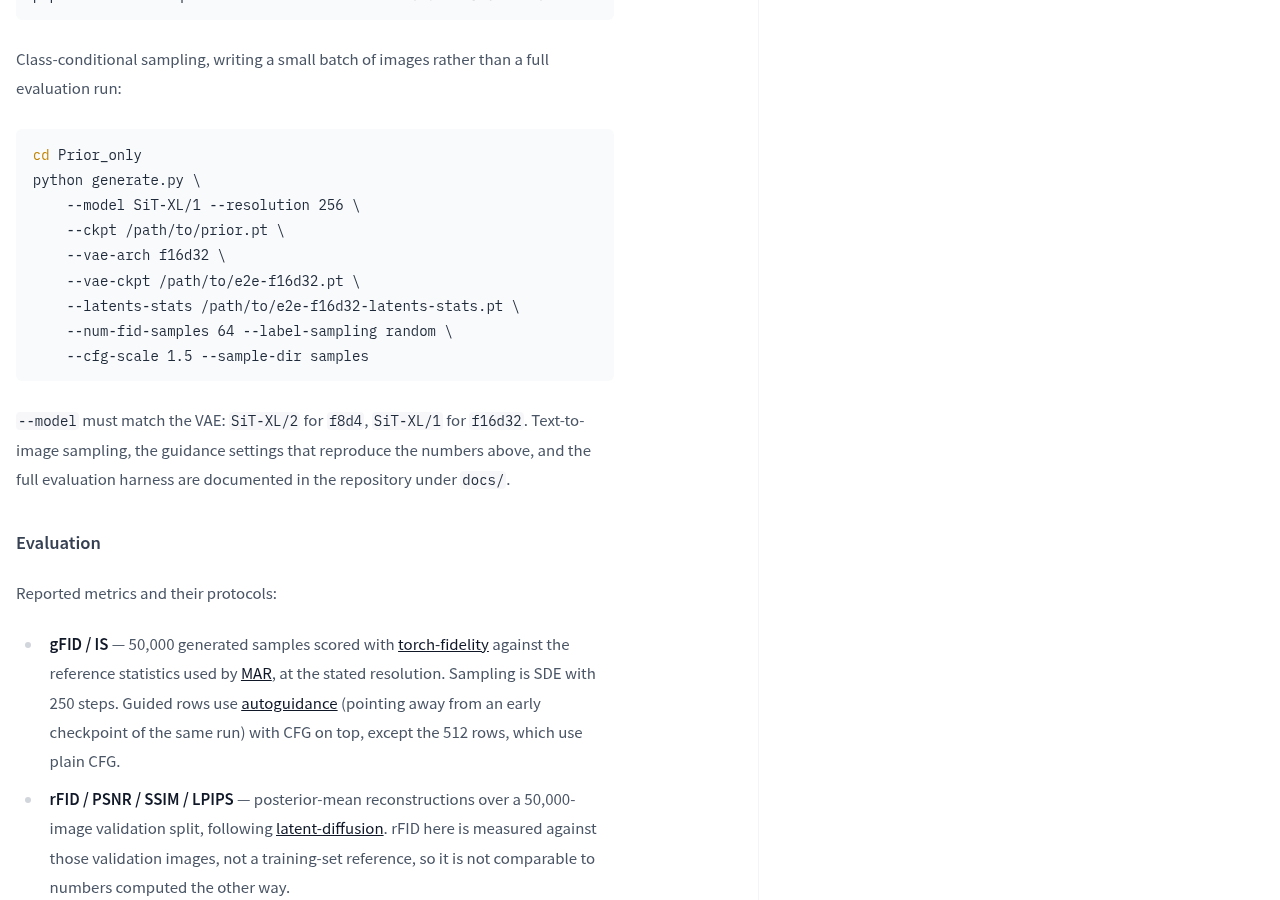
This means acceptance cannot be based solely on whether commands have been executed. You should first confirm the correspondence between the generated model, VAE, statistical files, and model architecture according to the official documentation, then check the actual output. The model card provides examples of category conditional sampling; settings required for text-to-image sampling and reproduction of results point to the documentation directory in the code repository; Category sampling examples should not be treated directly as text-to-image tutorials.
Official results can help with direction selection, but cannot replace image acceptance inspections
For text-to-image use, the two officially listed variants are the most relevant. Both have resolutions of 512 × 512 and use frozen CLIP-L text encoders, differing only in the VAE used for training. Variant A’s GenEval is 0.8987, DPG-Bench is 82.60; Variant B’s are 0.8920 and 82.06, respectively. These are all officially reported scores.
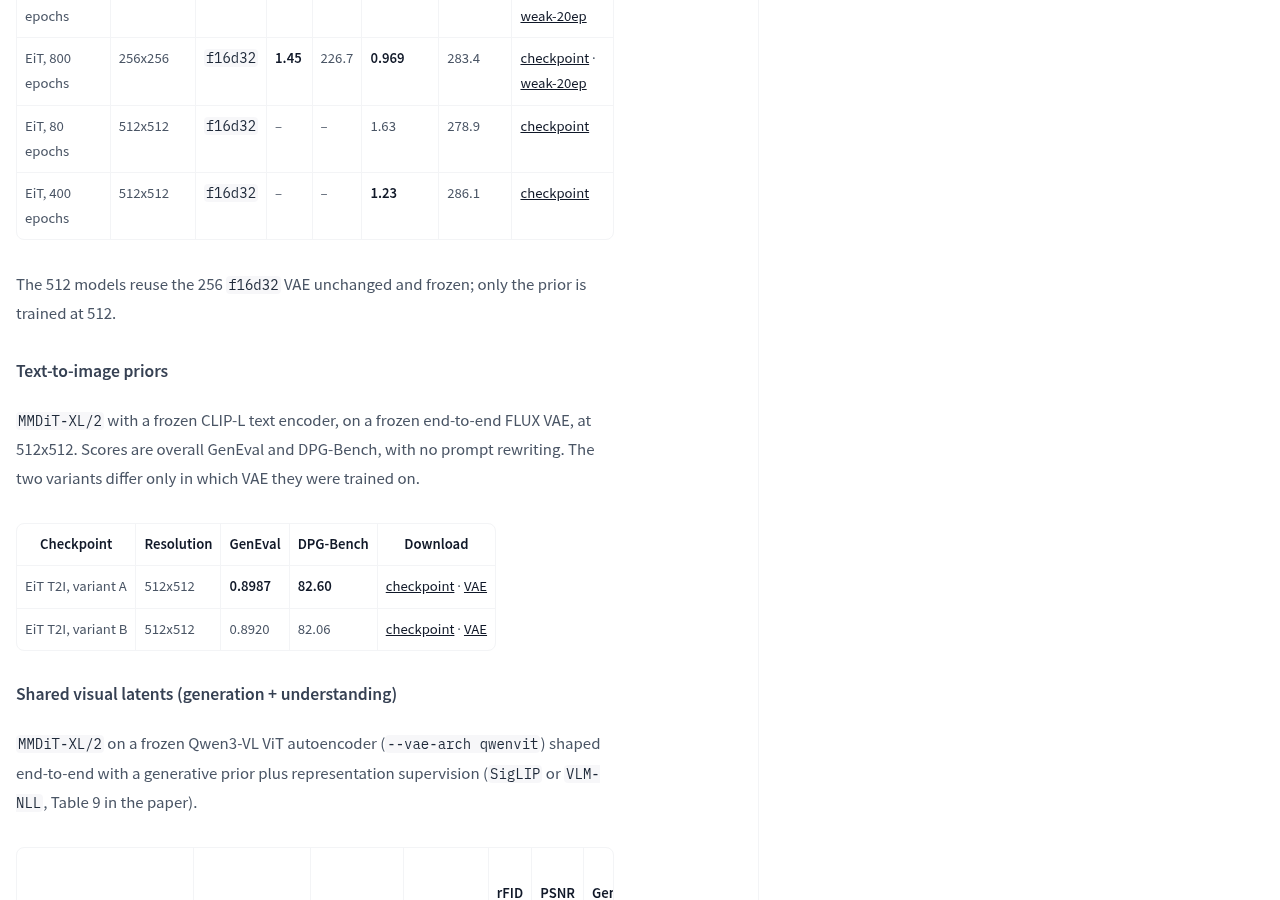
These two evaluations focus on the alignment between generated images and text requirements. You can think of it as verifying delivery content with an order: the score answers how well the image meets the requirements under the specified question and scoring rules, not whether a particular image necessarily looks good or the text is correct. The official explanation states that these scores use 50-step Euler sampling, with a CFG of 7.0 and an effective interval of [0.35, 1.0], without rewriting prompts. When reconstructing, these conditions should be reviewed together.
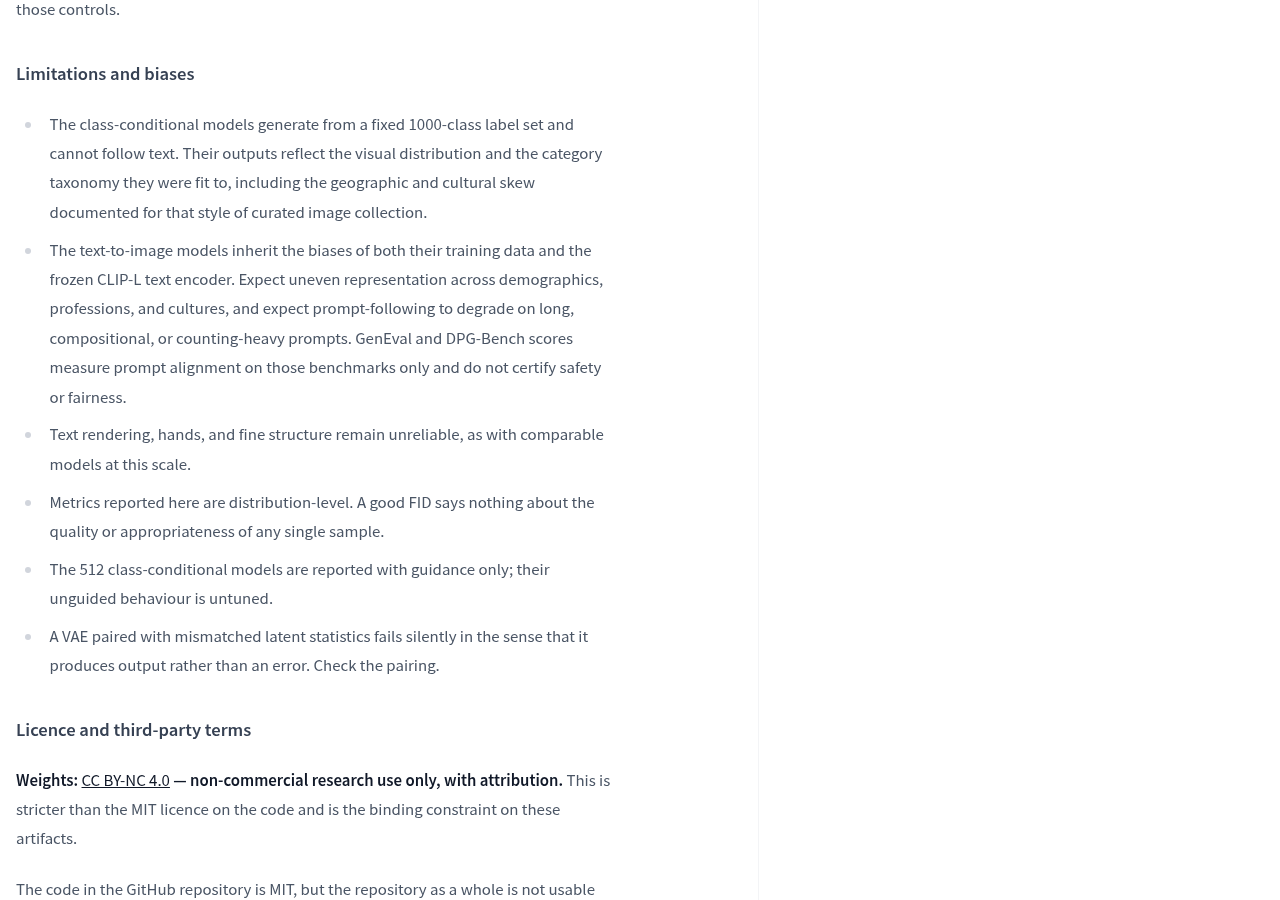
The actual choice depends on the shortcomings listed by the officials: long descriptions, complex combinations, and counting requirements may reduce adherence effectiveness, and text, hands, and fine structure in images remain unreliable. Therefore, if the goal is to study text-to-image methods, you can start with the corresponding variants; If the task requires accurate typography, complex quantitative relationships, or stable delivery, acceptance should be based on your own target content rather than ranking results alone.
Before downloading, first go through the gate of use and security
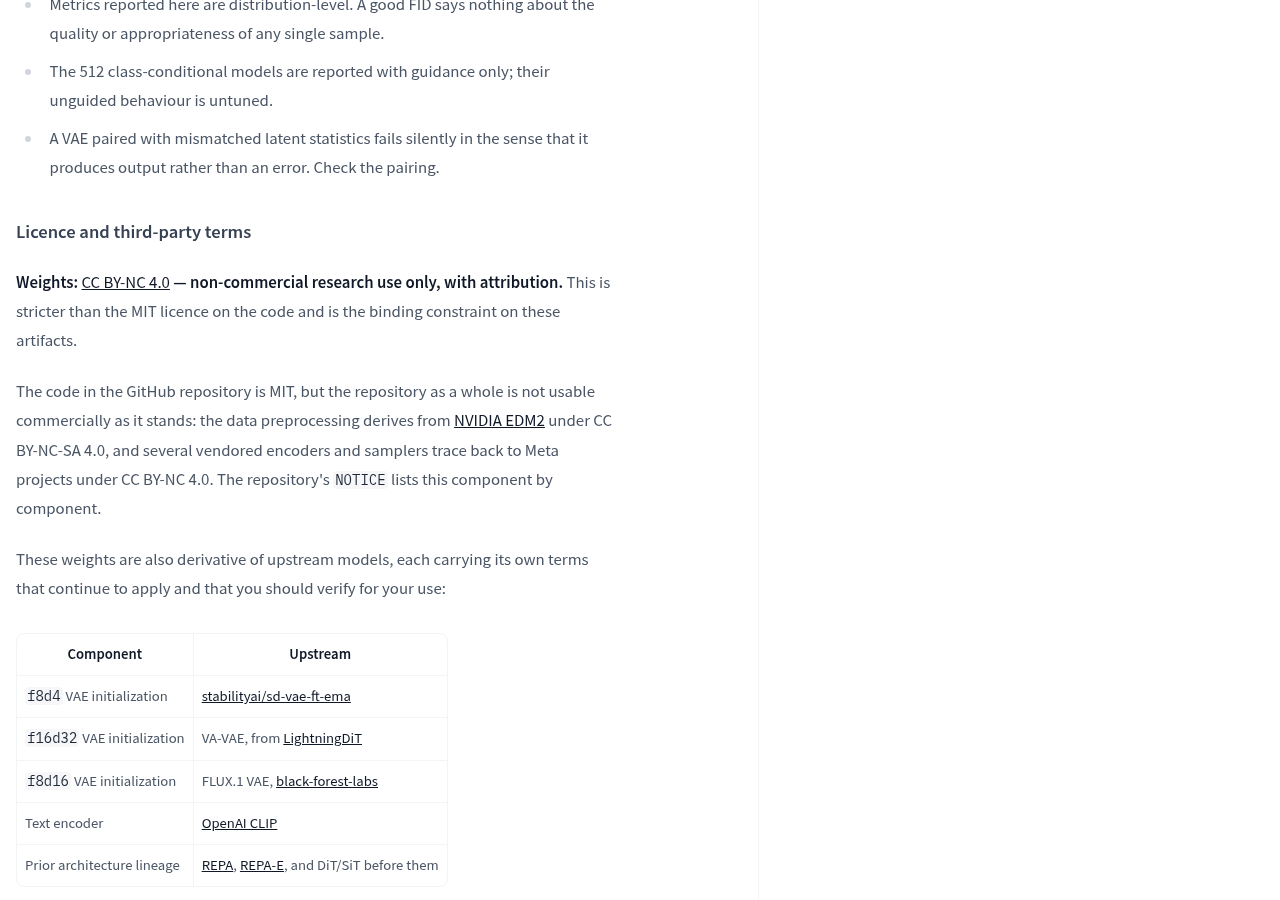
The official authority is marked as CC BY-NC 4.0, clearly limited to attribution, non-commercial research use. The code itself uses the MIT license, but that does not mean the entire project can be commercially used: model card instructions, data preprocessing, and some accompanying components have non-commercial terms, and terms for upstream models and training data also apply separately. The MIT label on the code page alone does not give the entire solution a commercial green light.
On the security side, the official reminder is that these .pt checkpoints involve pickle loading and can execute any Python code; Published files also include parameter namespaces, so you need to allow loading these objects. Files should only be obtained from trusted official sources and handled according to project security guidelines. Do not arbitrarily relax restrictions just to ensure unfamiliar weights load successfully.
The model also lacks security filters, watermarks, or content classifiers. The official scope excludes generating identifiable human content and treating outputs as real photos or factual records; If outputs are exposed to others, deployers must add corresponding controls. These tasks do not automatically complete with weighted downloads.
If the target is non-commercial research, the next step can be accessed from Official User Manual, selecting tasks and weights, verifying supporting files, and then verifying whether the target image is generated correctly. If commercial licenses, out-of-the-box image generation interfaces, or confirmed personal computer operation plans are needed, current materials are insufficient to meet these requirements. The model page also shows that no Hugging Face inference service provider has deployed this model, so the weight page cannot be used as a ready-made online image generation service.
Official information
Self-made software
Versions, changes and supported installers all come from the same public release records.
HyphenAssistant
Continue your computer’s DeepSeek Harness session from a phone browser. The service, computer and network must stay online; model costs follow your existing setup.
View public downloads and updates ↗LocalBrain
A local AI toolbox for transcription, speech, images, video, and MCP tools. Features vary by platform version.
View public downloads and updates ↗HyphenBox
A free model API radar and local router, with ongoing availability checks and keys kept on your device.
View public downloads and updates ↗ScreenLex
Turn subtitles from your own films and shows into an English vocabulary library, entirely offline.
View public downloads and updates ↗HyphenScreen
Screen recording and editing with a Resolve-style timeline, automatic redaction and pre-export checks.
View public downloads and updates ↗Support HyphenTech
Late nights and burned API credits went in,a cup of tea comes back out — only if you feel like it.
Save the QR codeScan with WeChatPress and hold to save the image, then open it from your album in WeChat Scan

WeChat tips · Any amount welcome




Comments
Loading comments…