

Info: Machine translation This post was machine-translated from the Chinese original. Wording may be rough in places — the Chinese version is authoritative.
After finishing an article or a commentary, the most time-consuming part is often not writing, but turning it into a dismissable video: finding footage, adding narration, matching timelines, exporting. Tencent’s newly released tencent/WeVisCut on Hugging Face aims to take on this task—it’s not a text-to-video model, but a 9B tool-calling agent that picks one tool from 12 for each reading of the current edit status.
The official model page clearly states its positioning: turning knowledge articles or commentary scripts into multi-minute finished videos. Each step involves planning, writing narration, retrieving footage, compositing, checking, or fixing. These 12 tools act like rows of buttons on the editing table, with the model playing the role of the person sitting in front of the stage, knowing which to press next.
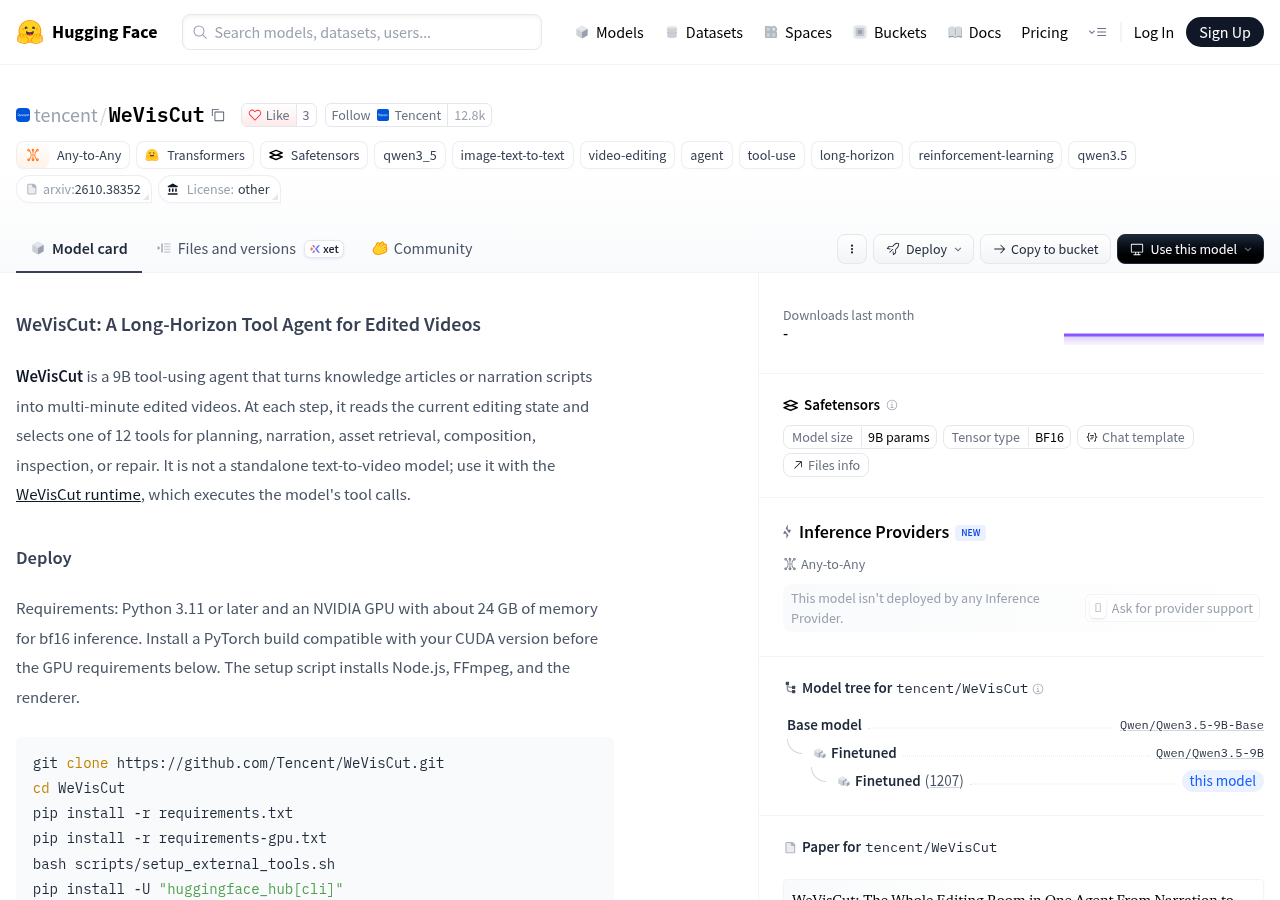
It is not a standalone text-to-video model; use it with the WeVisCut runtime, which executes the model’s tool calls.
This is something you must understand before using it: downloading model weights separately doesn’t directly produce a video; it requires the WeVisCut runtime to actually execute the tool calls it sends. In everyday terms, it’s like buying a chef who can write recipes, but the cooker and stove he needs to cook must be provided by another kitchen system. The weights are the “brains”; the runtime is the kitchen.
Where is the weight placed, and who is the pedestal
The model page lists the model scale as 9B parameters, tensor type BF16, using the Safetensors format, and the model tree shows its base as Qwen/Qwen3.5-9B-Base, which is a fine-tuning based on Qwen3.5-9B. The official description states that its strategy is based on Qwen3.5-9B and trained on executable clip trajectories. In other words, its “clipping intuition” comes from the sequence of operations seen, not from guessing during reasoning.
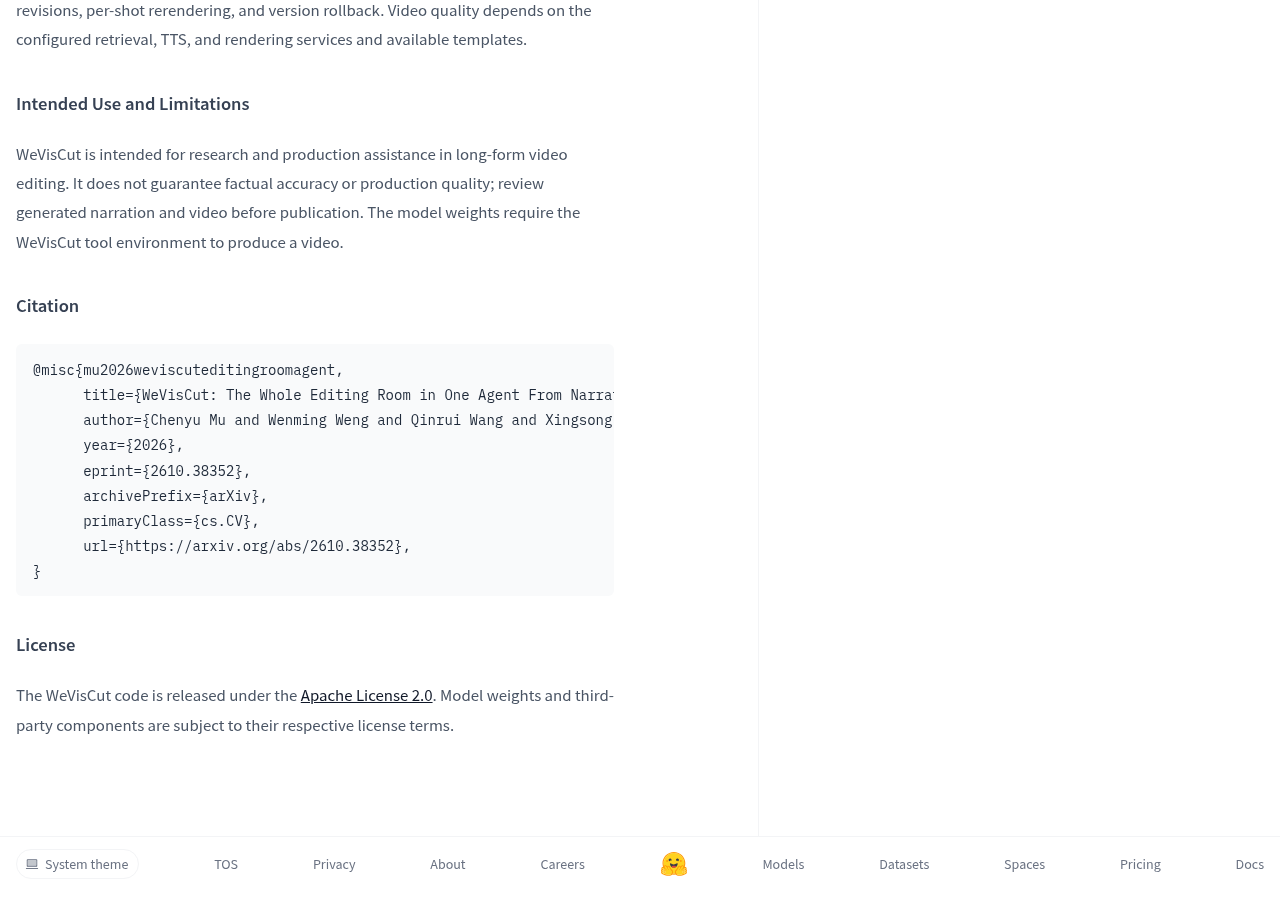
Licensing is divided into two parts and must be viewed separately: code is released under Apache License 2.0; model weights and third-party components each follow their respective license terms. This division is crucial in practice—code can be loosely modified, but whether weights can be commercially used or redistributed must be confirmed separately by the license in the weight repository, not directly applied from code leniency.
What does it take to run locally?
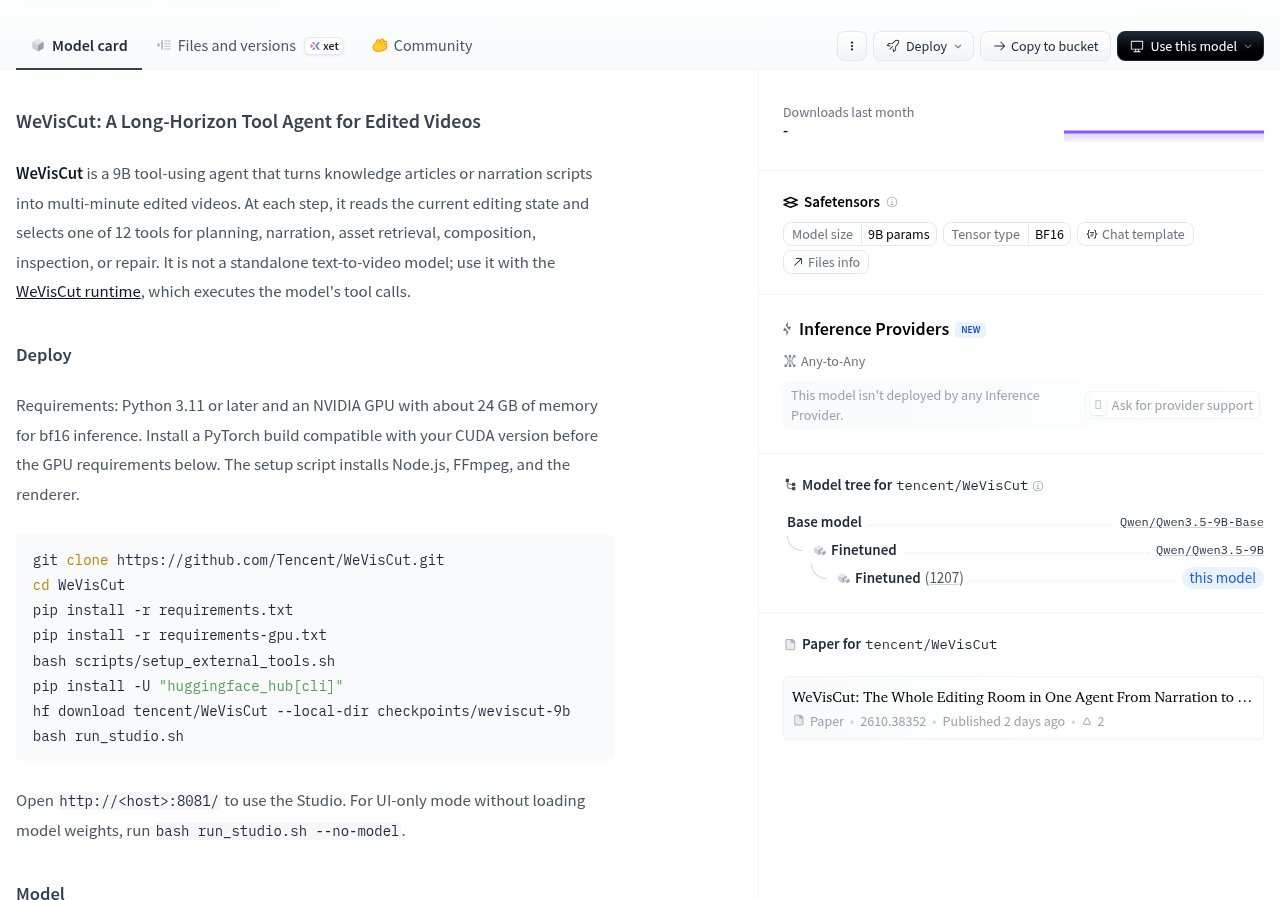
The official deployment requirements are: Python 3.11 or higher, an NVIDIA GPU with about 24GB of VRAM for bf16 inference, and a PyTorch compatible with the local CUDA version installed. The installation script also includes the Node.js, FFmpeg, and renderer. The overall process is cloning the repository, installing requirements and requirements-gpu, running setup scripts, then using huggingface_hub to download tencent/WeVisCut to checkpoints/weviscut-9b, finally launching bash run_studio.sh and opening port 8081 to enter Studio.
git clone https://github.com/Tencent/WeVisCut.git
cd WeVisCut
pip install -r requirements.txt
pip install -r requirements-gpu.txt
bash scripts/setup_external_tools.sh
pip install -U "huggingface_hub[cli]"
hf download tencent/WeVisCut --local-dir checkpoints/weviscut-9b
bash run_studio.sh
If you just want to see what the interface looks like first, the developers even leave a lightweight entry point: bash run_studio.sh --no-model, which runs Studio without loading any model weights. This is more friendly for those who want to judge whether the editing process suits their taste, without needing to free up a 24GB graphics card upfront.
What experience it actually delivers
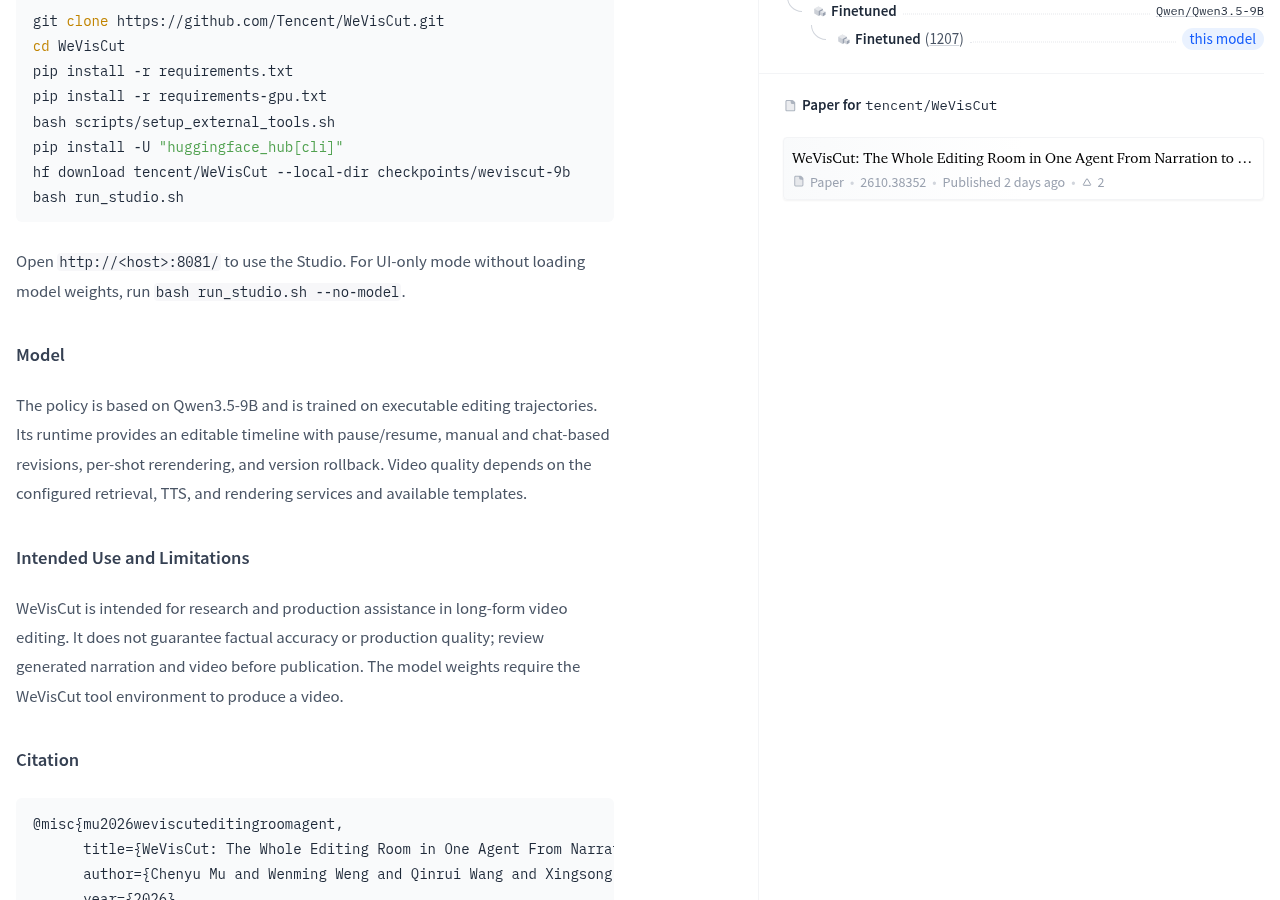
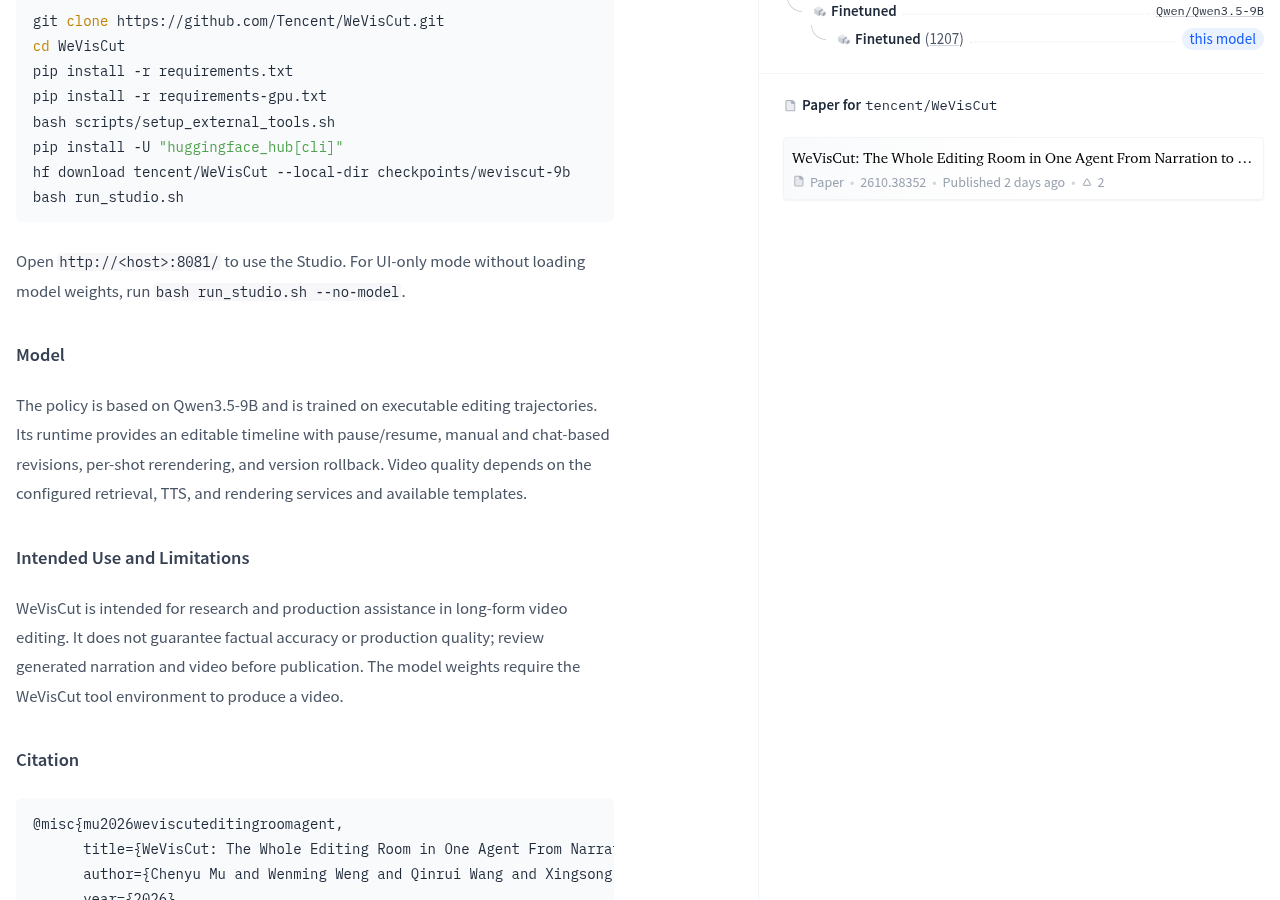
Runtime’s capabilities are described as: providing an editable timeline, supporting pause and resume, manual and conversational modifications, shot by shot rerendering, and version rollback. These factors determine whether the thing can be included in daily workflows—you can pause to manually modify a version, or revert to the previous version if it breaks, rather than having to run it over again and wait for results.
The official team also clearly acknowledges that final quality depends on external configurations: search services, TTS services, rendering services, and available templates. In other words, in the process of “turning a script into a video,” the model decides how to edit and where to assemble, while where the material comes from, how the sound is pronounced, and how the final image is composited—all depend on which services you have installed. If the service isn’t properly matched, no matter how smart the model is, it won’t produce a final product.
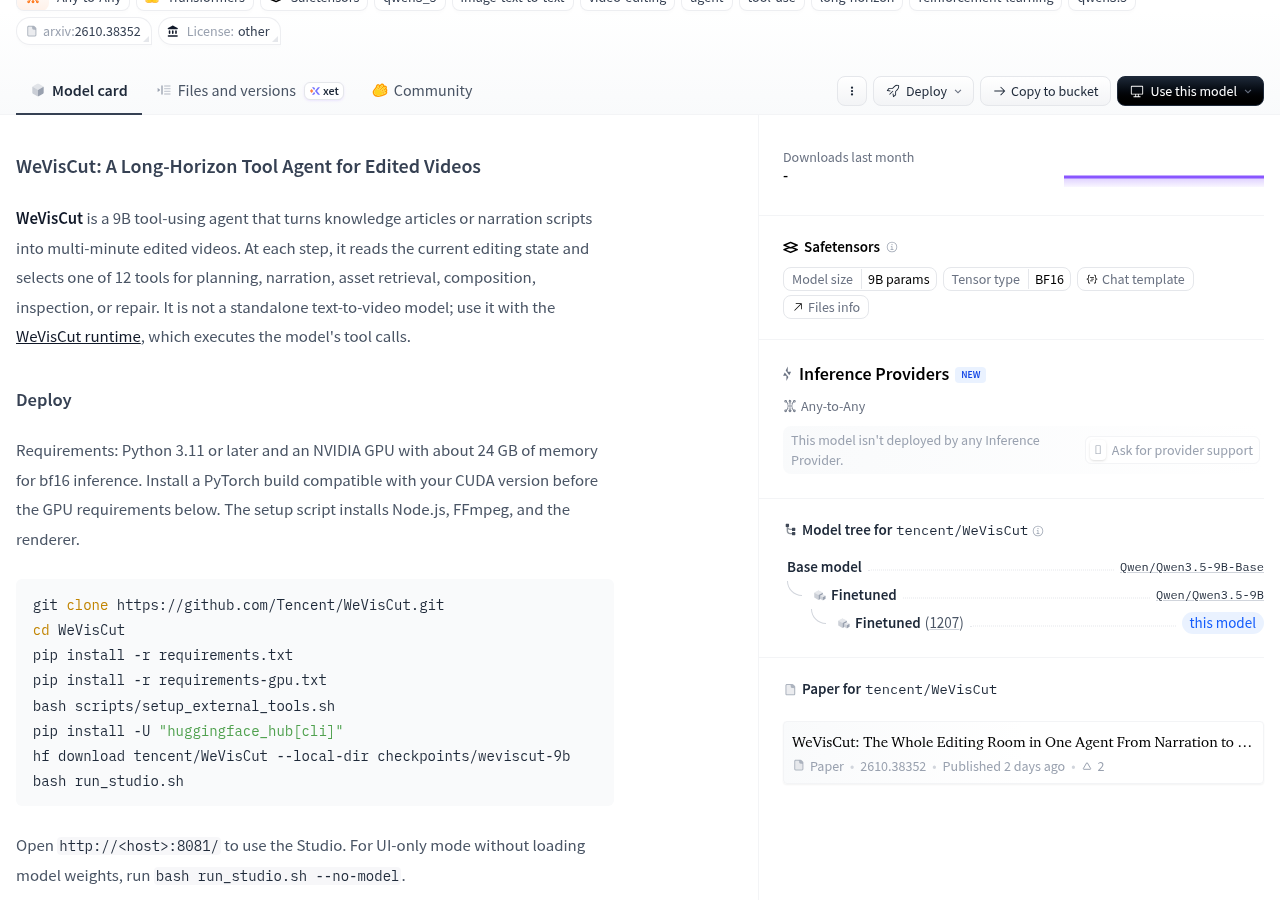
Warning The official section states in “Intended Use and Limitations”: it is intended for research and production assistance in long-form video editing, does not guarantee factual accuracy or production quality, and requires manual review of generated narration and videos before release. This limitation is worth remembering separately—it is an assistant responsible for the work, not an automatic machine that can send messages without watching.
Additionally, the model page shows that no Inference Provider has deployed this model yet, and the page displays an entry for “Request Provider Support.” If you want to save trouble, you can take the path of managed APIs, but there are currently no ready-made options; building your own is the main path.
When is it worth trying?
If your daily output is the kind of “the script is already written and just missing a cut,” this project is worth considering: it breaks down editing actions into 12 callable steps, leaving room for pause, rollback, and re-rendering shot-by-shot for engineering purposes. The accompanying paper is arXiv:2610.38352, titled “WeVisCut: The Whole Editing Room in One Agent From Narration to Long-Form Video,” and the model page shows the paper was published two days ago.
If your graphics card doesn’t reach 24GB of VRAM, or you prefer an out-of-the-box online service, now is not the right time to buy—the former is a hard barrier, and the latter currently has no hosting provider. The easiest way to verify is to run --no-model mode first to see if the timeline interaction in Studio fits, then decide whether to invest in a graphics card.
The model page also provides the project repository address, with code under Apache License 2.0. Weights and third-party components are executed under their respective licenses. Those needing commercial use or redistribution should follow the license terms of the weight repository.
Official information
Self-made software
Versions, changes and supported installers all come from the same public release records.
HyphenAssistant
Continue your computer’s DeepSeek Harness session from a phone browser. The service, computer and network must stay online; model costs follow your existing setup.
View public downloads and updates ↗LocalBrain
A local AI toolbox for transcription, speech, images, video, and MCP tools. Features vary by platform version.
View public downloads and updates ↗HyphenBox
A free model API radar and local router, with ongoing availability checks and keys kept on your device.
View public downloads and updates ↗ScreenLex
Turn subtitles from your own films and shows into an English vocabulary library, entirely offline.
View public downloads and updates ↗HyphenScreen
Screen recording and editing with a Resolve-style timeline, automatic redaction and pre-export checks.
View public downloads and updates ↗Support HyphenTech
Late nights and burned API credits went in,a cup of tea comes back out — only if you feel like it.
Save the QR codeScan with WeChatPress and hold to save the image, then open it from your album in WeChat Scan

WeChat tips · Any amount welcome




Comments
Loading comments…