Info: Machine translation This post was machine-translated from the Chinese original. Wording may be rough in places — the Chinese version is authoritative.
What exactly is open now?
Qwen officially provides Qwen-Image-2.1-Turbo checkpoints and loading examples on Hugging Face, but the page does not indicate the official release date. What can be confirmed is that the repository is now accessible, and the discovery date cannot be written as the release date.
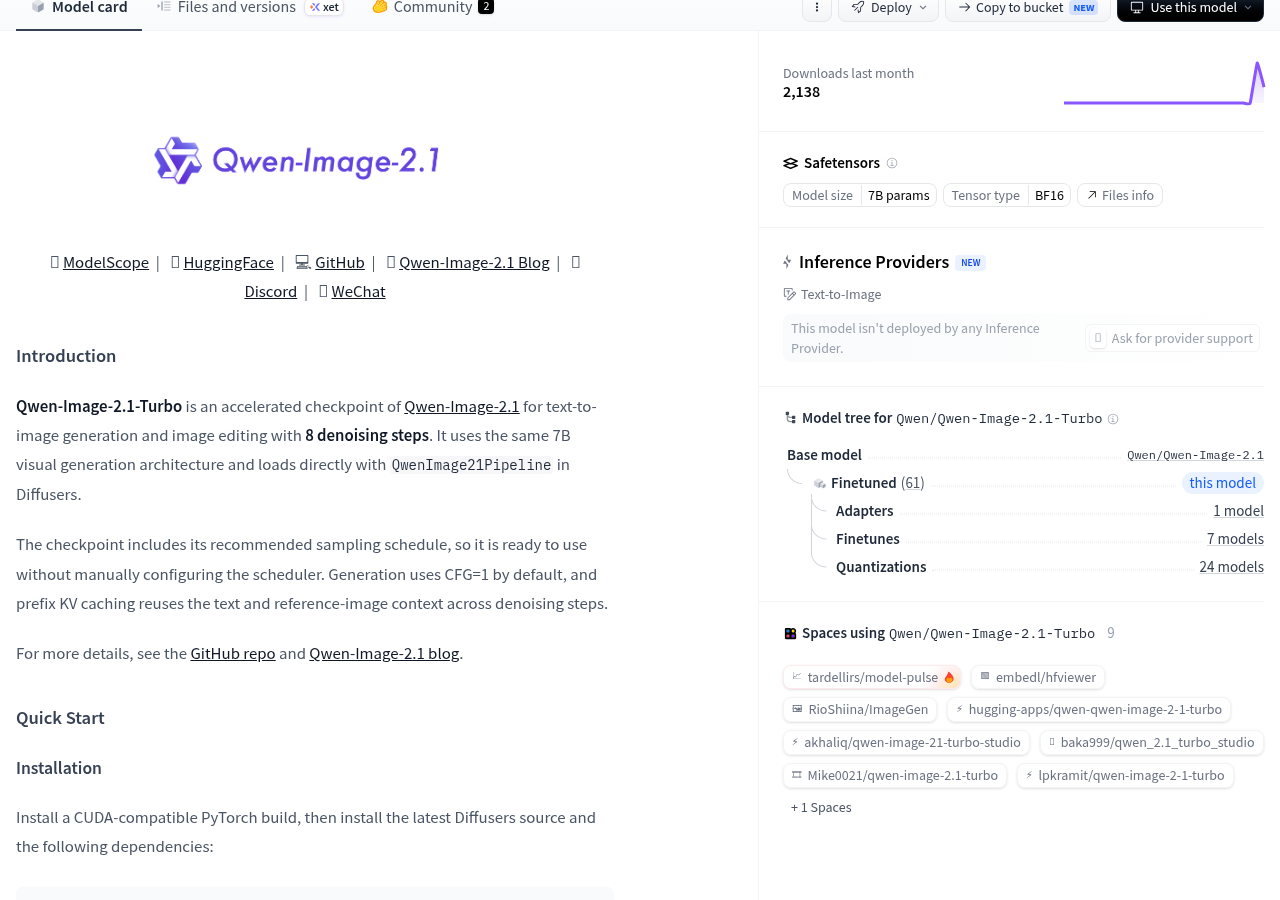
It is an accelerated checkpoint for Qwen-Image-2.1, covering text-to-image and image editing, using the same 7B visual generation architecture and being loaded directly via Diffusers’ QwenImage21Pipeline.
The most noteworthy number this time is 8: The official checkpoint has saved a recommended 8-step sampling schedule, and the pipeline will load automatically. Here, “8 steps” refers to the number of denoising cycles, not 8 seconds to produce images, nor can it alone prove generation speed, memory usage, or final quality.
Why can’t 8 steps be viewed as just a speed number?
Denoising can be thought of as wiping a foggy glass piece: each wipe makes the outline clearer. When generating images, you don’t process glass, but noise in the image; The sampling arrangement specifies how each round advances toward the target image. Qwen-Image-2.1-Turbo saves the recommended schedule in the checkpoint, and after the pipeline loads, it is used directly, without manually assembling a set of scheduler parameters. This metaphor explains gradual processing; it doesn’t mean that wiping a few more rounds will necessarily preserve all the details.
The official system also enabled prefix KV caching to reuse text prompts and reference image context. It’s more like WeChat chat with preceding text loaded, so subsequent processing doesn’t require rereading from the first message every time; Reusing context calculation doesn’t mean all image generation steps are skipped.
The eight-step reduction is denoising iteration; End-to-end image output also requires loading the model and processing input and output images. Skipping a few rounds is worth testing, but it’s not a stopwatch for the entire process. To judge whether it truly saves time, you need to record total time spent on the same device, same frame, and same task, then check for errors in the text and if the editor has changed places where it shouldn’t have. Currently, official materials do not provide such a time-consuming, VRAM, or uniform condition comparison, so no specific acceleration multiplier is promised here.
The official entry point for operation
The official quick start requires installing CUDA-compatible PyTorch first, then the latest Diffusers source code and specified dependencies. This indicates that the current documentation provides a CUDA workflow and does not promise one-click operation on a regular computer.
pip install git+https://github.com/huggingface/diffusers.git
pip install "transformers>=5.17.0" accelerate pillow
Checkpoints rely on Diffusers’ support for pipeline sampling sigmas, a capability from PR #14950. Installing only older versions of Diffusers may not run according to the officially saved sampling schedule.
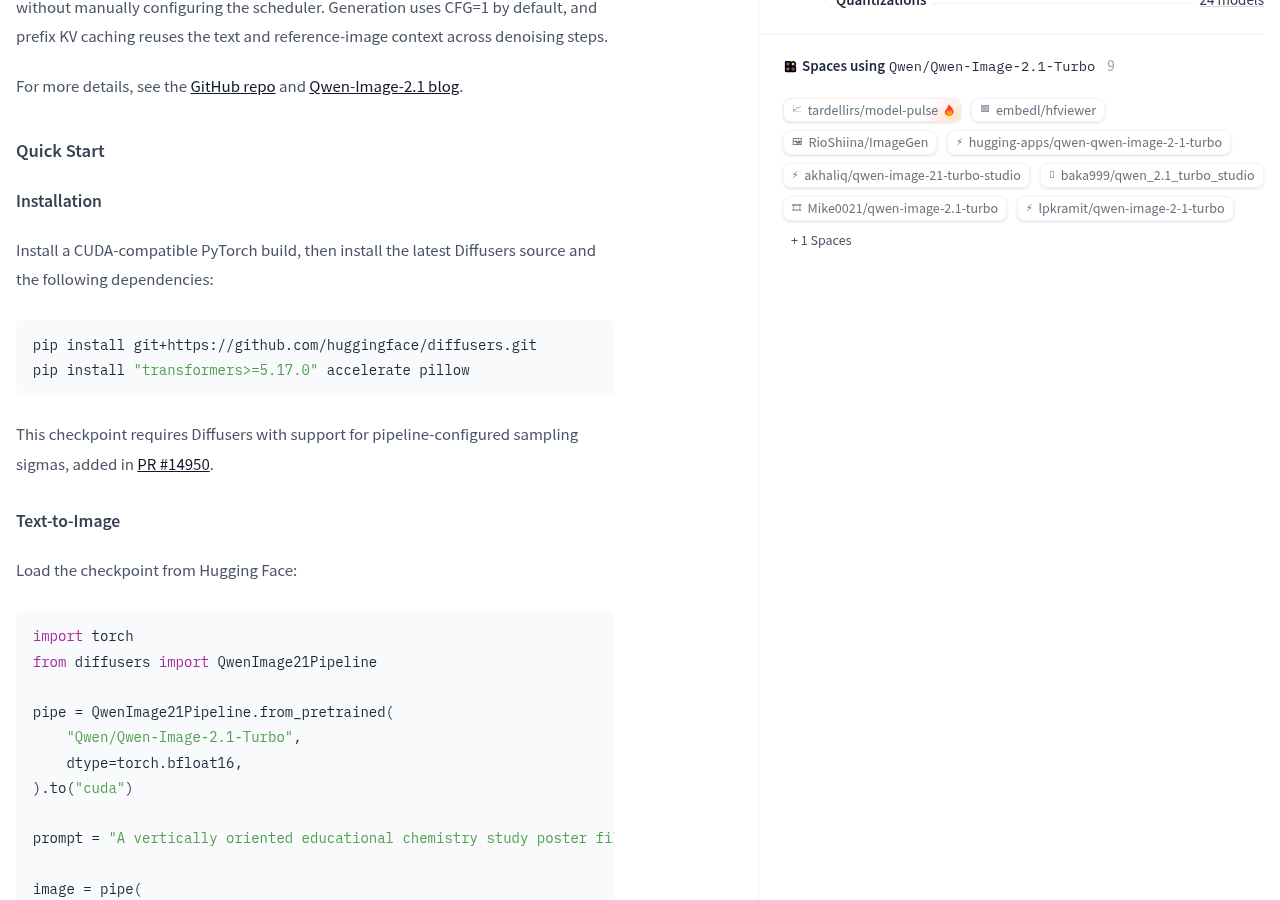
import torch
from diffusers import QwenImage21Pipeline

pipe = QwenImage21Pipeline.from_pretrained(
    "Qwen/Qwen-Image-2.1-Turbo",
    dtype=torch.bfloat16,
).to("cuda")
Warning Downloadable weights do not mean a specific computer can run it. Regarding memory requirements, generation time, stability at different resolutions, and local operation boundaries, the official page does not provide complete conclusions.
What can official examples prove?
The official text-to-image and single-image editing examples are provided: the text-to-image example uses 1680 × 2512, and the editing example uses 2048 × 2048. The page also lists resolution presets for 1:1, 4:3, 3:4, 3:2, 2:3, 16:9, and 9:16.
The display area covers portraits, human poses and movements, transparent image generation, text and posters, interface and information layout, single image conversion, and multi-reference image combinations. For content creators, poster samples are more specific than “supporting text-to-image”: you can directly check small print, relationship between text and images, and layout. But this is an official selection for display, not a native test device, nor has the success rate for various tasks been published.

Before downloading, first understand the three boundaries
- During verification, the Hugging Face sidebar shows no Inference Provider deploying the model; This only describes the platform’s managed inference entry point and does not mean there are no demo sites or third-party services across the entire network. Online demos and official APIs in the repository also need to be verified separately.
- Model annotations are 7B parameters, BF16. Parameter numbers indicate scale, BF16 indicates a numerical format for weights; Running also requires processing intermediate data, so you can’t estimate all the VRAM based on weights alone, nor can you guarantee that a particular graphics card or Mac will run smoothly.
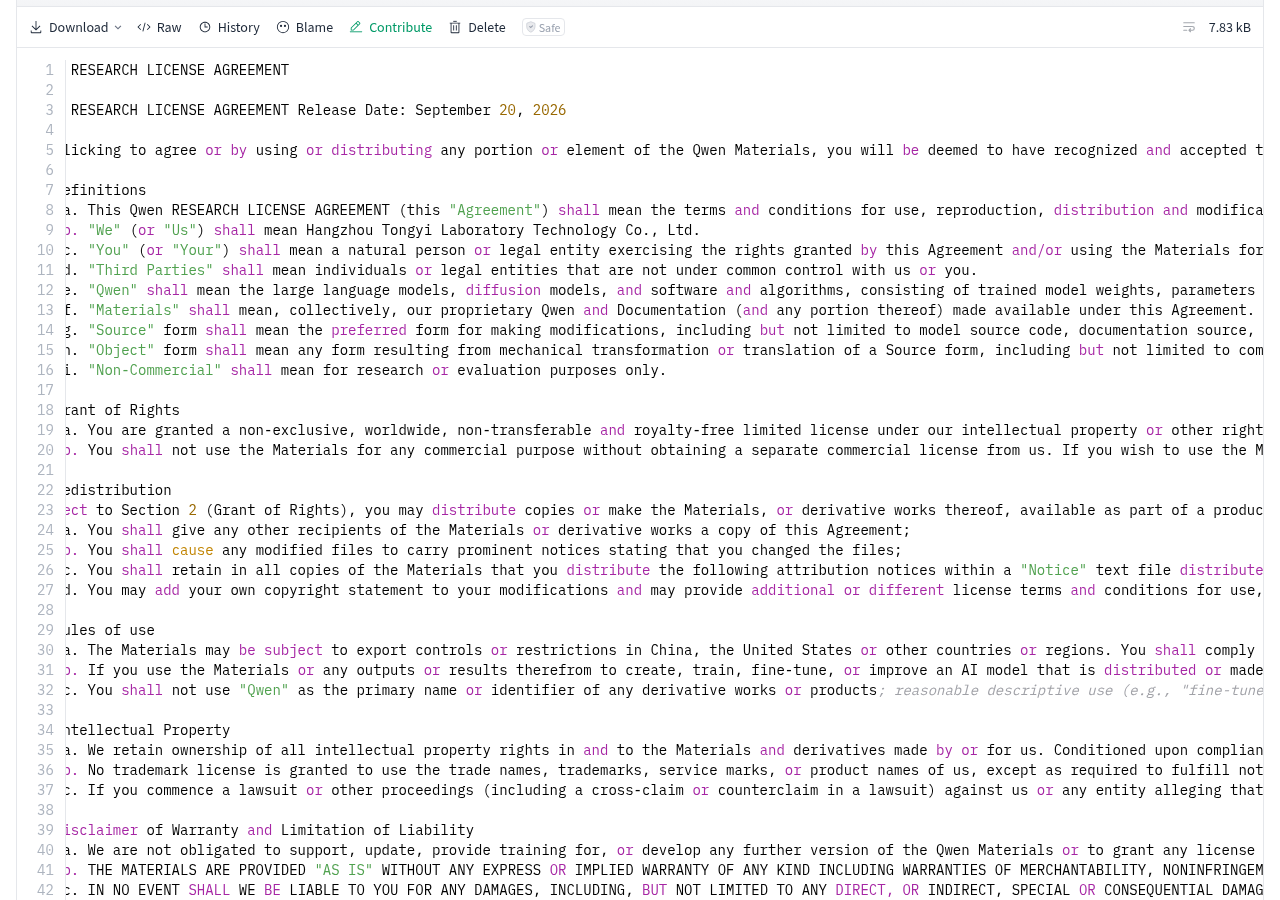
- Licenses should be read in full terms, not just the download button.
The complete Qwen Research License Agreement clearly limits the authorized use to non-commercial research or evaluation; Commercial use requires separate permission. Here, readers can be recommended to conduct research and compare official examples, but it cannot be packaged as a free raw image backend for direct commercial use. Before providing paid services, product integration, or redistribution, the terms should be verified according to the actual use and confirmed with the rights holder.
“Checkpoints are provided,” “What is allowed by the license,” “Is the existing runtime compatible?”, and “Can your own hardware handle it”—these are four things that need to be confirmed separately. The official page currently only directly addresses file entry, recommendation pipelines, and basic examples, and cannot be merged into “Everyone can run locally for free.”
Who is suitable to start acceptance now?
- If you already have a CUDA-compatible environment and are willing to use the latest version of the Diffusers source code, you can quickly start verifying whether loading and generation are possible.
- If you need to share a Diffusers pipeline for text-to-image and image editing, focus on checking whether the 8-step arrangement, reference image editing, and KV caching fit your workflow.
- Those relying on off-the-shelf online APIs, requiring clear commercial licenses, or those who have not yet confirmed local resources should not migrate official workflows solely based on official presentations.
Tip The minimum acceptance order can be kept simple: first confirm the license purpose, then confirm that the latest version of Diffusers can recognize pipeline configurations, and then record the actual time, VRAM, output size, and failure of one text-to-image and one image editing. Only when these results are repeatable can the 8-step acceleration truly enter the usable workflow.
The ones worth taking action now are those with a CUDA environment who are willing to conduct non-commercial evaluations first: use their own tasks to see if they can still deliver qualified images after a few rounds of noise. If you rely on one-click Mac installation, clear commercial permissions, or a ready-made stable API, don’t rush to migrate. Qwen-Image-2.1-Turbo provides an eight-step verifiable entry point; Whether to enter a long-term workflow depends on actual time-consuming time, failure samples, and usage permissions.
Official information
🧰 Tools I build
I maintain all of these tools myself. Preview builds are clearly labeled; the release pages are the source of truth for downloads, updates and known limits.
Info: HyphenBox Status: Official releases
A radar for free LLM APIs: availability is re-tested continuously, one local interface for all of them, and keys stay on your machine
Info: LocalBrain Status: Official releases
A multimodal MCP toolbox for local models: TTS, Whisper and video generation in one place
Info: ScreenLex Status: Official releases
Learn new words while you watch shows. Free, for Mac and Windows
Info: HyphenScreen Status: Official releases
Screen recording and smart editing in one: a DaVinci-style timeline, automatic redaction and a check of the finished video before export. Free
Quote: HyphenTech Make AI your superpower Local deployment · Free resources · Self-made software https://hyphentech.top
Late nights and burned API credits went in,a cup of tea comes back out — only if you feel like it.
Scan with WeChatPress and hold to save the image, then open it from your album in WeChat Scan

Comments
Loading comments…