Current public release
Versions, changes and supported installers all come from the same public release records.
HyphenScreen
Screen recording and editing with a Resolve-style timeline, automatic redaction and pre-export checks.
View public downloads and updates ↗Info: Machine translation This post was machine-translated from the Chinese original. Wording may be rough in places — the Chinese version is authoritative.
Complete dynamic samples
Open or download the full video
Complete dynamic samples
Open or download the full video
When recording tutorials, you can use screen recording to explain the actual operation; When it comes to off-screen relationships, just hovering the mouse over the table makes the visuals dull. Now I want to connect two types of content: keep recording the operation, and fill in the hard-to-explain parts with animation. HyphenScreen’s new “Animation Creation” lets you give the explanation, style, and requirements to the model, then put the results back on the same timeline. Look at the visuals first, then see how to use them.
**The images of the complete reference components are highly expressive: paper art, comics, drawings, blackboards, and 3D materials all have their own ways of expressing themselves. **The nine styles here are local reproductions of the open-source reference components, retaining the reference explanations, main layout, and action sequence, with offline adaptation and brand replacement; They are not original works recreated by the in-software model. The artistic scroll is a new three-world arrangement using my own authorized image. The actual results generated by the software model are listed separately for actual testing, making it easy to judge image quality and current capabilities separately.
Let’s first look at the image performance of the reference component
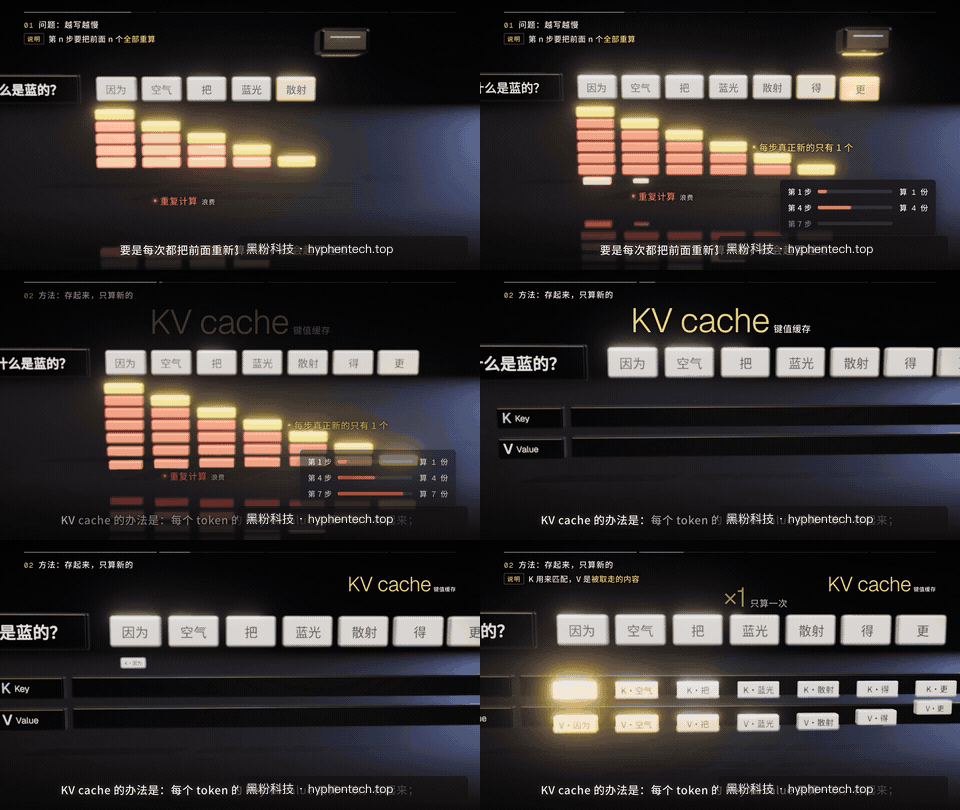
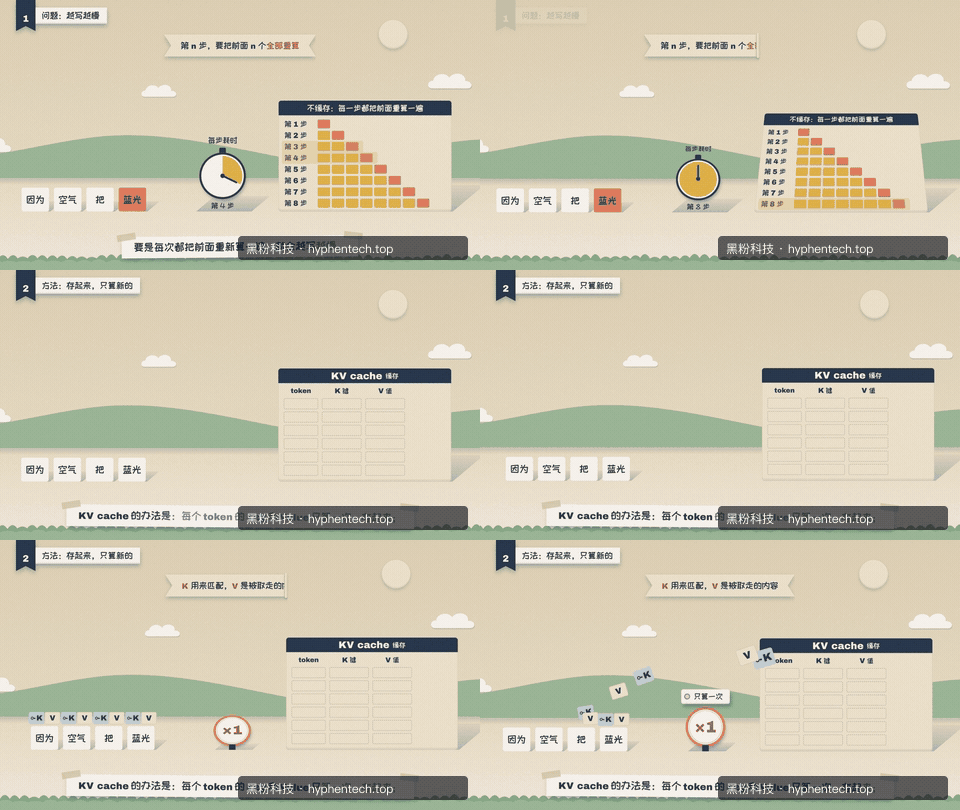
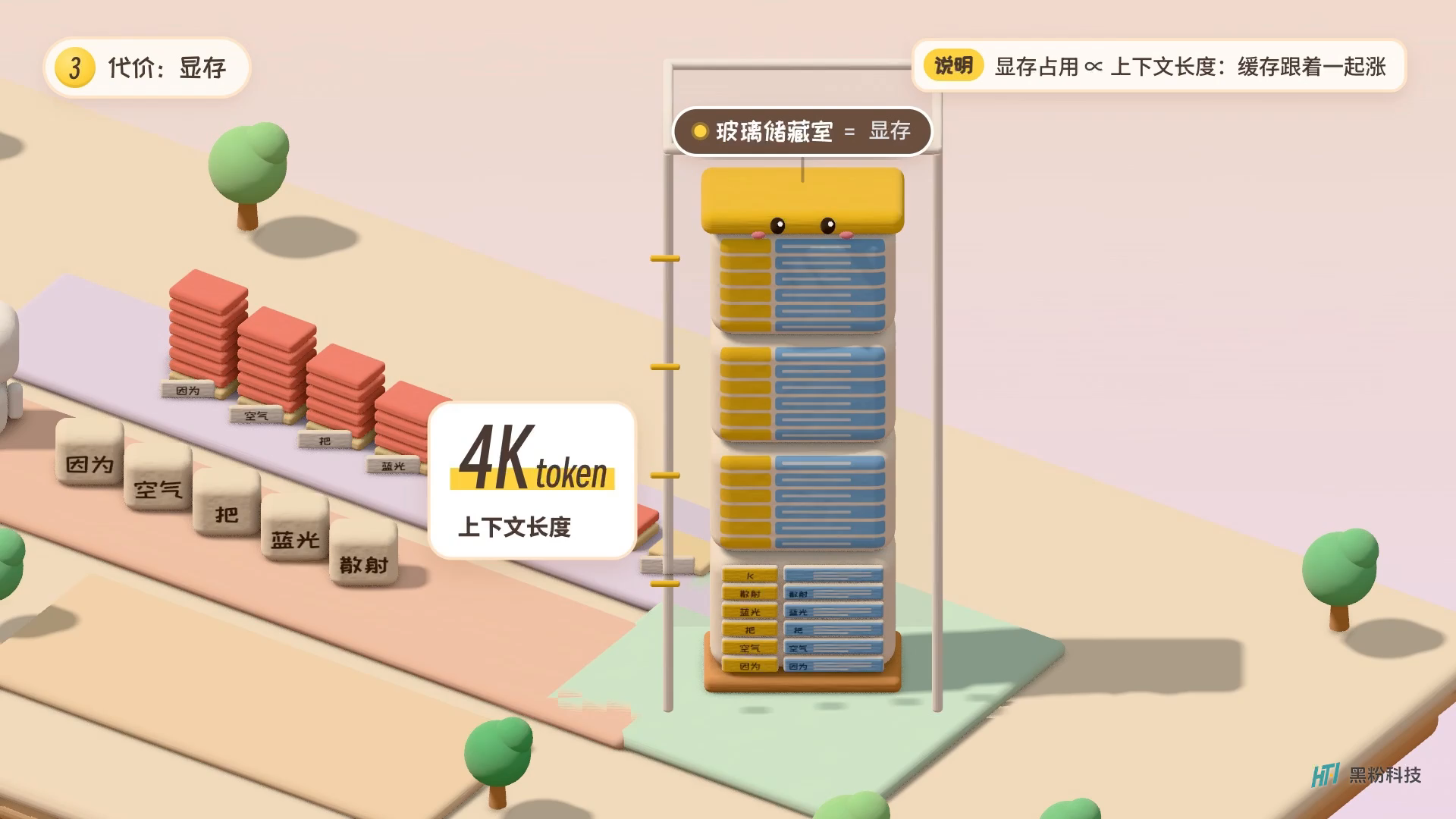
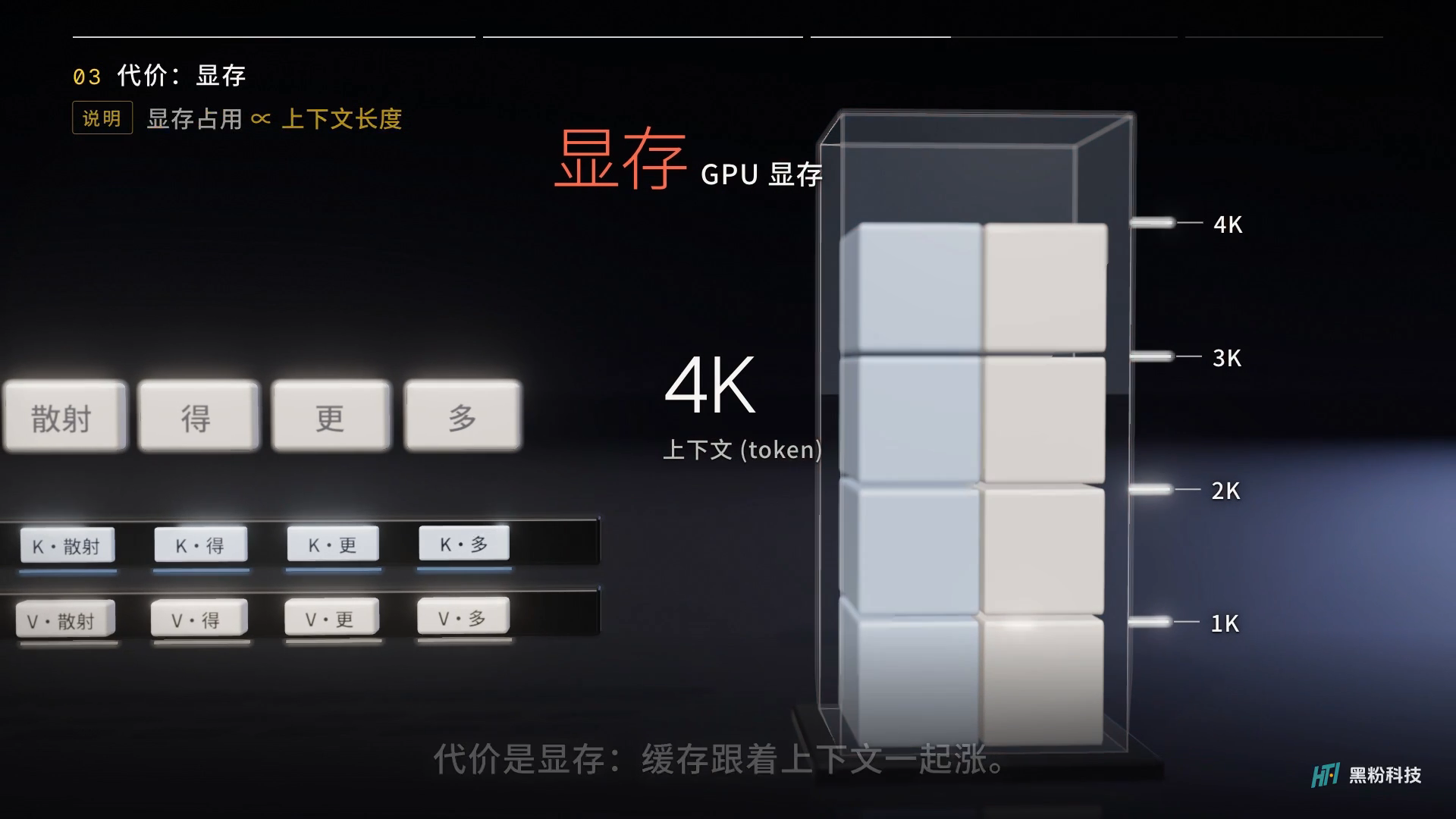
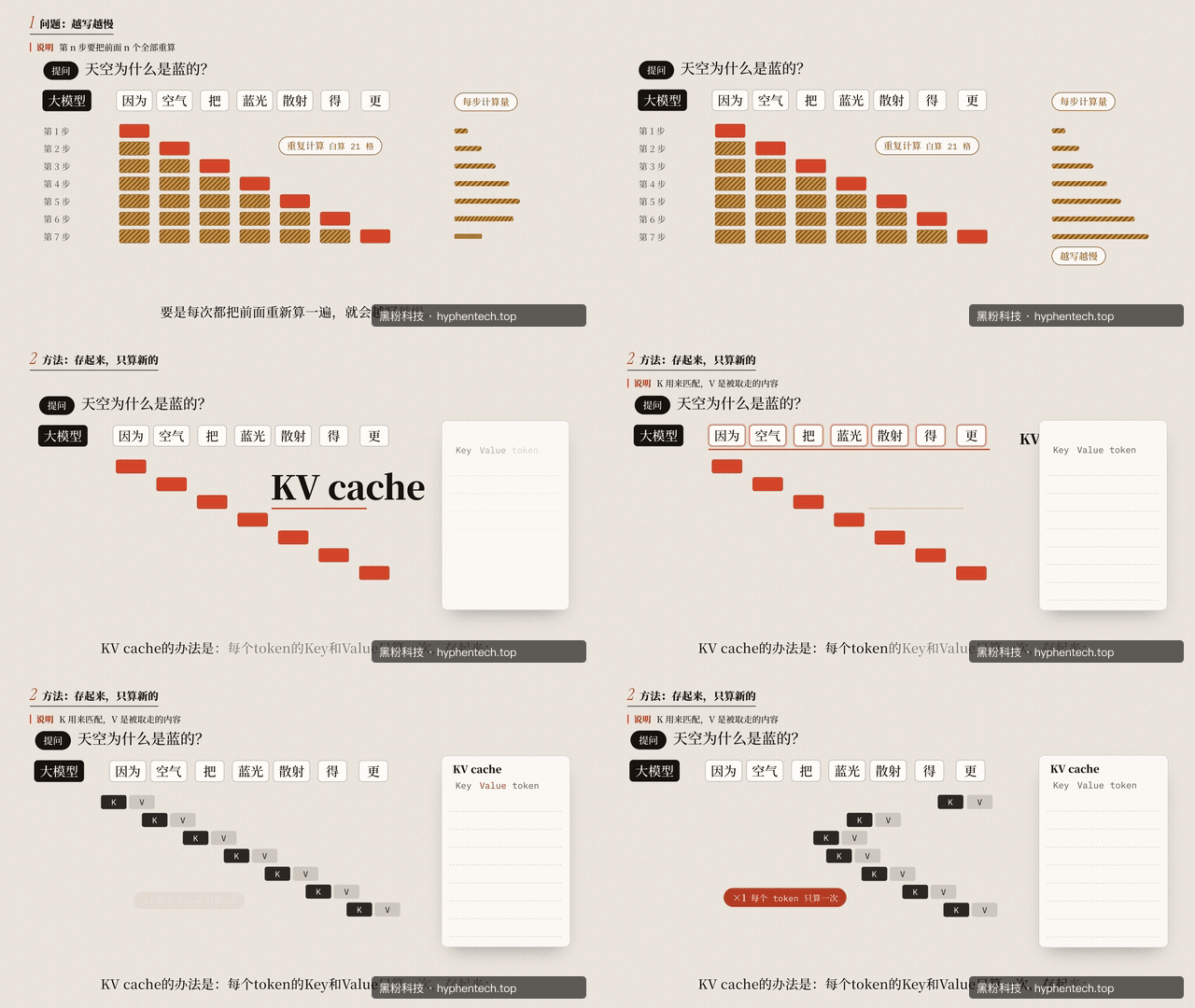
Paper pieces can organize relationships, space can represent distance, and characters can carry on actions. Compared to text cards that only change colors, materials, movement, and feedback all participate in interpretation, making the picture truly richer. The following two sections respectively show the caching process in space and how the paper pieces gradually summarize relationships.
Let’s liberate the storytelling and first explain what the visuals are supposed to do
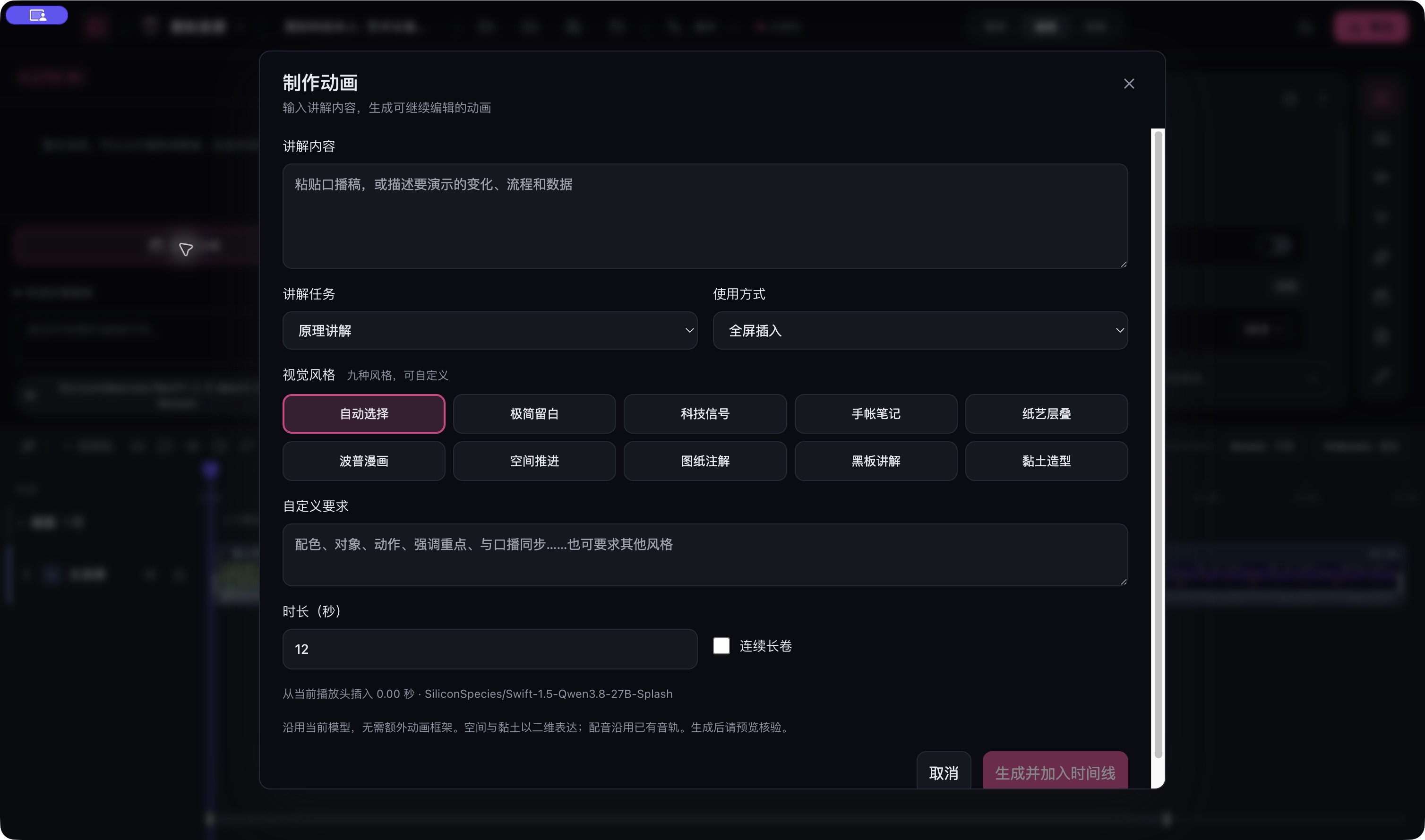
The entry point is in the AI section of the editor. In the creation window, first fill in the explanation content, then select the explanation task, usage method, style, duration, or you can directly write custom requirements. For example, for the same expense verification sentence, if you want to add it to the recording, select overlay; If you want to insert a full scene into the explanation, select full screen. For longer sessions, you can use continuous long scrolls to let the camera move along a scene.
Here, the style is the method for model selection, and the content is still determined by your draft. Minimalist blank space is suitable for a conclusion, tech signals for flow and data, drawing annotations for explaining structure, and blackboard explanations for step-by-step derivation. Notebook notes, paper art layering, pop comics, spatial advancement, and clay modeling are also included in the window. There’s no need to apply nine different effects simultaneously for a single audio broadcast; First, choose one that matches the theme, then specify the actions the audience needs to see.
“Beautifully done” is too broad; “Let the missing fourth item slide into the form, keep the amount unchanged, and finally stop at the four items” is easier to accept.
One requirement that can be directly changed is: make a 12-second fee verification animation. First, display three details, then add the missing fourth item, keeping the total amount unchanged. Use pink to highlight new records, text in Chinese Simplified; Leave two seconds before the animation ends for the audience to see clearly. Brand uses HyphenScreen. Dubbing uses the original project without playing additional music. Data must be replaced with your own, not copied from the suggested numbers.
Practical operation: fill in the explanation, select usage, and continue editing after generation
- Open the AI section under “Create Animation” and paste a short piece of content you want to explain.
- Choose fullscreen, overlay, or continuous long scrolls, pick a suitable style, and clearly write the action and duration.
- Generate using the currently configured online model or LocalBrain; After the results enter the timeline, adjust the relationships between text, time, and visuals.
- Keep the original voice play, or add your own voiceover, images, and videos for unified preview and export.
You don’t need to learn a whole animation programming language first. You clearly state “what to explain and which changes the audience should see,” arrange objects and actions in the model, and the software draws the scene. The real convenience is that after the animation returns to the original project, you can continue editing without having to rebuild a video project just to add a brief explanation.
After generation, can the footage continue to be edited?
The result of native animation is scene data: what text, images, and shapes are placed, when they enter, and how to move. It’s more like a stage rehearsal sheet: each object has its own position and appearance time, and the software calculates it frame by frame. The animation is still a piece of material on the timeline, with adjustable position and duration; Internally supported layers and keyframes can be further modified, and after texting, the frame is recalculated.
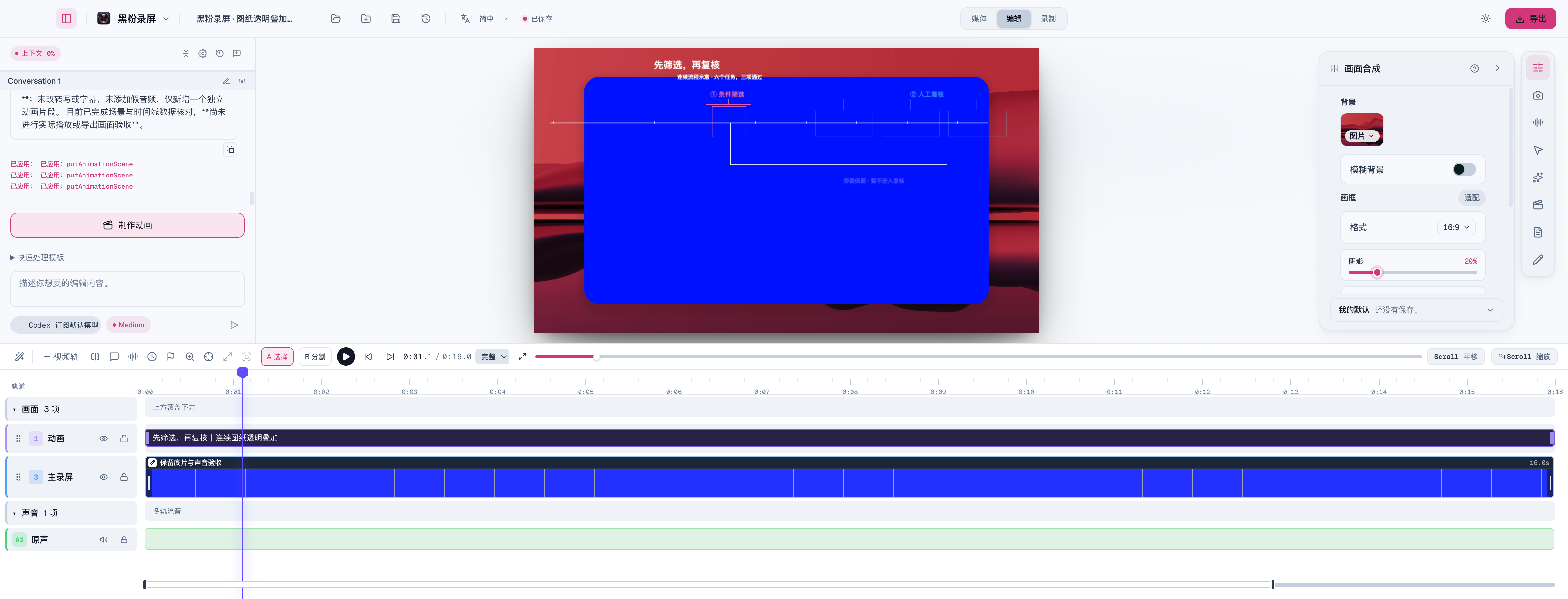
This approach leaves preview and export to native synthesizers and does not require users to install a web animation development environment. Content, numbers, images, composition, and keyframes can be redesigned as explained; If the title is too long or the arrow blocks the button, adjustments can continue. **Style options are for production direction, not the built-in renderer for nine refined reference components. Currently, spatial and clay directions are mainly 2D expressions and cannot be understood as complete 3D modeling and lighting systems. **
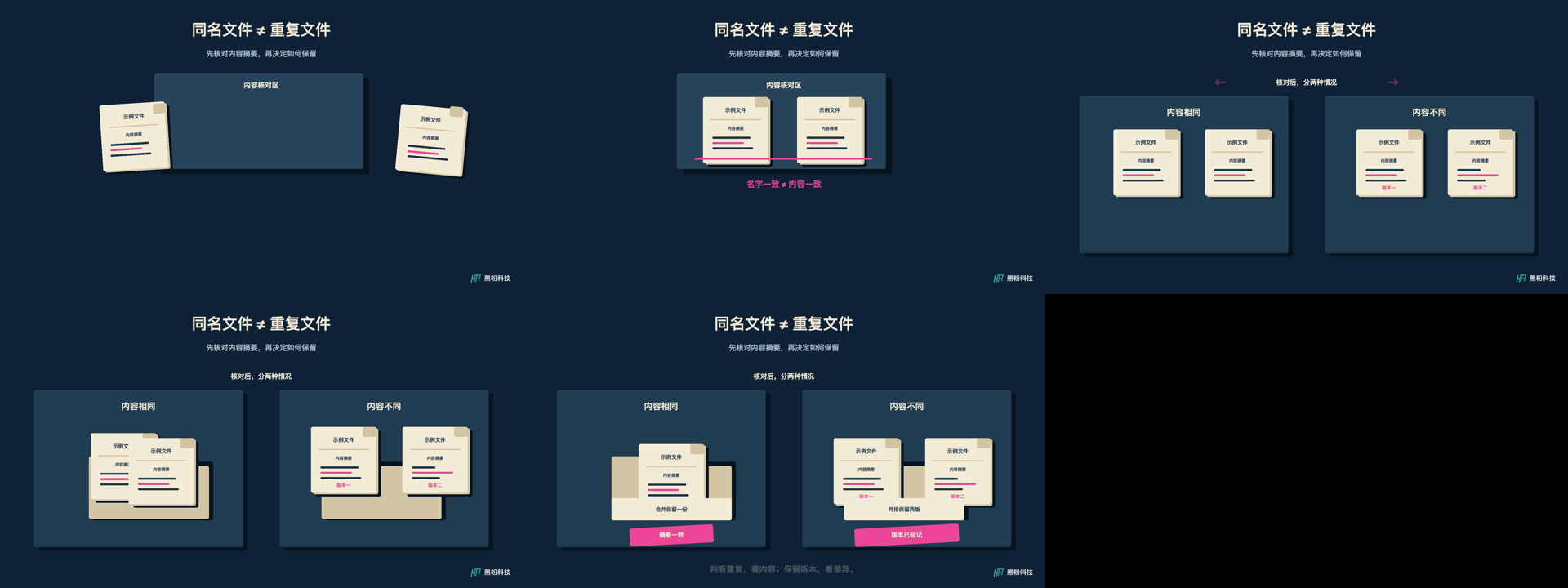
The other is importing pre-rendered videos. These materials can be inserted in full screen, stacked, cropped, and reshuttered, resulting in higher image quality, but once in the editor, character models and lighting are no longer objects that can be adjusted layer by layer. When choosing a route, ask yourself: should you mainly replace text and data, or do you need complex materials and actions? The former is suitable for native scenes, while the latter can be turned into a video and then edited back to HyphenScreen.
Nine styles and artistic scrolls were indeed made into videos
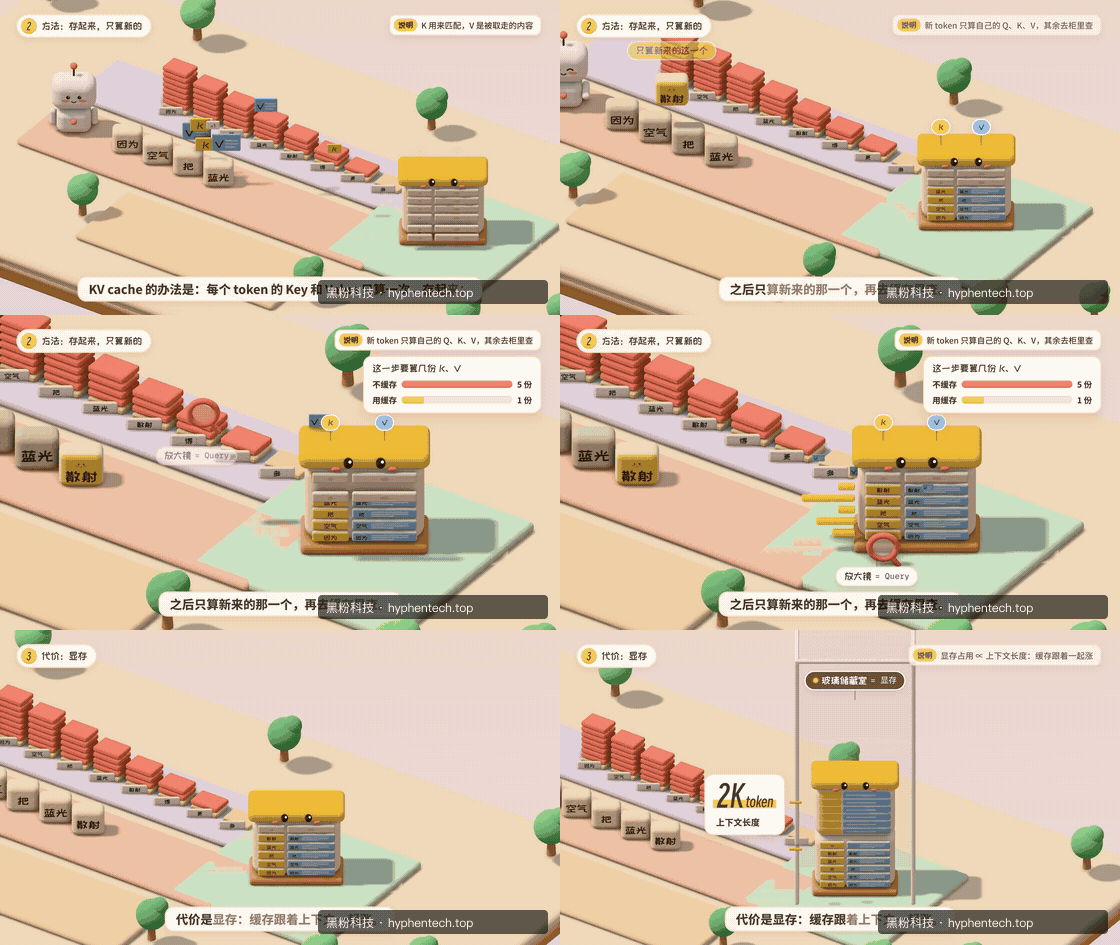
This time, nine complete reference components were rendered locally, each lasting 45 seconds. They come from Open-source Nine Styles Project, using the original caching mechanism to explain, layout, and sequence actions, retaining the original license, and performing offline adaptation and HyphenTech brand replacement. Therefore, the visuals are close to the reference video and are reproductions, not evidence of original generation by the nine models. Another 42-second artistic scroll uses the author’s authorized image, moving between waterfront, murals, and pixelated night scenes, including stone throwing, crossing, brick topping, and feedback; The scroll’s method is referenced from the Art scroll project.
Each of the nine segments is 1350 fps, the long scroll is 1260 fps, totaling 7 minutes 27 seconds and 13410 fps. The footage is loaded, saved, reopened by HyphenScreen, and then exported as a video at 1920×1080 fps at 30 fps, fully decoded and verified. The review page also played all ten segments consecutively, with no media playback errors. They are currently silent visual acceptance clips, with dubbing synchronized and verified separately.
The purpose of this set of samples is to establish a clear reference for quality. In the early days, only geometry cards were used to change colors, which was far from the material, space, and movement of the reference work; Only after restoring complete components did the visuals become noticeably improved. **These refined clips are not direct results of randomly entering prompts in the software ten times. **This round also does not cover all 35 art worlds of the art scroll. Claiming that the complete component output is a model already commonly possesses free generation will cause users to have false expectations.
Nine styles, each one depends on what suits it
Below is a local reproduction of nine reference components, each with 45 seconds of original image and a typical 6-second clip. They display different visual languages and import HyphenScreen as rendered videos; This does not mean that selecting styles within the software automatically yields equivalent 3D materials and actions. Native generation within the software is still limited by model orchestration capabilities and supported layer types.
Minimalist Blank Space. Present a conclusion clearly: text, fine lines, and partitions appear gradually, suitable for conclusion cards, viewpoints, and data explanations.
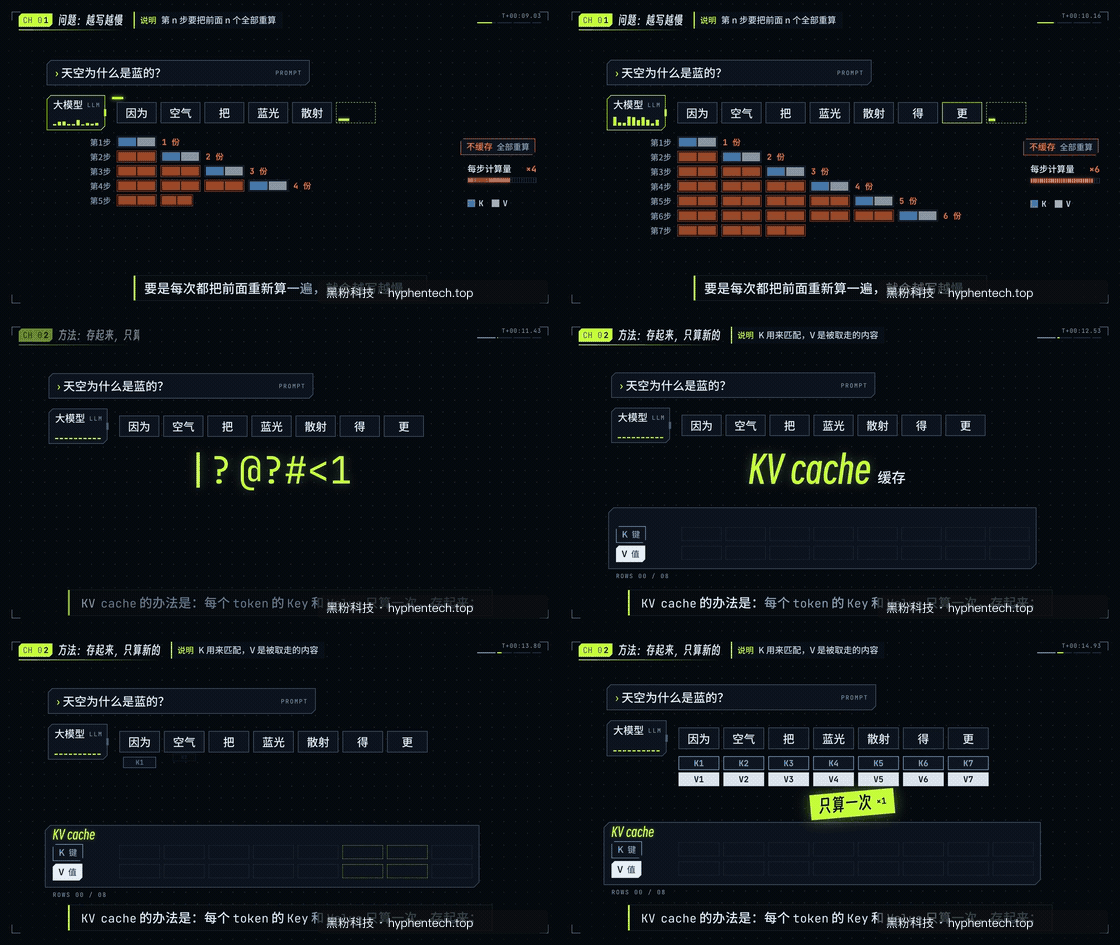
Technology Signals. Bright paths and dark interfaces display the flow direction, suitable for technical tutorials, model mechanisms, and system workflows.
Planner Notes. Like writing and explaining in a notebook, gradually filling in information, suitable for knowledge breakdown, experience sharing, and learning content.
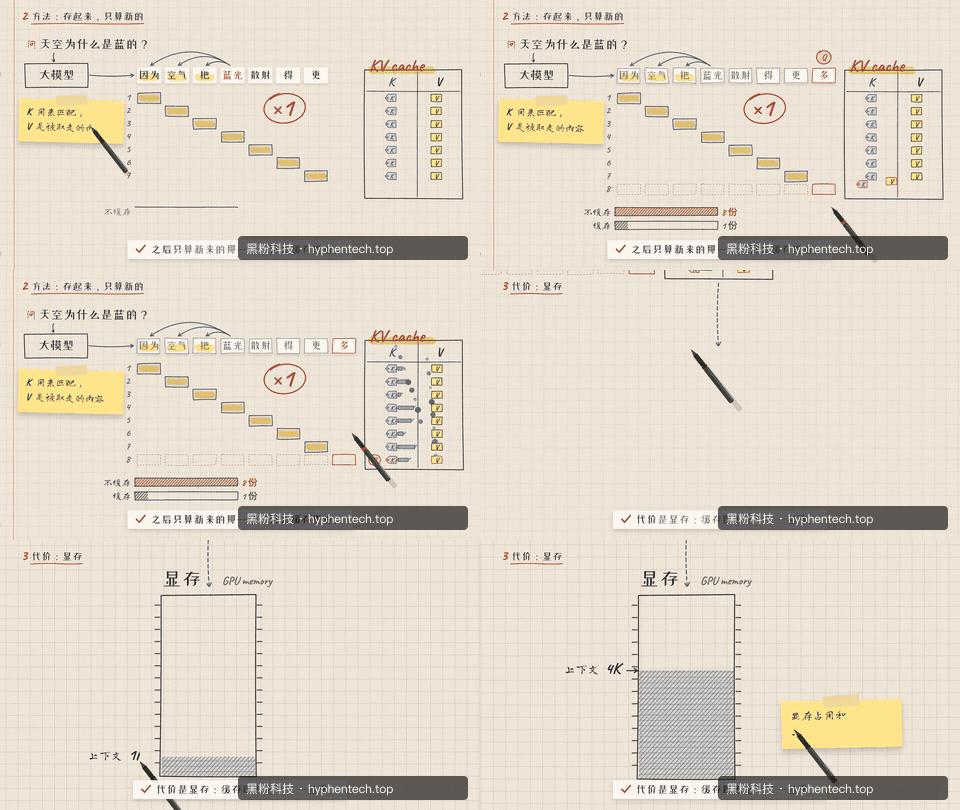
Paper Art Layering. Paper pieces, windows, and labels are reorganized within the image, suitable for step-by-step instructions, plan relationships, and relaxed science popularization.
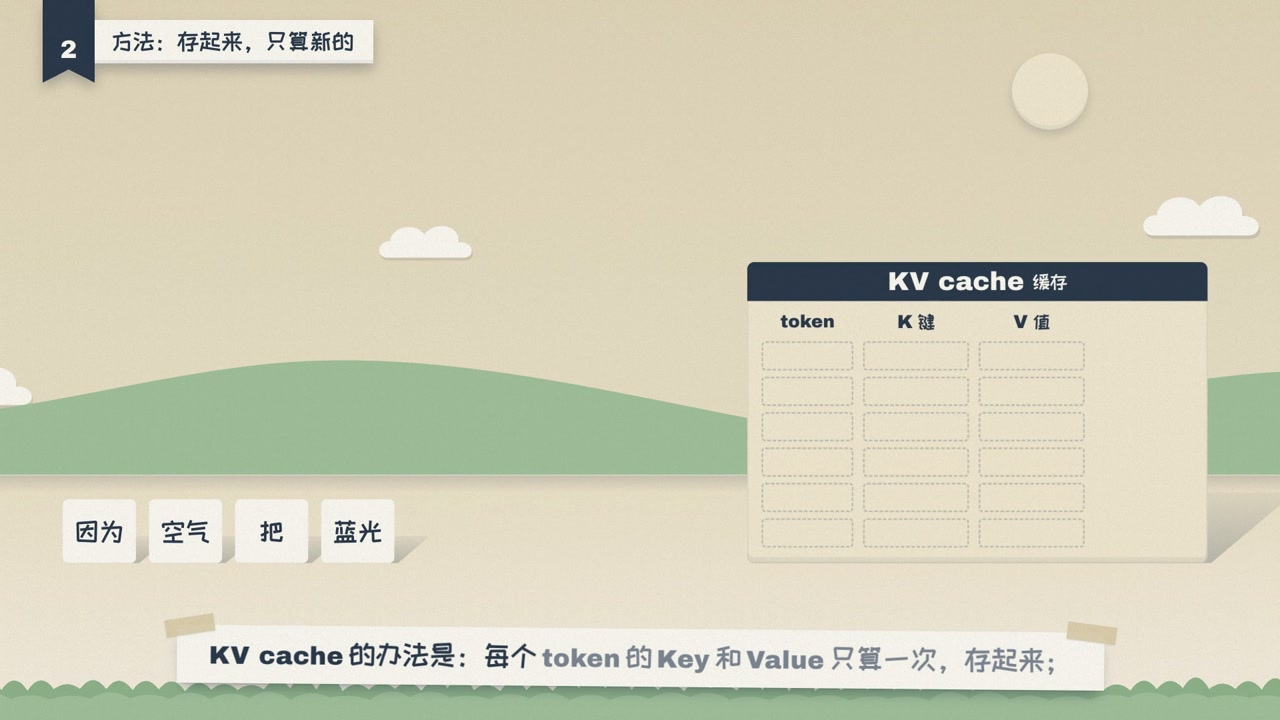
Pop Comics. Create rhythm with strong contrasting colors, comic symbols, and sudden focal points, suitable for contrast, twists, and short video explanations.
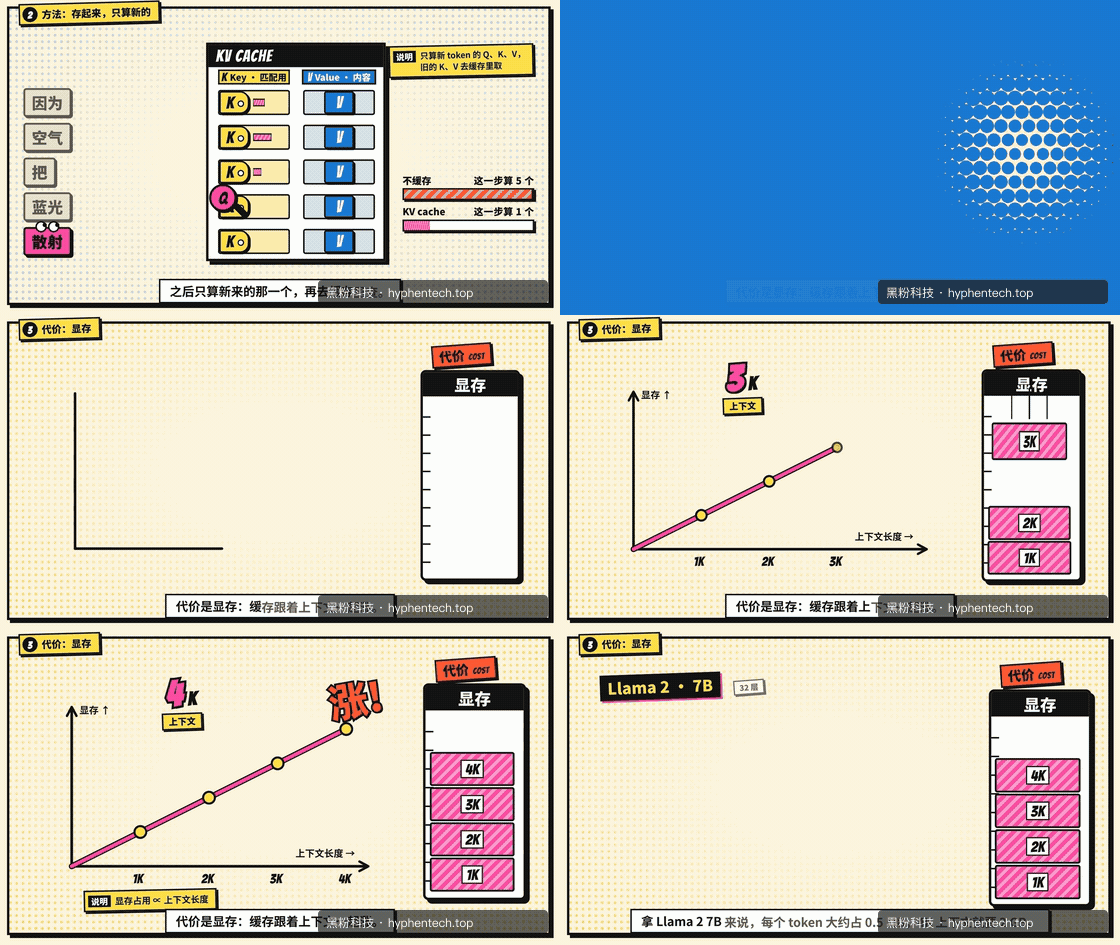
Spatial Advancement. The camera moves within a lit space, with text blocks and storage structures becoming entities within the scene, suitable for showcasing complex relationships.
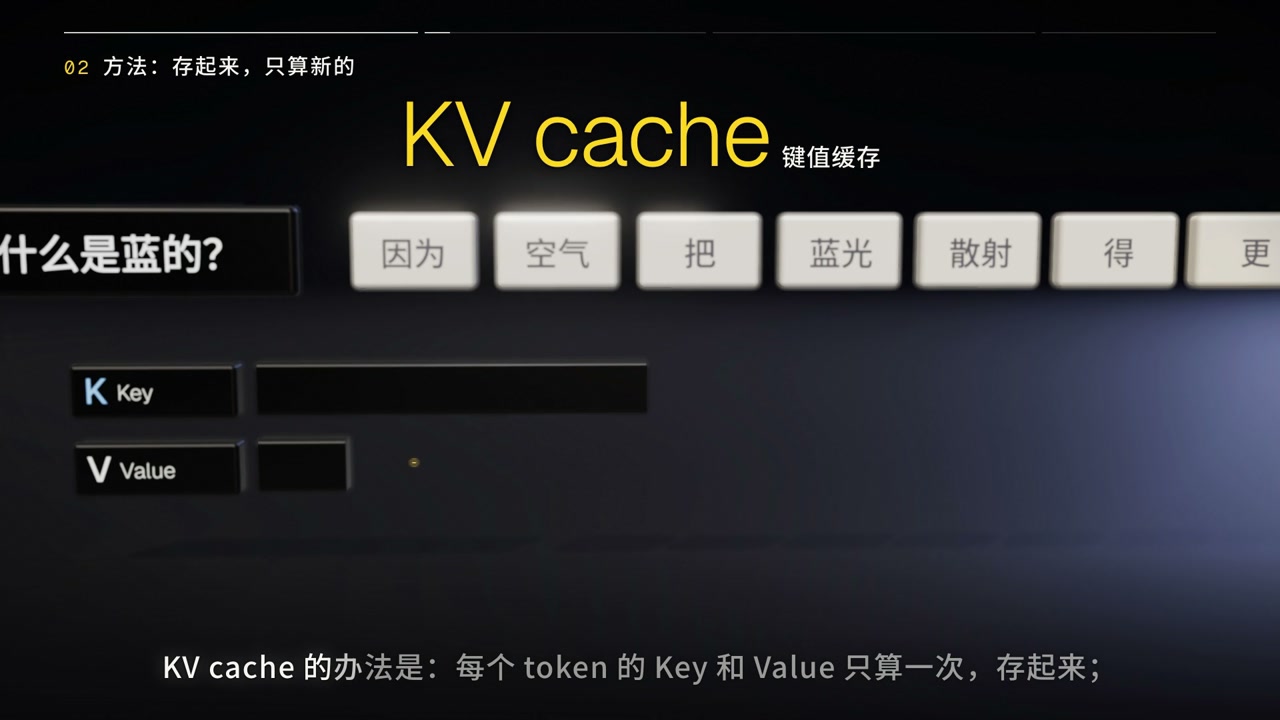
Drawing Annotations. Dimensions, borders, and annotations unfold step by step like engineering drawings, suitable for equipment structure, product mechanisms, and technical processes.
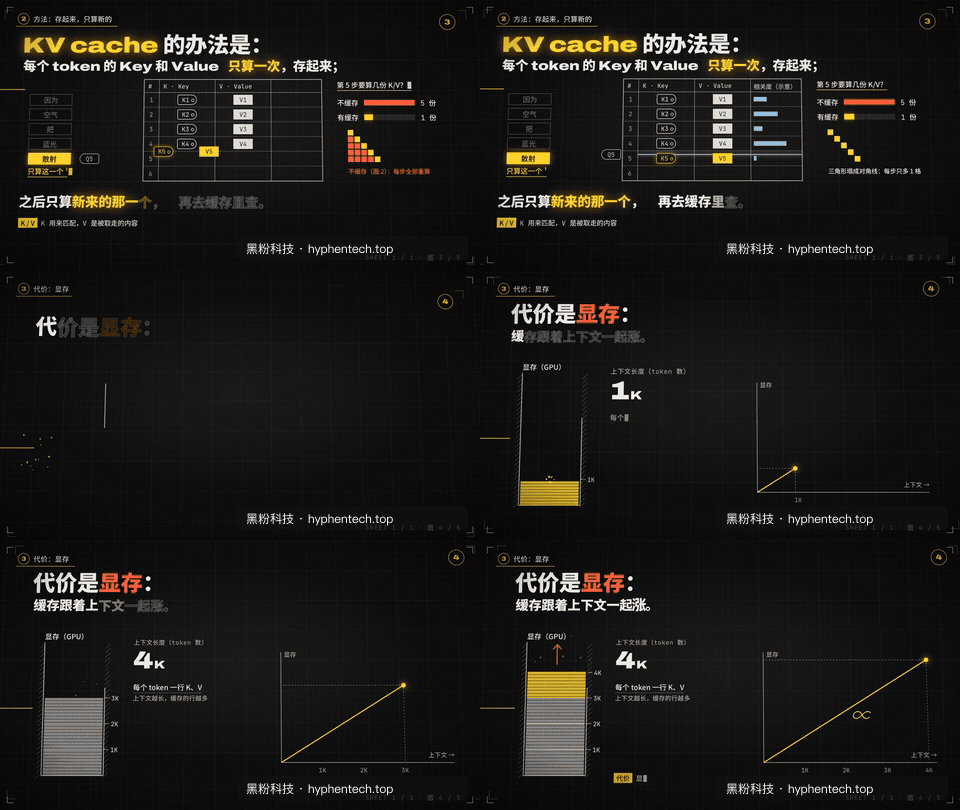
Blackboard Explanation. The visuals grow along the derivation process, suitable for formulas, causal relationships, lessons, and step-by-step analysis.
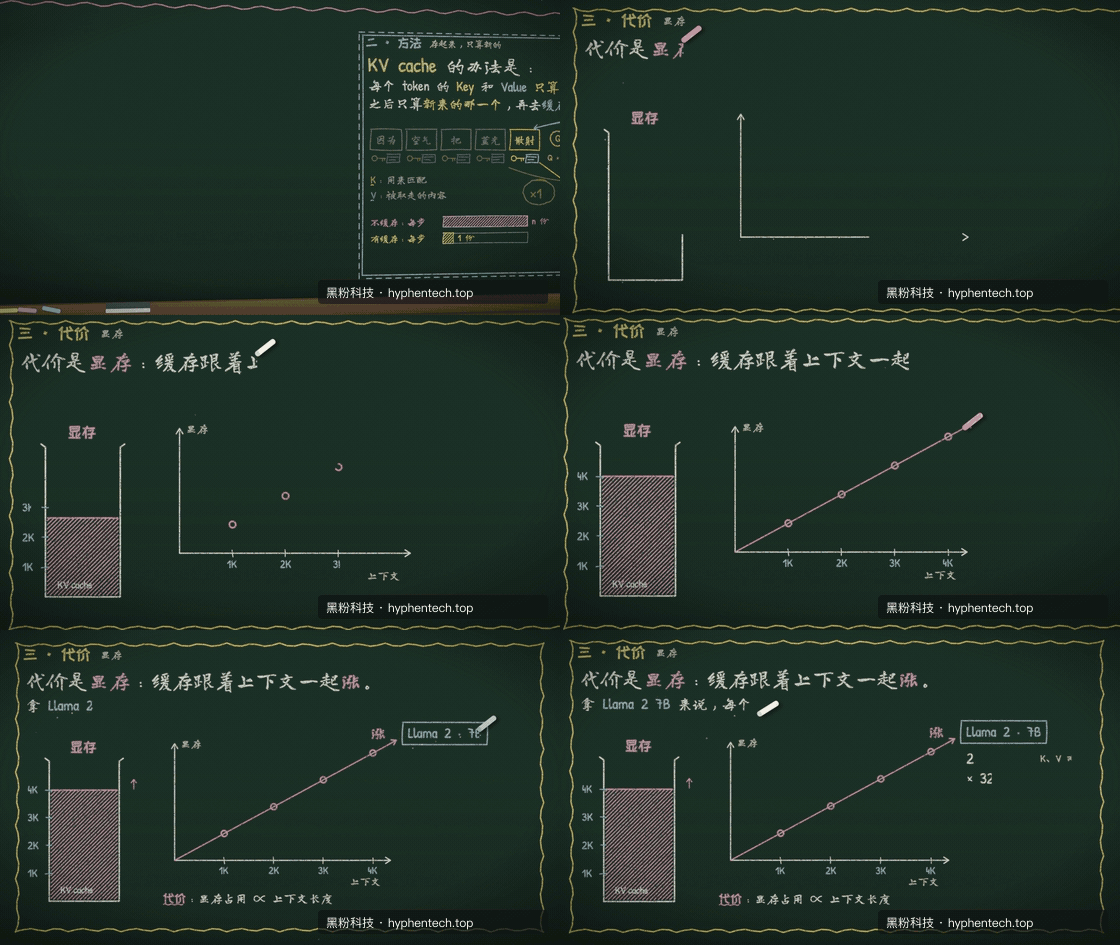
Clay Modeling. Robots, font blocks, and storage cabinets now have soft materials and a sense of space, making abstract mechanisms feel like a small experiment on a desk.
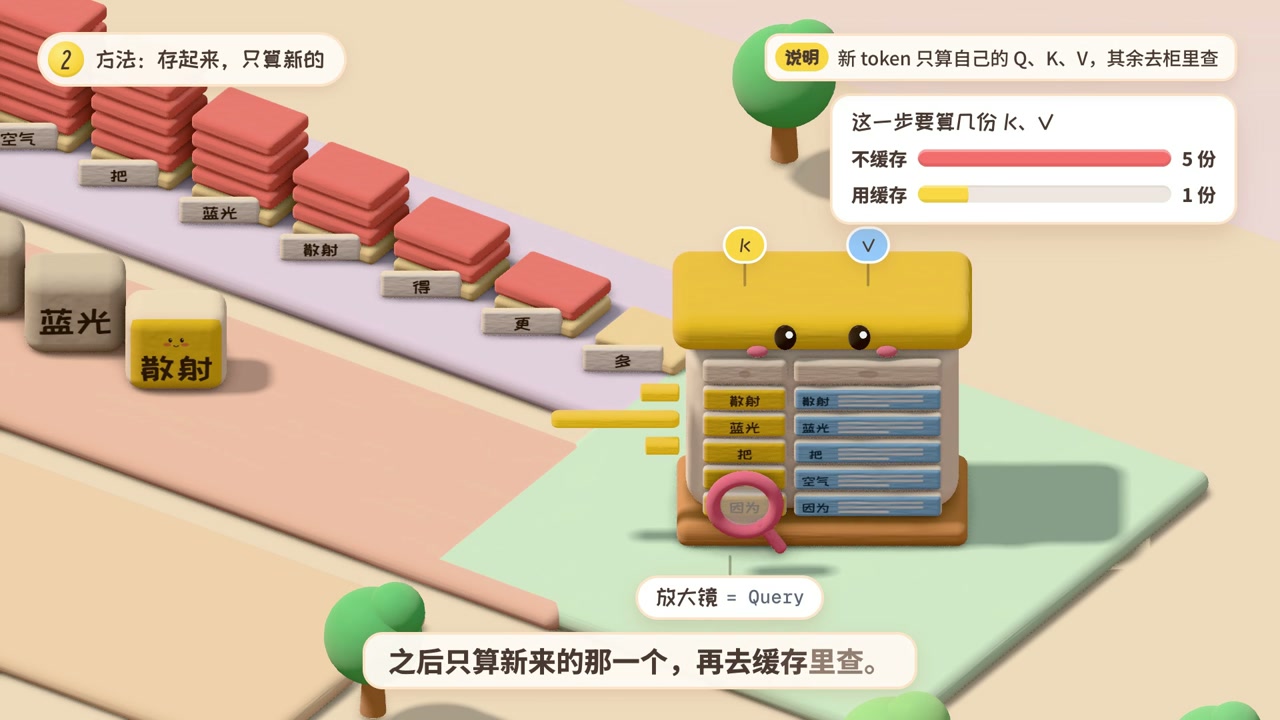
Art scroll: A single explanation that traverses different worlds
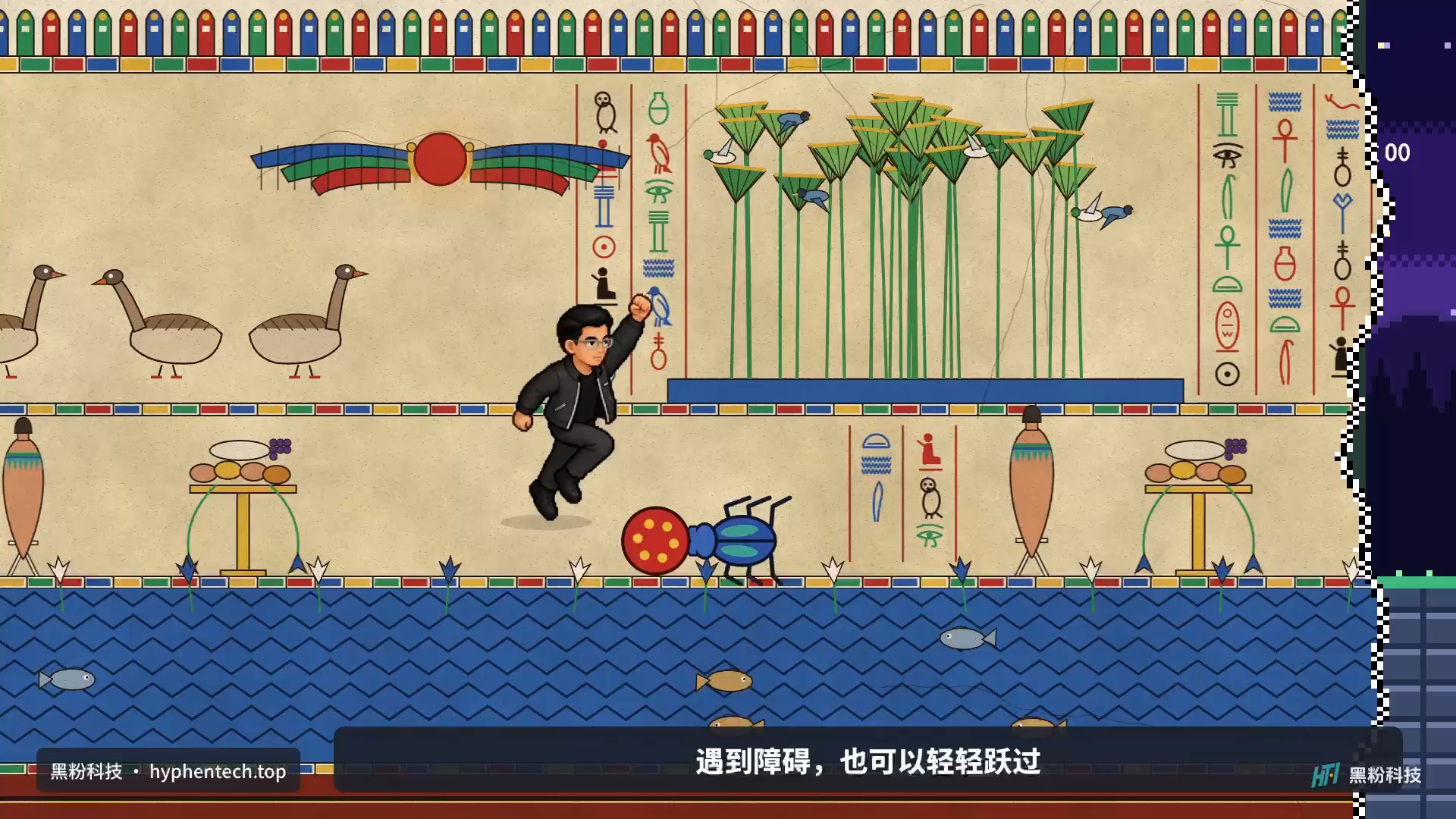
This segment uses my authorized character to rearrange three worlds, and is a long scroll sample imported from an external production. It can’t be said that any explanation within the software can automatically generate the same effect. The character continues forward, the scene changes with explanation, and the actions still leave feedback. Below are clips of stone-throwing on the waterfront, murals passing through, and pixelated night scenes.
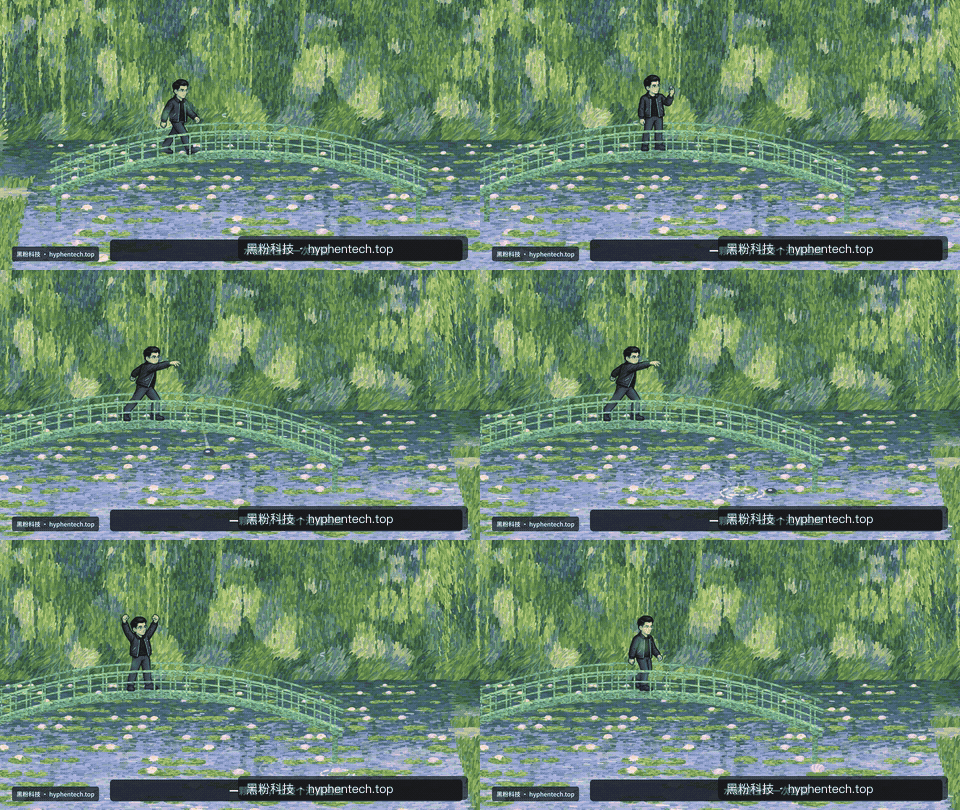
Characters throw stones, creating feedback on the water’s surface; Scenes and actions are explained together as “try once.”
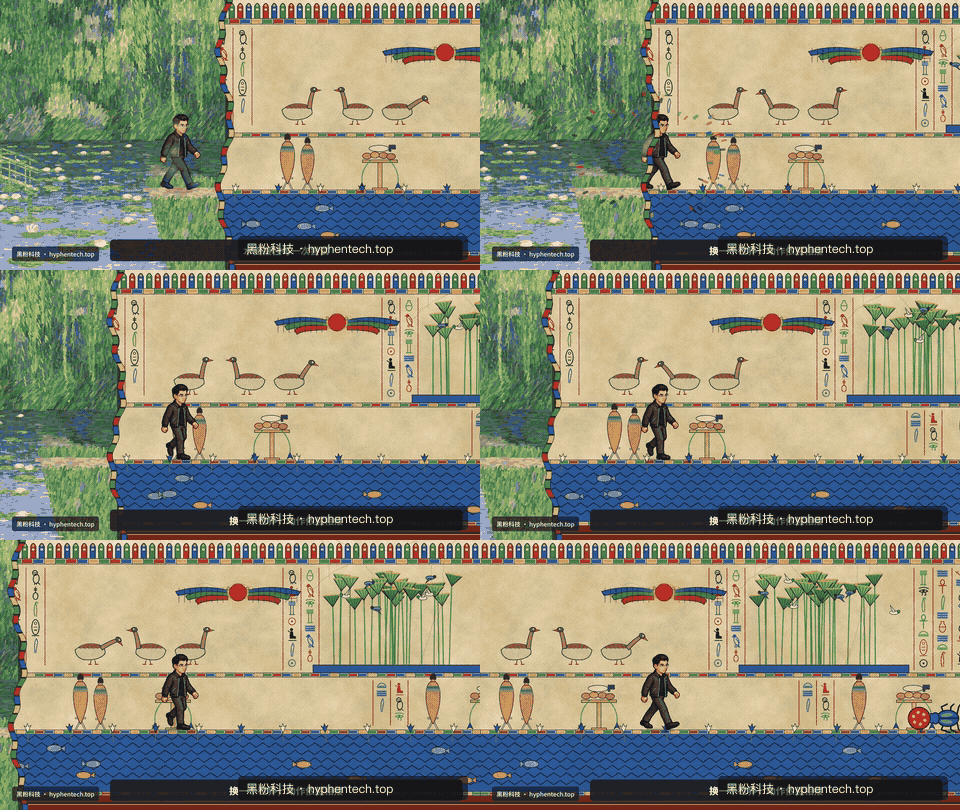
Figures move along the mural, with the scene unfolding continuously, suitable for storytelling and long narration.
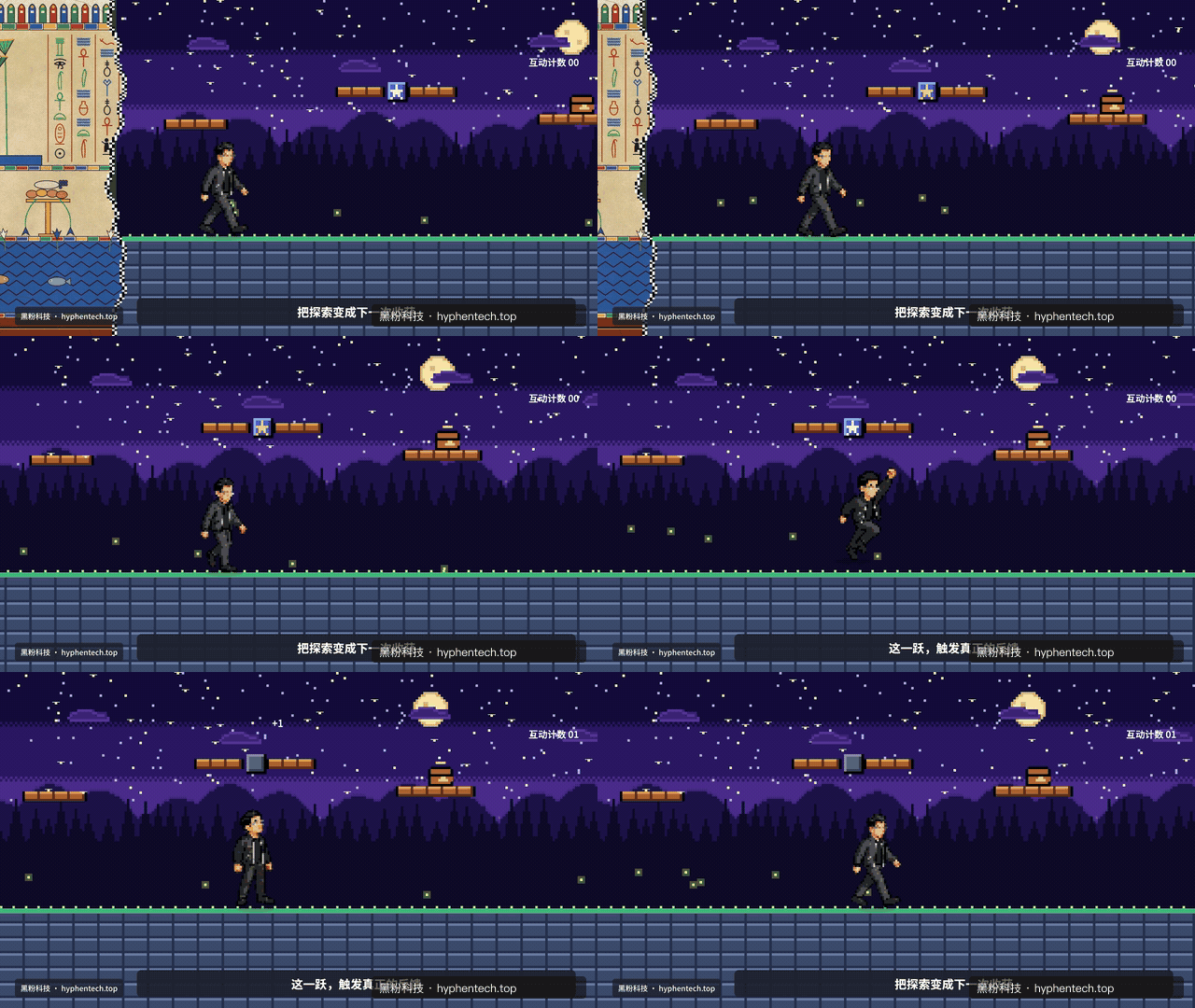
Jumping, pushing bricks, and feedback all connect within the same action, making it suitable for explaining choices, attempts, and outcomes.
The entire long reel is 42 seconds long, and together with nine style samples, forms a 7-minute and 27-second silent visual acceptance clip. The animated images are only for quick motion viewing; They are not complete videos nor used for dubbing and synchronization. The original video has been preserved and will be directly embedded once a verifiable main video entry is available.
Model integration depends on whether the editing is actually complete
Having configuration in AI settings and the model actually working are two different things. A common failure is being able to answer “good” but not writing animations into the project. Therefore, this acceptance started with actual tool calls, continuing to check save, read, and export, rather than treating “login records detected” as fully passed.
| This round’s route | Tasks and Outcomes | Actual measurement takes time |
|---|---|---|
| Codex subscription | Dialogue and animation production guidance tools have been passed | About 12.9 seconds |
| MiniMax domestic API | 8-second native animation, save and export passed | Generated in about 29.8 seconds |
| LocalBrain local model | 8-second title animation, save and export pass | Generated in about 221.7 seconds |
| LocalBrain free scene | Two requests for unfinished delivery and overtime | About 5 minutes overtime |
| After optimizing LocalBrain | 8-second explanation animation, 7 layers, write, read, and native export pass | Approximately 256.6 seconds to generate; 0.99 seconds to export |
Task complexity varies, not performance rankings for the same problem; Time spent is recorded this time, not a fixed commitment.
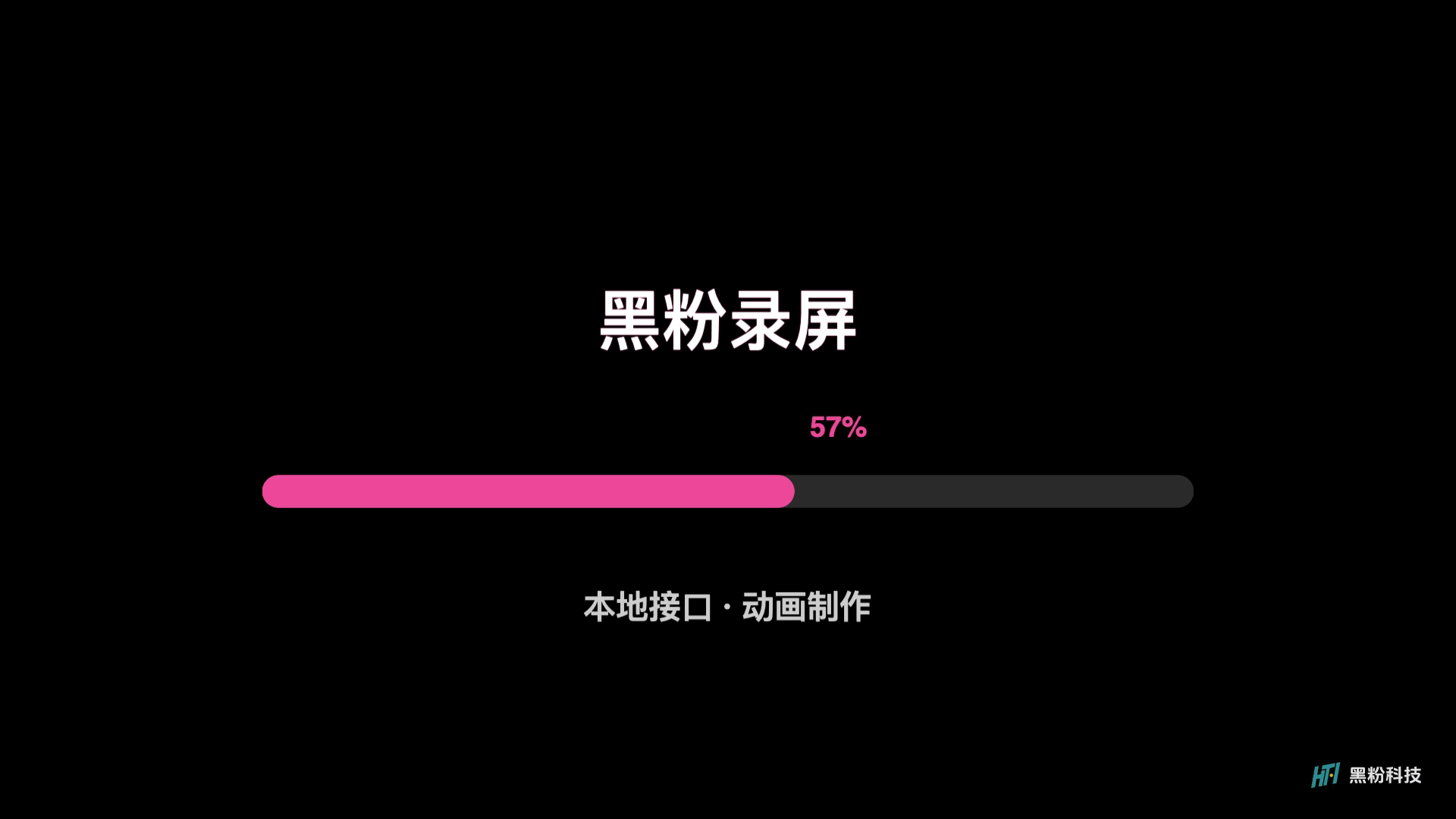
MiniMax uses the domestic API route: after generation, it saves and reads, then exports an 8-second, 1080p, 30-frame video, totaling 240 frames, with complete decoding and keyframe checks passed. This only means the interface and account case was successful this time, and it cannot endorse the key or rights of another Token Plan. Claude subscription returned authorization invalid in this round, requiring re-login; The local device retained login files but also encountered remote token invalidation.
Other service interface adaptations include local protocols and two-round tool call regression, covering custom addresses, error handling, and timeout ends, but services lacking valid accounts are not called by real vendors individually. In AI settings, the “Test Connection and Tool Call” section should perform a real round trip between the current model, address, and key; It checks whether the configuration can be executed and does not guarantee the quality of all topics.
LocalBrain can do this, but start with small tasks

This batch of machines is an Apple M5 Pro with 64GB of RAM, a Qwen3.8-27B-Splash model, connected via the local compatibility interface provided by LocalBrain. In the title task, the model calls tools like adding animation presets, modifying layers, and setting clips, and manually adjusts the duration parameter. The final save is an 8-second animation, which takes about 3 minutes and 42 seconds to generate. After reloading the project, the native export takes about 1 second, with 240 frames fully decoded.
It’s crucial to separate the time spent on generation and export. The model needs to read the engineering and tool descriptions before arranging actions; After the synthesizer receives the clear scene, it only draws it. The previous two free scene tasks ultimately timed out; although scene writing actions appeared in the log, the results were not delivered according to the normal link. This time, they continued to investigate the cause and kept failure records to see if the next round could truly be completed.
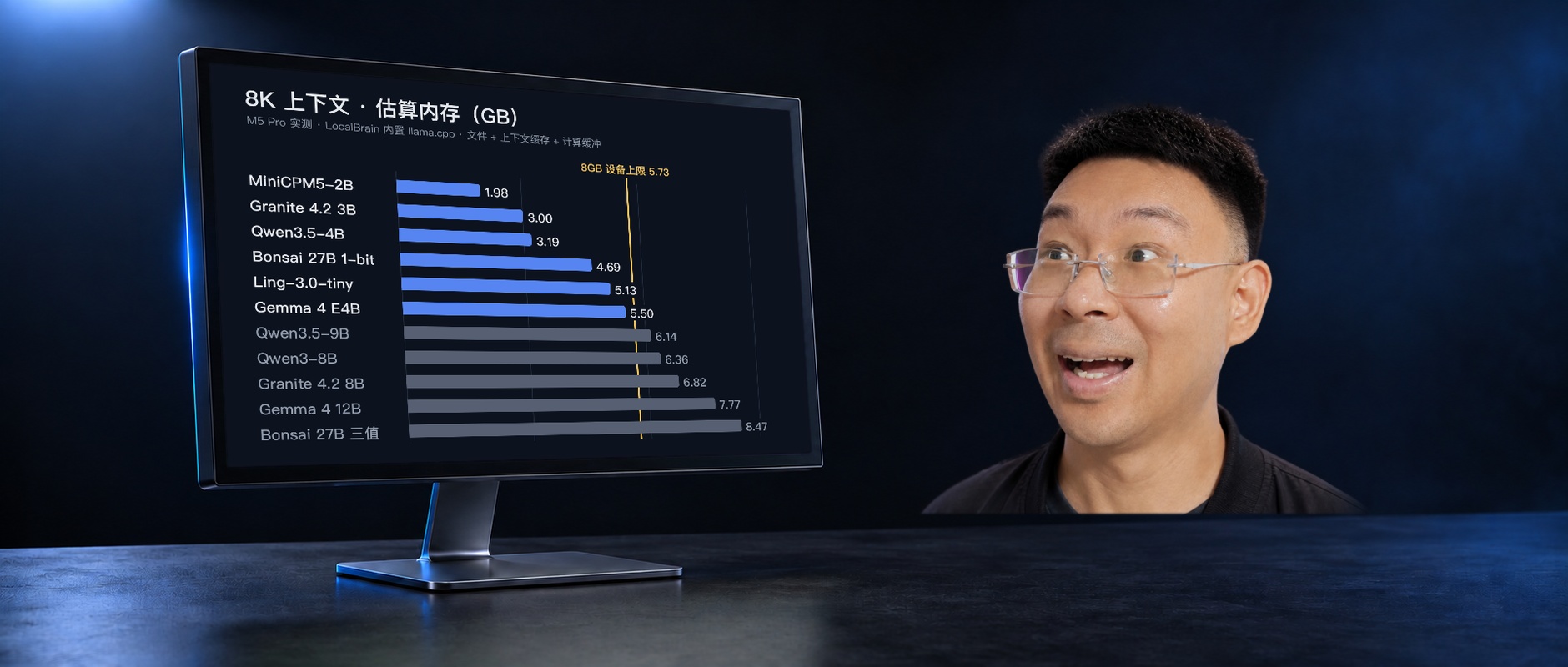
The advantage of the local model is that the explanation content can be stored locally without needing to purchase online API calls one by one. The practical cost is memory usage and wait time: even after optimization, this simple animation still took more than four minutes. It is now suitable for tasks like titles, step explanations, and data changes that can be evaluated segment by segment; Complex long content is first created in segments, read back, and previewed, then proceed to the next segment.
LocalBrain has finished this time—where is the bottleneck?
This time, I continued using Swift-1.5-Qwen3.8-27B-Splash in LocalBrain to generate an eight-second explanation animation in a separate blank project: the title entered, the card changed from “explanation” to “animation,” the pink progress bar and numbers changed from 0 to 100, and two seconds of reading at the end. The model created seven layers, wrote keyframes and animation clips, and then read back to the project and layer confirmation. The entire round was completed in 256.6 seconds, with the final response returning normally.
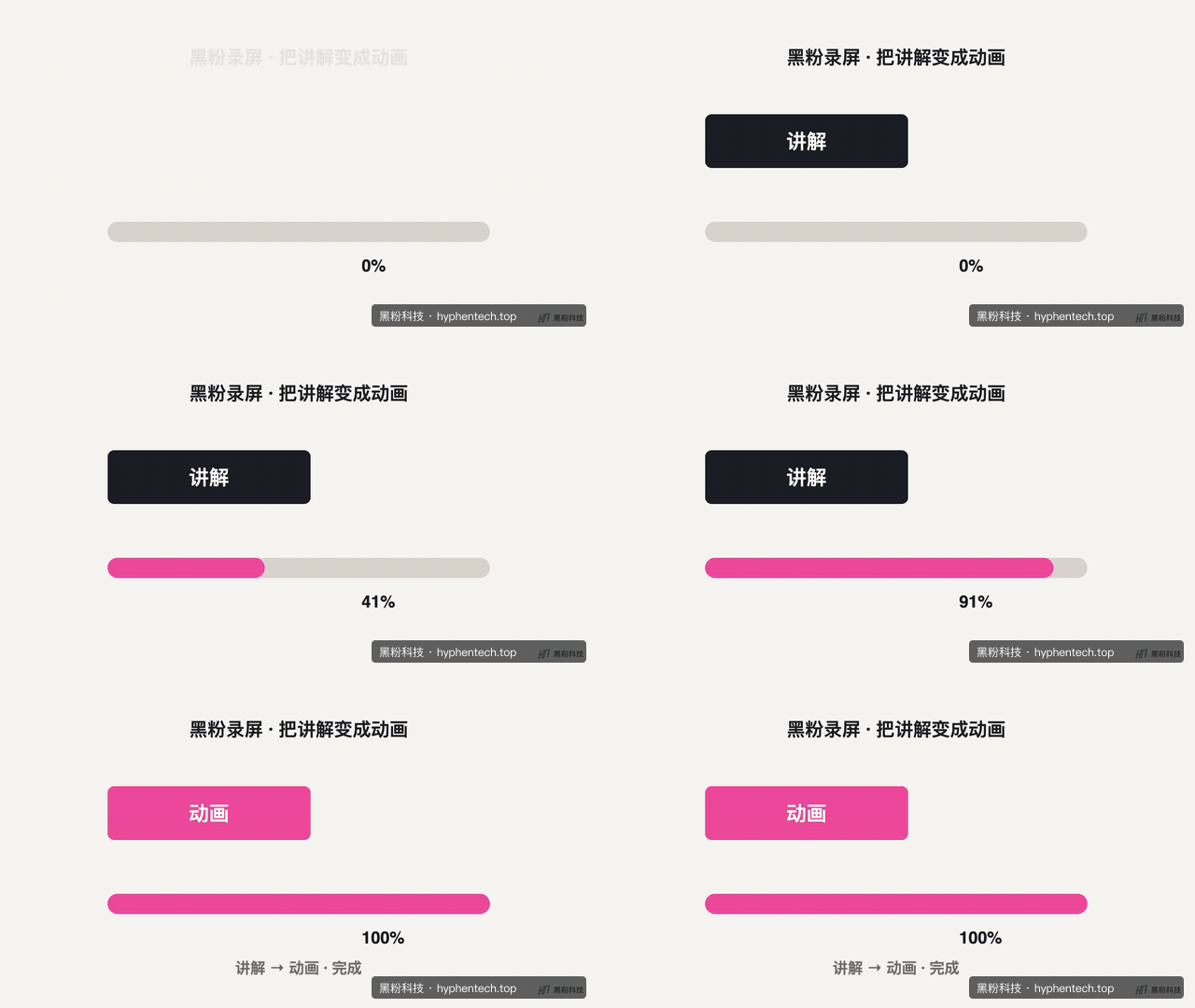
I handed this project over to HyphenScreen’s native synthesizer, which exported a 1080p, 30fps video, totaling 240 frames, taking about 0.99 seconds. Complete decoding showed no errors, and the title, progress bar, and percentage in the resulting frame displayed normally. For this animation, waiting mainly happened during the model orchestration phase, and the export time was minimal.
Previously, the model was asked to read dozens of editing operations first, but animation only used part of it. It’s like having someone draw a flowchart and first handing them a complete software manual, with the time spent reading the manual counted toward production time. This time, starting from the production entry point, only fifteen essential tools were provided; The same basic layout originally had ninety-five, and the tool description size was reduced by about 64.4%. The editing capabilities for layers, keyframes, slow motion, and colors were retained, while regular editing dialogues could still use the full tool.
The first round of the new retest recorded about 19,000 entries and about 41 seconds of initial word wait; Previous failures recorded about 48,000 entries and about 126 seconds of initial word waiting. The two tasks differ in content and cannot be used as acceleration multipliers for the same topic, but it is clear that the input load has been reduced this time. The 8-second sample is used to verify the production process, not to compare the quality of nine styles or artistic scrolls.
The waiting rules have also been adjusted: the total local task cap has been changed from five minutes to fifteen minutes, and the task stops only after three consecutive minutes without model or tool progress. The interface now includes prompts for read, execute, write, and check phases; edits completed before failure are retained through project version and save checks. The original “context” was renamed “Dialogue Estimation,” indicating it does not include tools or engineering data. This not only gives the still working model time to complete it, but also lets users know where the waiting stage occurs.
This simplification did not change the native synthesizer or export quality settings, but the production entry does not yet provide external material search, download, or image generation tools. Tasks requiring the model to find materials independently also require corresponding capabilities. What has been completed is local generation, engineering writing, and actual export verification; The new progress text has not yet been accepted in the new installation version, so the quality of complex works still needs to be viewed segment by segment in conjunction with authentic explanations.
Why are the installation packages so large? I’ll check them together this time
The initial installation package for the local acceptance version 1.5.0 is about 316MB, and the application installation is about 728MB. Inspection found no large model weights, complete face restoration Python environments, temporary caches, or native programs from other platforms mixed into the package. The bulk includes the desktop runtime, native recording and synthesizer, as well as subtitles and animation fonts, all of which support actual functionality.
We also found the streamlined items: frontend icons had already been compiled into the page, but the complete source code for both icons was re-loaded into the installation package, along with debug mapping files and old preview images. The final reduction package size dropped from about 316MB to about 282MB, a reduction of about 10.7%; Application usage dropped from about 728MiB to 574MiB. The streamlined content was repetitive or non-runtime, while noise reduction, subtitles, fonts, and native export resources were retained. Signature and image checks passed; the new package successfully read 99 editing tools and exported 8-second, 240-frame native animations, fully decoding.
The animation returns to the timeline, with visuals and sound arranged together
This round also reorganizes the timeline usage relationships: visuals are understood as upper layers overlaying lower layers; images and animations need to be displayed on the recorded screen and arranged to higher levels; sound is understood as mixing, where spoken and background music can coexist and volume is adjusted separately. Adjustments like zoom and camera are separated from actual footage, allowing the audience to see what and how to display it in their own places.
Existing multiple-choice overall movement maintains the temporal relationship between objects, while empty track hiding reduces idle space. After adding animation, you still need to check the boundaries, occlusions, and volume; do not treat “already on the timeline” as a finished video. Screen recording is factual material, animation is explanatory material; both are placed in the same process and reviewed together at the end.
How to use it now, what you save is your own time
- Screen recording tutorial: first carefully edit the real operation, then select one or two off-screen explanations to make animations. Keep the original voiceover to avoid retelling it for showy effects.
- Independent Commentary Clip: First, organize the script and materials, and generate one segment of footage according to a single meaning; Put animations, images, and dubbing back on the timeline for unified arrangement.
- Start with a short video: clearly state the object, actions, duration, and text, and have the model deliver a piece of content that can be accepted. After passing, proceed to the next segment.
- Must-watch after generation: check text, diagram data, occlusion, pause at the end, and sound; Mix refined videos with native scenes as needed.
My choice is to let generation serve interpretation: if the table needs to be checked by the audience, keep the real table; For relationships that are hard to show in screen recording, use animation to explain. This version 1.5.0 is still a local acceptance package and has not yet been pushed for public download. The public download portal retains the existing distribution; the specific version is based on the page and will be updated after manual acceptance. The AI in the software still depends on your chosen subscription, API, or local model, with corresponding amounts, fees, and hardware costs borne separately.
This project readback, actual model response, native export report, complete decoding records, and ten video clips have all been preserved. The speed in the article corresponds to the specified tasks and configurations; The results of the new LocalBrain round have been completed. The current installation version does not yet include this round of request policy optimization; the public download will be updated after repackaging and manual acceptance.
Self-made software
Versions, changes and supported installers all come from the same public release records.
LocalBrain
Turn your Mac into a private AI toolbox for transcription, speech, images, video and MCP tools.
View public downloads and updates ↗HyphenBox
A free model API radar and local router, with ongoing availability checks and keys kept on your device.
View public downloads and updates ↗ScreenLex
Turn subtitles from your own films and shows into an English vocabulary library, entirely offline.
View public downloads and updates ↗Late nights and burned API credits went in,a cup of tea comes back out — only if you feel like it.
Scan with WeChatPress and hold to save the image, then open it from your album in WeChat Scan


Comments
Loading comments…