

Info: Machine translation This post was machine-translated from the Chinese original. Wording may be rough in places — the Chinese version is authoritative.
Summary Find tools according to six scenarios, and collect free conditions, getting started with them, and common pitfalls November 6, 2026 · Let AI be your superpower
Before the end of work on Friday, a client suddenly asked for a consolidated PDF; A colleague sent a design draft with revised; Next week’s training was still missing a flowchart and an operation demonstration. Each task list seemed small, but together, a browser could open half the world.
This is a common work scenario. Solving it doesn’t necessarily require subscribing to three more apps, but you also can’t just upload contracts, recordings, and client lists all at once just because it’s “free.” A truly useful favorites folder should let you know when tasks arise: **which one to open, how to do it, how to check the finished product, and where the money and materials will go. **
This list retains the original 35 entries and numbers, but is reorganized into 6 scenarios. Among them, item 01 is not confirmed as available before and is not included in recommendations for immediate use; The remaining items are also described separately as “basic free, freemium, experience credits, self-managed or pending verification.” This article verifies official website features, pricing, or help materials, and collects some public pages; The official website display is not listed as individual individual tests.
The full version of this article is also saved at HyphenTech official website. You can click directly on the website entrance for easy access and reference. External webpage redirects to the main text of the official account are restricted by the platform. If you cannot open it directly, please copy the corresponding website URL into your browser; You can also bookmark the HyphenTech official website to check the full version anytime.

| What are you going to do now? | Let’s start with these | What to check first |
|---|---|---|
| Handle documents, modify drawings, and explain the process | PDF24, Photopea, Excalidraw | Original file backup, whether data is uploaded |
| Retouch photos and find video music materials | Cleanup, RemovePhotos, Mixkit | Free export specifications and material licenses |
| Transcription, screen recording, and connection are repetitive tasks | Dictation, Otter, Loom, n8n | Chinese, recording consent, limit, and proof |
| Choose software, look up documents, and read technical data | AlternativeTo, DevDocs, JSON Crack | Check whether the version, platform, and data are desensitized |
| Retain webpages and temporary mail | Archive, Temp Mail, Screenshot Guru | Publicity, account recovery, access permissions |
| Live, study, and occasionally relax | Radio Garden, FutureMe, ManualsLib | Region, model, long-term retention and listening rights |
If you only want to start immediately, pick a task that starts today. Having 35 more URLs in your favorites doesn’t count as progress; you need to redo one less time.

1. First, hand over today’s work: files, images, workflow, and word count
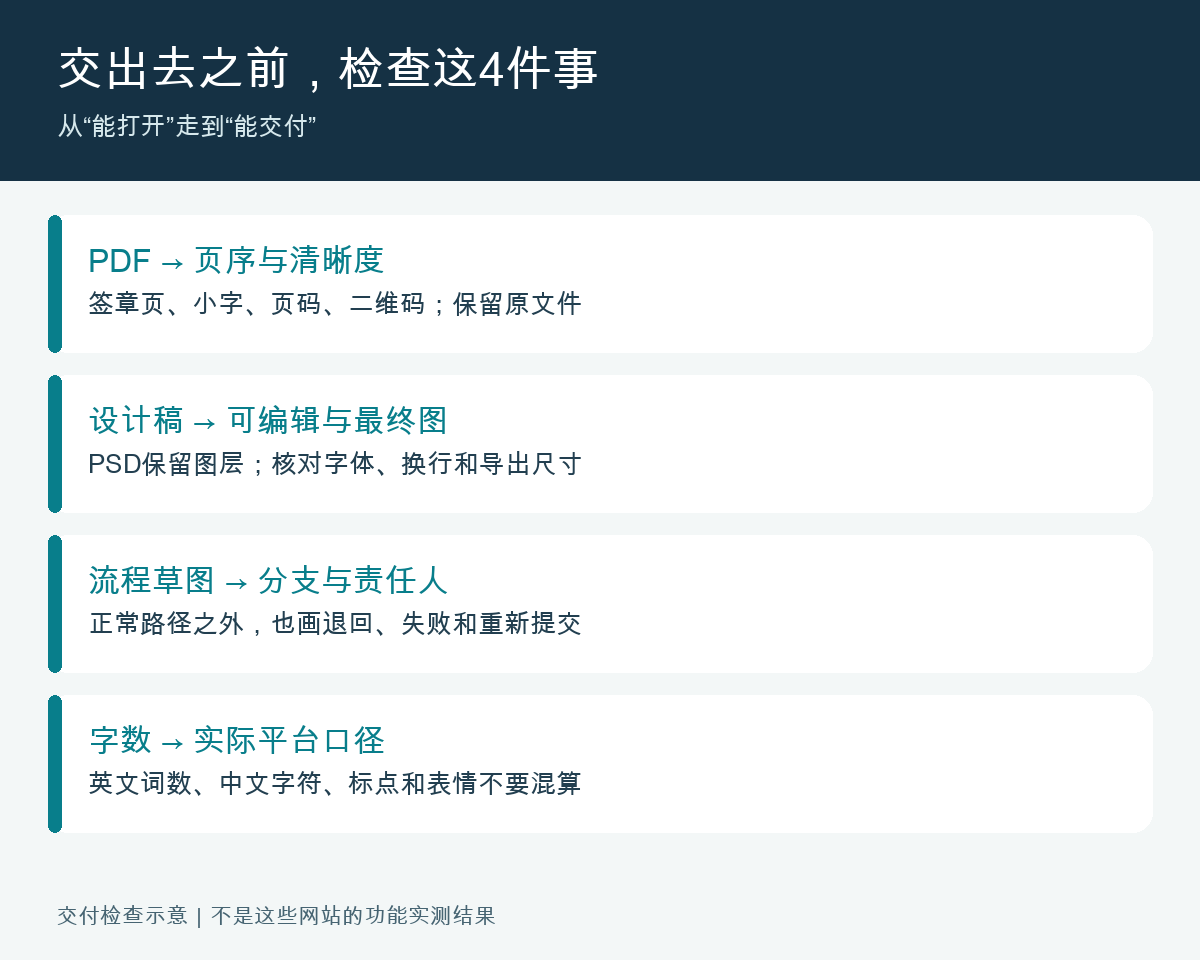
This group is best suited for emergency relief. First, look at the deliverable: the recipient needs a PDF, so handle the page order and clarity first; Keep revising the design draft, keeping the layers; Before the discussion is finalized, draw a sketch first. Clearly state the delivery requirements to avoid moving documents back and forth between different tools.
09|TinyWow: Temporary conversion and organizing of regular files
Open the official website: TinyWow · Free online tools.
In the tool search box, click specific tasks like “Merge PDF” or “Convert Images to PDF” to find the entry point. First, take a non-private copy to try it out, then download it to your machine. It brings together multiple widgets, suitable for those who occasionally encounter formatting issues but don’t want to install the entire software.
Note before use: The official website states that files before and after processing will be deleted within 1 hour. This is the service provider’s retention policy and should not be treated as if the files have never left the computer. Customer lists, ID cards, and undisclosed financial information should be switched to local solutions approved by the organization; Page ads and third-party entries should also be distinguished from the actual download button.
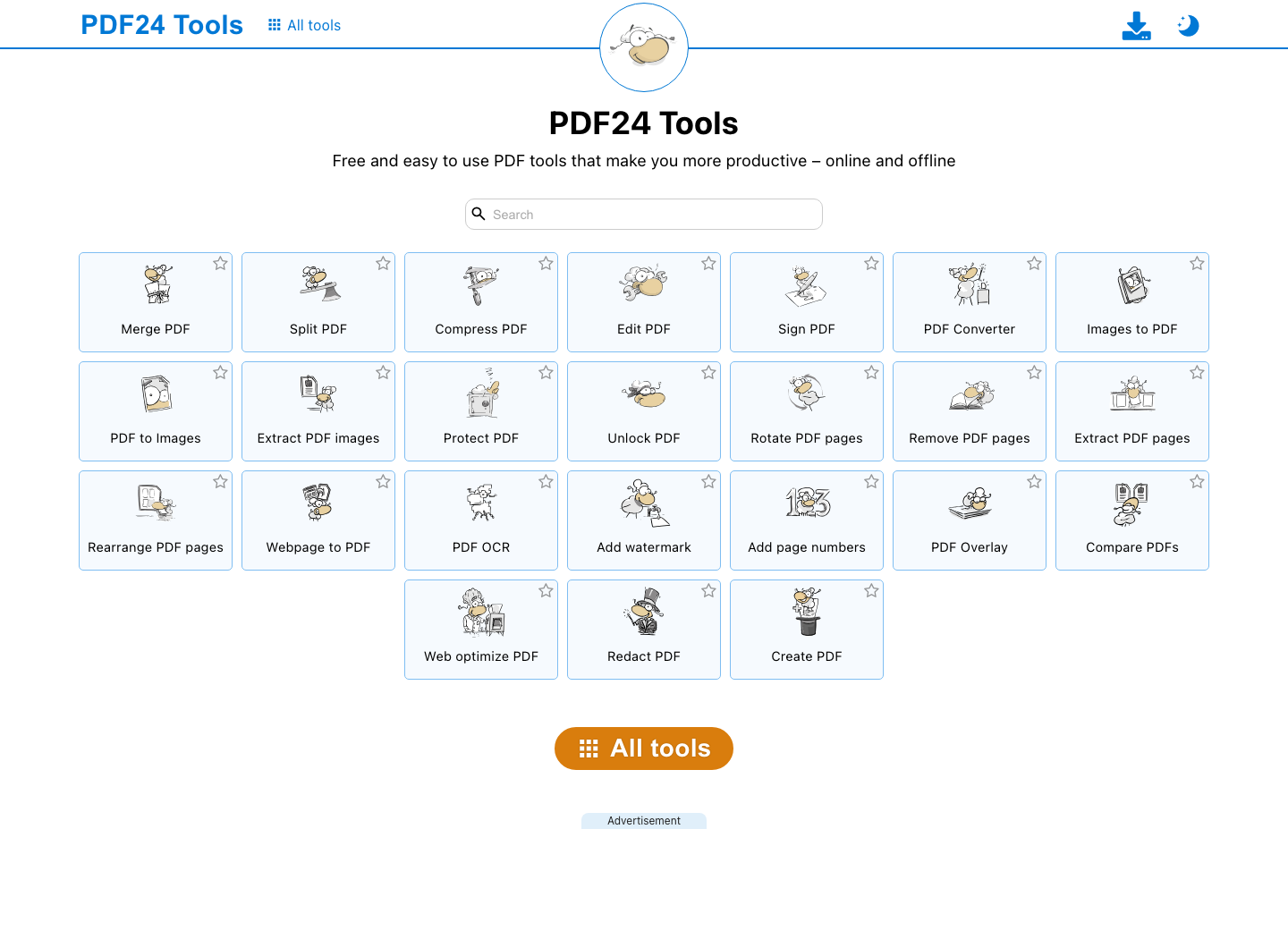
11|PDF24: Merge, compress, split PDFs
Open official website: PDF24 · Online tool is free; Desktop version is also free.
For example, if you need to submit a “quotation + contract attachment”: enter the file in the merge tool, drag the page order, and after generation, focus on flipping through the cover, signature page, and the last page; If you want to compress, keep the original first, and check if the fine print, seal, and QR code are still legible.
Note before use: The online version processes files on the server. PDF24 Creator desktop version can be processed offline, but it is Windows software; Just because you can use web tools on Mac doesn’t mean you have the same desktop version. Stamping a photo stamp on a PDF does not mean obtaining a reliable electronic signature.
10|Photopea: Temporarily revise the design draft, keep the layers and continue handing over
Open the official website: Photopea · Basic editing is free; There are paid plans.
After opening the PSD, save a copy first. In the layers panel, locate the text or image layer. After editing, save the PSD for easier future editing, then export the PNG or JPEG as per the delivery requirements. The layer is like a stack of transparent film: text, background, and people are placed separately. Modifying one layer means you don’t have to redraw the entire image.
Note before use: The official website states that regular editing runs in your local browser, and files do not need to be uploaded. Do not extend this conclusion to cloud drives, external plugins, or online AI services you actively use. If fonts are missing, the layout may change; check Chinese characters, line breaks, and font permissions before exporting; Supporting PSD does not mean all complex effects are fully reproduced.

12|Excalidraw: Clearly explains reimbursement, approval, and operational processes
Open the official website: Excalidraw · Basic whiteboard is free; Enhanced hosting services are charged separately.
First, draw three boxes for “Submit → Approval → Reimbursement,” then add a diamond “Are the materials all together?” and reconnect the arrow for returning the revision. Its hand-drawn feel is perfect for discussing and drawing during meetings, exporting PNGs for presentations, and saving editable files for future revisions.
Note before use: Whiteboard files and images serve different purposes: images are easy to view, but only original files can be modified. After enabling collaboration, check the sharing scope; Don’t assume that “people who know the link can enter” is visible only to designated colleagues. A smooth flowchart does not mean there are no loopholes in the business rules themselves.
13|TLDRAW: Arrange scattered ideas into a discussable panorama
Open the official website: tldraw · Basic online whiteboard is free; Development and commercial terms are to be determined separately.
When preparing a training session, divide registration, instructors, venue, and materials into four areas, each with sticky notes and cables. Compared to formal flowcharts, the infinite whiteboard is more like a large wall in a meeting room where stickers can be continuously placed on the sides, suitable for first dispersing and then merging.
Note before use: Don’t let the infinite canvas become infinite confusion: Title the area, end the discussion, and export the conclusion. A website being free to use is two different things from embedding its development toolkit into your own paid product; Collaboration, data storage, and development licensing should be explained separately in the current instructions.
32|WordCounter: Searches characters and word count, helps control length
Open the official website: WordCounter · Basic statistics are free.
Paste non-confidential copy into the document to check character count, English word count, and keyword frequency. Very convenient when submitting English summaries; When writing a short Chinese introduction, you can use the character count as a reference and then verify it in the actual submission backend.
Note before use: English is divided by spaces and language rules; Chinese “word count” differs from the English word count on websites. Punctuation, spaces, emojis, and links may also be calculated separately by different platforms; Just because it shows meets the standard does not guarantee that official accounts, resumes, or submission systems will accept it.
2. Retouching and finding materials: Just because you can download doesn’t mean you can use it freely
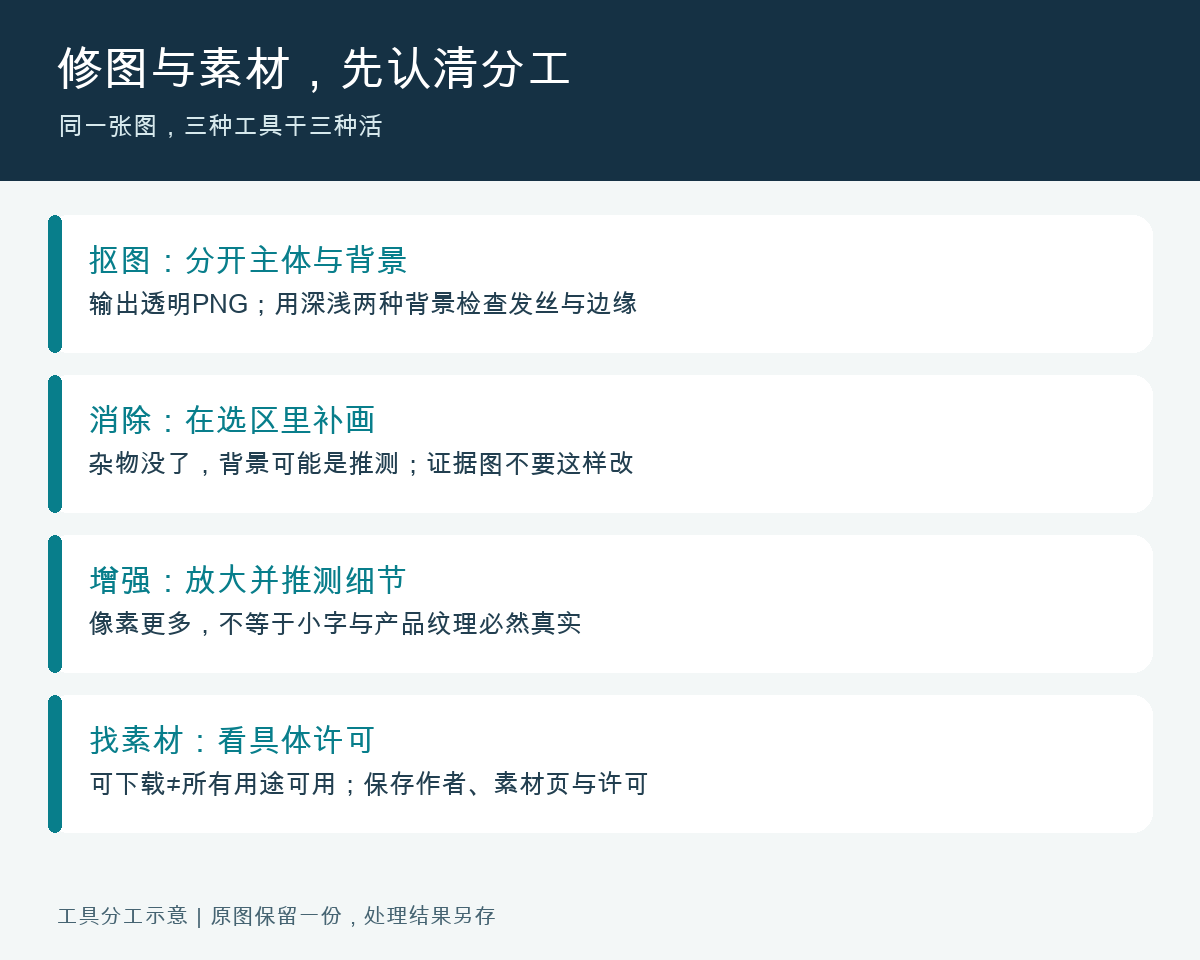
Clarify the division of labor in photo editing tools: cutout separates the subject from the background; erase fills the background within the selection; zooming in may reveal new details. For example, when cooking, picking, cutting, and seasoning, each has its place. If you pick the wrong steps, the image may look better but be further from the original facts.
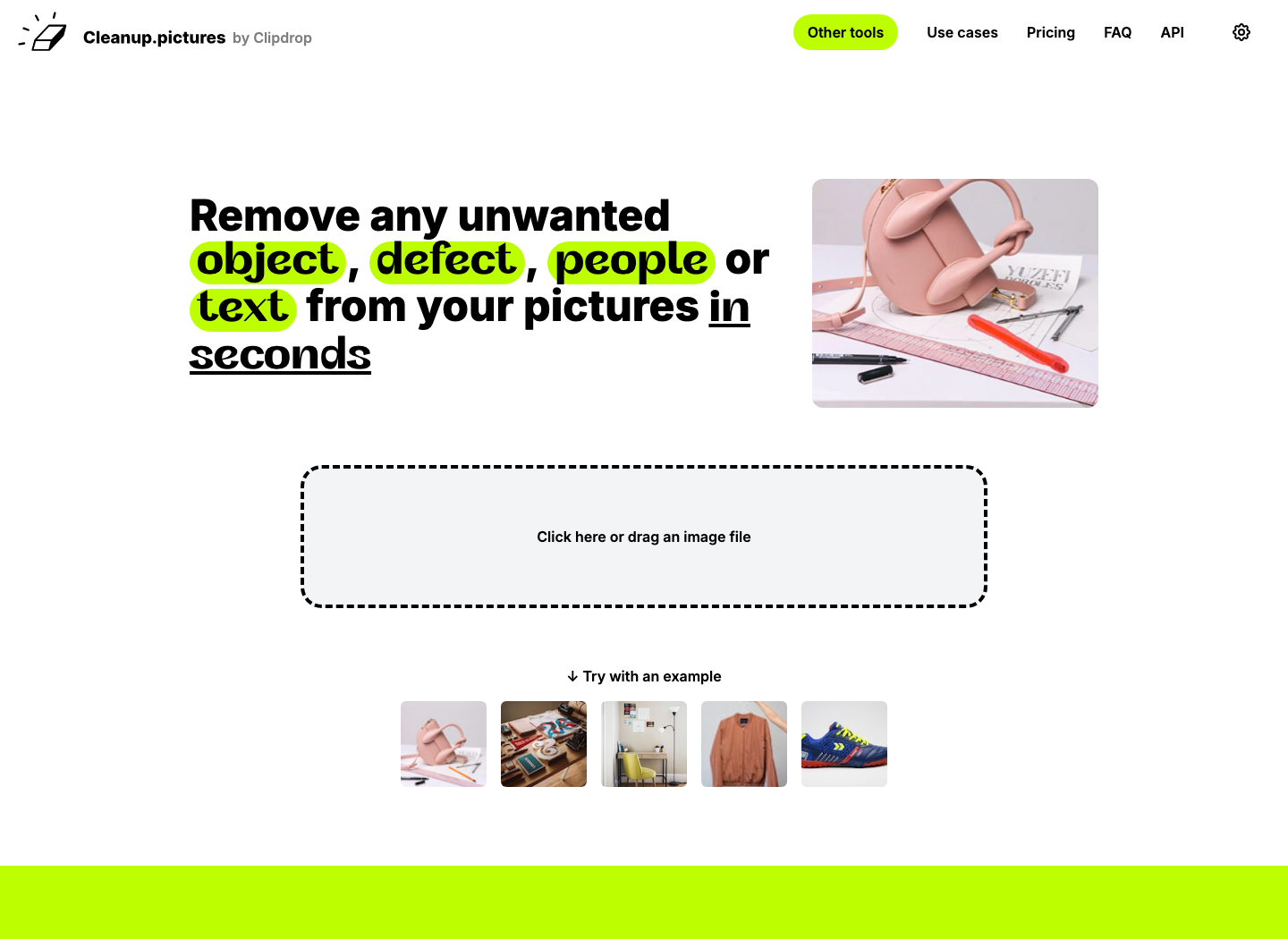
08|Cleanup.pictures: Clean out clutter from your own photos
Open official website: Cleanup.pictures · Free value-added; Free export limit: 720 pixels.
Upload images you have permission to modify, use brushes to cover passersby, desktop clutter, or stains to remove, then zoom in to check edges, shadows, and repeated textures. The export resolution of the official free file is limited; First, confirm whether your use is for chatting images or printing, then decide if it’s worth continuing.
Note before use: It will speculate on blocked content and cannot be used to “restore” evidence, receipts, or product defects. Also, do not use the removal function to remove rights from others’ works and pass them off as your own; When editing your own photos, you must still check the true meaning of the processed photos.
20|RemovePhotos: Quickly remove backgrounds from products or people
Open the official website: RemovePhotos · The official website states it is free and requires no registration.
Upload your own photo, generate a transparent background, then download a PNG that supports the transparent channel, then place it in your poster or document. When viewing the effect, place the image on a white background and a dark background, making hair, glasses, and semi-transparent objects more visible.
Note before use: When handling hair, mesh screens, glass, or complex backgrounds, do not look at only thumbnails. When uploading to a webpage, you must hand over photos to the service; ID photos and customer portraits must be verified for privacy and authorization. Exporting to JPEG will result in loss of transparent backgrounds; “No registration” does not automatically mean permanent free or unlimited HD.
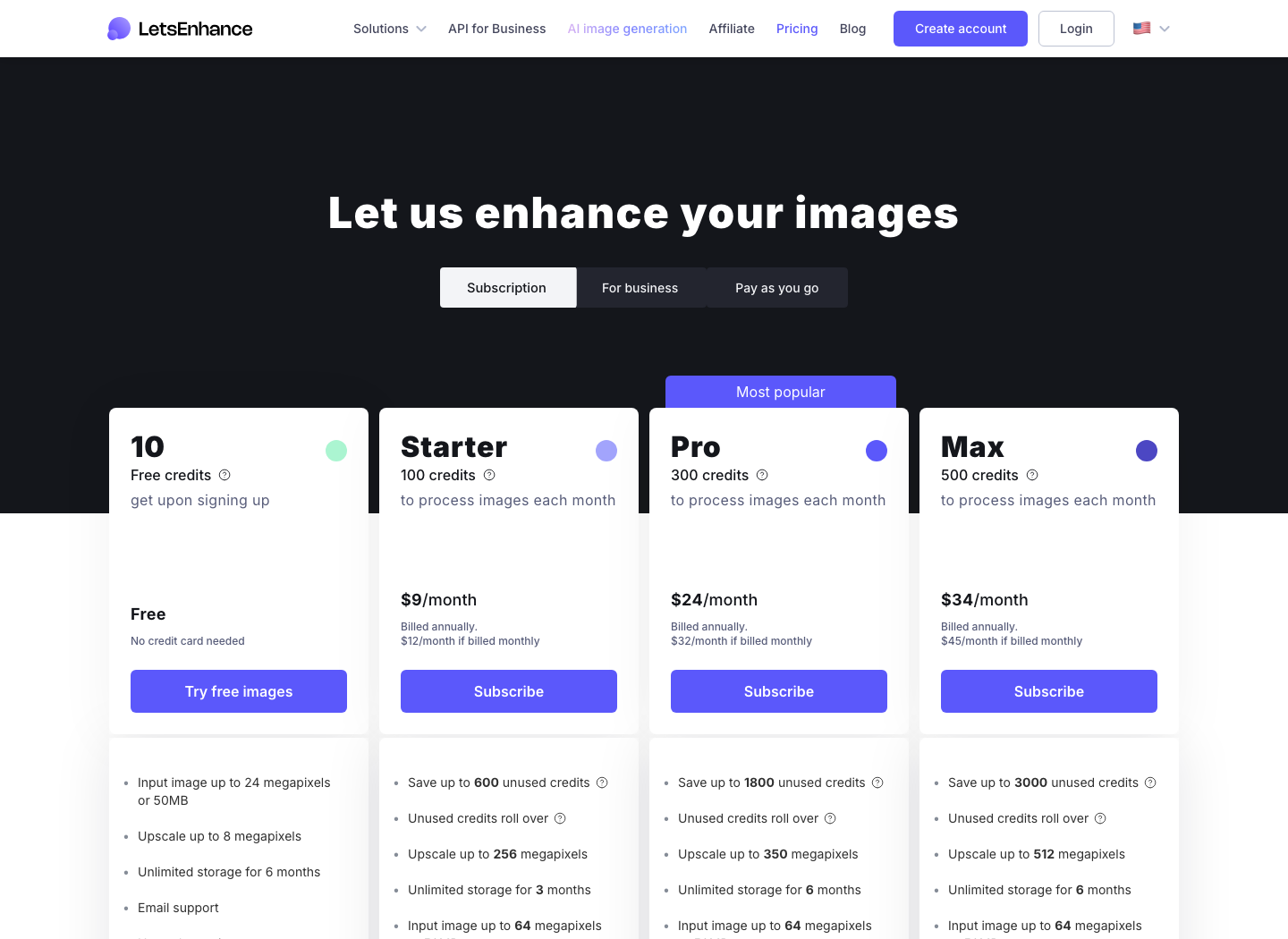
21|Let’s Enhance: Enlarge old images and prepare visual demos
Open the official website: Let’s Enhance · Register for trial credit; Continue to use for payment.
Choose to enlarge or enhance, first use low-risk images to compare with the original, and check whether the face, product texture, trademark, and small print have been altered. During verification, the official website offers 10 free registration quotas, with free output with watermarks; Before printing, also check the actual pixels, layout size, and output requirements.
Note before use: “Lossless enlargement” can be misleading. It may generate new details that seem reasonable, and blurry small text may not be correctly read; Contracts, surveillance, and photo detection cannot be fact-verified by AI touch-ups. Credit limits, watermarks, and available sizes are subject to the current account display.
22|Pixabay: Find images, videos, and music for articles and videos
Open the official website: Pixabay · Free use available under content license.
Search by specific screen, for example, “Office Communication” or “Rainy Street”; When downloading, save the material page, author, date, and permission page together. When selecting music, listen to the entire beginning and end before deciding whether it connects with the narration.
Note before use: Free materials are still licensed. It is forbidden to resell basically unmodified materials as standalone products; Identifying brands and individuals may involve additional rights. When music encounters copyright identification, the original material and authorization records are required to assist in appealing; successful downloads cannot guarantee automatic release by all platforms.
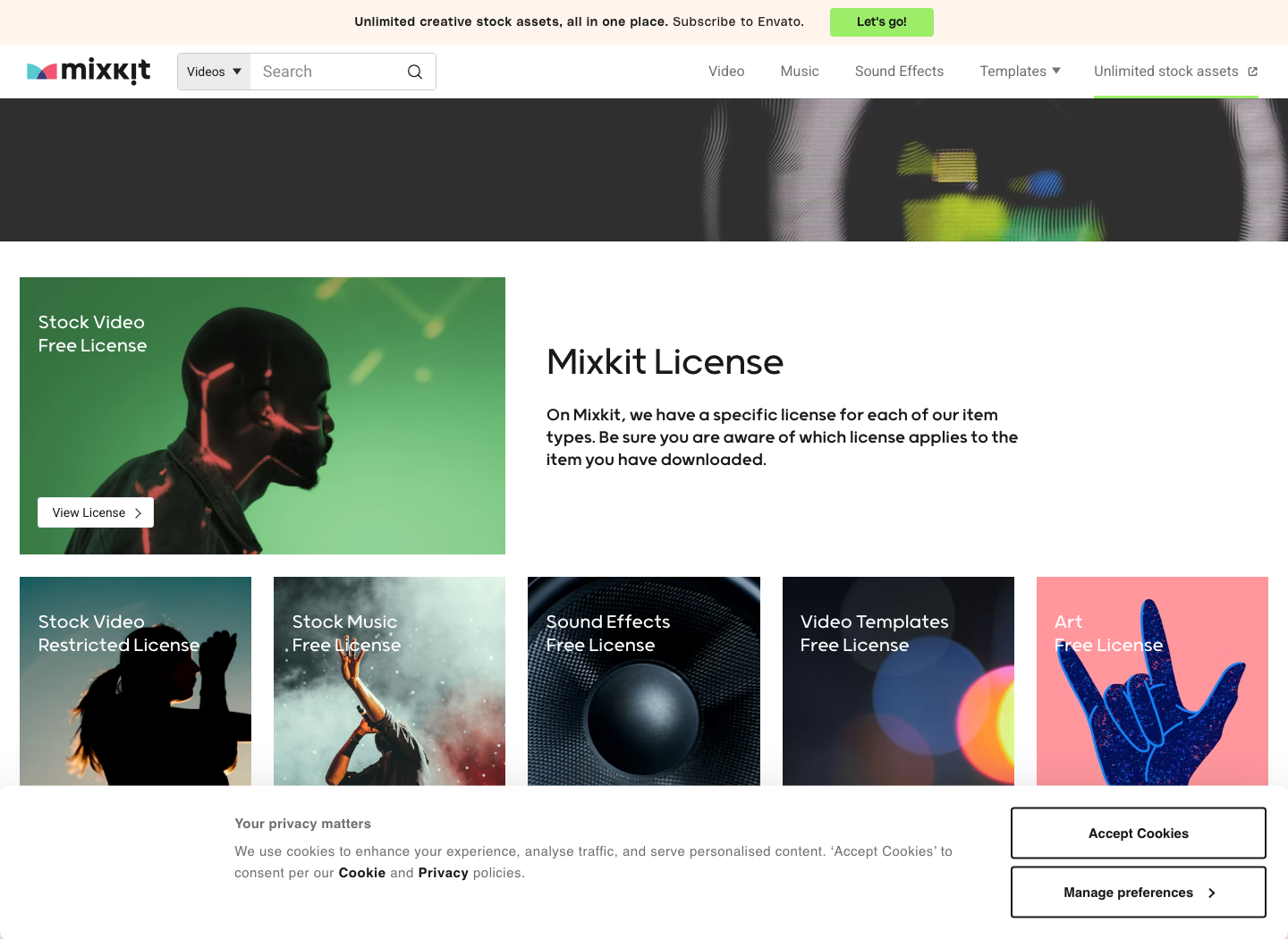
23|Mixkit: Find video touch-up shots, soundtracks, sound effects, and templates
Open the official website: Mixkit · Free to use according to material category and specific license.
For training demonstrations, you can use empty shots to explain the environment and indicate steps with prompts, without having to shoot every shot on the spot. When entering the specific material page, first check the permits, then check the video ratio, resolution, and the software needed for the template; Don’t just look at the “Free” label on the homepage.
Note before use: The official list lists both free and restricted licenses for videos, and music, sound effects, and templates each have their own terms. Downloading a preview video does not mean it can be used for any commercial project; Templates may depend on specific versions or additional fonts or plugins.
3. Hold fewer meetings and reduce repetitive work: first check the quota, then take on the workflow
Meeting tools most easily create the illusion: once the text is generated, the minutes are complete. What really needs to be implemented is “who does what, at what time,” especially by clearly hearing negative words, amounts, and deadlines. The same logic applies to automation; connecting two applications is just the beginning; who knows if it fails or if repeated triggers will be sent again, which determines whether it can be used long-term.
14|Dictation: Turning a temporary oral statement into a written draft
Open the official website: Dictation · Online voice input tool.
Open it with a compatible Chrome browser, allow microphone, select Chinese, say a short sentence with numbers first, confirm recognition, then continue. Suitable for writing to-do tasks and oral drafts; It’s closer to a voice input method, not a complete system that automatically organizes long group meetings.
Note before use: The official website relies on Google Voice Recognition and internet connectivity. Saving text in the browser does not mean audio recognition is fully offline; For corporate meetings, data requirements should be verified first. It may not be available on specific networks in Chinese mainland; punctuation instructions and Chinese accuracy should be tested on your own.
15|Otter: Organize conference recordings in supported languages into searchable materials
Open official website: Otter · Free to purchase; Basic files have monthly and import restrictions.
Before the meeting, check the current supported language, inform participants and obtain their consent, then use short samples to check names and terminology. During verification, Basic lists 300 minutes of transcription per month and a total of 3 lifetime audio and video file imports; The latter is not refreshed three times per month.
Note before use: You cannot directly infer that Mandarin, dialects, and mixed Chinese-English are applicable from “multilingual” terms. This article did not complete the Chinese conference test nor verified enough current Mandarin support evidence, so a short segment will be tested for Chinese work scenarios first. The responsible person, date, and commitment in the automatic summary must be listened back to.

16|Descript: Cut your voice by rewriting text
Open official website: Descript · Free value-added; Media processing and AI features have a quota.
Import a recording or video, generate transcription, delete the corresponding redundant sentences, then play the cut section to check tone and visual jumps. It matches the position of text with the time of the audio and video, like searching for a sentence in a video with an index—more intuitive than dragging the progress bar.
Note before use: Text deletion may be deleted along with the corresponding sound. The “no” in “No,” sentence endings, and the correct version after restatement should especially be retained. The free version does not offer unlimited transcription or unlimited AI generation; high-definition watermark-free and advanced capabilities require verification of the current plan; Confirm authorization before uploading work recordings.
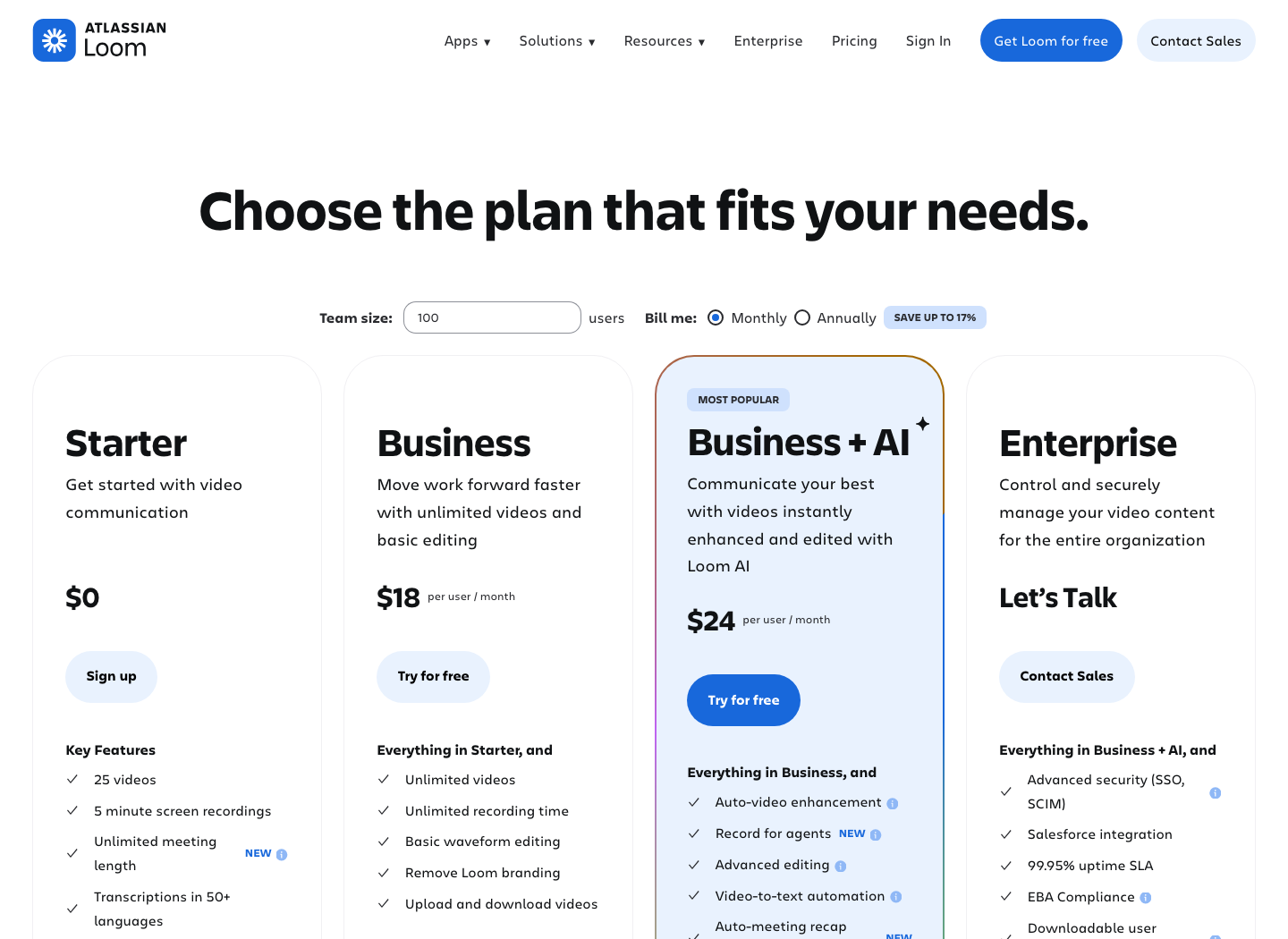
17|Loom: Record “How to click here” for your colleagues
Open the official website: Loom · Freemium; Starter is limited to 25 videos, with a single screen recording of 5 minutes.
Select the desired window or area, first turn off notifications, hide account information, record a demonstration focused on a single issue, then check the audio and sharing permissions. It’s suitable for handing over an operation and recreating an interface issue, rather than meeting someone online every time to check the screen.
Note before use: When verifying, the free file lists 25 videos, each recording 5 minutes. Do not apply meeting duration rules to screen recording. Share links are not local backups; After delivery, check recipient permissions, download requirements, and attribution after departure.
18|Zapier: Connects existing services to handle simple, repetitive actions
Open the official website: Zapier · Free to purchase; Free tier: 100 tasks/month, two-step process.
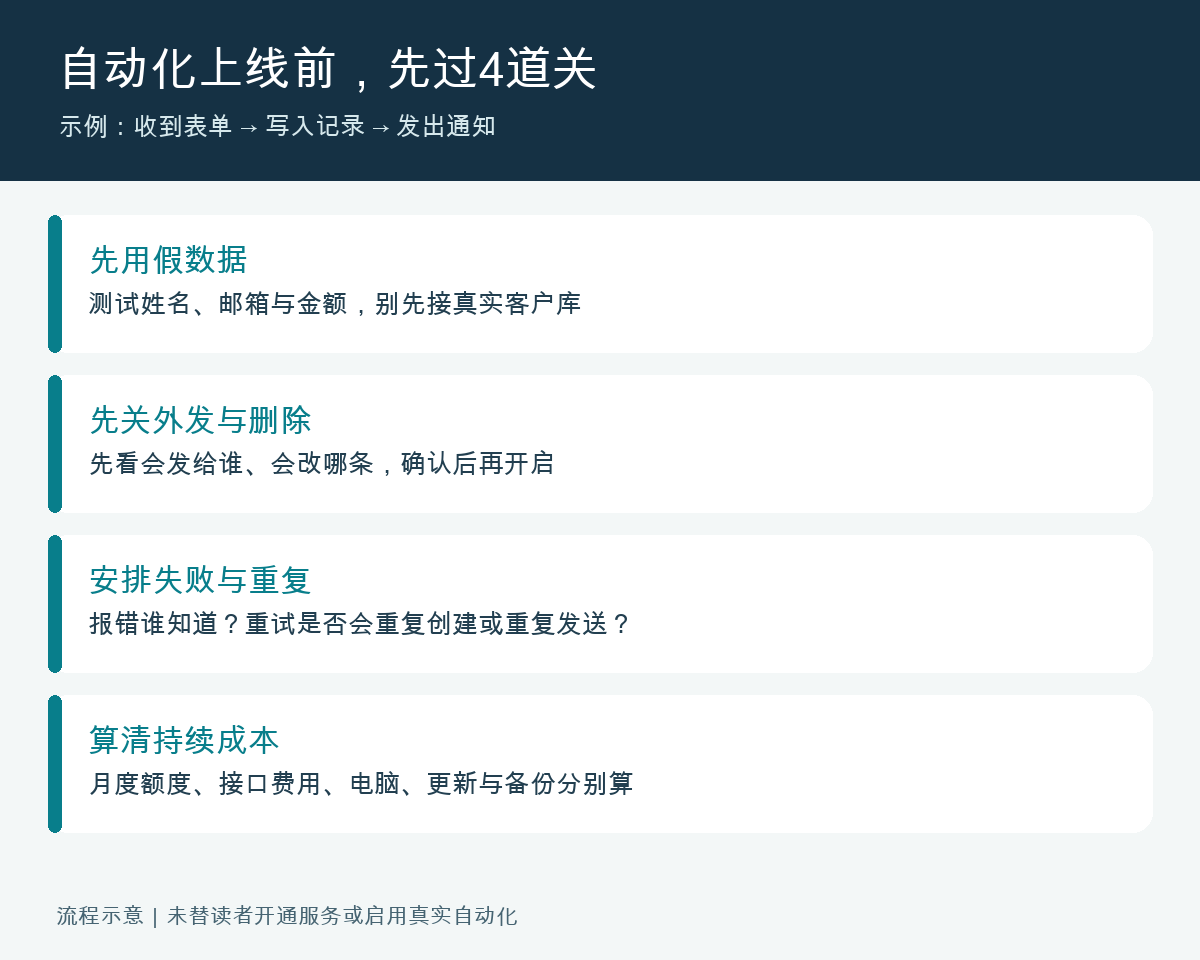
For example, “Receive a form→ add a new record.” First, run a fictitious message to confirm the field mapping and recipient, then check the log before enabling automatic run. It’s like assigning a clerk to two windows to deliver documents; trigger conditions determine when to move and actions decide where to move.
Note before use: The free plan does not involve arbitrary steps. The official verification page is 100 tasks per month. The specific actions and how to deduct the quota depend on the billing rules. Whether WeCom, Feishu, DingTalk, and internal systems within your organization can be connected depends on the actual connector or interface; foreign services cannot be automatically compatible.
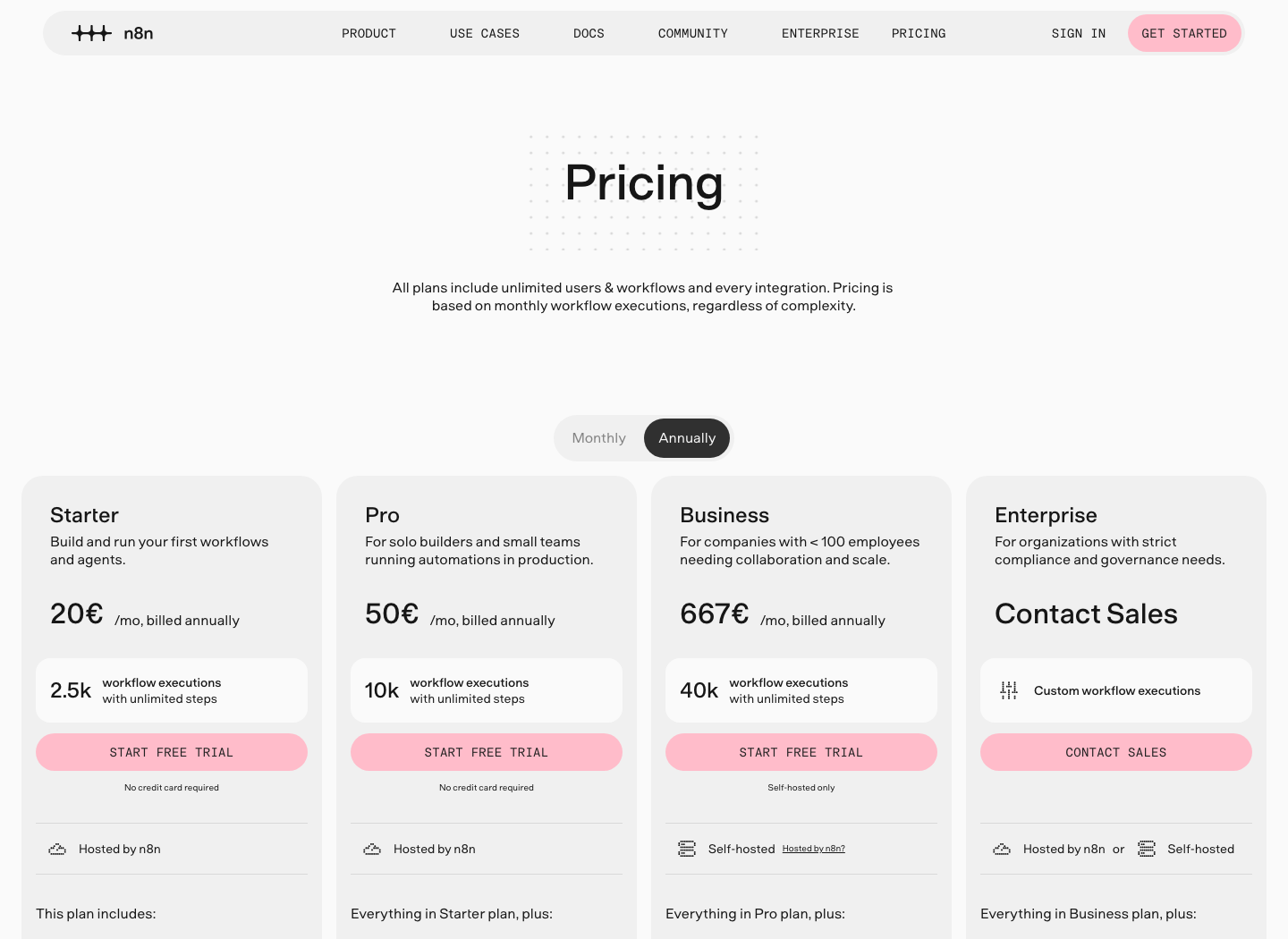
19|n8n: Build more controllable automated processes
Open official website: n8n · Community self-hosting available; Official cloud paid/trial.
Start with “manually triggered → read a desensitized data →write a summary file,” and temporarily disable actions like sending notifications and deleting files. The workflow is like an executable process flowchart: each node does one thing, connects to decide where the data goes, and branches handle different situations.
Before use: Self-deployment also incurs computer, operations, and backup costs, and external AI calls may still incur fees. Community code uses a usage restriction license, which does not mean arbitrary resale of hosting services; Access to external interfaces is no longer purely offline. Credential encryption, updates, least privileges, and failure notifications must all be arranged.
If you need to handle audio or screen recording that is not suitable for uploading, you can also choose local software. My LocalBrain provides tools like local transcription, while HyphenScreen handles recording, editing, and exporting; Whether it is truly offline depends on the model used and service configuration. They have their own place alongside these online collaboration services; when choosing, first check if the data can be exported locally.
4. Research and learn skills: maps, dictionaries, magnifying glasses, each with its own use
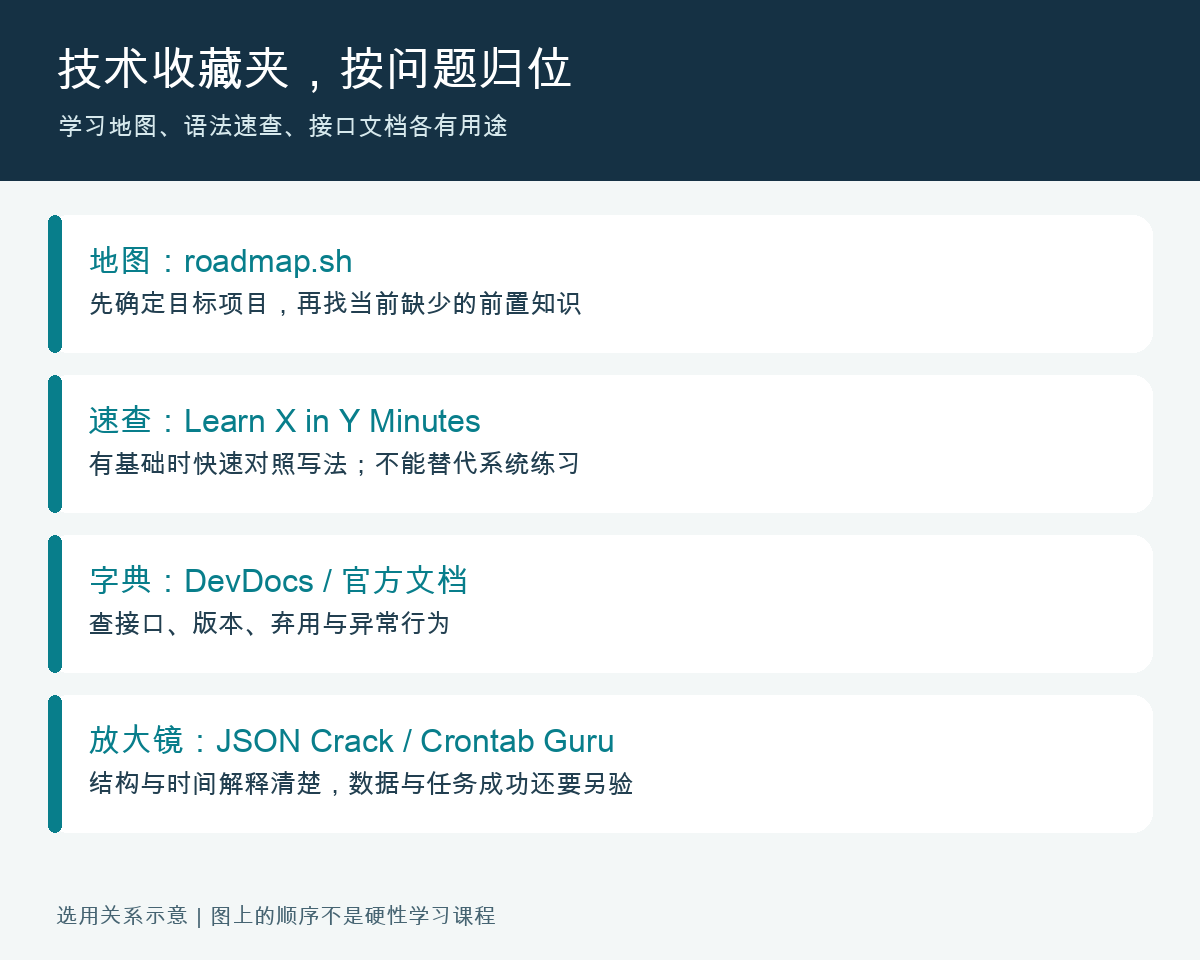
The learning route is like a map, quick grammar searches are a portable booklet, and development documentation is where you check rules. Breaking these three things apart is easier to progress than collecting dozens of tutorials at once. The following items are also suitable for non-programmers: choosing software, drawing decision sheets, understanding scheduled tasks—all of which you might encounter at work.
06|AlternativeTo: Look for alternatives to existing software
Open the official website: AlternativeTo · Search is free; Recommended software is charged separately.
Search for familiar software names, then filter by system, free, open source, and required features. For example, when looking for an image editor on Mac, first specify the file formats that can open your files, then compare download methods and maintenance status—much more specific than just searching for “best software.”
Note before use: Community votes and reviews can help you find candidates but cannot replace compatibility and permission checks. Check “open source,” “free,” and “free trial” separately; download only via the project’s official website or trusted release page, and don’t let third-party download sites mislead you.
07|BuiltWith: Understand the technical components of public websites
Open the official website: BuiltWith · Basic queries and paid reports coexist.
Enter a public domain name to view visible technical clues such as analysis, site building, and hosting. For example, guessing which suppliers it uses from the store’s signboard and decoration can help with technical research, but what you see are only traces left by external factors.
Note before use: Detection may be outdated, false, or missing. You cannot assert all backend code and versions based on this, nor write “used a certain technology” as “has a vulnerability.” Only check public site information; Any further security testing requires clear authorization; batch and export functions are separately planned.
24|Untools: Turning ambiguity into decision-making problems
Open the official website: Untools · Framework introduction available for free reading; Templates and other details are reviewed separately.
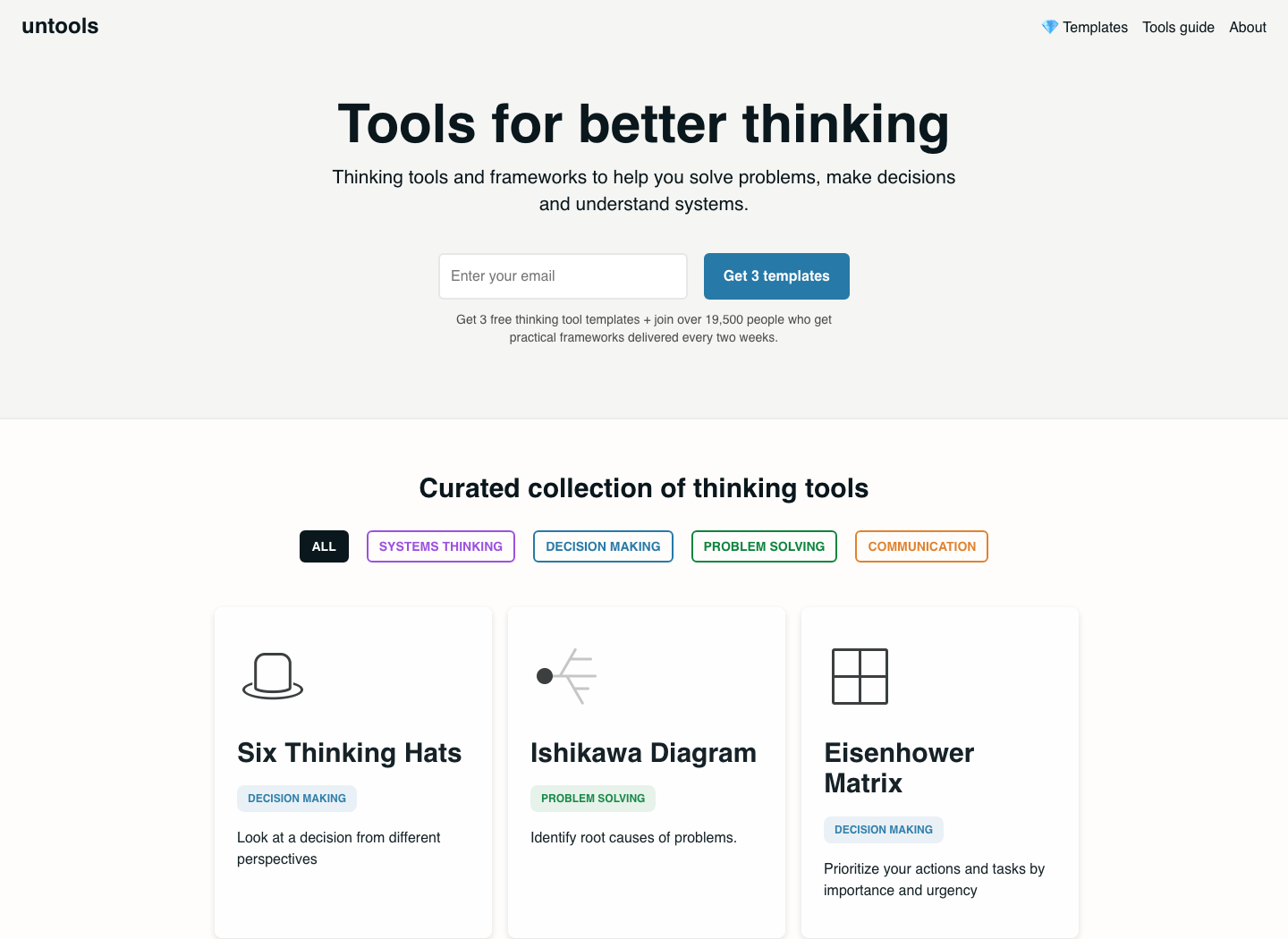
When choosing suppliers, find a decision matrix and list price, delivery time, and after-sales service as dimensions; Prioritize work by looking at the importance and urgency matrix. Write the actual evidence you have in each box, rather than picking a favorite answer and then giving it a high score.
Note before use: The framework is responsible for helping with thinking and does not provide you with real data. When weighting dimensions, explain the basis and try a different combination of weights to see if the conclusion changes; Template downloads, email subscriptions, and paid products are different entry points.
25|roadmap.sh: Know what prerequisites are needed to learn a skill
Open the official website: roadmap.sh · Open route readable; Course and other sub-item checks.
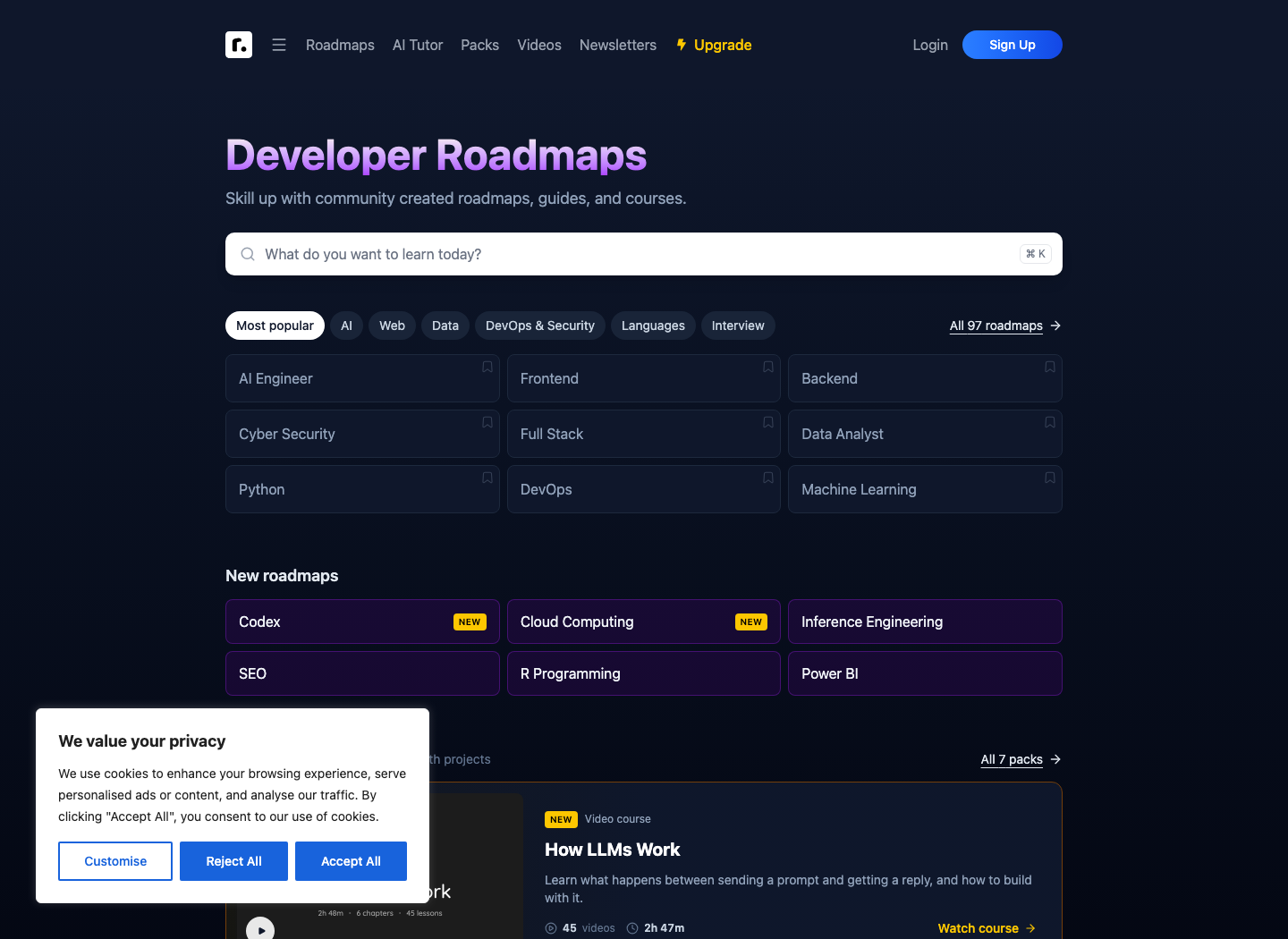
Choose a route that matches your goal, then work backward from the small projects you can make: for example, start with a local form, instead of painting the entire frontend map before starting. For each node you learn, use it in the project and fill the next gap.
Note before use: The route recommendations are compiled by the community and are not standardized syllabi for recruiting units. A large map does not mean you must learn every item first; AI, development, and security directions update quickly; specific libraries and versions should be verified in official documentation. Paid learning entry does not mean all content on the site is free.
26|Learn X in Y Minutes: Quickly compare the basic syntax of a language
Open the official website: Learn X in Y Minutes · Free reading for community quick lookup.
When you already know a bit of programming, use it to compare variables, loops, functions, and container usage, and edit an example in your own small file while reviewing. Some pages have Chinese Simplified Chinese translations, making it easy to find positions when switching from one familiar language to another.
Note before use: “A few minutes” is a quick review, not a master of engineering development. Examples may omit input validation, dependency management, and error handling; Copy the pre-kernel version of the code, and do not paste unfamiliar commands directly into the terminal for execution.
27|DevDocs: Browse commonly used development documents in one entry
Open the official website: DevDocs · Free Document Aggregation.
Only enable the document set currently used by the project, then search for functions or properties; For cached documents, install offline data in advance according to page settings. For example, putting several commonly used reference books on the same shelf makes searching easier, but each book still has its own version.
Note before use: The update time for aggregated documents may differ from the original official site. Key interfaces, deprecation instructions, and security behaviors should be confirmed by the official team; The offline function requires pre-caching; opening the document on the first offline connection does not automatically restore all documents.
28|JSON Crack: Renders nested data into readable structures
Open official website: JSON Crack · Basic editor and public code; Advanced services are reviewed separately.
Paste the anxious JSON into the editor, check the hierarchy along the nodes, and confirm whether a field belongs to an order or a product within the order. JSON can be thought of as a hierarchical shipping list: the order contains a list of products, each item with a name, quantity, and specifications. The structure diagram helps identify incorrect layers and missing items.
Note before use: First remove account tokens, real customers, intranet addresses, and configuration secrets. The image only shows the structure and does not prove business data is correct; Large files may lag. This article successfully collected public homepage data, but browser screenshots timed out, and did not use the unobtained editor results as images.
29|Crontab Guru: Understand when planned tasks will be executed
Open the official website: Crontab Guru · Expression explanations are free; Monitoring products are charged separately.
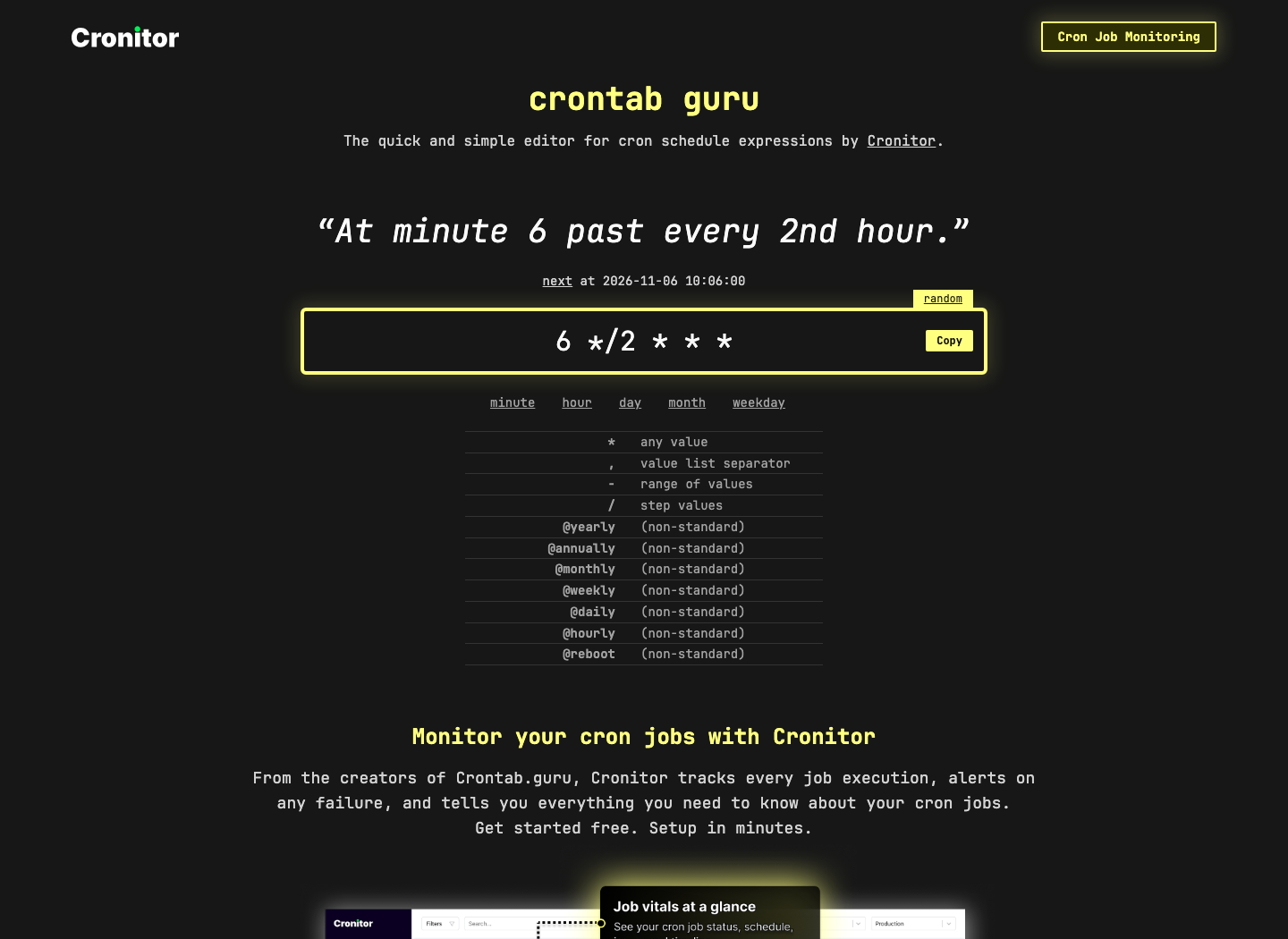
For example, for “6th minute every 2 hours,” you can look at the five-field expression “6 * / 2 * * *”; If you want the 6th minute per hour, it is “6 * * * *”. Adding “/2” makes the time interval different. After filling it in, look at the explanation and check the machine’s time zone.
Note before use: It explains time expressions, does not install tasks for you, nor does it guarantee script success. Standard cron formats differ from some schedulers with seconds fields; Computer hibernation, task overlap, permissions, and failure notifications are still handled by the runtime.
5. Web Retention and Temporary Email: Before convenience, distinguish between public and private information
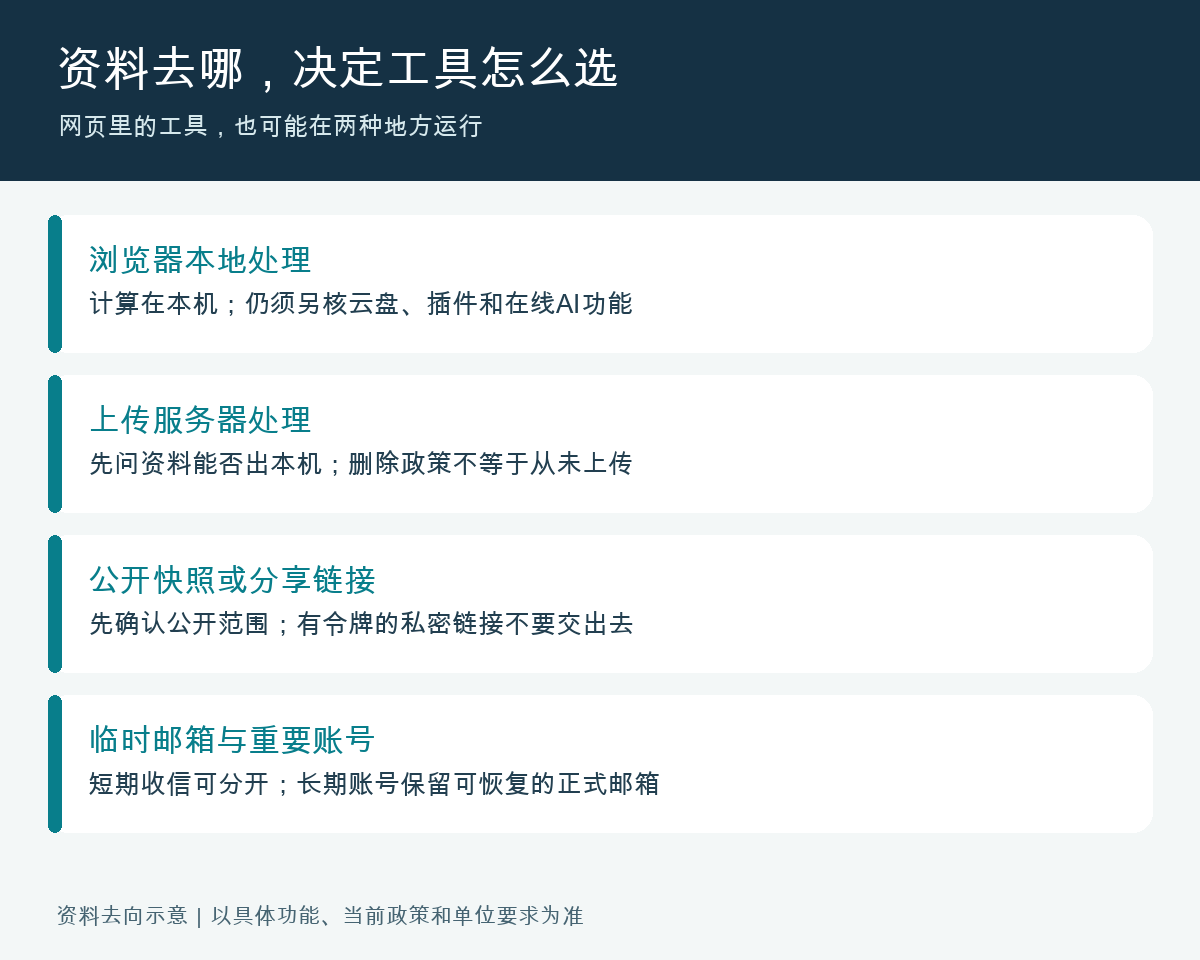
Web snapshots, webpage screenshots, and local PDFs are like three different materials in a file folder: snapshots preserve a specific page, screenshots retain the appearance at the time, and local PDFs make it easier to archive yourself. None of these automatically become complete website backups and cannot replace formal documents or original contracts.
01|twelveft.io/ Common Name 12ft: Don’t copy the “bypassing paywall” item from the original list
Open official website: twelveft.io/ Common Name 12ft · Not confirmed for use this time; Only verification records will be retained.
The original website address is twelveft.io, and the common 12ft service online uses 12ft.io. This time, the former cannot confirm valid service, and the latter returns an error when scraping; Therefore, there are no available guarantees or operation to bypass access control. To read an article, first find the author’s public release, subscribe to the institution or library, and use official previews and open access versions.
Note before use: A single crawling failure does not prove a permanent global site closure, nor can you recommend readers to enter information based on a similar domain name. Do not fill in media accounts, payment information, or install unknown extensions on so-called unlock websites; This item in this article is only corrected and retained.
02|Archive.today/archive.ph: Save historical versions of publicly accessible pages
Open official website: Archive.today/archive.ph · Public webpage snapshot service; This entry is experiencing traffic restrictions.
It is suitable to leave a dated reference for public product descriptions and public statements. After saving, record the original website, snapshot address, and storage time, and keep a local copy; When citing, distinguish between “what was written on the page at the time” and “what services are available now.”
**Before use: **Do not upload sharing links, customer profiles, or private content requiring login with access tokens. Snapshots may be public and searchable; dynamic content and videos may not be complete; “Permanent preservation” is not a guaranteed contract. This visit encountered traffic restrictions and did not complete the save test.
05|Temp Mail: Provides a one-time address for low-risk temporary credit reception
Open official website: Temp Mail · Basic temporary email combined with paid enhancements.
When you temporarily retrieve an unimportant email, copy your current email address, and leave right after it’s done. It’s more like a temporary pickup point: convenient for a one-time handover, but you can’t expect to return to the same cabinet years later to retrieve your account.
**Before use: **Do not use it to register work main accounts, banks, important cloud drives, or subscription payment services. Later password recovery may result in not receiving emails, and some websites may reject temporary domain names; Do not bypass trial quotas, batch registration, or receive ID credentials.
31|Screenshot Guru: Save a public long webpage as a single image
Open the official website: Screenshot Guru · Public webpage screenshot tool.
Enter the public webpage URL, complete the verification code as required on the page, and then send a screenshot. It’s very convenient to leave a layout reference for the plan and record the appearance of the public page once; After downloading, check the title, key numbers, and whether the bottom of the page has actually loaded.
Note before use: The official website does not support pages requiring login, and complex dynamic applications may fail. Do not hand over company intranet links or signed token links to third parties; The pages captured are what the server sees and do not guarantee the same browser as you log in.
6. Usable after work: radio, Future Letter, recipes, prices, and manuals
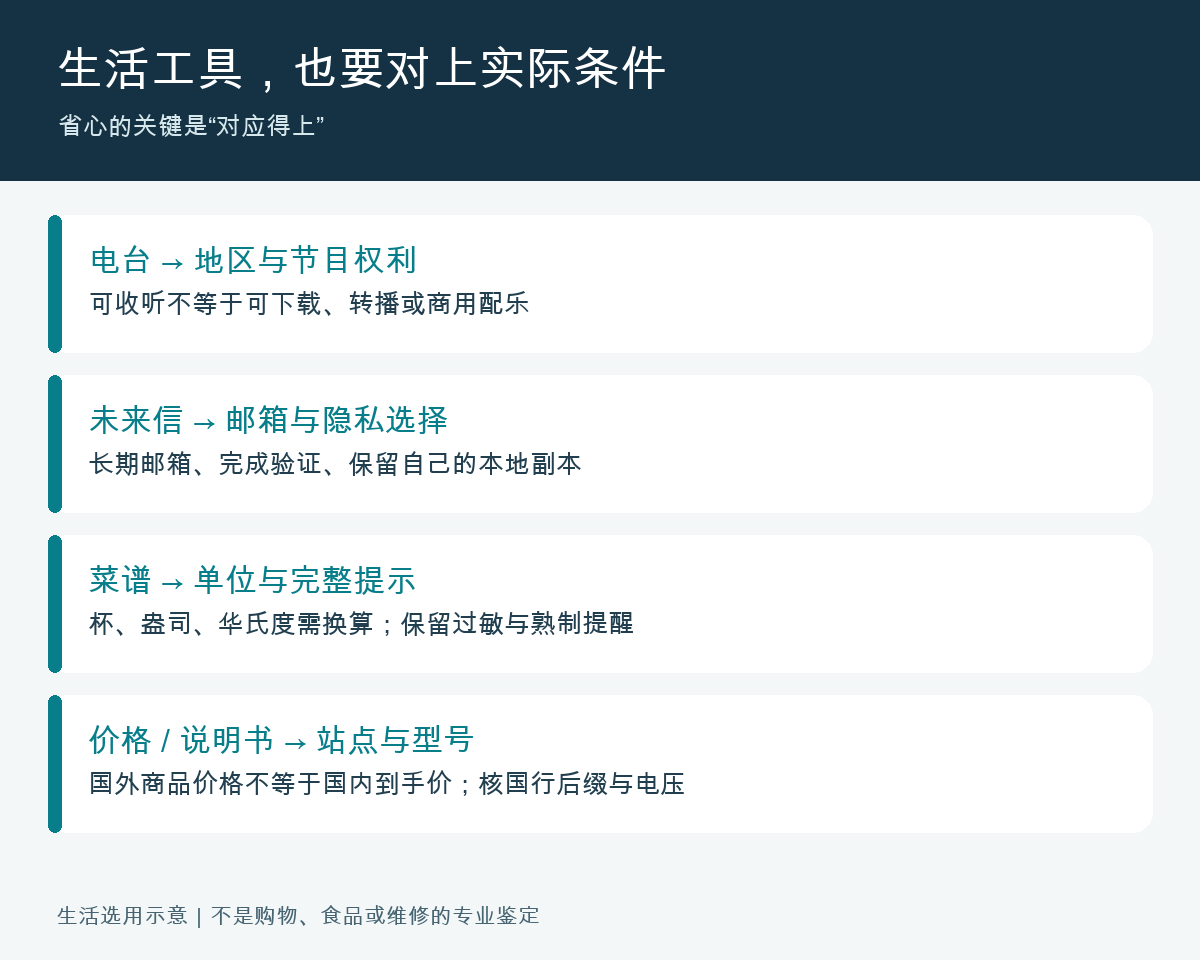
Besides productivity tools, the favorites folder should also include a few entry points that make life worry-free or interesting. Regional restrictions here are especially important: foreign price tracking does not mean comparing prices across the entire domestic network, and foreign manuals may not correspond to the same model in China.
03|Radio Garden: Discover stations in different locations on the map
Open the official website: Radio Garden · Online listening entry; Available areas by region and station.
Move to a city on the map, select a radio station to listen to, and note down what you like. Doing language environment input and understanding the daily sounds of different cities adds an entry point instead of constantly scrolling through the same recommended content. This article has not completed the actual listening and acceptance on the device.
Note before use: Geographic authorization, offline station access, network, and regional rules may affect playback, and it cannot be promised that every channel worldwide can listen. Being able to listen online does not mean you can download, rebroadcast, or incorporate programs into your own commercial videos.
04|FutureMe: Leave a letter to yourself six months or one year from now
Open the official website: FutureMe · Basic letter writing combined with Premium enhancement.
Clearly state what you’re doing today, what you’re worried about, and what you hope to accomplish. Choose a submission date, choose private or public anonymity, fill in your long-term email address, and complete verification. For example, leave an original wish for the next year-end review and compare it with the actual results then.
**Before use: **Please note that private and public anonymity should be carefully monitored; your school or workplace email may become invalid after you leave. Enhanced features such as images, videos, and attachments have paid entry points; Long-term third-party delivery cannot replace your own backup, and do not send passwords or important identity information.

30|CopyChar: Find the correct arrows, mathematical symbols, and special characters
Open the official website: CopyChar · Free copy of basic symbols.
Find symbols like “→”, “≤”, “×” by category, click to copy, and then paste them into the document. When writing operation instructions and training materials, the correct characters are more convenient than using letters x to forcibly fit multiplication signs or align with spaces.
Note before use: Fonts and devices may display differently; preview before publishing. Do not randomly mix in similar-looking characters such as login name, URL, commands, and passwords; When creating accessible documents, do not use a string of emojis instead of key information.
33|Just the Recipe: Organize supported recipe links into ingredients and steps
Open the official website: Just the Recipe · Basic extraction and advanced solutions checked separately.
Put the public recipe link into the mouth, verify the number of extracted ingredients, oven temperature and time, and then decide whether to save it. Skipping a few background stories while cooking is helpful, but the result should be compared to the original recipe, not by renaming the author’s content for your own.
Note before use: This public page has not obtained the full text, cannot guarantee compatibility with any Chinese recipe website, nor do we cite unverified free usage counts. Cup, ounce, and Fahrenheit must be converted; Allergy warnings, cooking requirements, and storage conditions must not be simplified.
34|camel camel camel: Reference to price changes for supported Amazon sites
Open official website: cammelcamelcamel · Price history and alert service; Access blocked this time.
Confirm that the Amazon site you use is within the supported range, then use product links to check records to distinguish between platform-owned, third-party, and second-hand platforms. It’s suitable for frequent buyers of the corresponding site to judge “where this price drop is historically,” and is not a general domestic e-commerce price comparison tool.
Please note before use: This visit returned 403, inquiry and alert testing not completed. Historical prices may not include coupons, shipping fees, taxes, or membership requirements, and you definitely should not directly compare foreign prices with JD.com or Taobao prices.
35|ManualsLib: Find lost home appliances and office equipment manuals
Open the official website: ManualsLib · You can search online manuals; Specific entry points are to be checked separately.
First, take a photo of the equipment nameplate, then search by brand + full model to verify voltage, suffix, year, and page number. After downloading, check if the file is a PDF and save the corresponding model; When performing factory resumption, calibration, or maintenance, read the relevant chapters in full first.
Note before use: This official page is readable and accessible; if you visit directly via browser, you may encounter security verification and fail to complete download acceptance. Overseas models may differ from the Chinese version; prioritize the manufacturer’s official website version; Do not treat the installation package in advertisements as a manual, and do not use similar models for electrical repairs.
No need to collect everything: first pack your own “gadget drawer”
For regular office work, you can first use PDF24, Photopea, or Excalidraw; Creators can add Cleanup, Mixkit, and suitable screen recording tools; Developers can add DevDocs, JSON Crack, and Crontab Guru. The rest can be opened when tasks are needed. This division is not about ranking, but about matching favorites to what you actually need to do.
| Situation | Let’s take the first step | Take another look before handover |
|---|---|---|
| The file contains customer or personal information | Confirm whether uploads are possible; Priority is given to permitted local solutions | Dungeon desensitization, permissions, and reserved locations |
| The page says free or free trial | Check credit limit, export, watermark, trial expired | Whether payment and auto-renewal are bound |
| Retouched images, rewrite, and automatically generate summaries | Original images, original audio, and original files are preserved | Numbers, negative words, subjects, and factual meanings |
| Download music, videos, templates | Save the material page and the corresponding license | Requirements for commercial, platform, personal branding, and plugins |
| Connectivity automation | First, use fake data; turn off sending and deleting first | Repeated triggers, failure notifications, credentials, and backups |
When using these overseas websites in Chinese mainland, you also need to factor in the actual network, organizational system, account requirements, and language when choosing them. If the webpage won’t load, try a suitable solution first; don’t randomly install unfamiliar accelerators, certificates, or browser extensions for a small task. This article does not guarantee the usability of any service; clearly marked failures will be left for future review.
What is truly worth collecting is a set of methods that can be found, checked after done, and reassuringly stored in the materials. Today, starting with a PDF, a design draft, or a process sketch is enough.
Official website and key notes
- twelveft.io/ Common Name 12ft | Verify Entry
- Archive.today/archive.ph|Official Website and Description
- Radio Garden | Official Website and Description
- FutureMe | Official Website and Description
- Temp Mail | Official Website and Instructions
- AlternativeTo | Official Website and Instructions
- BuiltWith | Official Website and Instructions
- Cleanup.pictures | Official Website and Description
- TinyWow | Official Website and Description
- Photopea|Official Website and Description
- PDF24|Official Website and Description
- Excalidraw | Official Website and Instructions
- tldraw | Official Website and Instructions
- Dictation | Official Website and Instructions
- Otter | Official Website and Instructions
- Descript|Official Website and Instructions
- Loom | Official Website and Description
- Zapier | Official Website and Notes
- n8n|Official Website and Description
- RemovePhotos | Official Website and Instructions
- Let’s Enhance | Official Website and Description
- Pixabay | Official Website and Description
- Mixkit | Official Website and Instructions
- Untools | Official Website and Instructions
- roadmap.sh|Official Website and Description
- Learn X in Y Minutes | Official Website and Instructions
- DevDocs | Official Website and Instructions
- JSON Crack | Official Website and Instructions
- Crontab Guru | Official Website and Instructions
- CopyChar | Official Website and Instructions
- Screenshot Guru | Official Website and Instructions
- WordCounter | Official Website and Instructions
- Just the Recipe | Official Website and Instructions
- camelcamel | Official Website and Instructions
- ManualsLib | Official Website and Instructions
Self-made software
Versions, changes and supported installers all come from the same public release records.
HyphenAssistant
Continue your computer’s DeepSeek Harness session from a phone browser. The service, computer and network must stay online; model costs follow your existing setup.
View public downloads and updates ↗LocalBrain
A local AI toolbox for transcription, speech, images, video, and MCP tools. Features vary by platform version.
View public downloads and updates ↗HyphenBox
A free model API radar and local router, with ongoing availability checks and keys kept on your device.
View public downloads and updates ↗ScreenLex
Turn subtitles from your own films and shows into an English vocabulary library, entirely offline.
View public downloads and updates ↗HyphenScreen
Screen recording and editing with a Resolve-style timeline, automatic redaction and pre-export checks.
View public downloads and updates ↗Support HyphenTech
Late nights and burned API credits went in,a cup of tea comes back out — only if you feel like it.
Save the QR codeScan with WeChatPress and hold to save the image, then open it from your album in WeChat Scan

WeChat tips · Any amount welcome






Comments
Loading comments…