Info: Machine translation This post was machine-translated from the Chinese original. Wording may be rough in places — the Chinese version is authoritative.
Note This article was first published on the HyphenTech official WeChat account
Is DeepSeek’s new case really worth installing?
Earn 119517 stars in three days, but not even a terminal interface; What’s truly valuable is that it lets you swap out DeepSeek.
Note 2026-08-16·HyphenTech
🎯 ▍ Behind 110,000 stars lies a name trap
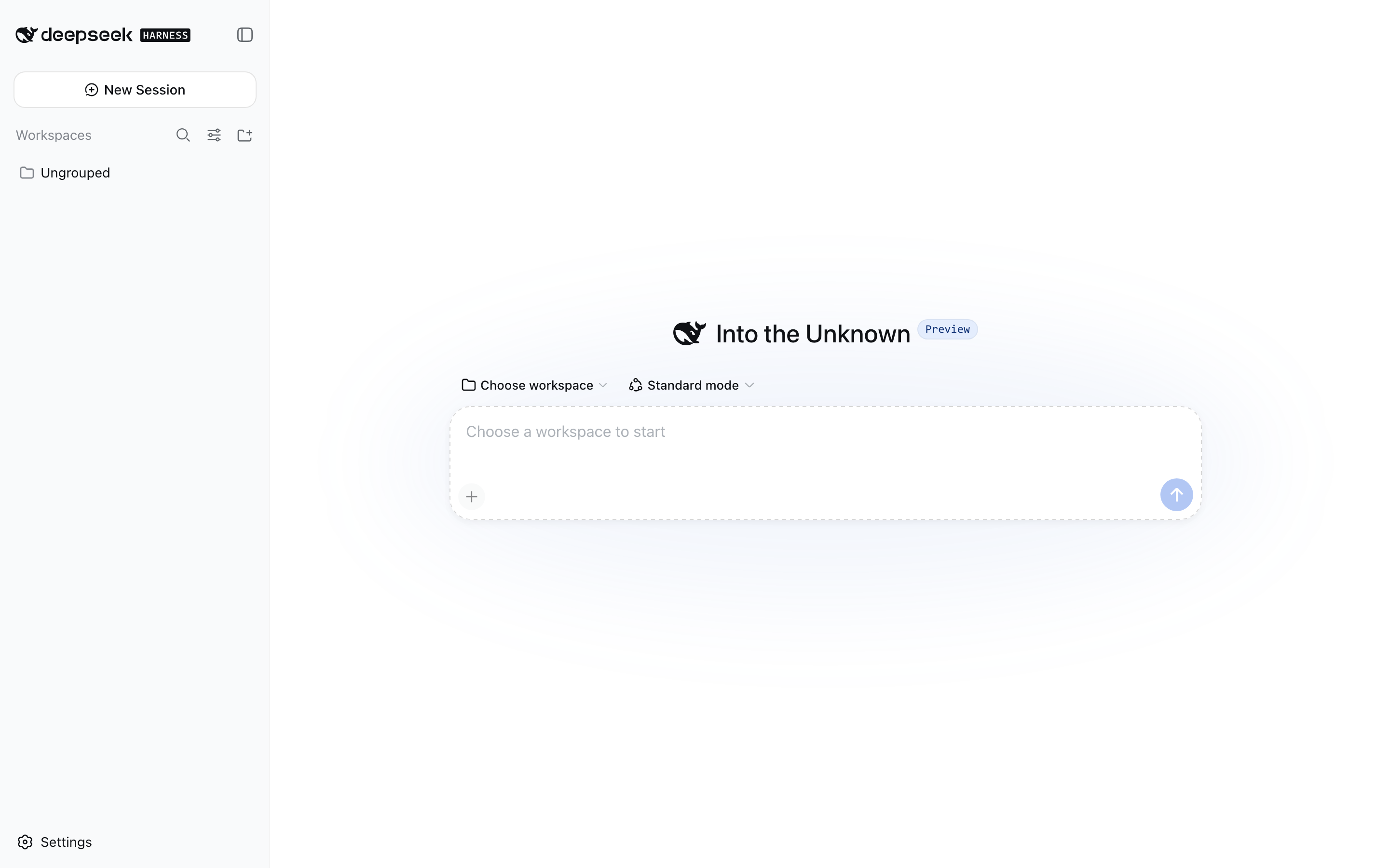
DeepSeek Harness has only been released three days ago, and the GitHub repository has already received 119517 stars, 11,760 forks, and 488 watches.
This set of numbers is indeed eye-catching, but the most common misjudgment is not the heat, but the form. The npm package calls itself the dsh CLI, and the startup entry is also a command. Many people naturally understand it as a terminal assistant like Claude Code or Codex CLI.

Running `npx @deepseek-ai/dsh web` actually opens the browser application on the local 3080 port. The official combination in the repository consists only of web and headless: the former provides the full interface, the latter receives a task, prints the result, and exits.
Although the CLI help has appeared in `–profile tui`, the code repository does not have a corresponding bundle. At least in the current version, it is not a terminal TUI.
This doesn’t mean it’s not living up to its name. The command line is just a launcher; the real product is a composable Agent runtime environment. It’s written in TypeScript, uses the MIT license, and the default branch is still called master.
Both the public page and repository entry point are already in place, but GitHub Release and git tag are still zero, so the delivery trajectory expected of a stable product has not yet been established.
$ 上手地址:DeepSeek Harness GitHub 仓库
https://github.com/deepseek-ai/deepseek-harness;官方主页:deepseek.com/harness
https://deepseek.com/harness
**// 110,000 stars prove attention, but it does not prove maturity. **
🧩 ▍ Everything is a plugin—not just a pretty slogan
DSH’s foundation is [Cordis](https://github.com/cordiverse/cordis), and its core proposition is “everything is plugins.”
Model adapters, tool registers, session logs, and even loops that determine how Agents think and call tools can all be replaced from configuration. It doesn’t have a “privileged kernel” waiting for all extensions to modify; capabilities hang aside through plugins and are then pieced together by the configuration.
I exported the real boot tree and counted it: the web form combined yielded 129 plugin lines, the headless form had 81, and the model had 16 visible tools. The difference between the two is not simply about missing an interface. Headless cuts out browser client, storage, and UI-related modules, replacing them with dedicated execution and exit components.
| Levels | The role undertaken | What happens after the replacement? |
|---|---|---|
| profile | Named running combinations | Decided to use formats like web or headless |
| bundle | A collection of pre-packaged plugins | Decide on basic competencies and distribution methods |
| cordis.patch.yml | User patch layer | Covering models, service providers, and plugin configurations |
| Ability to seam seams | Connecting services, providers, and consumers | Replacing one can remove the entire related ability |
※ Configuration is stacked in the order of bundle, profile patch, home patch, and command-line patch.
What really matters about this structure table isn’t the number of hierarchies, but that replacement happens at the configuration boundary, not inside the source code. For example, if you point the file system and child process services to a remote sandbox, capabilities like Bash, PTY, LSP, and other related ones can also be migrated together. For regular users, this means that when changing models, execution environments, or permission policies, there’s no need to fork out the entire project and make major changes first.
Session records follow the same approach: the log is an additional event stream, and the model context is projected from the log. It also imposes a very strict constraint—what the model can see must already be recorded, and runtime asserts are responsible for guarding the boundary. This is crucial for debugging tool calls, review errors, and audit permissions. The most valuable aspect of plugin adoption is that replacement costs are lower than migration costs.
⚡ ▍ The real contrast: running without a DeepSeek key
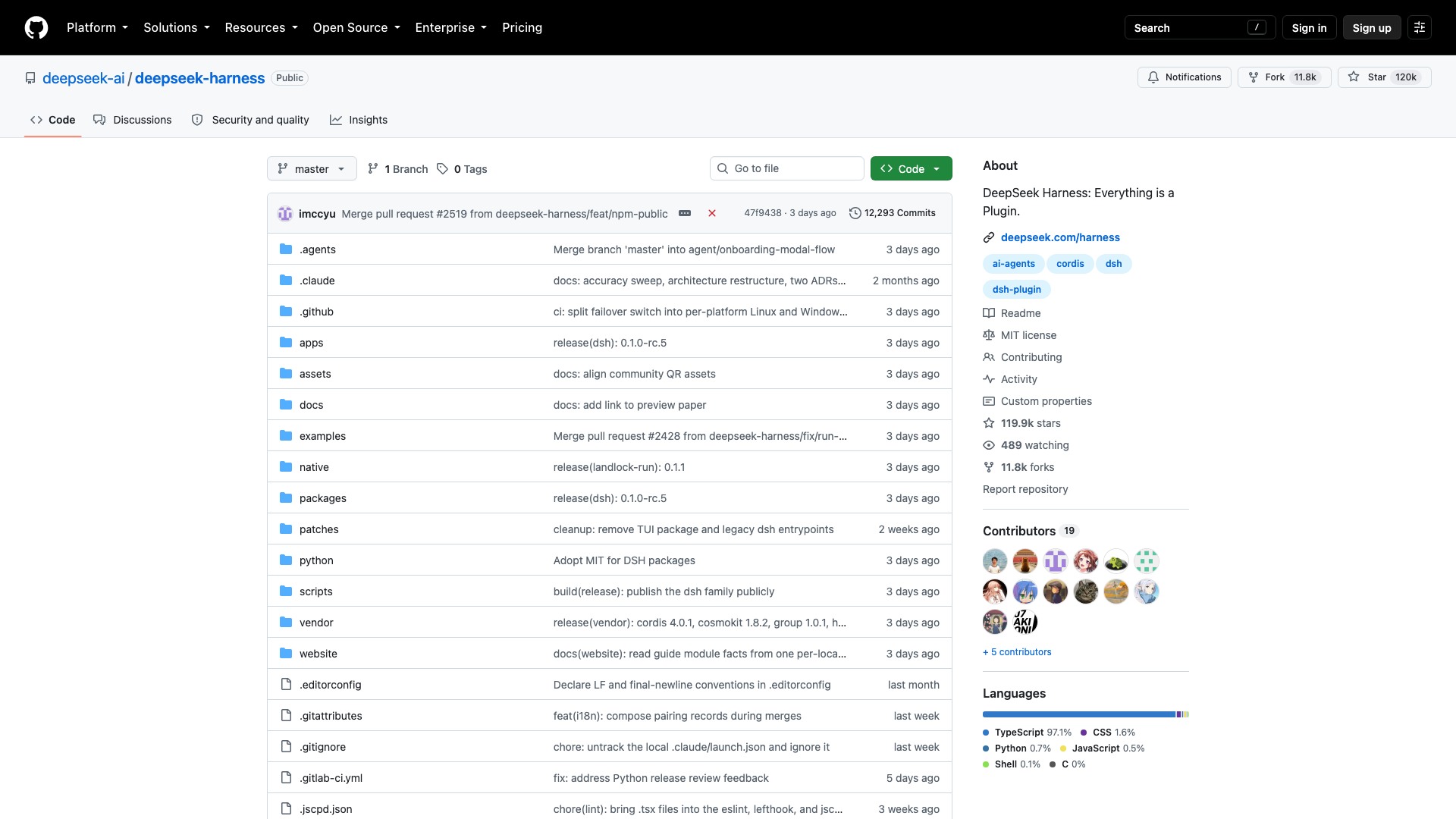
By default, the setup uses the `deepseek-official` provider and `deepseek-v4-flash` model, and the first opening will also guide you to fill in the DeepSeek API Key. But this step can be skipped.
The custom provider supports `openai-completions`, `openai-responses`, and `anthropic-messages` three protocols, with access space for any compatible endpoint.
I didn’t configure any DeepSeek API Key, but instead connected it to Qwen3.6-27B-8bit on the local `mlx_lm.server`.
The service is located on port 8891, dsh successfully requests `/v1/models`, then overwrites the default model with `cordis.patch.yml`. The final configuration has been validated with `–dump-config`.
The pure dialogue task takes 47.68 seconds, and the model can correctly state its running identity. More importantly, the file task: I asked it to read `data.txt` on disk, answer the number of lines and the last line, and the result was 3 lines and gamma, with a total time of 51.62 seconds. This step pushed “can connect to local endpoints” to “can complete real tasks.”
Tool calls are not just the model guessing the answer. The MLX server leaves **5 `/v1/chat/completions` round trips, and in the session event, a `tool/call` with a `tool/call` parameter containing the real path named read, followed by a paired `tool/result`.
The local model, agent loops, and disk tools have already formed a closed loop, which is the most valuable fact of the entire project.
Note Local access path: Prepare the OpenAI-compatible endpoint, fill in the baseURL, protocol, and at least one model in the custom provider field, then use `cordis.patch.yml` to overwrite the default model. The key can be placed in `.credentials.yaml`, or the environment variable name can be used instead.
**// The most interesting move of DeepSeek is that it allows you to swap out DeepSeek. **
💰 ▍ The business of open-source shells is turning models into replaceable parts
On the surface, dsh is just another Agent workbench; On the deeper level, it’s a contest for control between the model and the user. Whoever controls the sessions, tools, permissions, and plugin entry points is closer to the real operating system. The model provider may be pushed down, becoming a replaceable inference part.
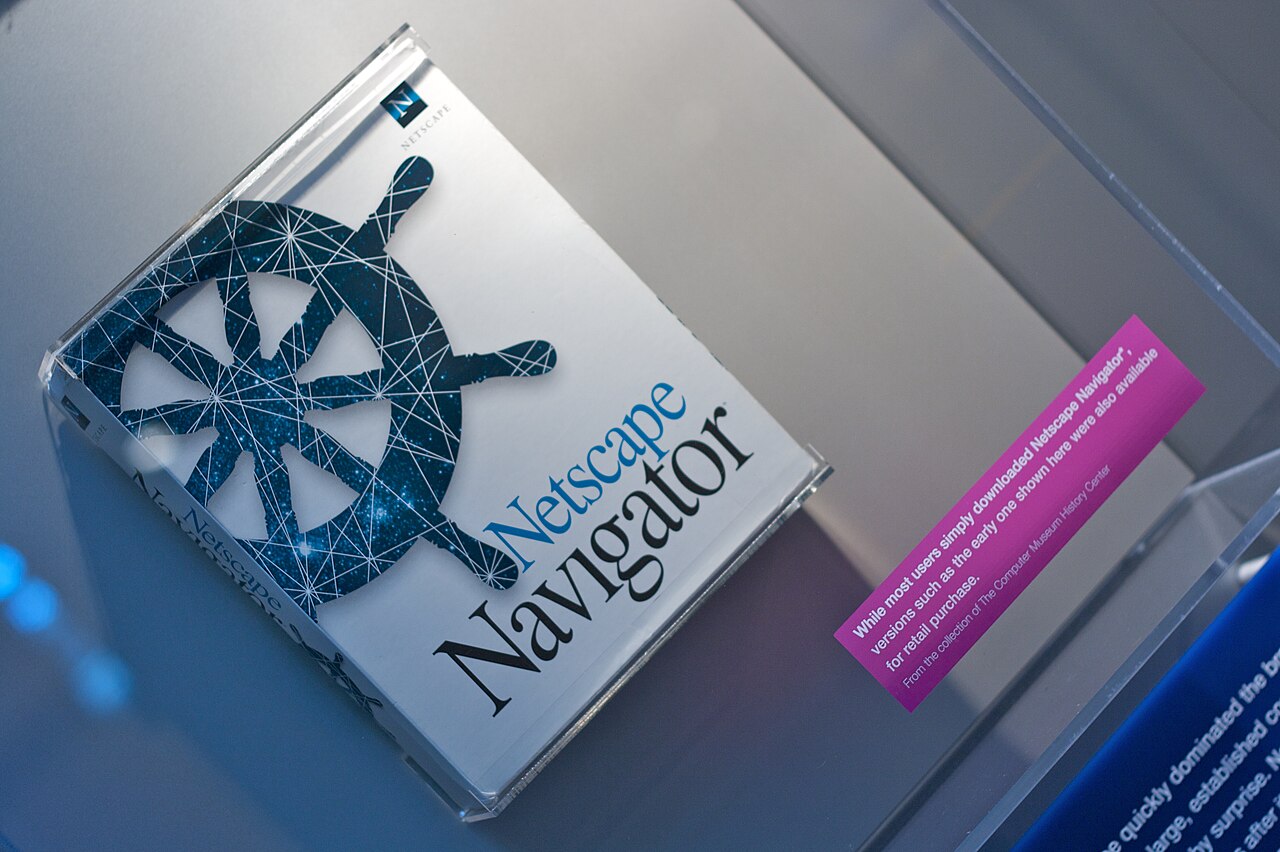
This approach is not unfamiliar in the history of technology. Back then, Netscape opened its browser code, which later led to Firefox, and the competition was not just about an application, but about the entry point to open the web. The similarity is, when a single product can’t maintain its platform advantage, the open extension layer can turn competition into an ecosystem issue; The difference is that DSH currently doesn’t have a mature plugin ecosystem.
The industry story of Android’s free release and gradual replacement of Symbian illustrates the same business pattern: making complementary products cheap often raises another layer of value. DSH adopts the MIT license and is not in a rush to charge for shells, which may allow more models, tools, and execution environments to adapt around it. The real beneficiaries may not only be DeepSeek, but also local models and third-party plugin providers.

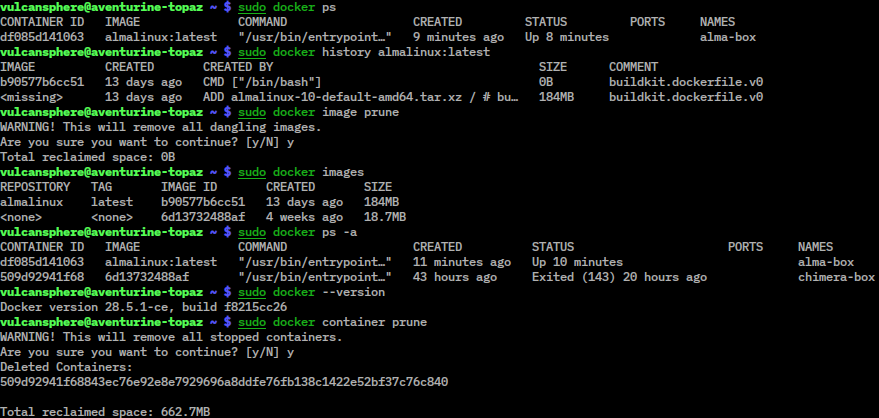
But openness does not automatically breed a business model. Docker’s industry experience has already reminded us once: technology becoming infrastructure does not mean value must be fully taken by the inventor. If DSH truly becomes a universal shell, model vendors, cloud sandboxes, plugin authors, and enterprise deployment services will all benefit, but the platform itself still has to answer a clichéd but fatal question—who will continue to pay the maintenance bill.
-
Starting Point: Models, tools, and Agent loops can all be replaced
-
├ Direct consequence: Users find it easier to switch model providers
-
├ Second-order effect: Local models and remote sandboxes gain a unified entry point
-
├ Next step: Model brands are weakened, plugins and workflows begin to settle
-
└ Potential Risks: Rising maintenance costs, while stable income remains unanswered
This transmission chain also explains who will remain silent. Mature closed assistants won’t rush to praise a shell that can replace models at any time, because it weakens barriers to subscription binding and migration. Local model users will be more excited, while plugin developers will wait for interface stability. **Open architectures redistribute not features, but who has the right to control users. **When models can be swapped at will, the real moat shifts to workflows.
🧨 ▍ Preview Bill: Two-minute cold pack, over 900 packs
Beyond heat, the cost of the current version is quite specific. Cold installation requires pulling 963 packets, and including running the help command, takes 120.75 seconds; Hot boot to view the version takes only 1.08 seconds. NPX cache occupies 343 MB, and the actual `DSH_HOME` is only 36 KB, because dependencies remain in npx storage.
The current npm version is 0.1.0-rc.6, with a total of 6 versions, first released on 2026-08-10. The interface will directly display a beta declaration, clarifying that core plugins and basic APIs may change rapidly. The repository created and completed its last push on 2026-08-13, with only 3 days before the verification date, and the sample size was too short to assess long-term maintenance intensity.
When the repository opens, PR numbers have reached #2519, #2520, and #2521, and commits also include actions to publicly reveal the dsh family. This is more like opening the door all at once after long-term internal development, rather than starting a public iteration from scratch. It explains code scale and completeness but cannot replace stability records. **History burden and engineering accumulation sometimes look exactly the same. **
The permission design is actually more restrained than many early Agents. The sandbox has read-only, workspace-write, and danger-full-access levels, with workspace-write used by default; If you don’t have the highest permissions, the approval policy always asks.
Telemetry plugins are disabled by default and must be explicitly set `DSH_TELEMETRY_MODE` to be enabled. Sessions are saved by workspace as JSONL compressed by zstd. The preview version can be used to verify routes but not to support production environments.
Run through each of the two forms; the numbers better indicate the stage it is currently in. Pure dialogue task—asking it ‘What model are you running on now?’—takes 47.68 seconds; Task with tools: have it read files on disk and answer the number of lines and the last line; if it answers correctly (3 lines per gamma), takes 51.62 seconds, with 5 round trips in between.
The startup overhead difference is even greater: cold installation takes 120.75 seconds, because NPX requires 963 packets; After installation, `–version` only takes 1.08 seconds. In other words, it’s not the device itself that slows, but the first time you bring it in. Cache takes up 343 MB, and deleting the corresponding directory can reclaim everything.
🔍 ▍ Whether it’s worth installing depends on what you want to do with it
If you just want a main assistant that works steadily after installation, now is not the time to migrate. Without Release, without tags, interfaces can still undergo disruptive changes, and the plugin ecosystem is just beginning. Moreover, the true performance of the default model and the same-issue gap with Claude Code or Codex CLI have not been verified under comparable conditions.
If you already have MLX or other OpenAI-compatible services, it’s a different story. DSH gives the local model a ready-made interface, toolsystem, session history, and permission boundaries, so you don’t need to rebuild the Agent shell. Whether data can remain fully locally still depends on the enabled model and plugins, but telemetry is off by default, so at least basic control is clear.
The safest approach is to create a separate directory and run the web format first, using read-only or the default workspace-write permission. When you need to quickly verify automated tasks, use headless.
After testing, delete the corresponding npx cache directory to recover 343 MB; Don’t open danger-full-access right away, and don’t treat early configurations as long-term assets.
$ 最小尝试命令:`npx @deepseek-ai/dsh web`。默认入口为 `http://127.0.0.1:3080`。首次出现 API Key 引导时可以选择稍后配置,再添加自定义提供方;提供方至少要填写一个模型,否则无法创建。
If you want to continue with local multimodal workflows, you can also use [LocalBrain](https://github.com/HackerChi-Hub/localbrain-releases/releases).
It provides native model callable TTS, Whisper, and related MCP capabilities, which naturally connect with the DSH replaceable tool layer concept. One organizes the agent, the other completes the local capabilities. Use it as a testing ground for now; don’t rush to delegate the work to it.
$ 🎬 这个话题我做过视频
· AI说我帮你查一下,其实是调用了工具|Tool Calling 工具调用
https://youtu.be/s54ud_71WN0
· [[热点速递] OpenAI工具一年烧掉640TB!你的固态硬盘正在被吃掉](https://youtu.be/XOa2OYo3ucw)
Note In short
DSH is not yet a mature mainstream, nor is it a terminal tool under the DeepSeek name; It is a local agent workbench that can run in browsers and headless modes, replacing models and tools. If you want to try, create a new directory, restrict permissions, connect to existing OpenAI-compatible endpoints, and decide whether to keep the real task after it runs smoothly. My judgment is straightforward: 110,000 stars are just a few spectators; the fact that DeepSeek can be replaced with a native model and still call tools is where this architecture truly shows its true fangs.
🧰 Tools I build
I maintain all of these tools myself. Preview builds are clearly labeled; the release pages are the source of truth for downloads, updates and known limits.
Info: HyphenBox Status: Official releases
A radar for free LLM APIs: availability is re-tested continuously, one local interface for all of them, and keys stay on your machine
Info: LocalBrain Status: Official releases
A multimodal MCP toolbox for local models: TTS, Whisper and video generation in one place
Info: ScreenLex Status: Official releases
Learn new words while you watch shows. Free, for Mac and Windows
Info: HyphenScreen Status: Official releases
Screen recording and smart editing in one: a DaVinci-style timeline, automatic redaction and a check of the finished video before export. Free
Quote: HyphenTech Make AI your superpower Local deployment · Free resources · Self-made software https://hyphentech.top
Late nights and burned API credits went in,a cup of tea comes back out — only if you feel like it.
Scan with WeChatPress and hold to save the image, then open it from your album in WeChat Scan

Comments
Loading comments…